Overview
In this article, we will review the new leads tab on the activity and people analytics.
Sale Stage Buttons
The Sale Stage Buttons will allow you to view the report with either initial sale stages (sale stage on) or all sale stages. The orange color will show which filter the data is populating. When loading into the report, the Sale Stage On will be defaulted.

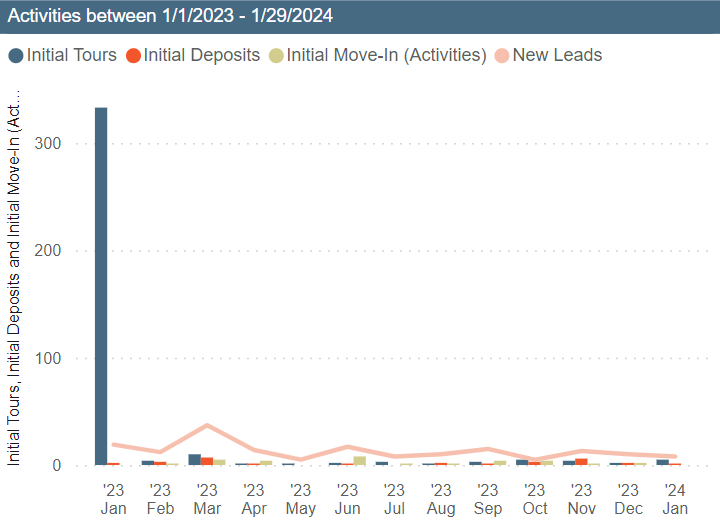
Activities Graph
The activities graph will show all initial tours, initial deposits, initial move-in (activities), and new leads. This data will come from the leads profile under activities. Any activity that triggers the initial sales stage activity will show on this report.
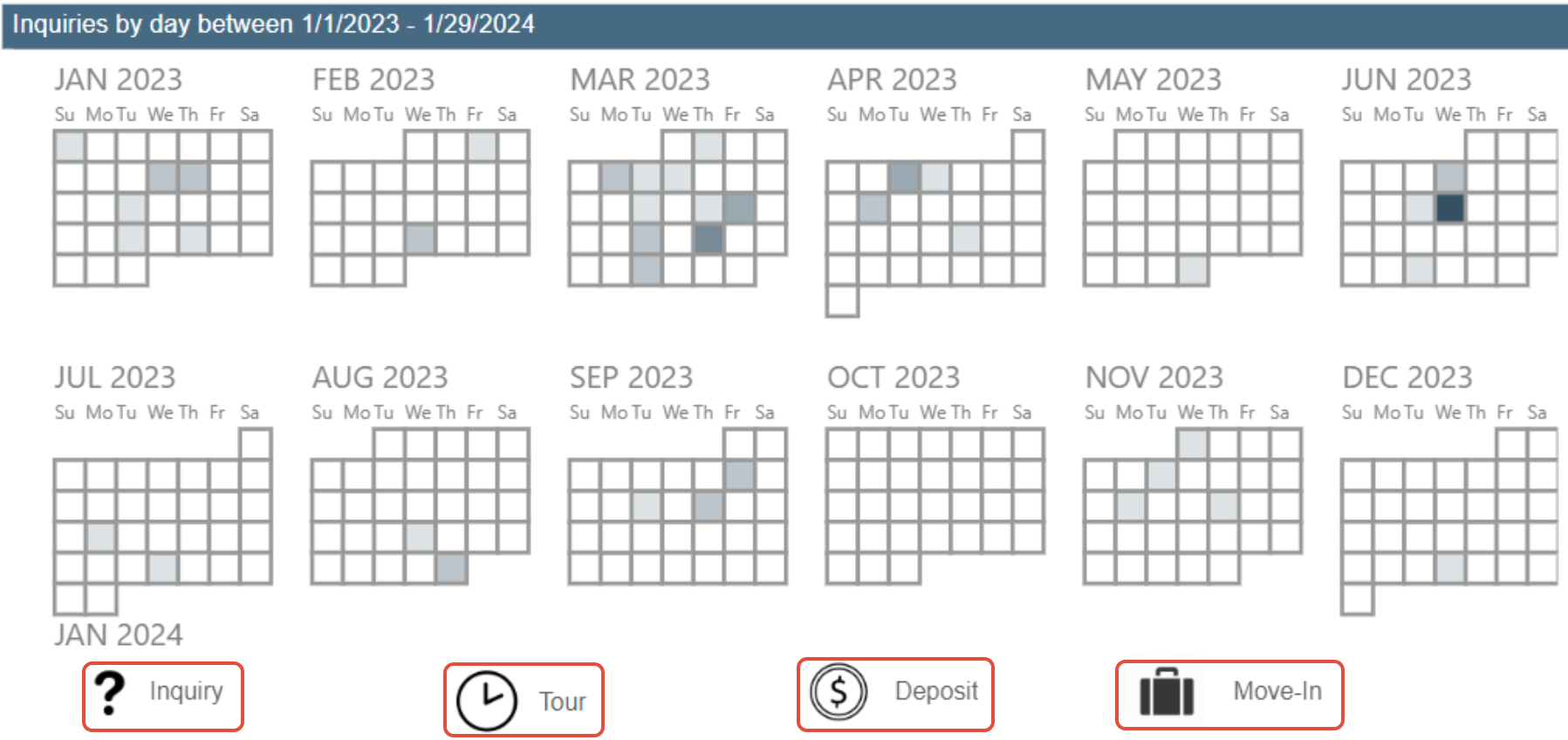
Inquiries Heat Map
The Inquiries Heat Map will display inquiry data based on sale stage activities. This section can be manipulated to display different sale stages by clicking on the Inquiry, Tour, Deposit, or Move in buttons displayed in the red boxes below. The darker the color on these maps, the more sale stage activities were recorded that day based on the filter.
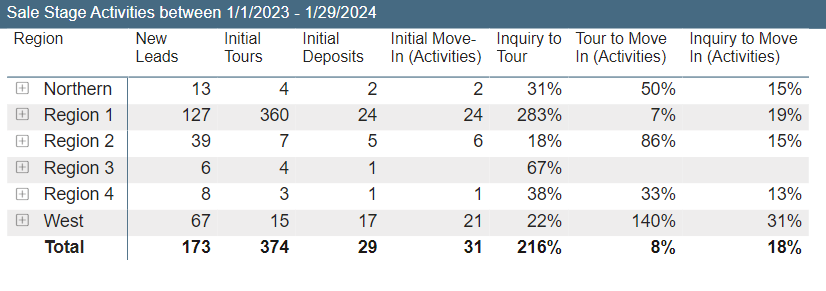
Sale Stage Activities
The Sale Stage Activities section will display initial sale stages based on the date filtered. This will show the region, number of new leads, tours, deposits, move in activities, inquiry to tour, tour to move in activities, and inquiry move in activities.
When clicking on the + symbol on the report, this will show more information like location and market source.
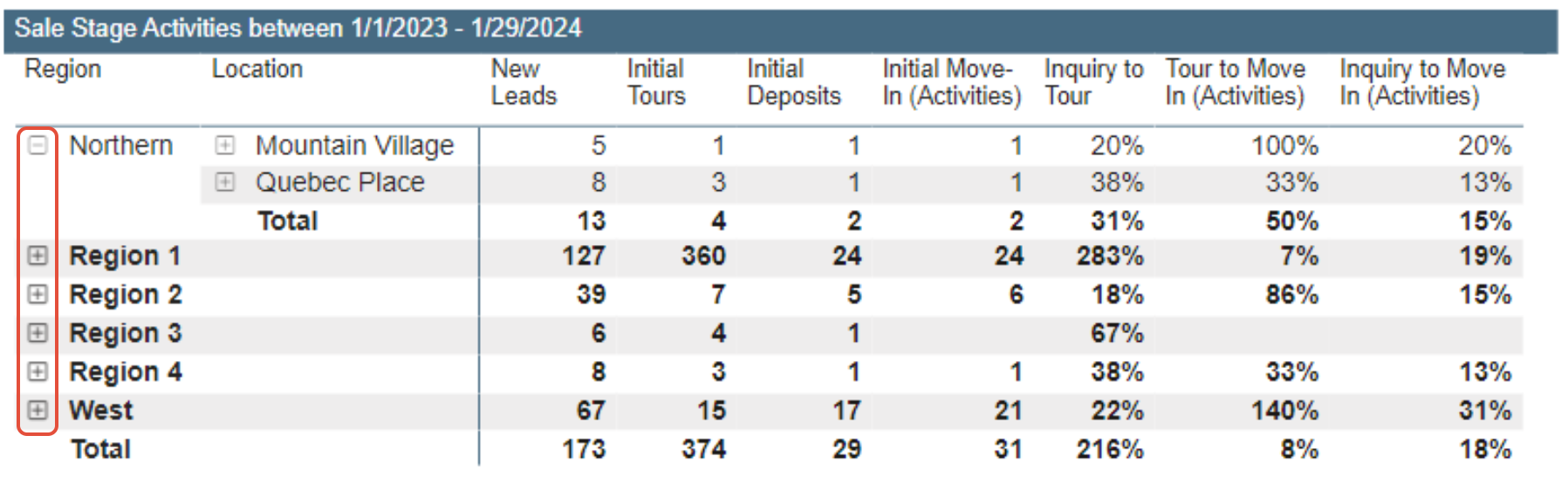
Note: The data displayed will depend on the sale stage button filter. Please verify the sale stage buttons when viewing data on this report.
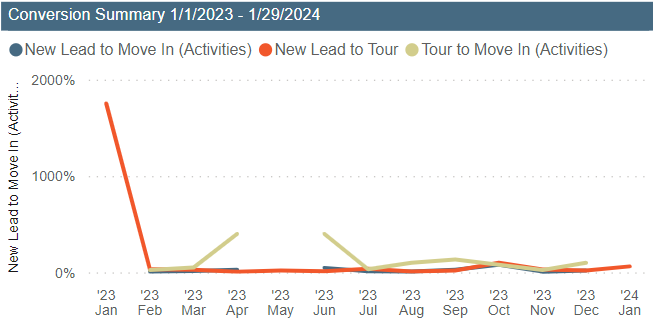
Conversion Summary
The Conversion Summary section will display data based on new lead to move in activities, new lead to tour, and tour to move in activities. This information is collected from the leads profile under activities.
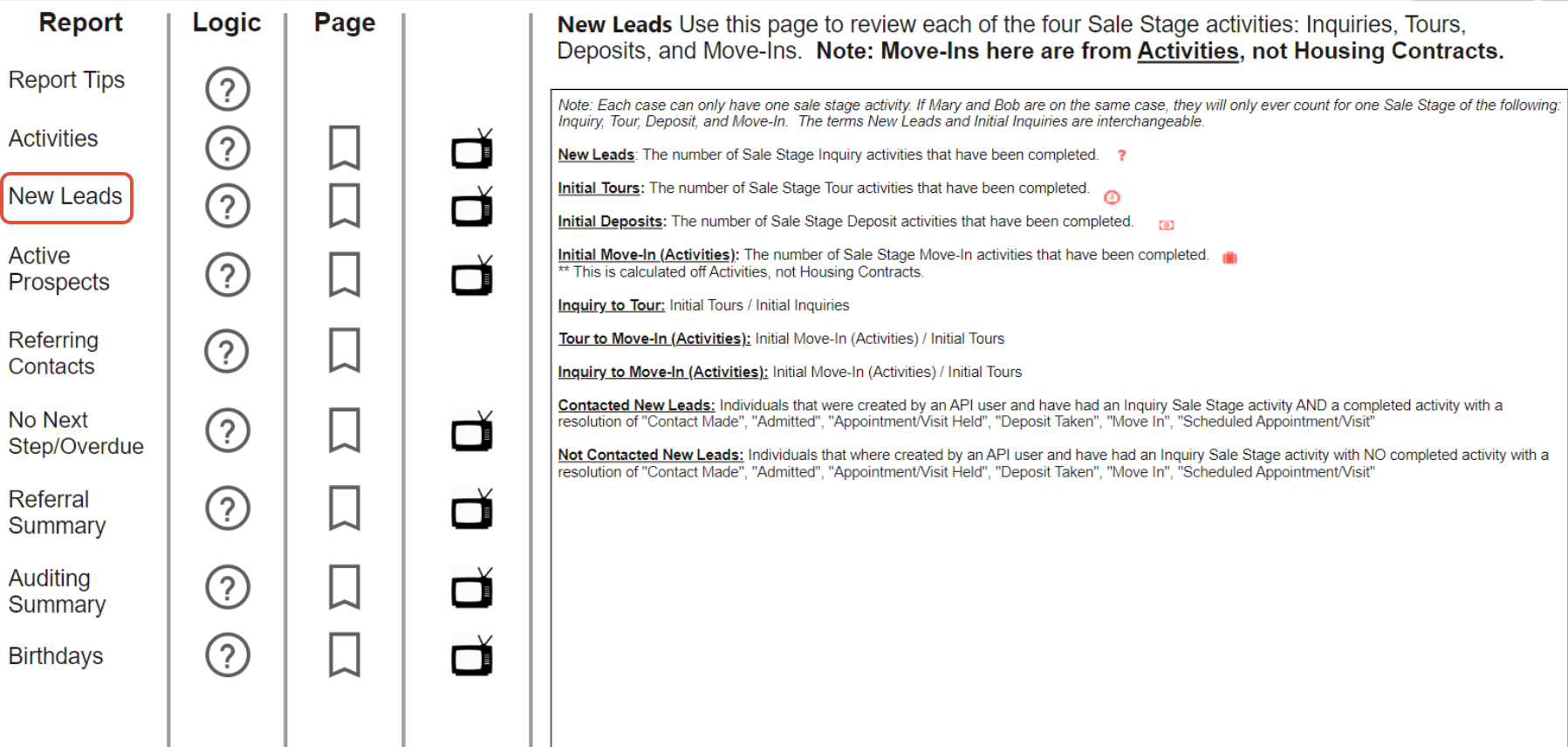
Logic Page
The logic page will describe how the data is collected and displayed on the report.
Was this article helpful?
That’s Great!
Thank you for your feedback
Sorry! We couldn't be helpful
Thank you for your feedback
Feedback sent
We appreciate your effort and will try to fix the article