Quick Overview
The following updates were released in June 2025:
- New Prospect Profile: Lead Summary (BETA)
- The Lead Summary, located on the new Prospect Profile UI (now available in Preview or Default mode), provides an AI-generated overview of contact details, recent activity, and upcoming next steps
Summary updates dynamically with each page view
Intended to help users quickly understand a lead in under 30 seconds
Workflow Enhancements
- Pre-Leads/On Deck Leads can now be targeted by workflows
- Admin users can view all workflows in their CRM (read-only access), allowing Admins to audit existing workflows and work closely with their CSM or Support Team member to make adjustments if needed
- Roobrik CRM Enhancements
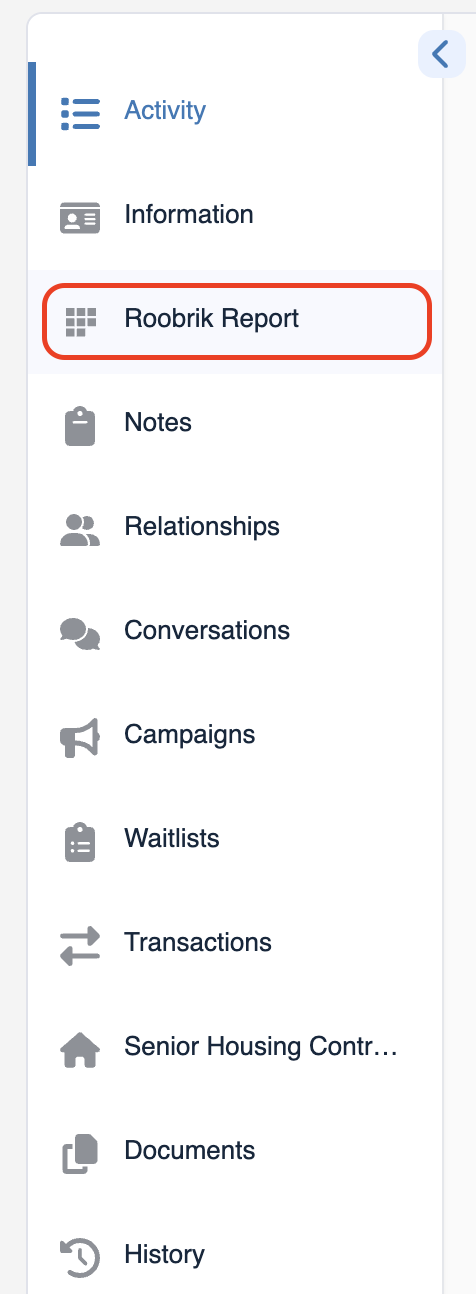
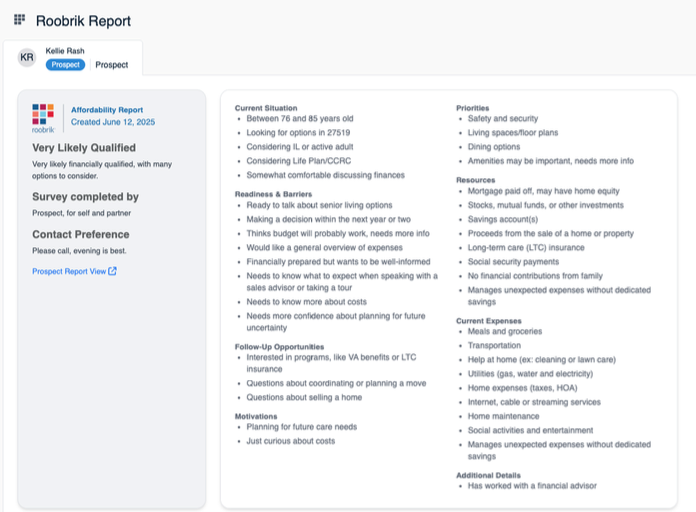
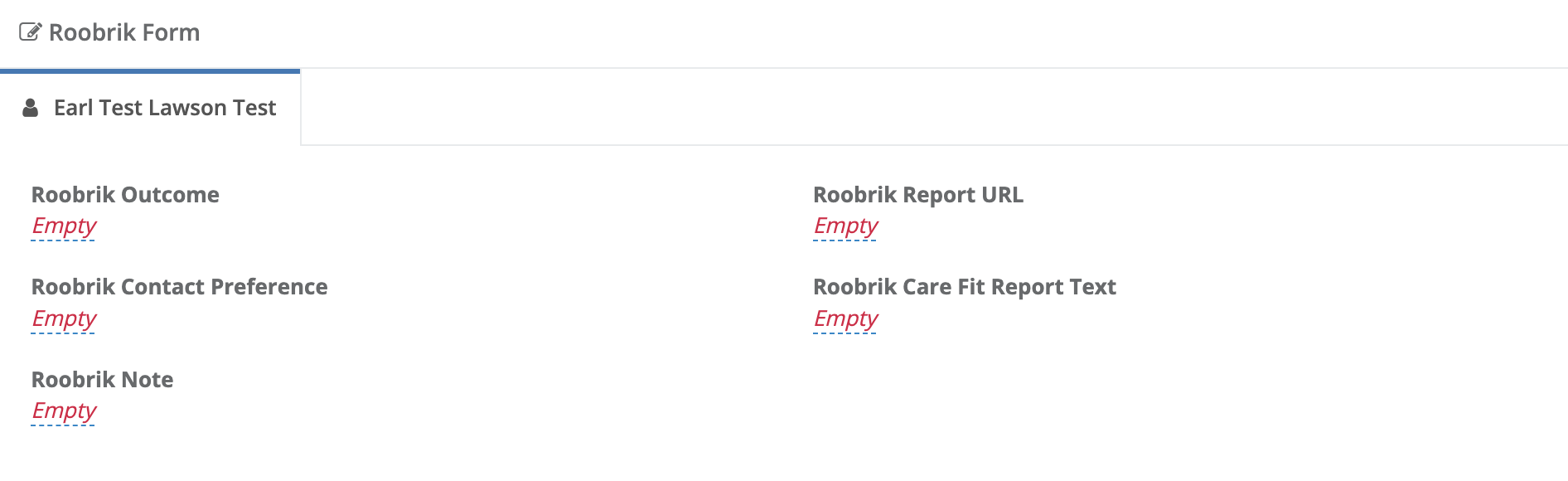
- If you are utilizing the Roobrik Integration, you will now see a new report tab in the new Prospect Profile UI (now available in Preview or Default mode). If utilizing the original profile still, the report details will be accessible on the Roobrik form.
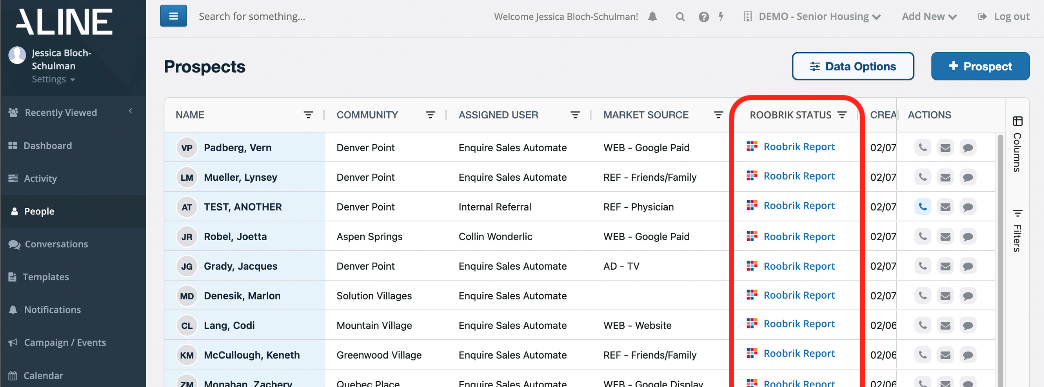
- On the Peoples List Page, there will now be a Roobrik Status column for easier access to the Roobrik Report tab on the prospect profile
Features and Functionality
New Prospect Profile UI - Lead Summary:
Within the NEW Prospect Profile UI (now available in Preview or Default mode), you will now have an AI-generated Lead Summary of the Prospect. The summary will dynamically update each time the profile is accessed. Providing the most update to date summary that pulls from the contact details, recent activity, and upcoming next steps. This feature is intended to help sales teams quickly understand a prospect in under 30 seconds.
To begin using this feature, do the following:
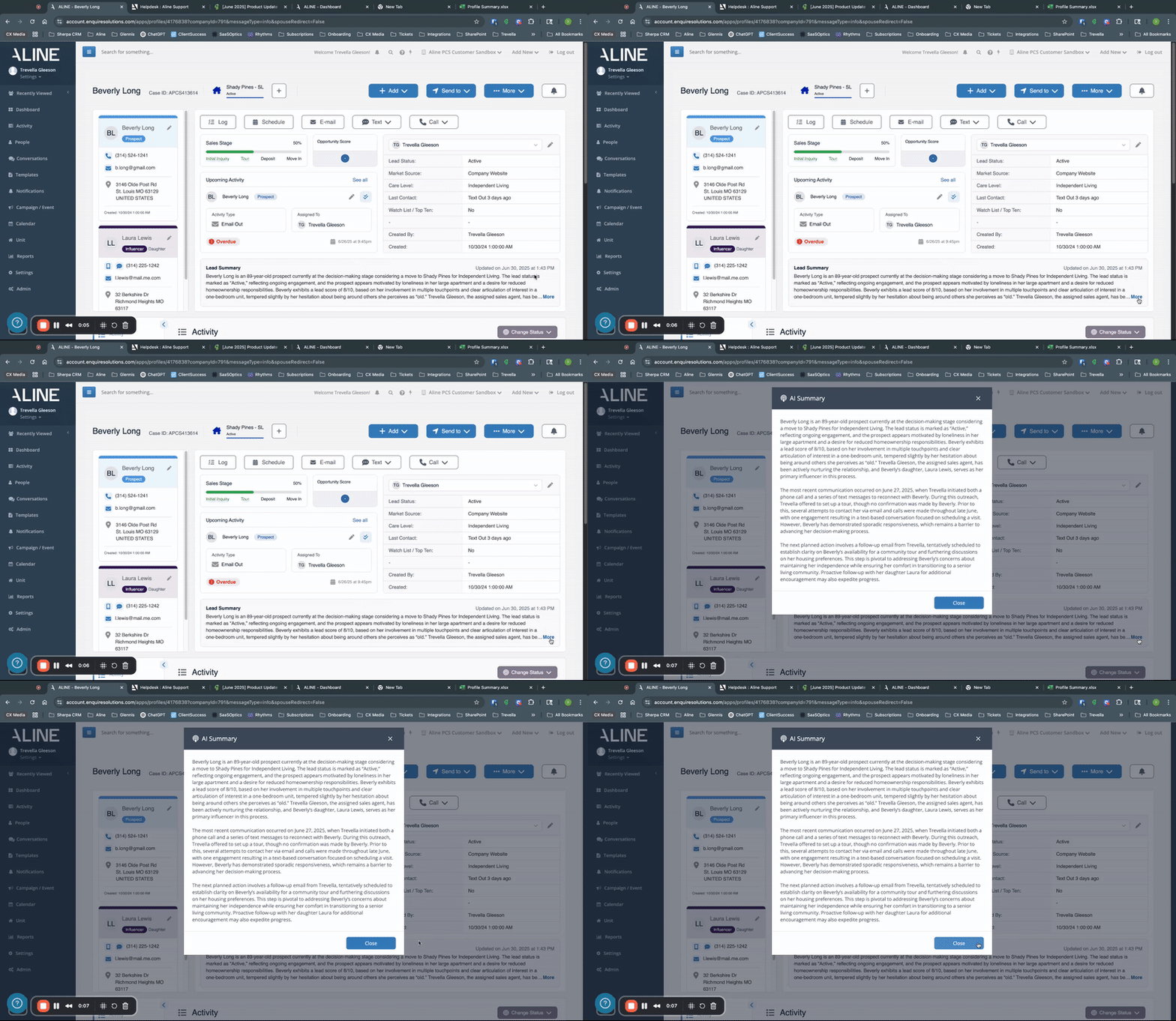
Step 1: Navigate to any Prospect Profile and scroll to view the Lead Summary. Upon first accessing the profile, it will let you know that the summary is updating:

Step 2: Once loaded, the summary will be displayed with the timestamp the Lead Summary was last updated. To view the full summary, click More:

Step 3: Clicking More will generate a pop-up of the full Lead Summary. To close out of the Summary, select the 'X' in the upper right hand corner or select Close.
Don't have the new Prospect Profile UI enabled? Contact our Customer Success Team to learn more about enabling this feature for your organization in a Preview or Default mode.
Workflow Enhancements: Pre-Lead/On Deck Leads:
If you are utilizing the Pre-Lead/On Deck Individual Type, these Individuals can now be targeted via workflows. Workflows allow us to create specific triggers to occur in the CRM based on certain events (updating of a field on a Form, completing and/or scheduling an activity, etc.) recorded and/or fields updated in the CRM. For example, we can now create a workflow for your organization that would allow us to automatically attribute a Market Source for incoming Pre-Leads/On Deck Leads created via an API user. To set up Pre-Lead/On Deck Lead workflows, please contact our Customer Success Team
Workflow Enhancements - Workflow Visibility for Admin Users:
If you are an Admin User, you can now navigate to the Admin Settings > Workflows to view current and past workflows that have been enabled for your organization. With this read-only access, you can audit existing workflows and work closely with your Aline CSM or Support Team member to make adjustments if needed.
To access the workflows, do the following:
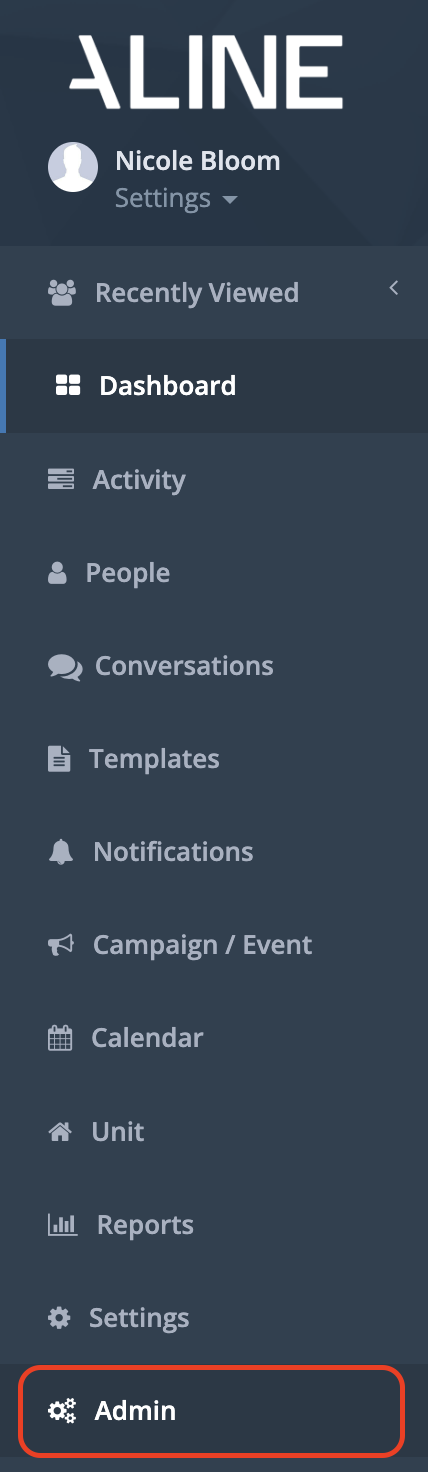
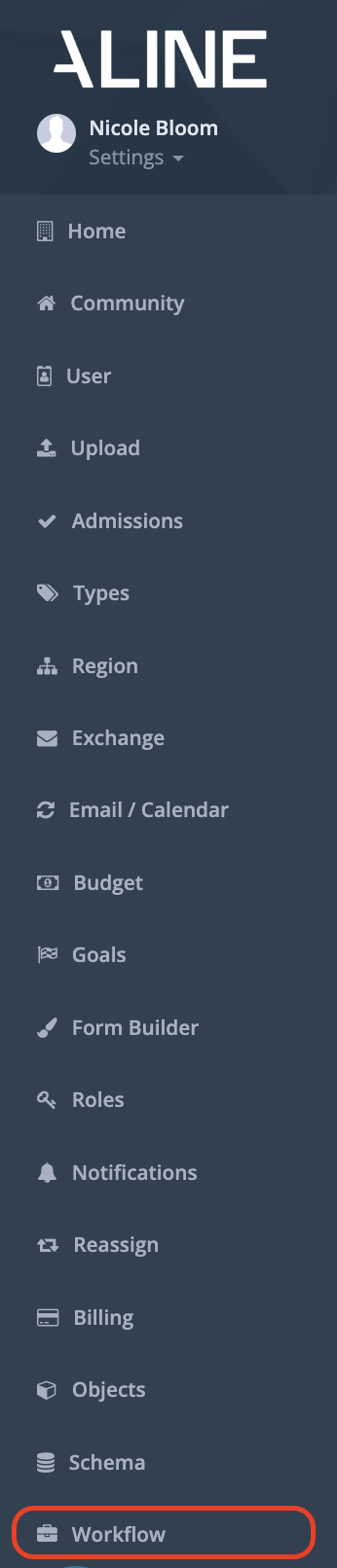
Step 1: Navigate to Admin on the left-hand navigational bar, then click Workflow:
Step 2: This will bring you to the Workflows page. Here you will see a list of all active and inactive workflows.
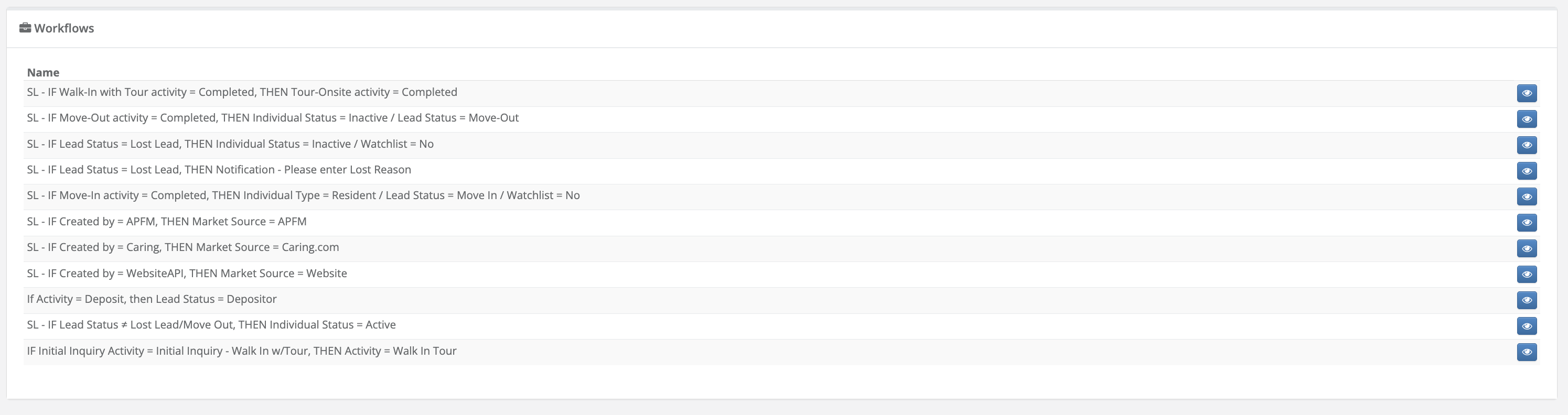
Note: Please note that status of the workflow will be released in upcoming product updates.
Step 3: To view a particular workflow, select the eye icon on the right-hand side of the desired workflow.
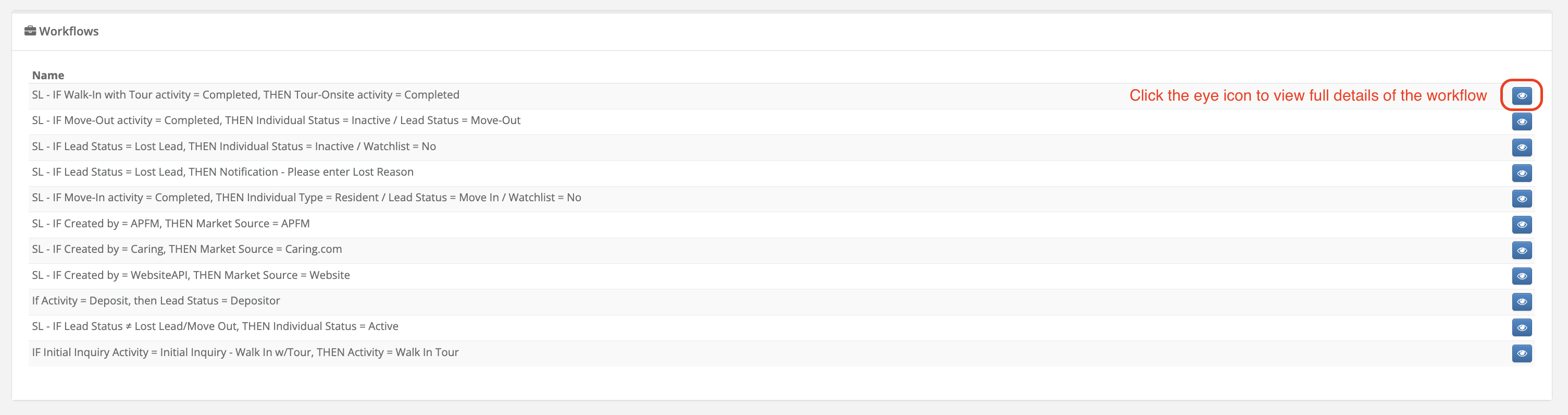
Step 4: This will bring you to the Edit page where you will have view-only access to review, audit, and understand existing workflows within your organization.
Step 5: To return to the list of workflows, select Back to List in the upper right-hand corner of the screen.

If you have questions about existing workflows, please contact our Friendly Support Team for more details.
Roobrik CRM Enhancements
If you are utilizing the Roobrik Integration, you will now see a new report tab in the new Prospect Profile UI (now available in Preview or Default mode) and a quick link on the People List Page under column "Roobrik Status". If utilizing the original profile still, the report details will be accessible on the Roobrik form.
New Profile UI - Roobrik Report:
People List Page:
Original Profile UI - Roobrik Form:
QUESTIONS?
We're happy to help! Please reach out to our Aline Support Team:
- Click here to email our Support Team
- Click here to schedule a support call
Click the "back/menu" buttons to explore more Help Center articles
Was this article helpful?
That’s Great!
Thank you for your feedback
Sorry! We couldn't be helpful
Thank you for your feedback
Feedback sent
We appreciate your effort and will try to fix the article