Quick Overview
The following updates were released on September 5th, 2024:
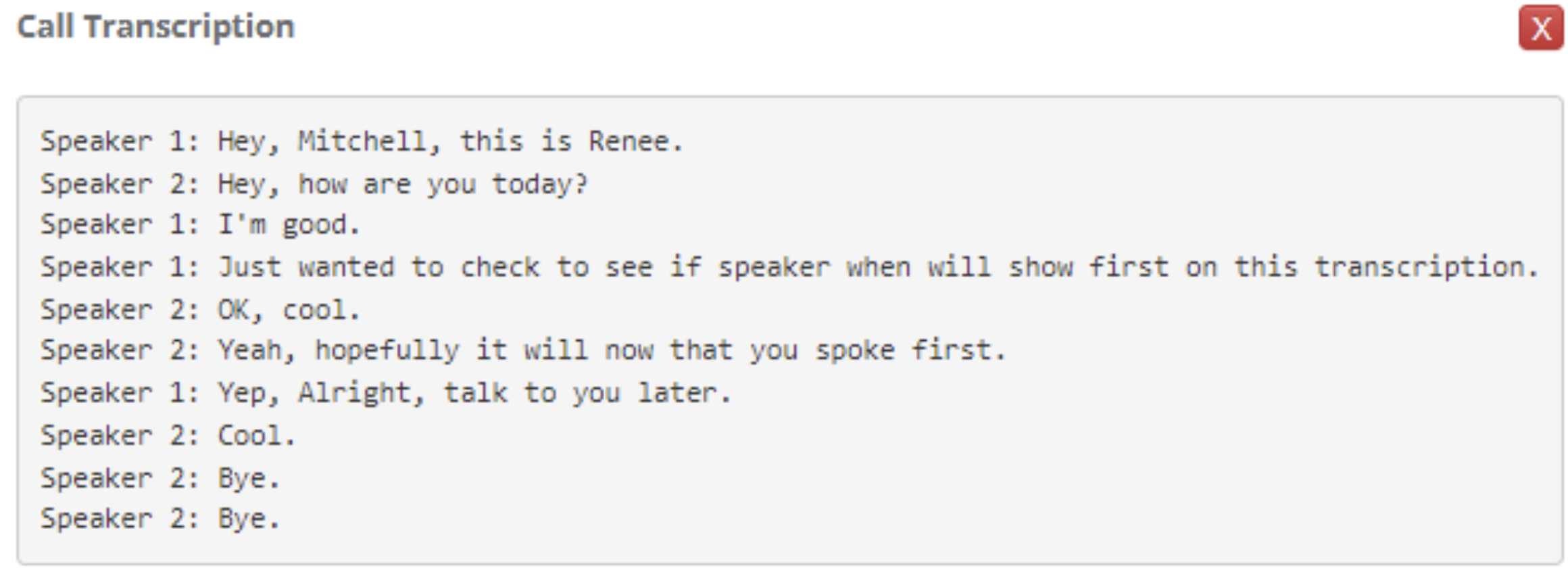
- Call Transcription
- The call transcription will show the user the conversation that happened during the call recording in a script format
- The call transcription will show the user the conversation that happened during the call recording in a script format
- AI-Generated Call Summary
- The summary will give an overview of what the conversation was for that activity
- 2025 Goals/Budget Now Added
- You can now add your goals and budgets for months in 2025
- Email and Calendar Updates
- You can now drag and drop all files and documents to attach them to a message
- Images will be dropped inline into the email body, but all other files will be linked and sent as an attachment
- An issue has been resolved impacting some users who were experiencing messages being truncated
- An issue has been resolved impacting some users who were having all day activities within the calendar not showing as expected
- An issue has been resolved where images within emails were being included as attachments within the profile - duplicate images will no longer be appended
- You can now drag and drop all files and documents to attach them to a message
- Remove Deceased and Phone Subscribed from General Information Form
- These two fields were recently added as field library fields, and also added to the General Information Form
- The fields have been removed from the General Information Form, but remain available to add as field library fields
- MatrixCare Integration: Contact Push Update
- We previously required Contact Address and Phone for all clients to push any record to MatrixCare SNF, which may not always be available for a Referral/Prospect record
- We now have removed the Address and Phone requirement in UI to allow a record to be pushed to MatrixCare with or without contacts
- The system will now automatically insert a placeholder address into contacts for Address, City, and State, as these are MatrixCare requirements and cannot be left blank
- The following convention will be used when inserting a placeholder address, and will appear within the record on the MatrixCare side:
Address = Unknown Address
City = Community City
State = Community State
Keep reading below for more details and screenshots!
Call Transcription and AI-Generated Call Summary
(Communications Package Only)
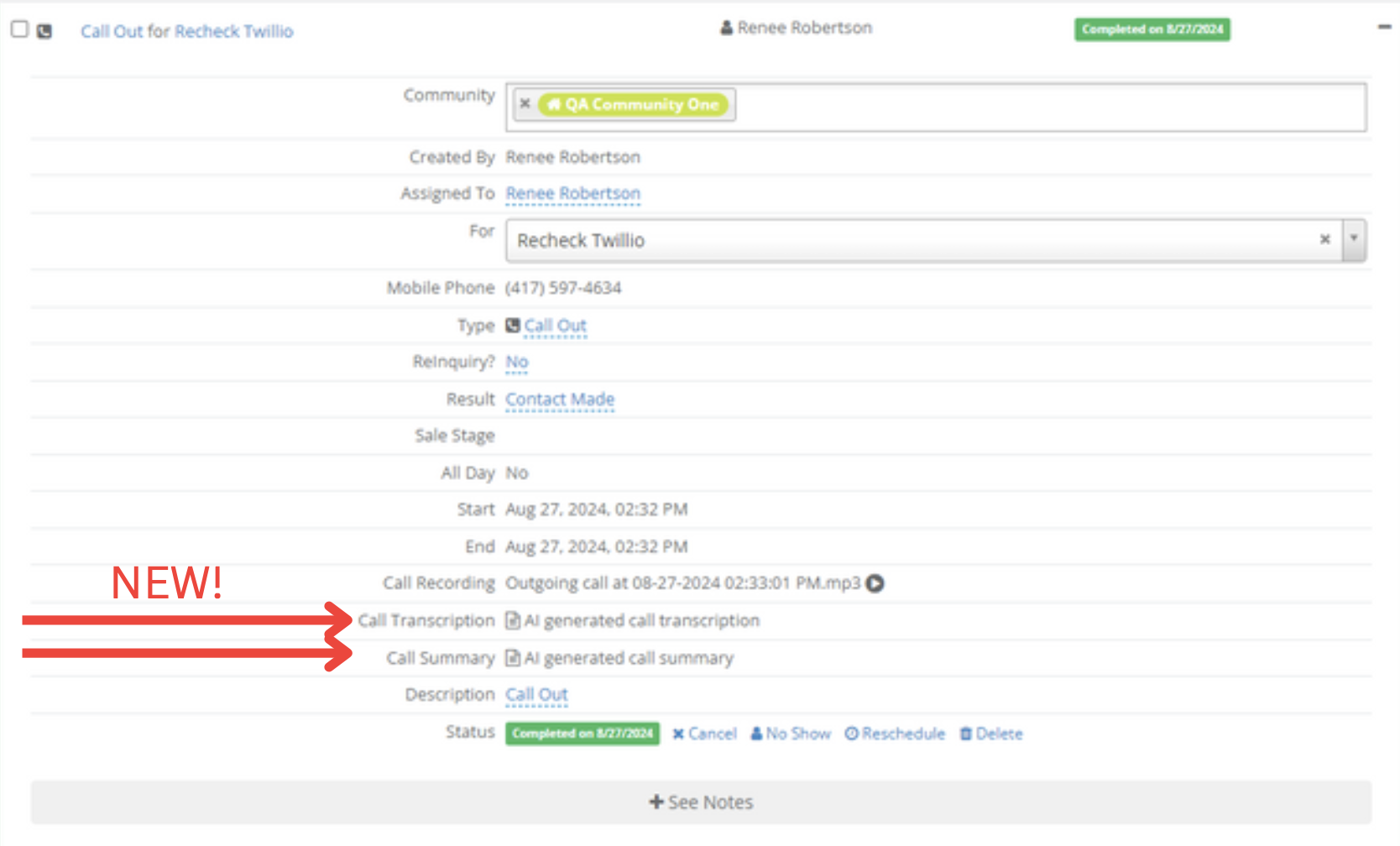
Call Recording Enabled - Transcript and Summary are Available
a. The link to the recording and the link to the call summary will be available within the sales activity after the call ends
b. These two items will only show if the call was recorded

Was this article helpful?
That’s Great!
Thank you for your feedback
Sorry! We couldn't be helpful
Thank you for your feedback
Feedback sent
We appreciate your effort and will try to fix the article