New List Views
Overview
This enhancement applies to the data sets for Pre-Leads*, Prospects, Residents, Referring Contacts, Contacts, as well as the universal "Search for something" result set. The new List View offers a powerful and customizable way to manage and visualize your data, improving efficiency and user experience.
Key Benefits:
- Enhanced Data Visualization
- The new view provides a clear and organized way to visualize and manage large datasets
- Improved Efficiency
- Customizable columns and filters save time, allowing users to configure their views to display the most relevant information quickly
- Streamlined Workflow
- Quick action icons for phone calls, emails, and text messages enhance communication, ensuring users can contact individuals without leaving the CRM
- Persistent User Preferences
- Automatic saving of configurations means users spend less time setting up their views and more time on productive tasks
- Flexibility and Customization
- The Column Library and Filters offer a high degree of customizations, accommodating diverse user needs and preferences
- Easy Data Export
- Export options for Excel and CSV files facilitate data analysis and reporting, enhancing data portability
Features and Functionality
- Category-Specific Records:
- Users can select their desired People category to view
- By default, the list displays records in an Active Status, with an option to include Inactive records via the Filter feature
- Unique Default Columns:
- Each person type (Pre Leads*, Prospects, Residents, Referring Contacts, Contacts) has a unique set of default columns
- Customizable Columns:
- You can drag and drop columns to reorder them directly within the table or from the Column Library
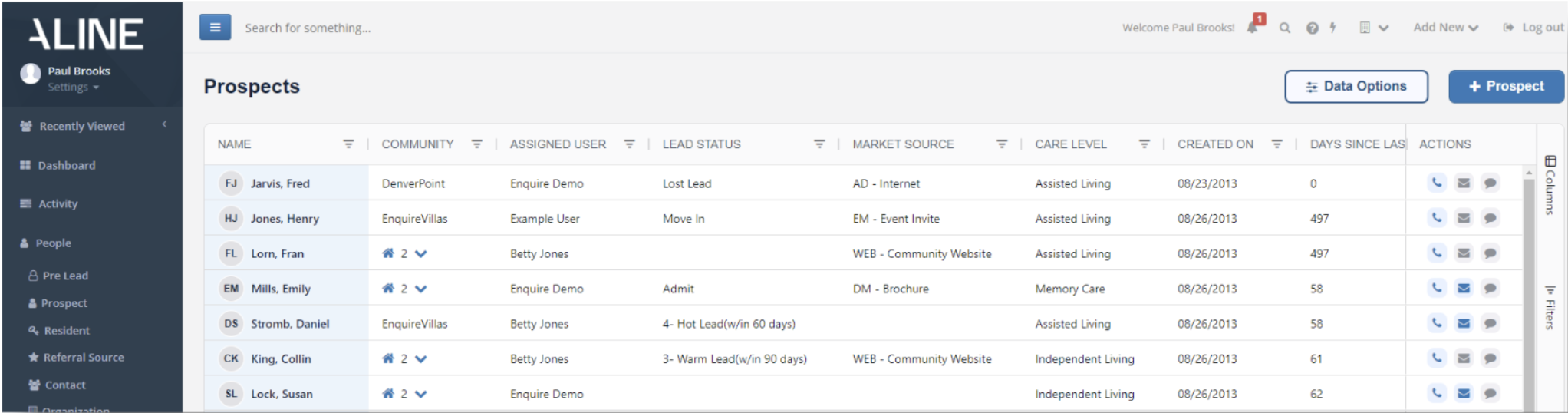
- Column Library:
- Easily add or remove columns in real-time by checking or unchecking options in the Column Library
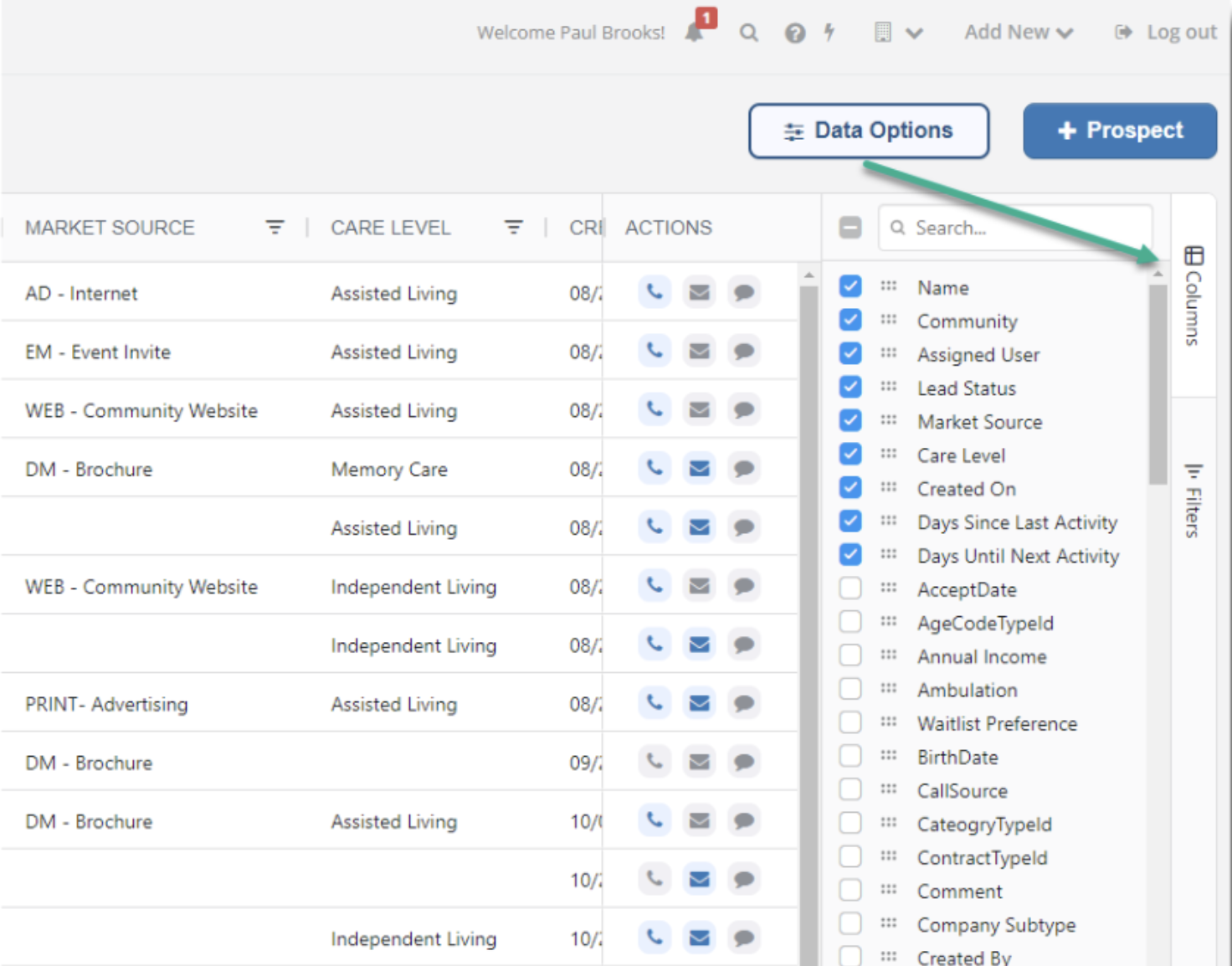
- Advanced Filtering:
- Users can apply filters for each column from the Filter list on the right-hand side or directly within the Column header
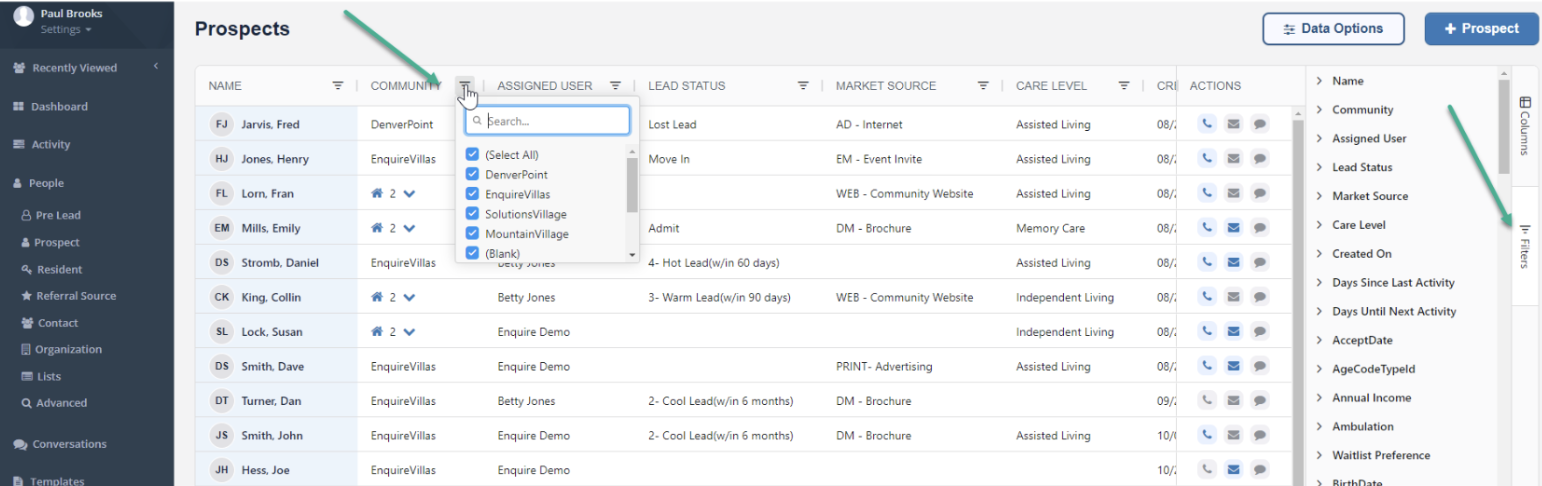
- Sorting Capabilities:
- Click a column header once for Ascending order, twice for Descending, and a third time to revert to the default sort
- Initially, lists are sorted by the creation date of records, from Most Recent to Oldest
- Auto-Save Configuration:
- Users' configurations, including applied filters and column settings, are automatically saved
- When users navigate away from the page or log out, the last configured view will be displayed upon their return
- Data Options Button (Dropdown):
- Users can reset to the default view by selecting "Default View" from the Data Options dropdown
- The dropdown also provides an option to export data to Excel or CSV files
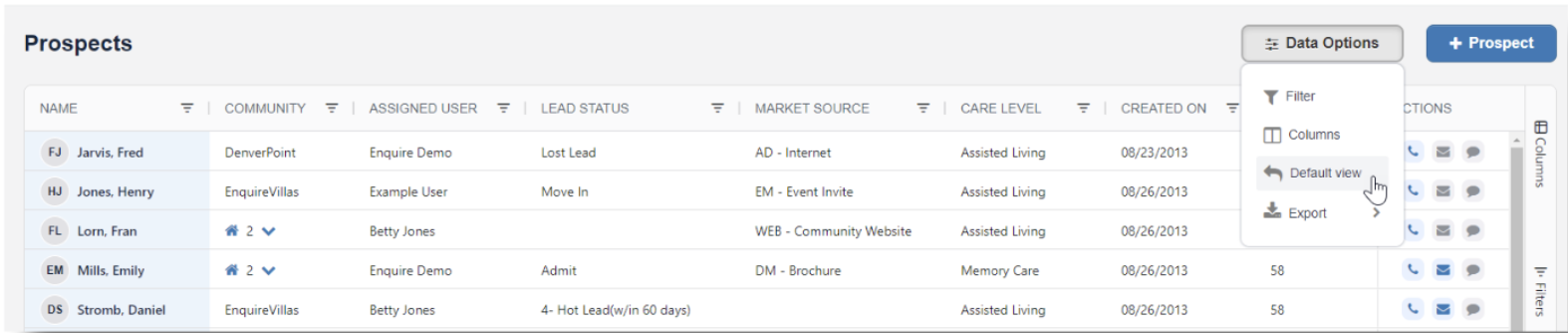
- Actions Column (for Communications Package only):
- An Actions Column is always available, enabling quick actions such as phone calls, emails, or text messages
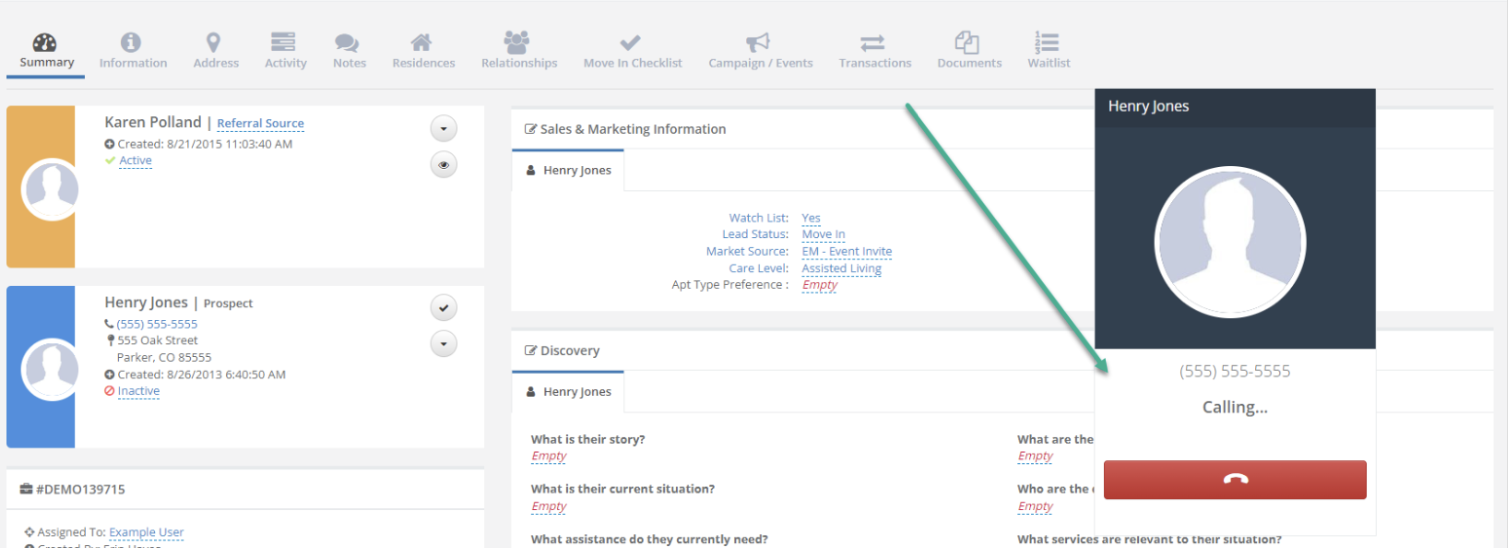
- Clicking an action icon (call, email, text) opens a new tab with the call, email, or text feature launched
- Phone Calls: Triggers a call to the individual's mobile number, if available; if not, it calls their home number, and if neither is available, it calls their work number
- Text Messages: Users must be assigned to the individual to send a text message

Was this article helpful?
That’s Great!
Thank you for your feedback
Sorry! We couldn't be helpful
Thank you for your feedback
Feedback sent
We appreciate your effort and will try to fix the article