Overview
The following updates were released on July 11th, 2024:
- Click-to-Dial Enhancements
- Call Recording option for outbound calls
- Recording stored within sales activity
- Reporting Enhancements
- Initial Inquiry to Lost Lead Days measure added to Sales & Marketing Analytics
- Know Thy Leads now available (for customers using the Prospect-Centered Selling option)
- Care Level added as a new hierarchy option on the Post Acute Analytics outcome table
- Prospect Opportunity Score available for all customers
- Integration Enhancements
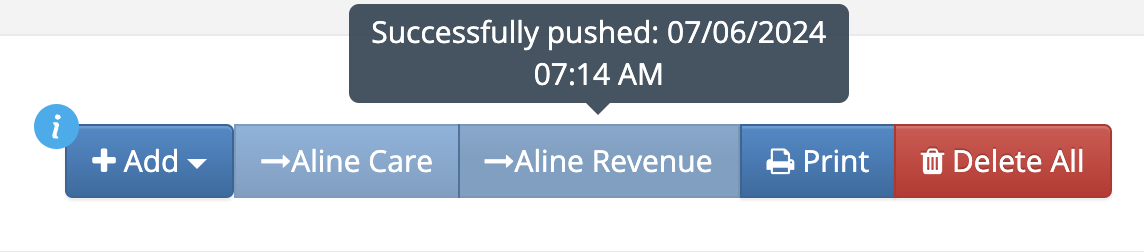
- Push date/time displayed
- Additional integrations for Senior Insight, RealPage, and KNS
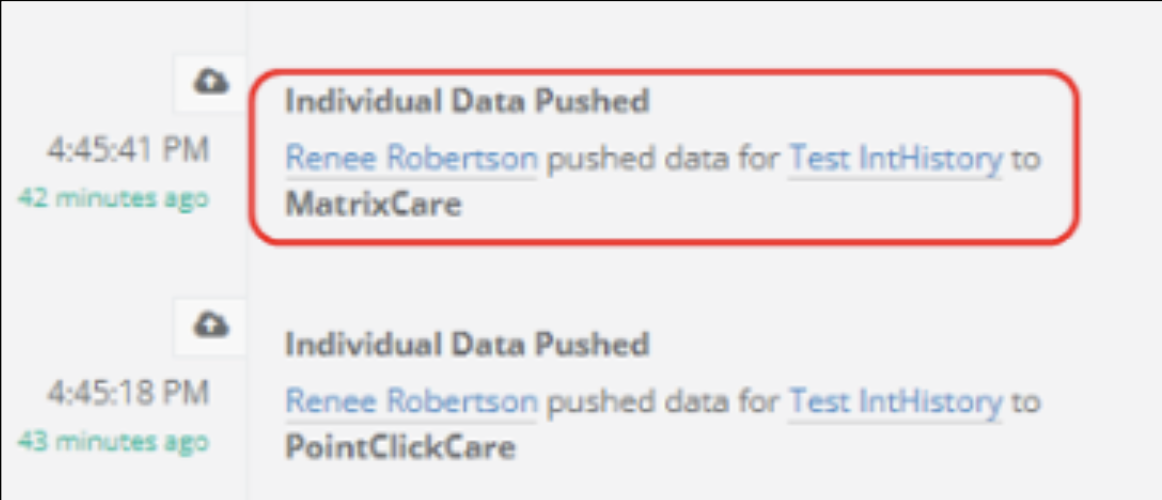
- Prospect history now includes integration data
- MatrixCare will now see emergency contact
- eFax updates to read faxes more clearly and add Referring Contacts to the record
- MAP CRM Field Enhancement
- Phone Subscribed library field added for all MAP customers to be used for texting capabilities through the ActiveDEMAND integration
- Outlook Integration Enhancement
- Force Sync Server button allows Admins to see additional information when syncing the server
- Display HTML from the email to CRM notes
- Include additional file types
- Ability to view email attachments in the CRM
Click-to-Dial Enhancements
Call Recording
a. There is a new company option in the CRM to automatically record outgoing calls when using the Click-to-Dial feature (reach out to customersuccess@alineops.com to have this feature enabled)
b. After clicking the phone icon on the scheduled Call Out activity, the call is activated and "Recording Call in Progress" appears
c. The Call Out modal will display "Recording Call in Progress" and will have a new button available to cancel the recording, but continue with the phone call
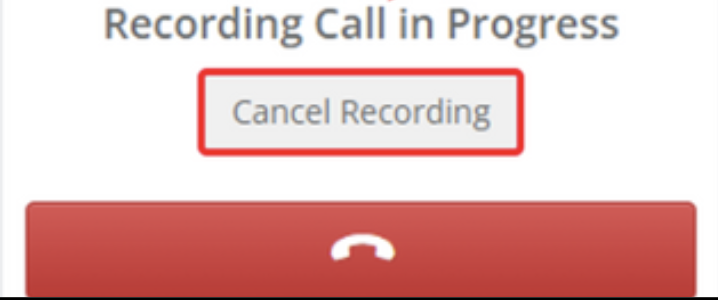
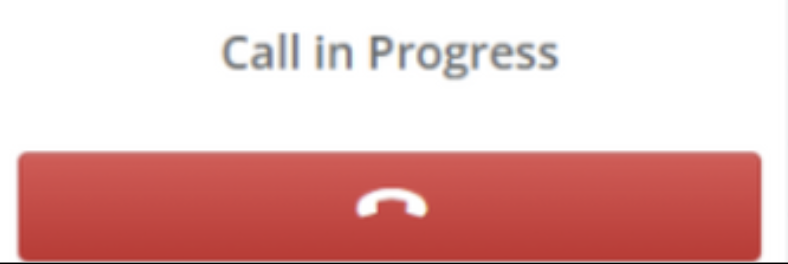
d. Upon clicking the "Cancel Recording" button, the modal shows "Call in Progress"
Call Recording Activity Log
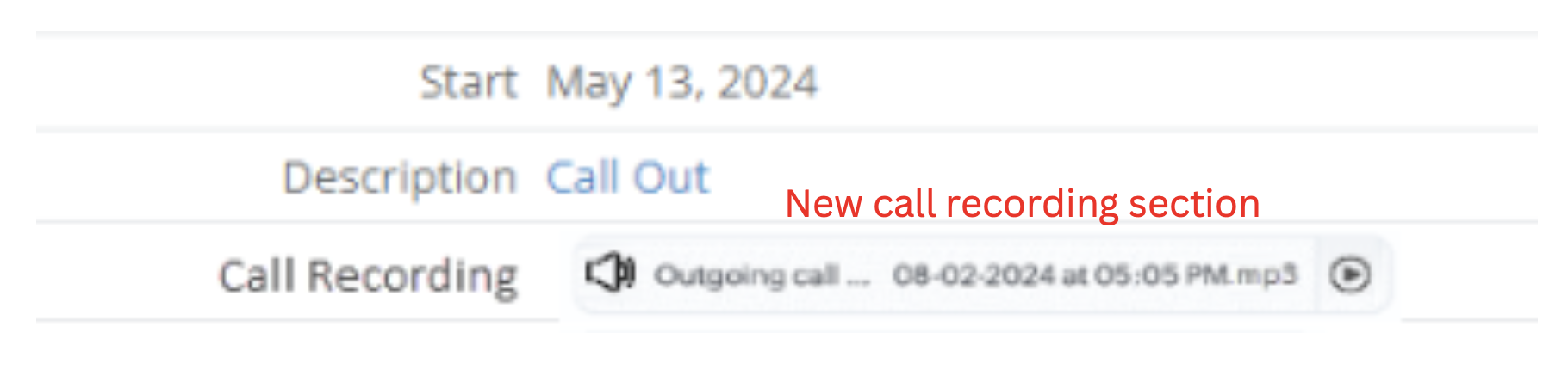
a. After a call has been completed and the call was recorded, the will now show in the Call Out activity under "Call Recording" section
b. When a user clicks on the play button, a new media overlay will populate for the user to listen to the call
List View Call Recording
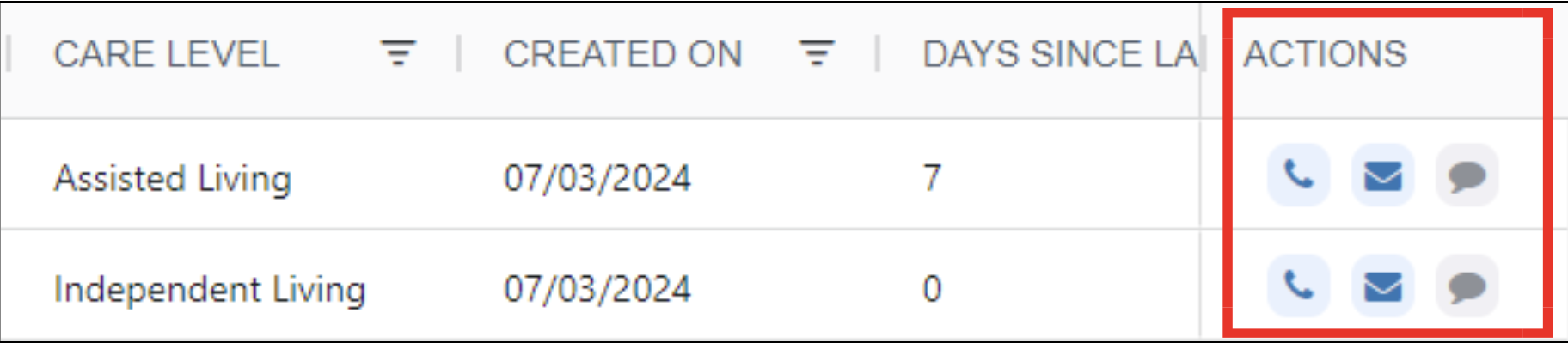
a. For customers subscribed to our Communications Package, you will see a section within the new List Views that will allow you to call from the page and have the call record
Reporting Enhancements
Initial Inquiry to Lost Lead Days
a. This measure has been added to the Sales & Marketing Analytics report (Lost Lead tab), and allows you to see the number of days between the Initial Inquiry date and Lost Lead date
b. This measure will help users understand how long a Prospect is in the pipeline before becoming a Lost Lead
Know Thy Leads
a. For customers using the Prospect-Centered Selling option, this report shows you how well you know your Prospects, as well as highlights opportunities for engagement
Post Acute Analytics - Care Level
a. For customers using the CRM for Post Acute, this report now offered Care Level as an available hierarchy option on the outcome table
b. This will allow you to see referral and outcome data by Care Level
Prospect Opportunity Score
a. For senior living customers, this brand new report allows you to see your Prospects and associated Opportunity Score, a proprietary algorithm with an insanely high level of accuracy in predicting the likelihood of a Prospect moving in to your community
b. Please share feedback with customersuccess@alineops.com and we will take it into consideration as we work toward phase 2 of this report, scheduled to be released this quarter
Integration Enhancements
Push Date Displayed
a. When pushing a lead from the CRM, there will now be a date and time stamp displayed when hovering over the integration button
b. After pushing a record from the CRM, there will now be history of the push within the history sidebar
Push Functionality for Non-EHR Integrations
a. There will now be an option to push to non-EHR integrations: Senior Insight, RealPage, and KNS
MatrixCare Update
a. Users will now see the Emergency Contact being pushed to MatrixCare
eFax Enhancement
a. eFax has been updated to read faxes more clearly and add Referring Contacts to the profile based on the fax coming into the CRM
MAP Enhancement - CRM Field
Phone Subscribed Field
a. There will now be a phone subscribed library field for all MAP customers - this is for texting capabilities through the ActiveDEMAND integration
b. To take full advantage of this feature and have the field automatically update within the CRM if a person unsubscribes, you will need to reach out to our MAP Support team to assist with configuration - you can do so by contacting marketing.automation@alineops.com
Outlook Integration Enhancements
Force Sync Server Button
a. Admins will now see additional information when syncing the server, including what is syncing from Aline to EWS and from EWS to Aline
Display HTML from the Email to CRM Notes
a. The email format will now show in the CRM notes, including bolding and italicizing of text
Include Additional File Types
a. The CRM will now support the following files and sizes:
Documents: .docx, .doc, .pdf, .txt, .csv
Spreadsheets: .xlsx, .xls, .csv
Presentations: .pptx, .ppt
Images: .jpg, .jpeg, .png, .gif, .bmp
Archives: .zip, .rar
Audio/Video: .mp3, .wav, .mp4, .mov
b. The maximum supported file size for attachments is 10MB
Ability to View Email Attachments in the CRM:
a. Attachments are now easily accessible in the CRM notes, and will be highlighted blue
b. Once you click on the file name, it will open in the browser
c. If the file cannot open in the browser, it will download automatically
d. You will see a new paperclip symbol on the activities that have an attachment
Was this article helpful?
That’s Great!
Thank you for your feedback
Sorry! We couldn't be helpful
Thank you for your feedback
Feedback sent
We appreciate your effort and will try to fix the article