Overview
In this article, we will review the Activity and People Analytics. This report is to review all activities users are adding to the system and audit missing information.
Dashboard
The dashboard of the report can be found under the activities tab. This is the section that will first load when entering the report. This tab will give an overview of activities completed by location, the activity type completed, and a heat map of completed activities.

New Leads
The new leads tab will show all new leads within the date range selected with a heat map, by sale stage, and a conversion summary. 
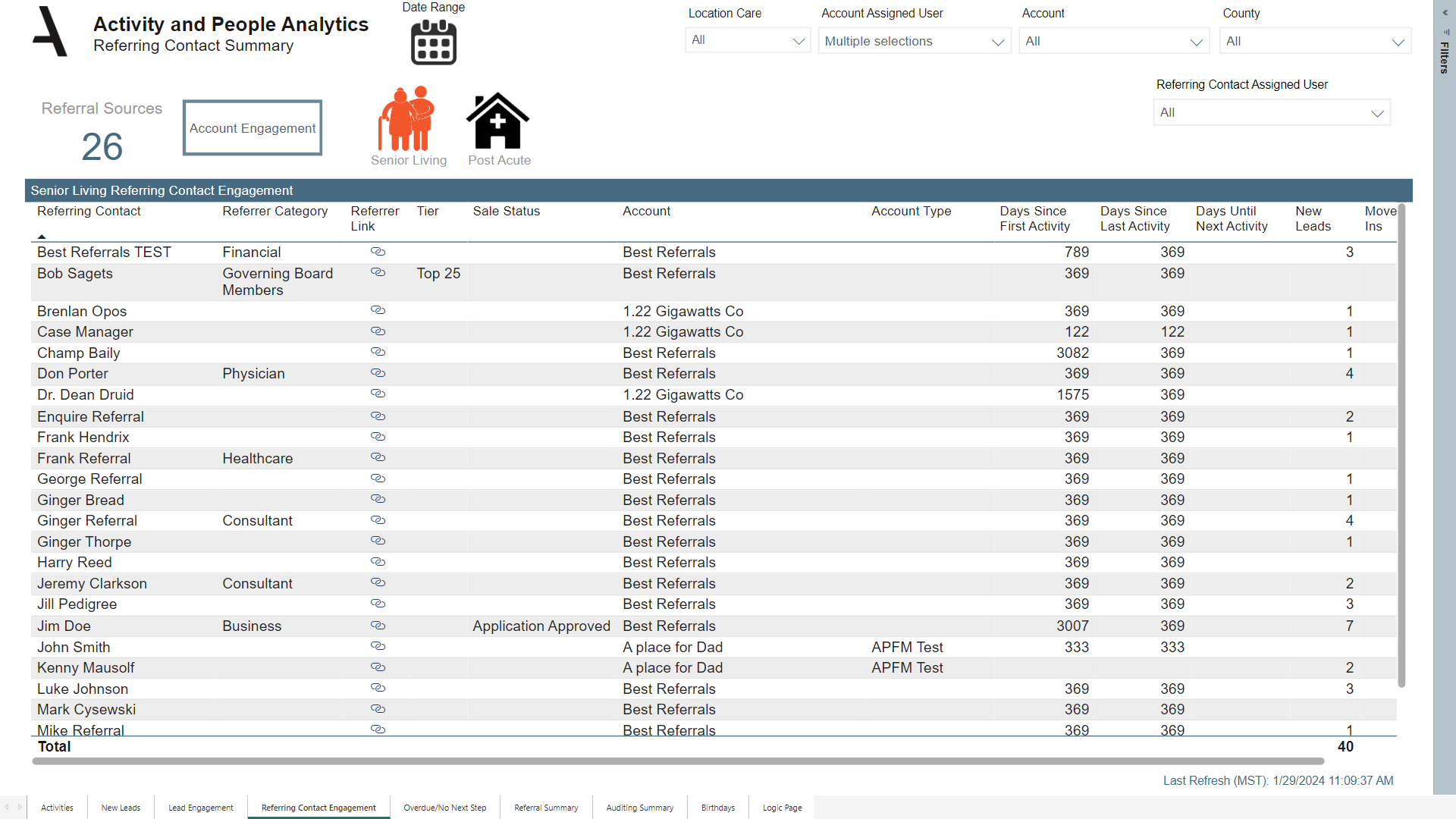
Referring Contact Engagement
The referring contact engagement tab will give an overview of all referring contacts in the system with activity and account information.
Overdue/No Next Step
The overdue/no next step tab will give an overview of all assigned users with outstanding activities, no next step activities, and all active prospects. This data can be filtered based on lead score and/or care level.

Referral Summary
The referral summary tab will show data based on the referring contacts, accounts, referring contact activities, and the referring contacts linked lead sale stage. This section is a great way to view what accounts are bringing in leads that are appropriate for your communities.

Auditing Summary
The auditing summary tab is a great place to audit missing fields in the system for leads or referring contacts.

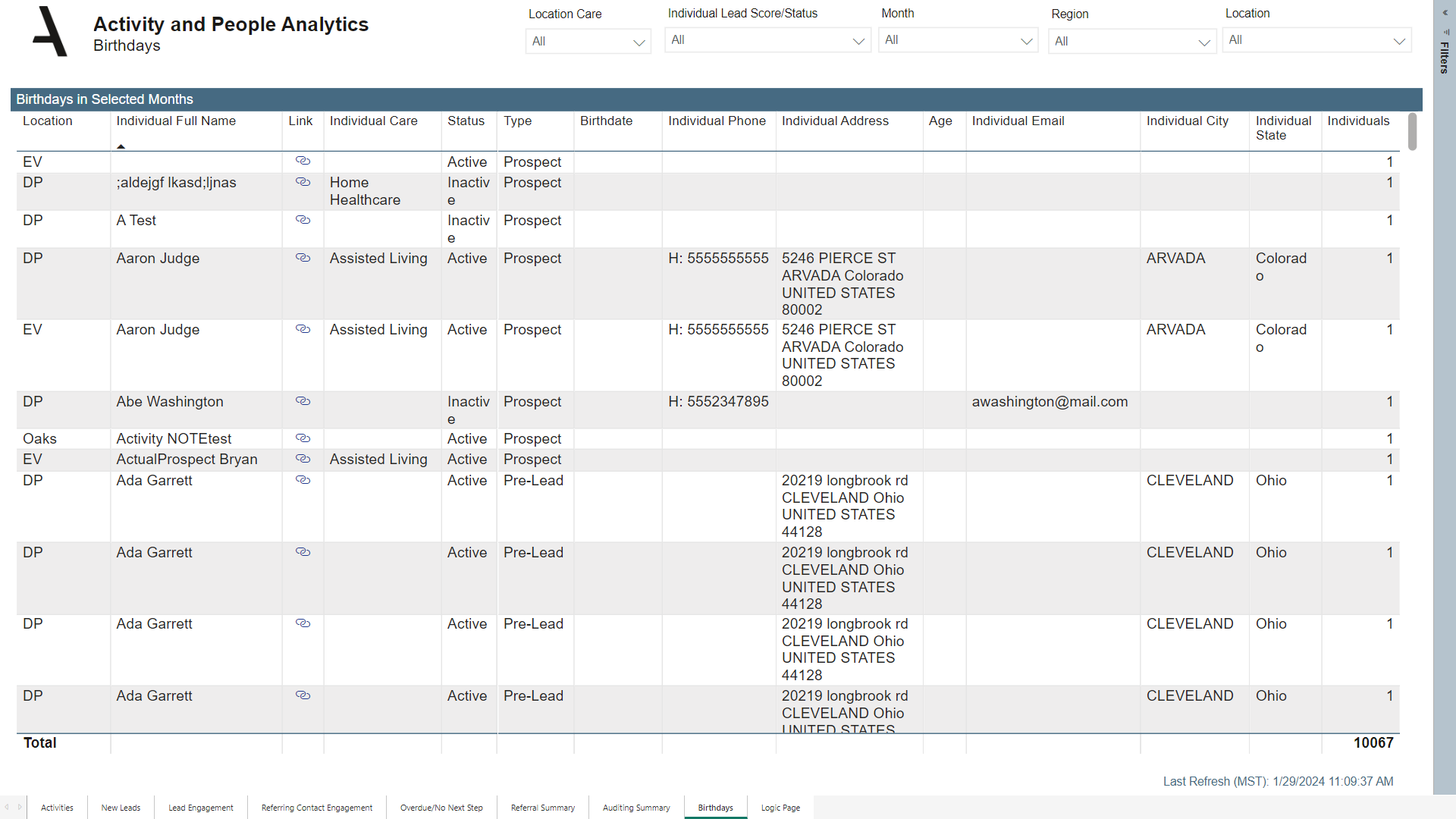
Birthdays
The birthdays tab will list all active and inactive leads in the system.
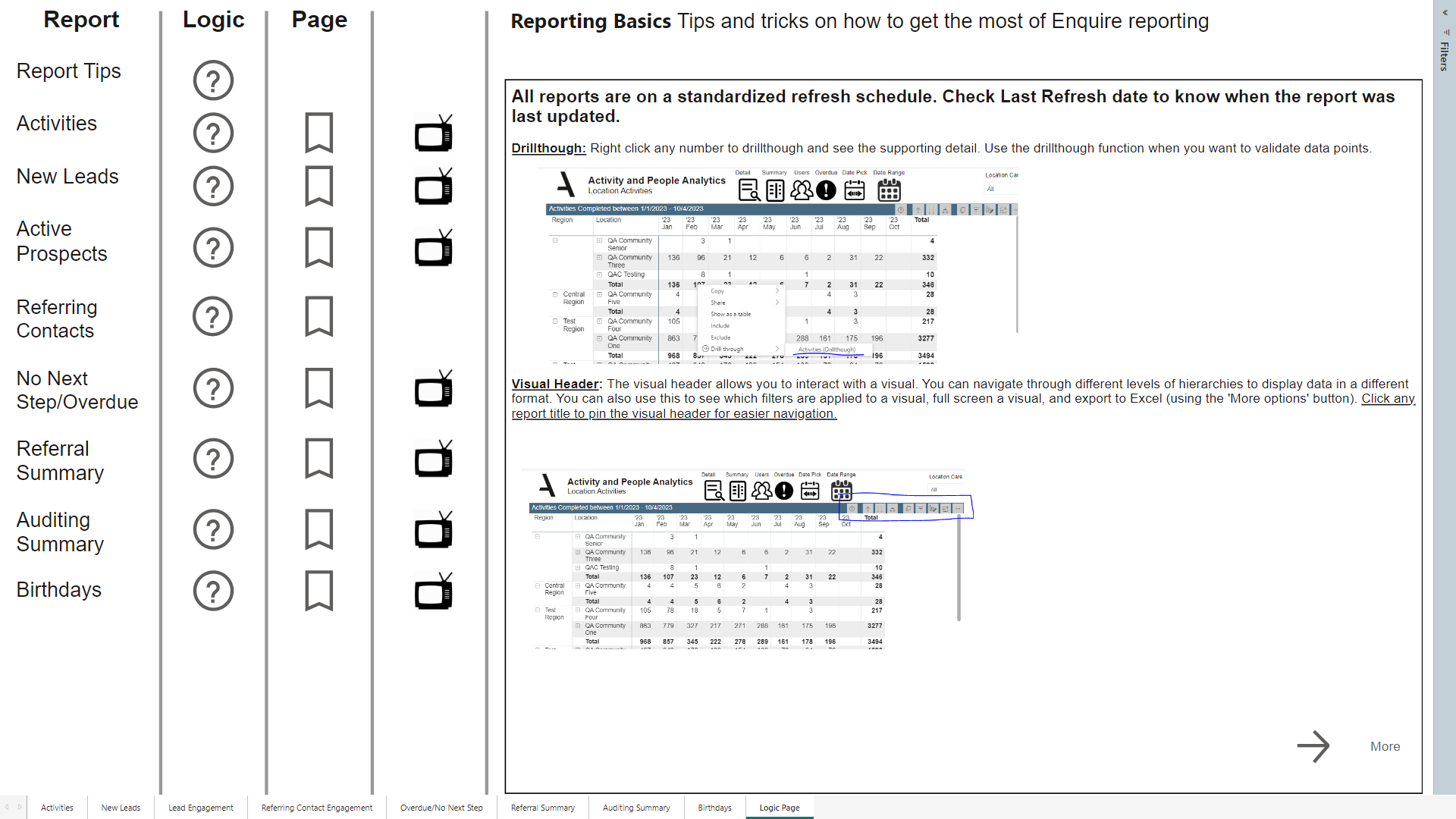
Logic Page
The logic page will review each tab in detail and how we gather the data to report on.
Was this article helpful?
That’s Great!
Thank you for your feedback
Sorry! We couldn't be helpful
Thank you for your feedback
Feedback sent
We appreciate your effort and will try to fix the article