Overview
In this article, we will review how to remove a contact from a leads profile.
Removing a Contact from a Prospect's Profile
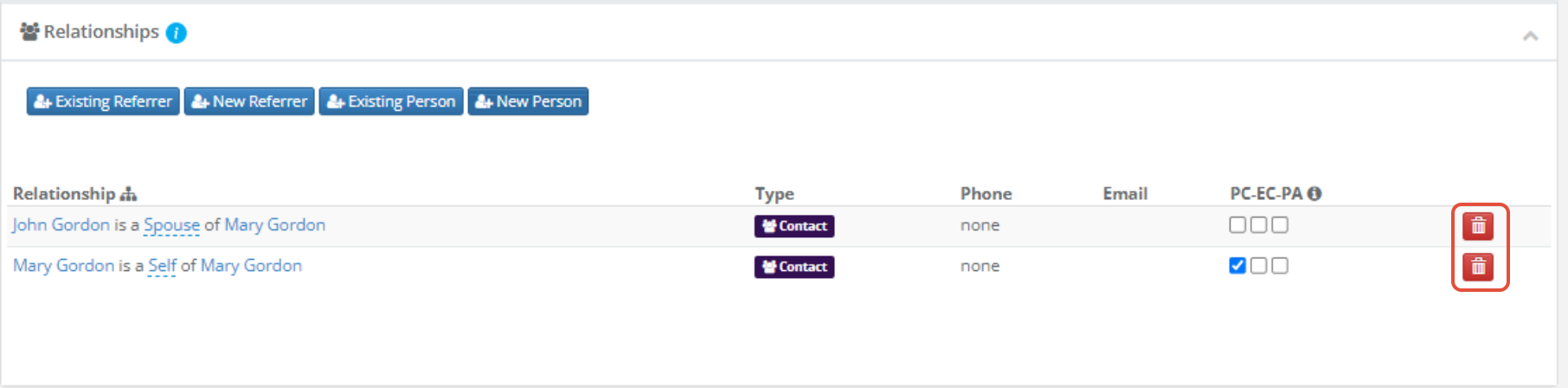
Via Relationship Tab
Step 1: Navigate to the leads profile and click on the relationship module
 Step 2: Click on the red trashcan next to the contact name listed in the relationship section
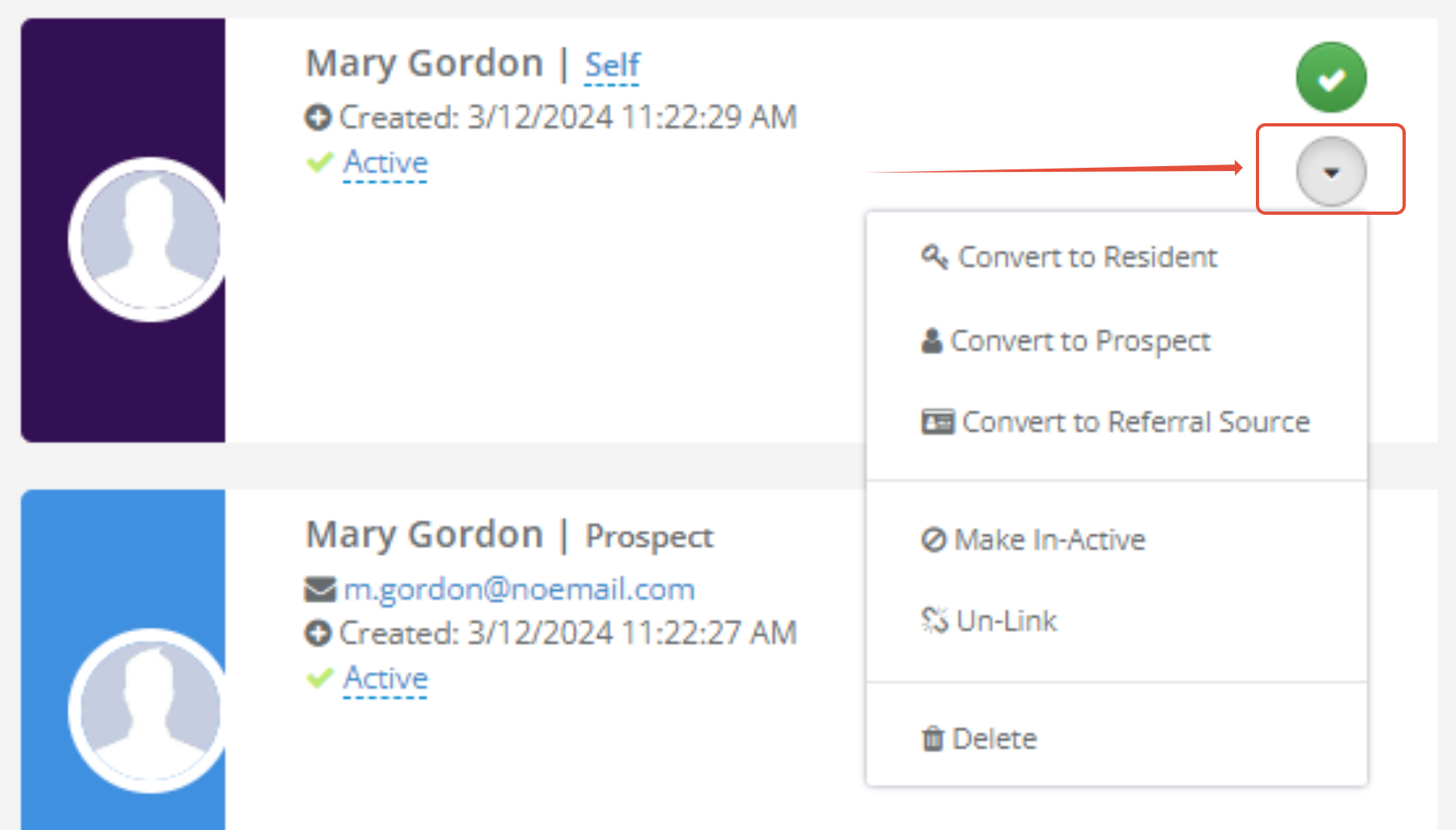
Via Contact Card
Step 1: Navigate to the leads profile and click on the carrot on the contact card you want to remove
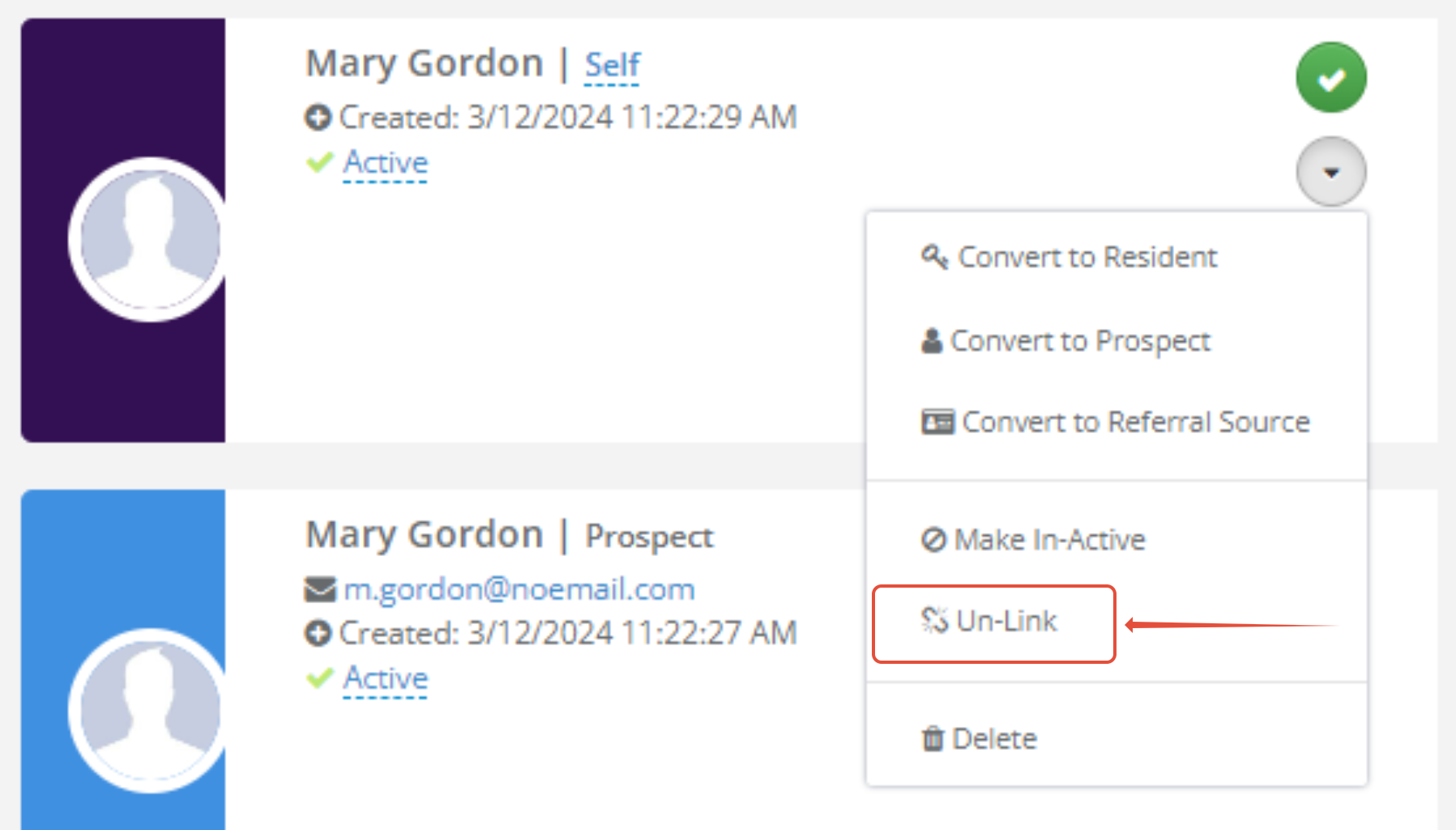
Step 2: Click on the unlink button
Was this article helpful?
That’s Great!
Thank you for your feedback
Sorry! We couldn't be helpful
Thank you for your feedback
Feedback sent
We appreciate your effort and will try to fix the article