Overview
In this article, we will review how to add a spouse to a leads profile.
Add a New Person as a Spouse
Step 1: Navigate to the Profile page that you would like to add a spouse to.
Step 2: Click the blue add new button at the top right and click Spouse.
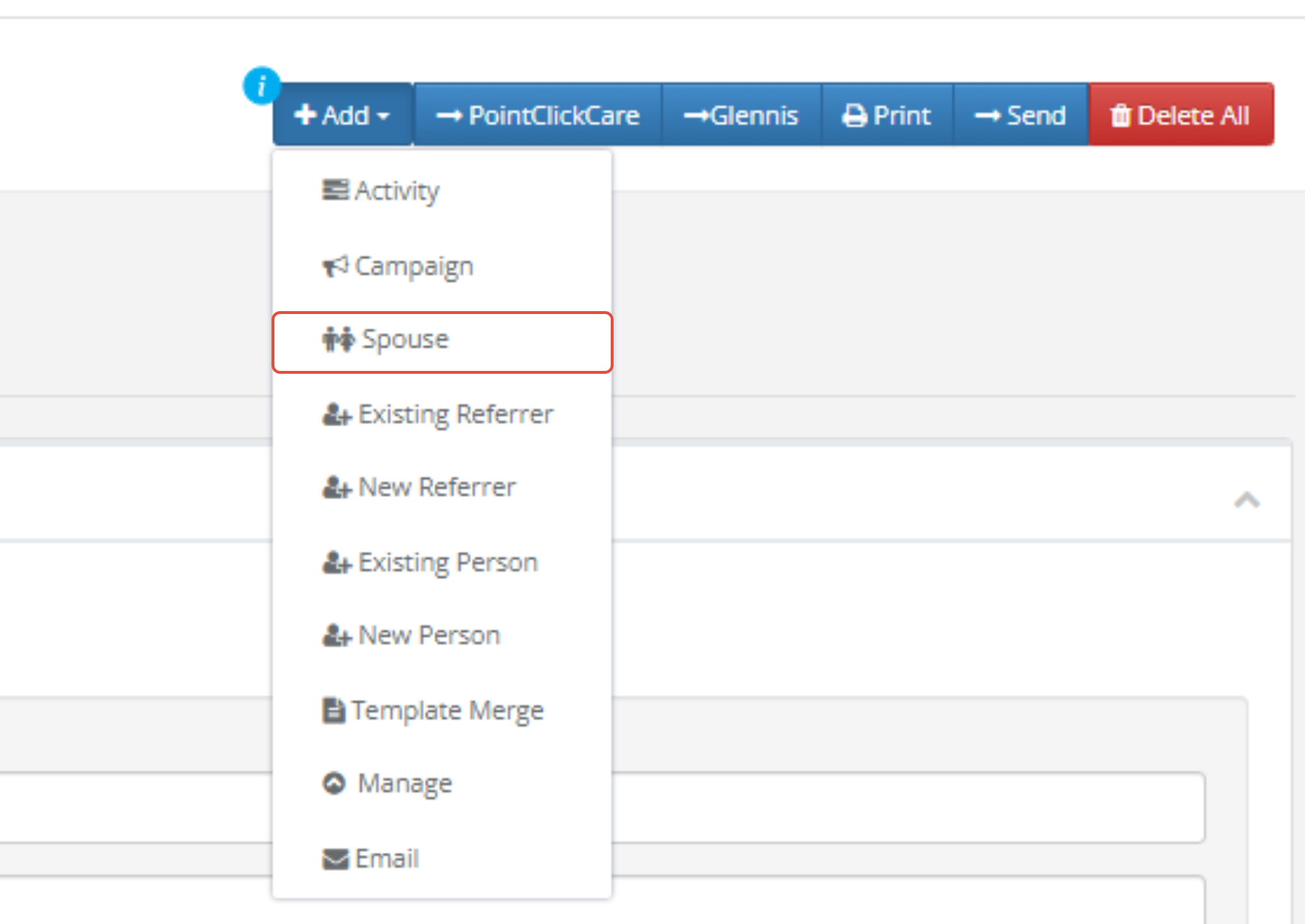
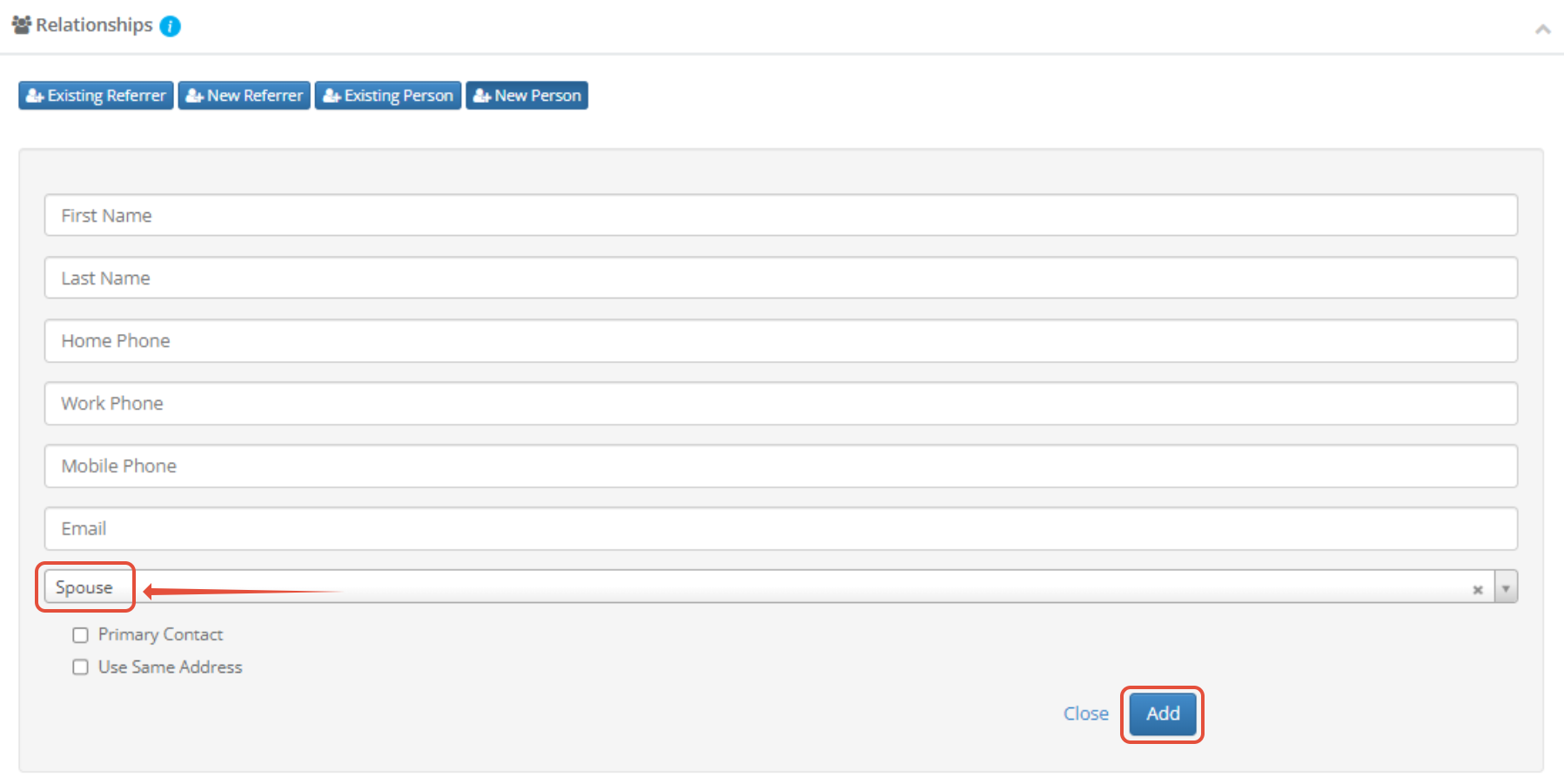
a. Or navigate to the relationship module on the leads profile and select Spouse in the dropdown under "Select Relationship"

Step 3: Fill out the form and click Add.
Creating a Prospect and Spouse at the Same Time
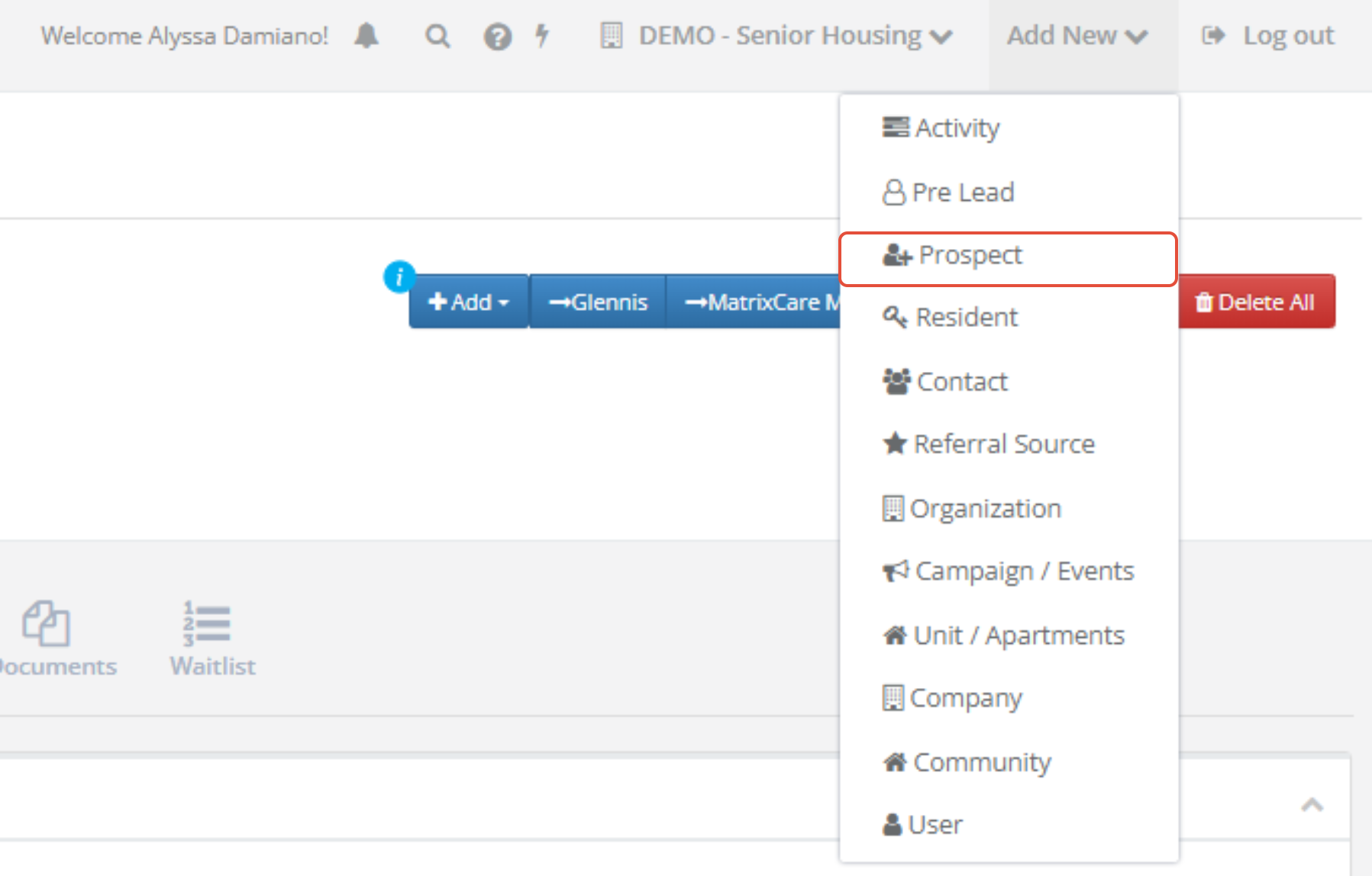
Step 1: Click Add New in the top right of the page and click prospect.
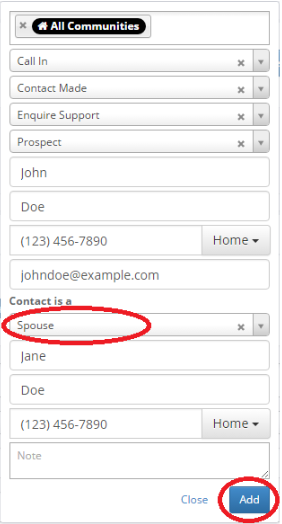
Step 2: Fill out the form, choose Spouse as the relationship type and click Add.
Was this article helpful?
That’s Great!
Thank you for your feedback
Sorry! We couldn't be helpful
Thank you for your feedback
Feedback sent
We appreciate your effort and will try to fix the article