Overview
Due to a temporary bug isolated to the updated profile UI, an error message is populating when attempting adding a brand new housing contract for the second resident or when attempting to transfer. For these scenarios, you will temporarily have to navigate to the older UI profile to make these new housing contracts or transfers for second persons.
Steps for the Workaround
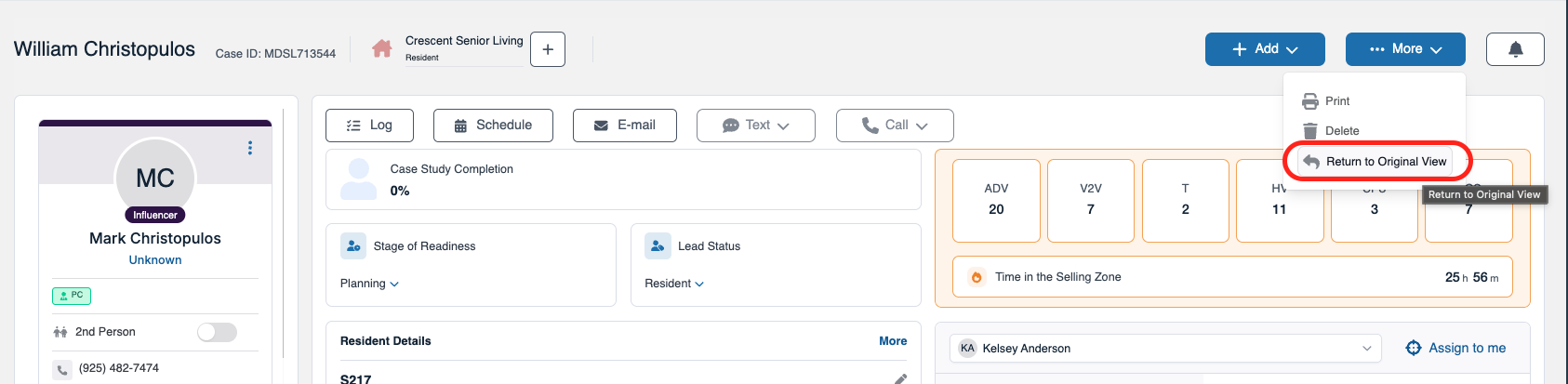
Step 1: After receiving the error message, return to the original profile and select the blue More button and then select Return to Original View as this will flip the new profile UI to the older profile UI.
Step 2: Once on the old profile UI view, select Housing Contracts from at the top of the profile and then select the second person by choosing their respective tab.
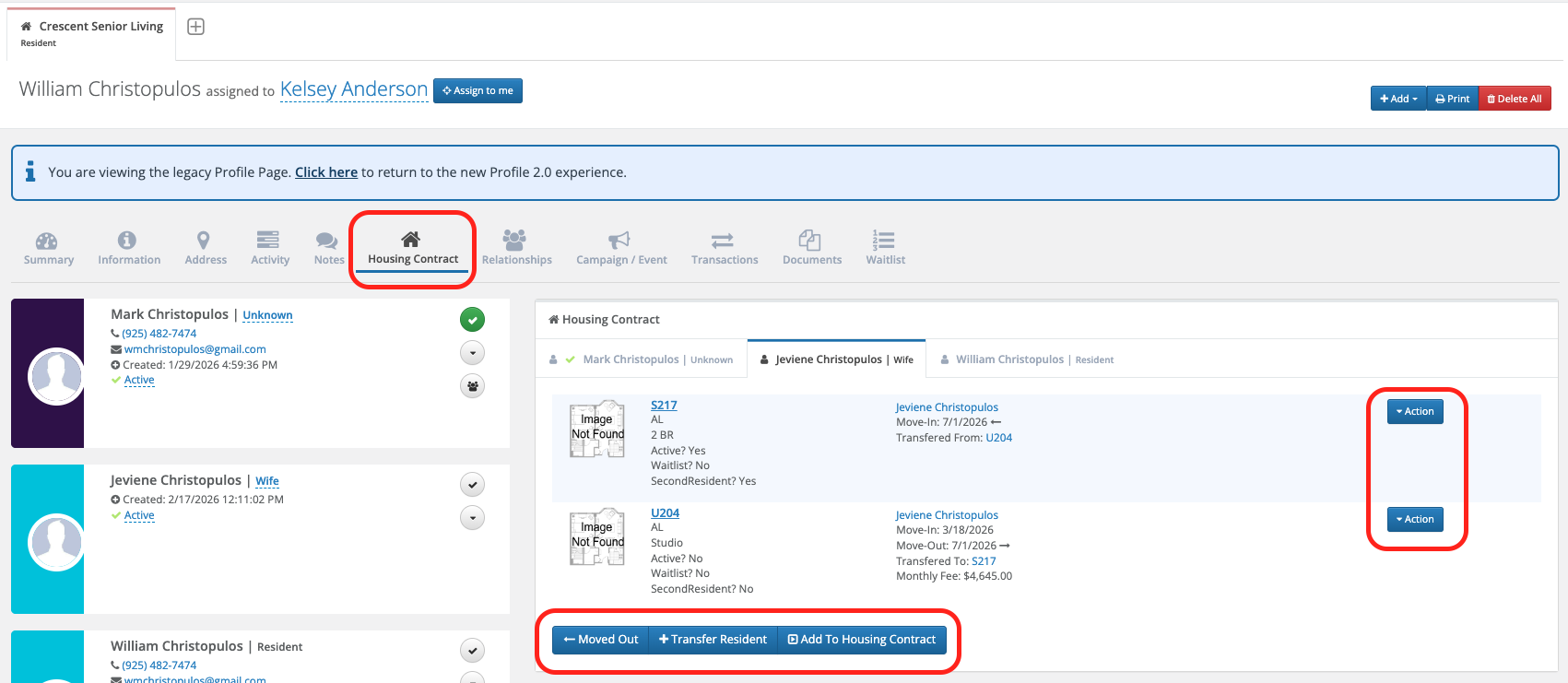
Step 3: From here, you can initiate a new Housing Contract or Transfer for the second person without error. Be sure to save any changes.
Step 4: To return back to the new profile UI, select Click Here.
Was this article helpful?
That’s Great!
Thank you for your feedback
Sorry! We couldn't be helpful
Thank you for your feedback
Feedback sent
We appreciate your effort and will try to fix the article