Overview
In this article, we will review how to do a transfer.
How to mark a Housing Contract for a Transfer
Step 1: Navigate to the profile whose Housing Contract you would like to transfer and click the Housing Contract button

Step 2: Click Transfer Resident
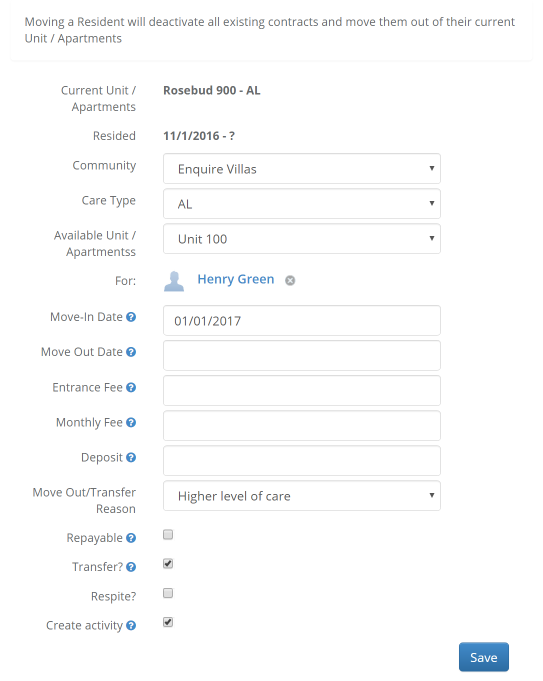
Step 3: Fill out the necessary information for the new resident's Housing Contract, make sure the box labeled Transfer is checked (it will be checked by default), and click Save
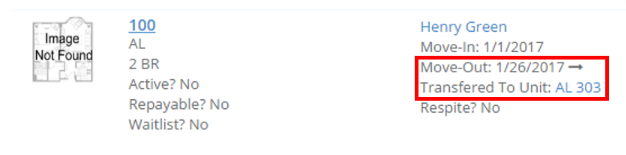
Step 4: This will now indicate that this Housing Contract is a Transfer
Step 5: The new housing contract will appear above the old record
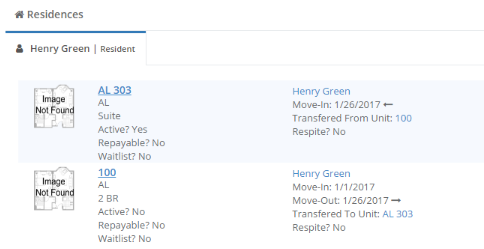
Note: If the Transfer Resident Button is not appearing, please ensure there is no Move-Out date on the current Housing Contract. The arrows on the contract will show if the lead moved out or moved in via a transfer.
Reporting
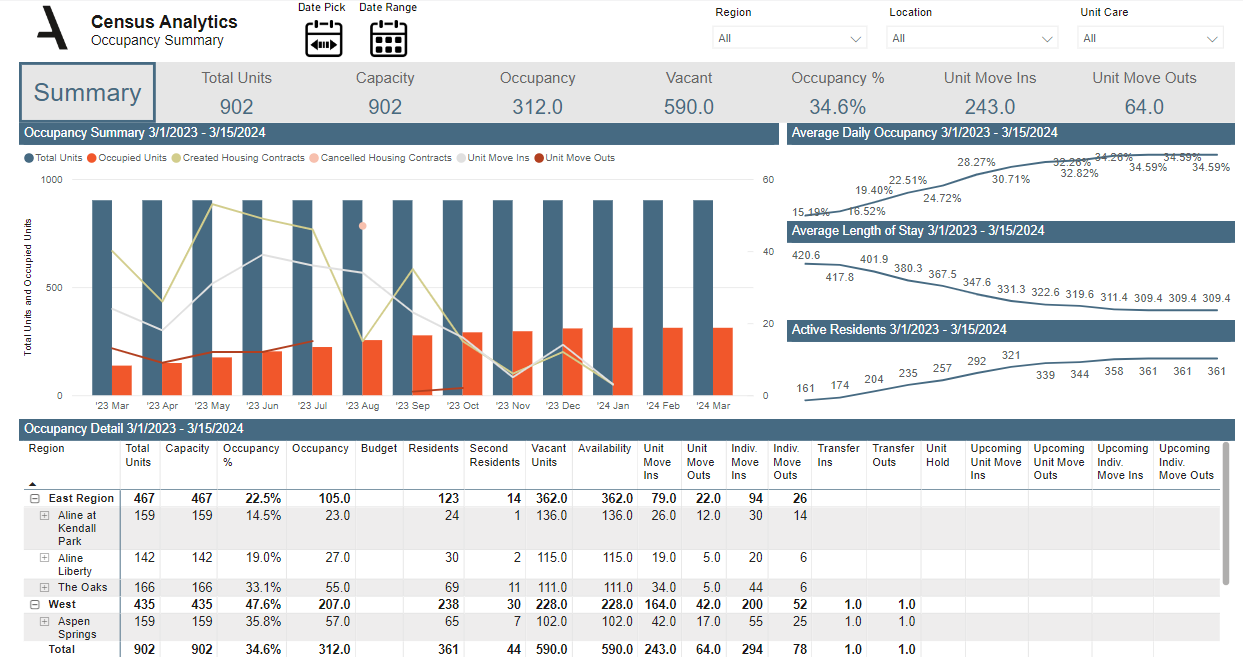
Transfers will show on the Census Analytics report under the Occupancy Summary tab.
Was this article helpful?
That’s Great!
Thank you for your feedback
Sorry! We couldn't be helpful
Thank you for your feedback
Feedback sent
We appreciate your effort and will try to fix the article