Overview
In this article, we will review how to reassign leads and activities from one user to more than one other user in the CRM.
Complex Reassignment of Leads and Activities
Complex Reassignments allow you to reassign leads with specific criteria by creating a list in the Advanced Search. You are also able to split the lead between multiple users.
- In order to use this feature of the Admin Section you will need to first create a List via the Advanced Search. Below are a couple articles that will assist with this process.
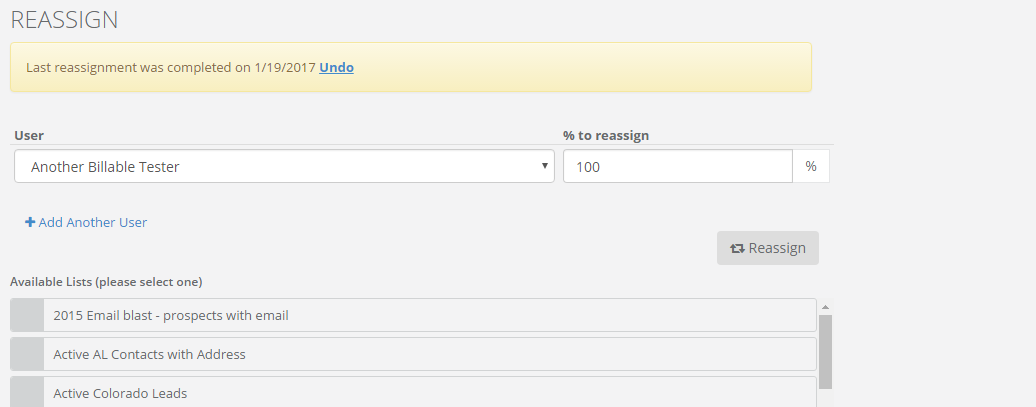
- Once you have a list created, click on "Admin", on the left side of your profile. Once the Admin menu appears, click on "Reassign". This will bring you to the Reassign page, where you can choose the list of leads that you created. Then select the User that you are sending the Leads to. You can even split the amount of leads and activities between multiple users by clicking Add Another User and adjusting the percentage.
Note: If a list contains a Lead with an assigned user you have selected it is NOT guaranteed to stay assigned to them.
Learn more more about advanced search and creating Lists:
Was this article helpful?
That’s Great!
Thank you for your feedback
Sorry! We couldn't be helpful
Thank you for your feedback
Feedback sent
We appreciate your effort and will try to fix the article