Overview
In this article, we will review how to send an activation email to a user.
Resend an Activation Email
Step 1: Navigate to the admin section and click User.

Step 2: Locate the user you would like to resend an email activation to from the list of users.
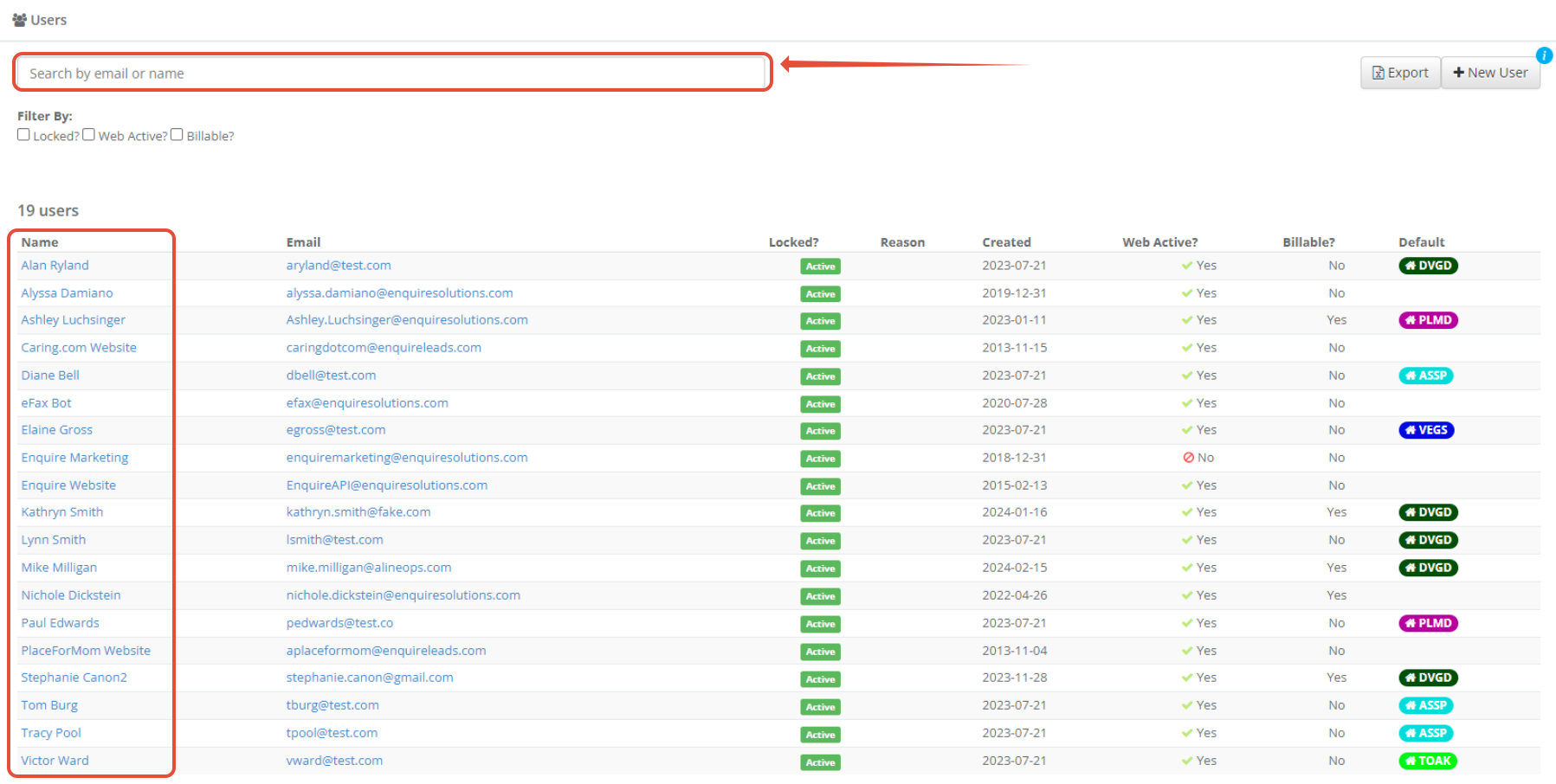
Tip: Use the search bar at the top of the user list to quickly locate individuals by name or email
Step 3: Click the user's name or email to go to their detail page. In the upper right click the blue Activate button.
 Step 4: The user will receive the email below with the user details. Please note that activation emails are valid for 30 days.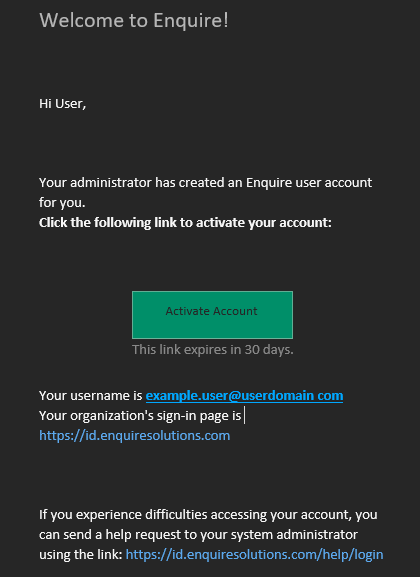
Was this article helpful?
That’s Great!
Thank you for your feedback
Sorry! We couldn't be helpful
Thank you for your feedback
Feedback sent
We appreciate your effort and will try to fix the article