Overview
Roobrik helps patients and families make informed decisions about their care needs. The integration with Enquire creates individuals with their readiness level from Roobrik and a direct link to the Roobrik generated report for the individual. If you would like to start using Roobrik please reach out to your Client Success Manager or our Integrations Team (integrations.support@alineops.com).
Usage
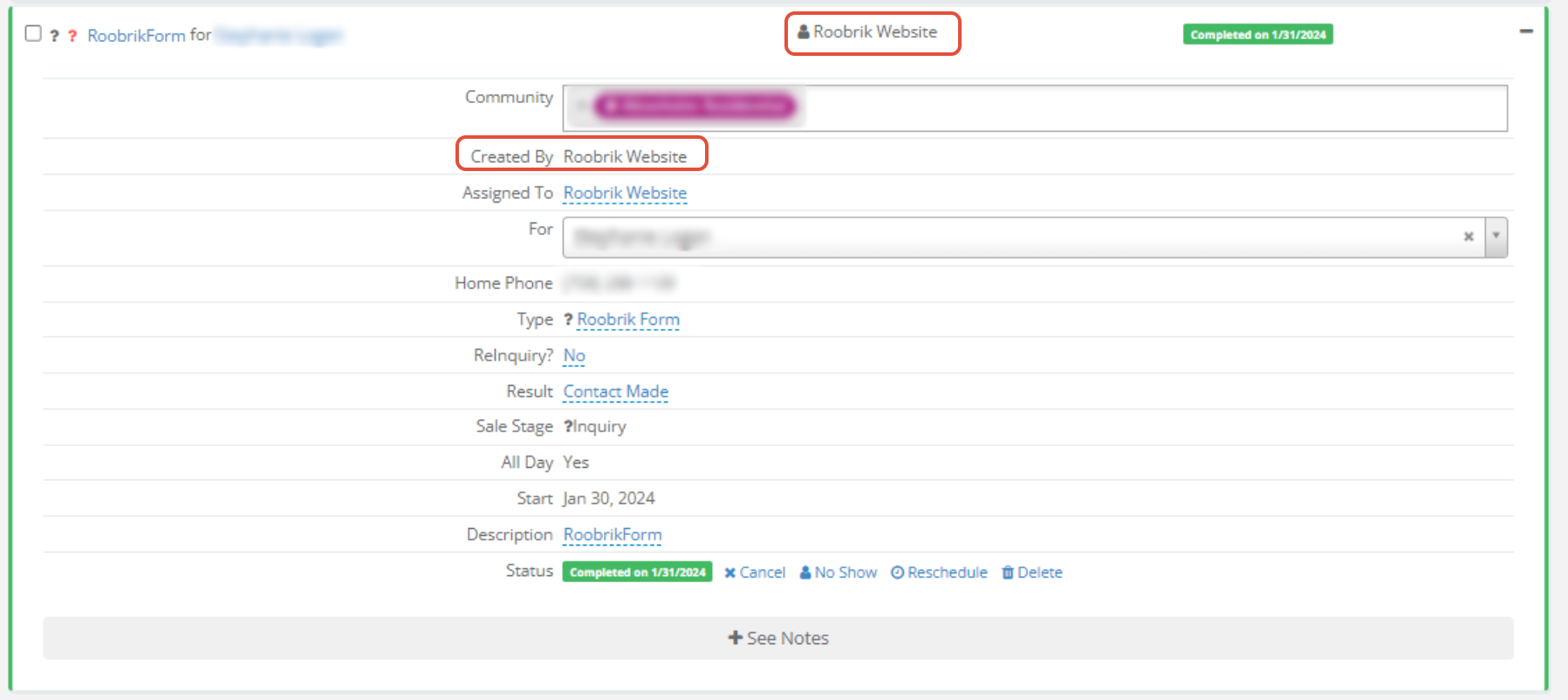
When leads are entered from Roobrik, they will display in the New Leads box on your dashboard with a Created and Assigned user of Roobrik Website. Like other integrations and digital leads, you will need to make sure you reassign the individual so they are removed from the New Leads box.

Roobrik will also create a inquiry activity on the leads profile:
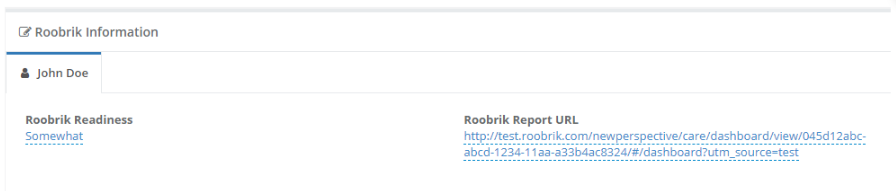
A form on the individual's profile titled Roobrik Information will have the following fields:
| Field Name | Description |
|---|---|
| Roobrik Readiness | The individual readiness level from Roobrik. |
| Roobrik Report URL | A direct link to the individual's Roobrik Report. |
Was this article helpful?
That’s Great!
Thank you for your feedback
Sorry! We couldn't be helpful
Thank you for your feedback
Feedback sent
We appreciate your effort and will try to fix the article