The integration includes values that indicate the relationship between the prospective resident and the person completing the Roobrik survey.
Each Roobrik survey starts by asking who the survey is being taken for.
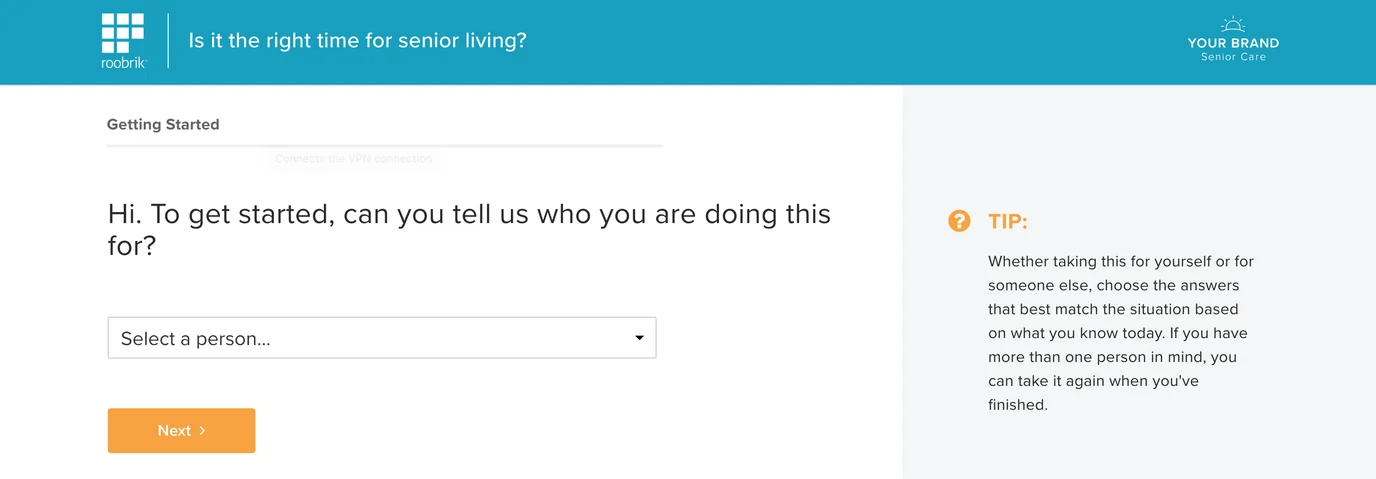
Roobrik Relationship Values
Below is a comprehensive list of options used across Roobrik surveys. Not all options are included in every survey.
When we deliver this information to your CRM, we do our best to match each Roobrik option with the closest value available in your CRM account. Since Roobrik doesn’t ask for the gender of the person taking the survey, we look for a non-gender-specific option when assigning relationship mappings. For example, if someone takes the survey for their grandma, we will identify them as a “grandchild” (not a grandson or granddaughter) if that value is available.
Our implementation team will work closely with you during setup and configuration to ensure we can make close matches. In some cases, we may recommend you consider adding some non-gendered options to your available Relationship values if none are already available.
| Roobrik Relationship Values | ||
| aunt | grandmother | myself |
| both parents | grandpa | other person |
| brother | husband | partner |
| dad | me | sister |
| father-in-law | me and my spouse/partner | someone else |
| friend | mom | uncle |
| grandfather | mother-in-law | wife |
| grandma | my mom or dad | |
In Your Aline CRM Account
When leads are submitted from Roobrik, they will appear in the New Leads section of your dashboard, showing that they were created and assigned by the Roobrik Website. If the survey was completed on behalf of another person, the prospect's name is formed by combining the Roobrik selected person with the contact's last name.
For example, if Jane Smith takes the survey for her mom, the Prospect’s name would be populated as Mom Smith.
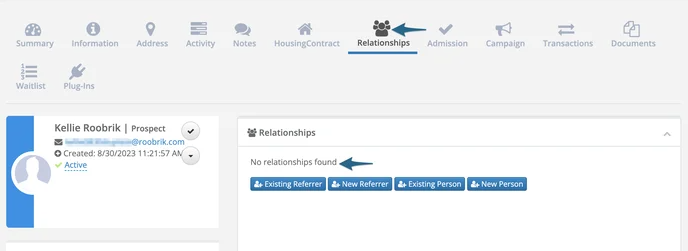
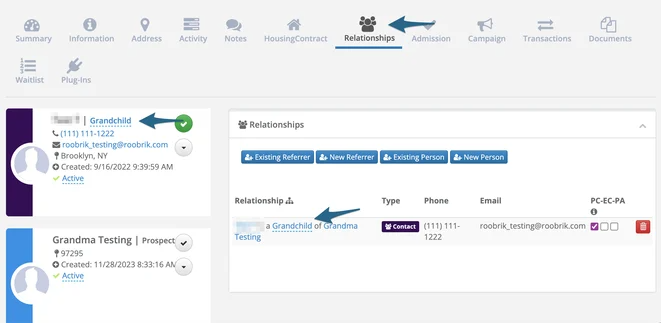
No relationship value is sent in our integration if the person is a self-assessor. For anyone taking the survey on behalf of someone else, the Relationship value is populated according to the contact’s relationship to the prospect.
Self-assessor example:
Grandma/Grandchild example:
Was this article helpful?
That’s Great!
Thank you for your feedback
Sorry! We couldn't be helpful
Thank you for your feedback
Feedback sent
We appreciate your effort and will try to fix the article