Overview
Click-to-Text lets you send and receive text messages with a prospect, contact, or professional contact directly from Aline CRM, without using a separate phone or app. Aline automatically logs messages as activities on the individual's profile, and incoming replies show up as CRM notifications so nothing gets missed.
Don't have Click-to-Text set up yet? Contact Aline Support to get the Communications Package configured for your community.
This video also covers Click-to-Call and Call Recording & Transcription.
Before You Start
- You must be the Assigned User on an individual's record to text with them. If you're not the Assigned User, you can still call them using Click-to-Call, but you won't be able to start a text conversation.
- Save the individual's mobile number specifically in their Mobile Phone field so incoming replies match to their profile. If it's saved in a different phone field instead, replies won't route to this conversation.
Sending a Text
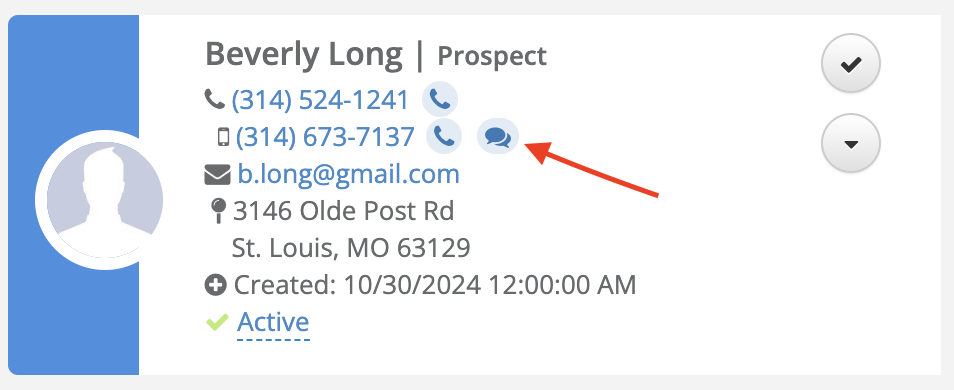
- Navigate to any Prospect, Contact/Influencer, or Professional Contact record that has a number saved in the Mobile Phone field, and click the message bubble icon next to it.
- Aline opens the Conversations page. Type your message in the Start a New Message field and click Send.
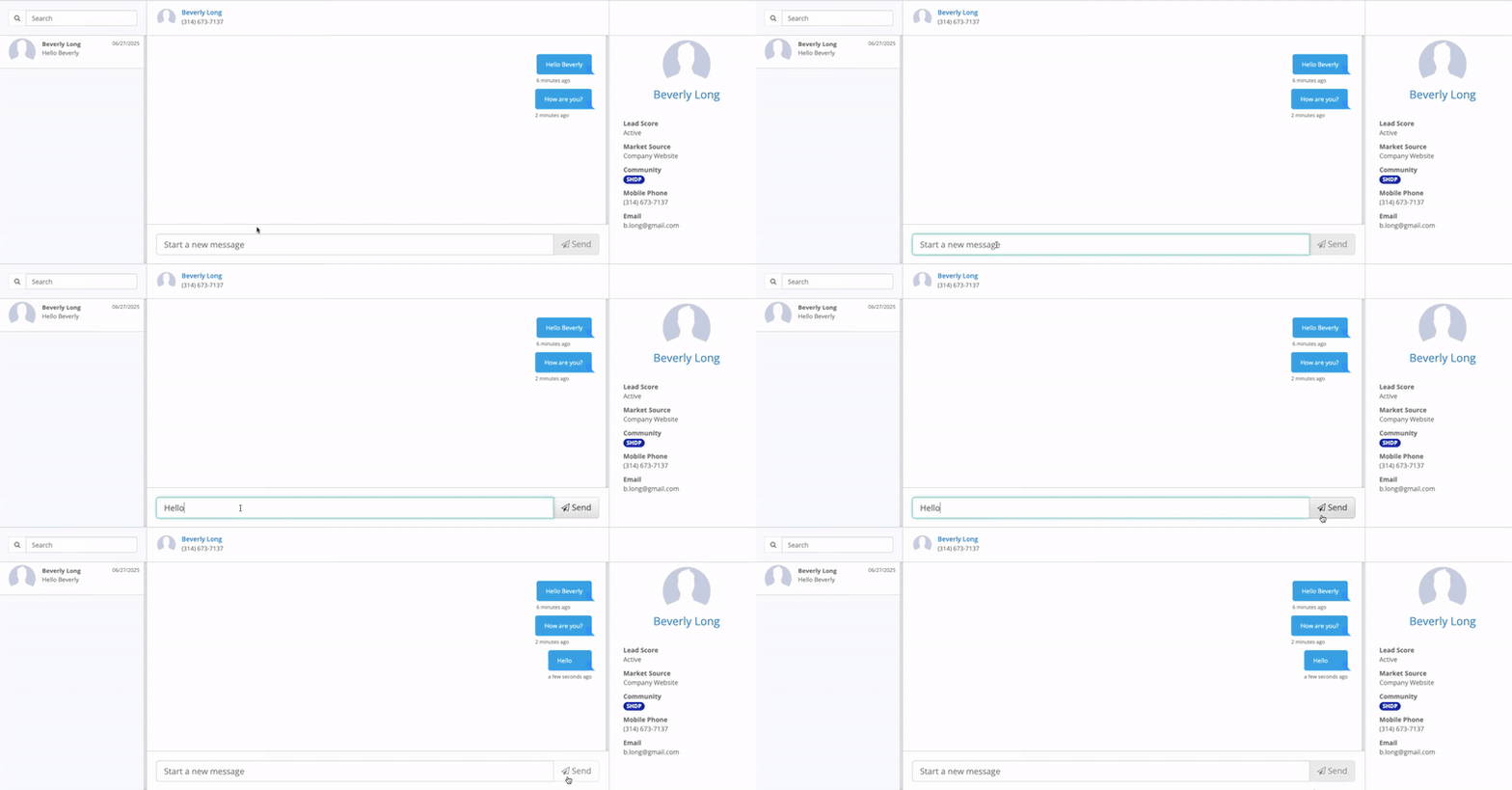
- Aline automatically saves your message as a Text Out activity, with the message text included in the notes on the individual's profile.
Receiving Texts
- When someone replies, you'll get a CRM notification and a banner alert on their profile.
- Open Conversations to see everyone assigned to you who has a number saved in the Mobile Phone field. Search by name or select someone from the list to view your conversation with them.
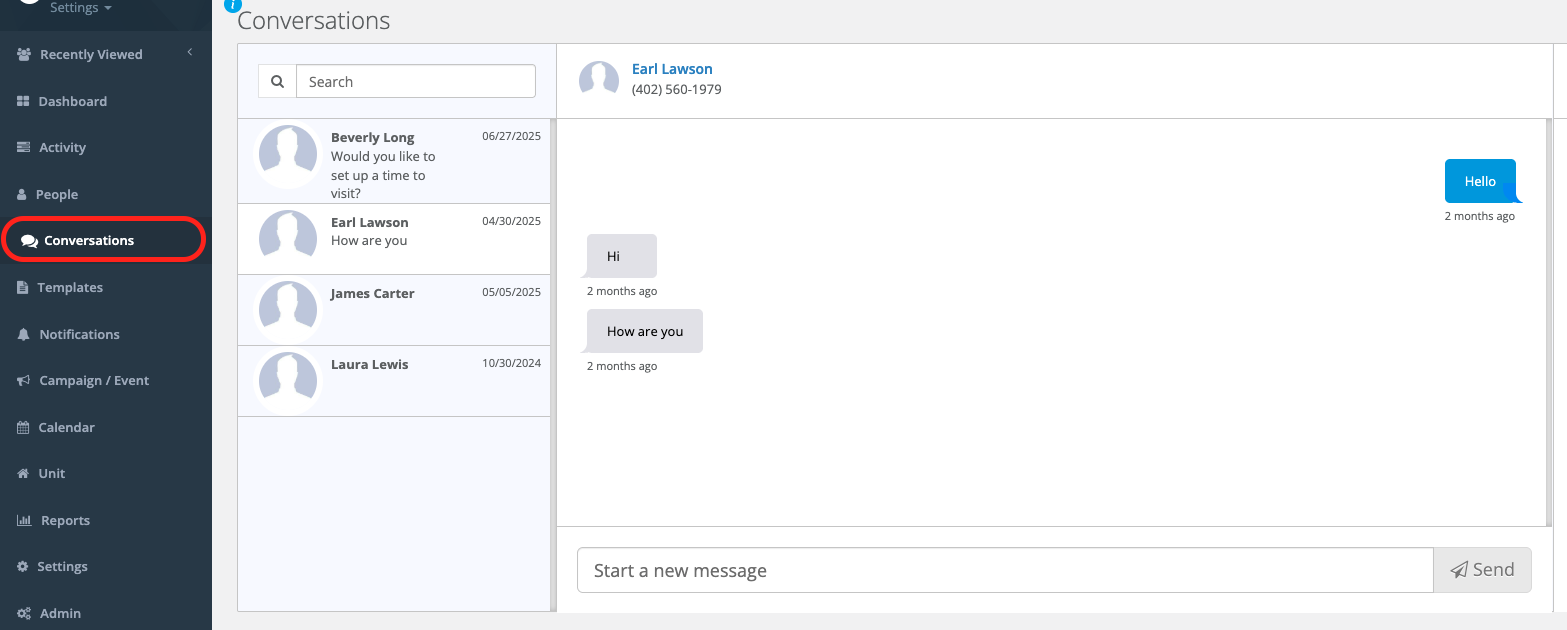
- Aline automatically saves incoming messages as Text In activities, with the message text included in the notes on the individual's profile.
Click-to-Text works like an instant chat. When a reply comes in, you'll see it in Conversations and get an instant notification, either in your notifications bell icon or on the individual's profile.
If the Assigned User on a record changes, the new Assigned User won't see the previous user's text history.
FAQ
Will my text conversations appear on my phone?
Yes, if you have the Aline CRM mobile app installed. You'll also get push notifications for new messages.
What number will the individual see when I text them?
A number assigned to your community by Aline. Unlike phone calls, this number cannot be changed to show your community's own phone number instead.
I'm the Assigned User, but I can't start a text conversation. What's wrong?
Confirm the individual's mobile number is saved specifically in their Mobile Phone field. Click-to-Text matches incoming replies to this field, so a number saved only in Home Phone or Work Phone won't work.
Was this article helpful?
That’s Great!
Thank you for your feedback
Sorry! We couldn't be helpful
Thank you for your feedback
Feedback sent
We appreciate your effort and will try to fix the article