Overview
The October 2026 release introduces Bulk Email, Duplicate Management, and Smart Next Steps on Saved Lists — all available in Labs — along with targeted enhancements to integrations and the core Aline CRM experience.
Keep reading to learn more about what’s in the October 2026 release!
A Note About CRM Features Released to "Labs"
What does it mean when a feature is in Labs?
A feature in Labs means the feature is not generally available (GA) to all Aline CRM customers yet. The new feature is being tested with real customers, like yourself, and the Aline product team is learning more about what may need to be improved or changed before releasing the feature more widely.
How long will a feature stay in Labs?
Generally, Labs should last 4-6 weeks, with a midpoint check. This may extend if minimum usage has not been reached by the midpoint check-in.
What does this mean for existing customers like you?
Typically, the Aline product team and Customer Success managers will handpick 3-5 customers to participate in the Labs stage of feature evaluation. The selection will be based on usage volume criteria, ability for customers to commit to providing feedback, baseline criteria around specific lines of service or third-party integrated solutions.
Interested in participating in Labs for any of the features listed below? Reach out to your Customer Success Manager or customersuccess@alineops.com to learn more!
Bulk Email: Now in Labs
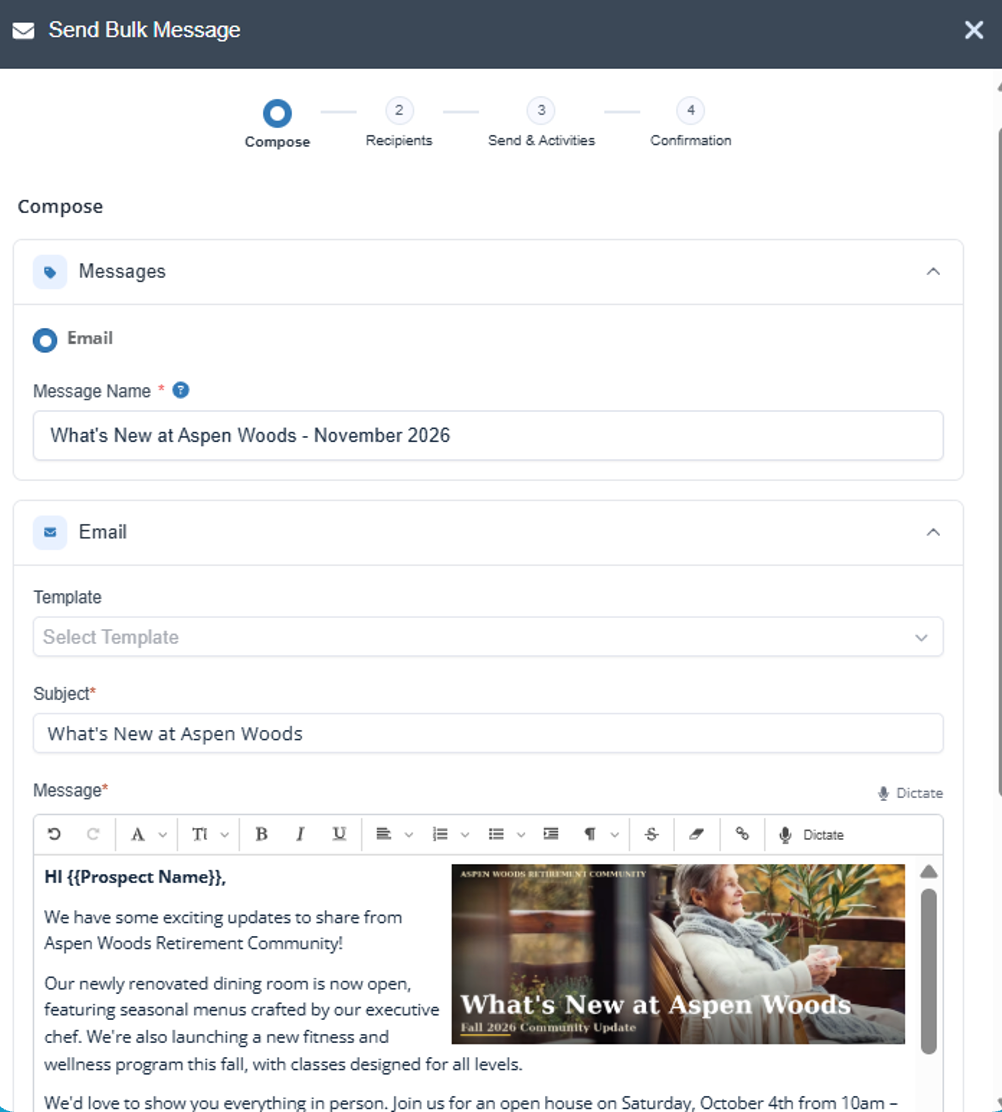
Sales counselors can now reach a group of prospects at once directly from Aline CRM. Pick a Saved List, write your message, and schedule or send it immediately. Merge fields make every email feel personal; opted-out contacts are excluded automatically, and every send is logged on each recipient record. No separate tool required.
Available for US companies only.
Duplicate Management: Now in Labs
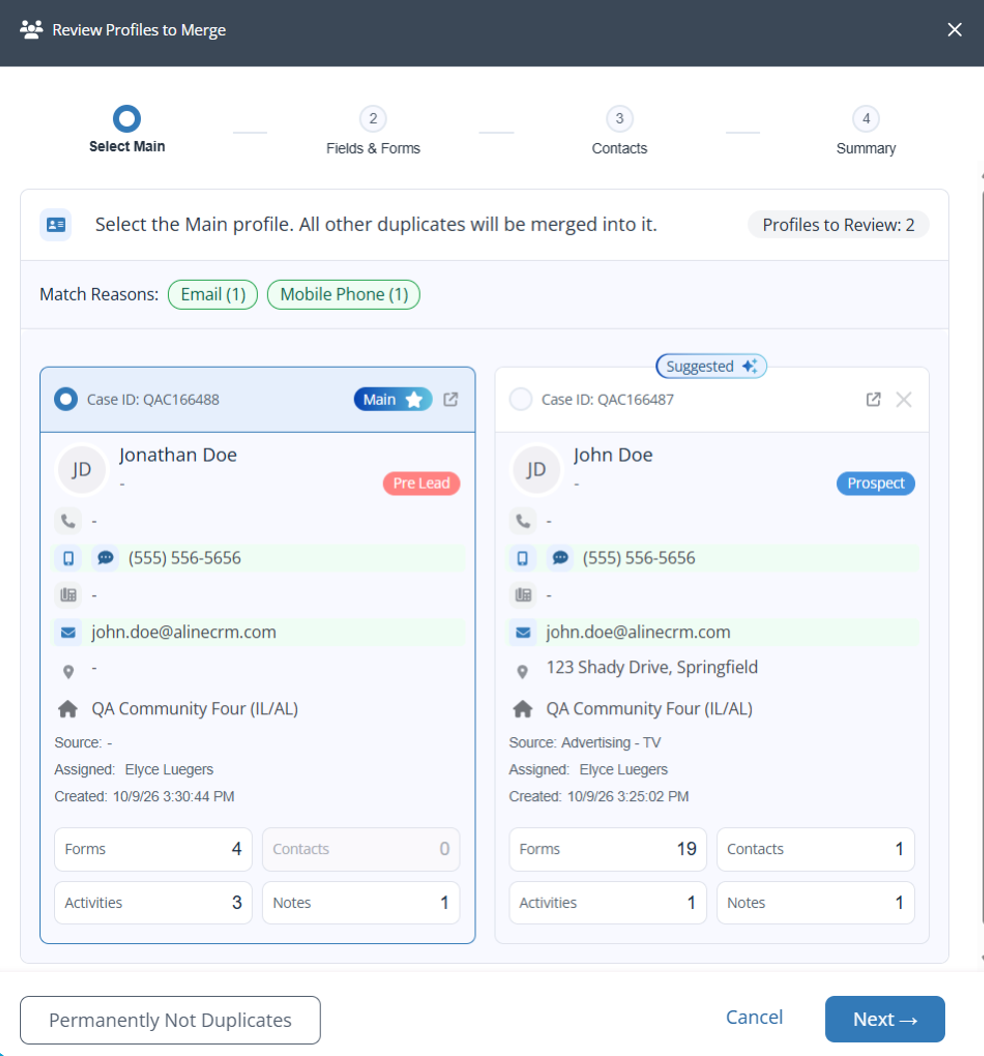
Keeping prospect data clean just got a lot easier. Aline CRM now clearly flags potential duplicate records at the top of the prospect profile. When your team is ready to clean things up, guides you through a step-by-step merge so you can resolve duplicates with confidence.
Not yet available for organizations with SNF communities.
Smart Next Steps on Saved Lists: Now in Labs
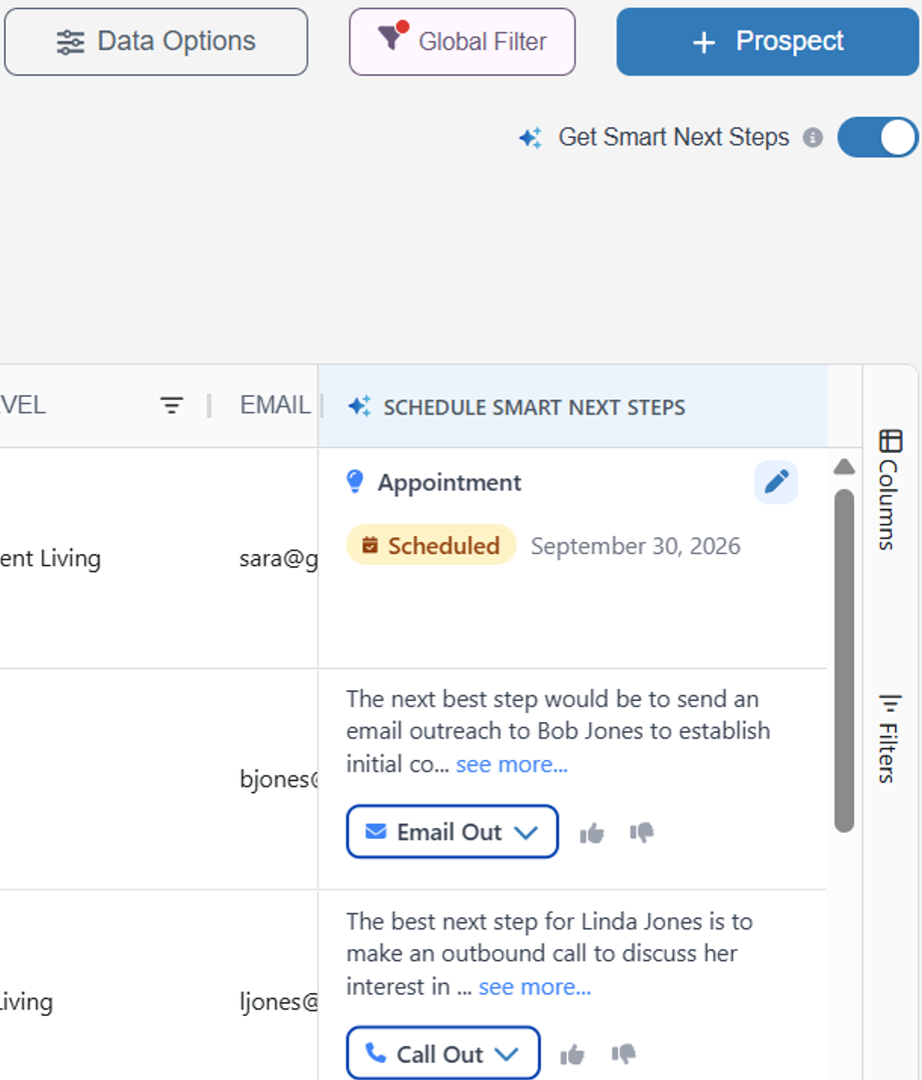
The Aline Intelligence™ Smart Next Steps engine is now available directly in your Saved Lists!
Turn on Smart List mode and every prospect gets a recommended next action based on their activity and data in Aline CRM so counselors can prioritize, schedule, and act without opening a single profile.
Available on Aline CRM Pro and Complete tiers.
Integrations
HubSpot: Marketing Activities on Profile Page
Marketing emails, calls, and meetings sent through HubSpot are now visible directly on the prospect profile in Aline CRM. A new toggle on the Activity panel surfaces HubSpot activity alongside CRM activity, so sales counselors always know what marketing has already sent before they reach out.
Requires HubSpot integration and configuration by the Aline team. Reach out today to get started!
Additional Enhancements
- Primary Contact in Add New Modal: Users can now designate a primary contact at the time of record creation, reducing the need to go back and update it afterward.
- Activity Completion Time – Free-Text Entry: Activity completion time now supports free-text entry and defaults to the current time, making it easier to log activities after the fact.
- Timeout Period Extended: The timeout period for auto-logging out has been extended from 20 minutes to 1 hour.
Was this article helpful?
That’s Great!
Thank you for your feedback
Sorry! We couldn't be helpful
Thank you for your feedback
Feedback sent
We appreciate your effort and will try to fix the article