Overview
In this article, we will review how to add required fields to a leads profile.
Adding Required Fields
Step 1: Go to the admin section
Step 2: Navigate to the form builder on the left hand menu
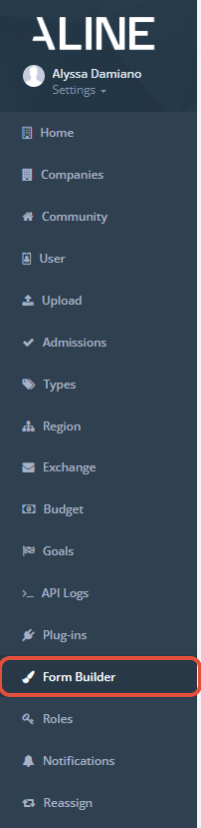
Step 3: Edit the form you are looking to make a field required on:
Step 4: Once inside the form builder, click on the field you are wanting to make required. The "required" box will need to be checked.
Note: Only admins can add required fields.
Was this article helpful?
That’s Great!
Thank you for your feedback
Sorry! We couldn't be helpful
Thank you for your feedback
Feedback sent
We appreciate your effort and will try to fix the article