Overview
Enquire's integration with NetSmart allows you quickly and easily send individuals from Enquire to NetSmart as well as receive ADT (Admit, Discharge, Transfer) events from NetSmart to update the corresponding profile in Enquire.
All integrations require an Enquire team member to complete setup. If you'd like to add this integration, please work with your NetSmart Account Manager to get the interface credentials then please reach out to our integrations team at integrations.support@alineops.com.
Setup
Make sure you have the following Types and corresponding Master Types entered into Enquire. These types will be used to properly populate the fields above and create activities with the correct type and resolution for ADT events.
Lead Scores
| Type | Master Type |
|---|---|
| Admit | Move In |
| Death | Death |
| Discharge | Move Out |
| Leave | Leave |
| Room Reserve | Room Reserve |
Activity Types
| Type | Master Type |
|---|---|
| Admit | Admission |
| Death | Move Out |
| Discharge | Move Out |
| Leave | Leave |
| Return from Leave | Leave Return |
| Room Reserve | Room Reserve |
| Transfer | Transfer |
Activity Resolutions
| Type | Master Type |
|---|---|
| Contact Made | Contact Made |
Note: If you have any questions about adding the above types, you can read our Updating Dropdown Types article or reach out to your Client Success Manager.
Plugins
All integrations require an Enquire team member to complete setup of the Plugins. Please reach out to your Client Success Manager or our Integrations Team (integrations.support@alineops.com) for further assistance.
You will need to provide the Enquire team with the following information:
- NetSmart OID
- NetSmart Username
Usage
Enquire can send a profile to NetSmart with the following fields and their values:
| First Name* | Last Name* | Middle Name | Date of Birth* |
| Gender* | SSN | Zip | AddressLine1 |
| City | State | ||
* - required to send an individual to NetSmart.
Send an Individual to NetSmart
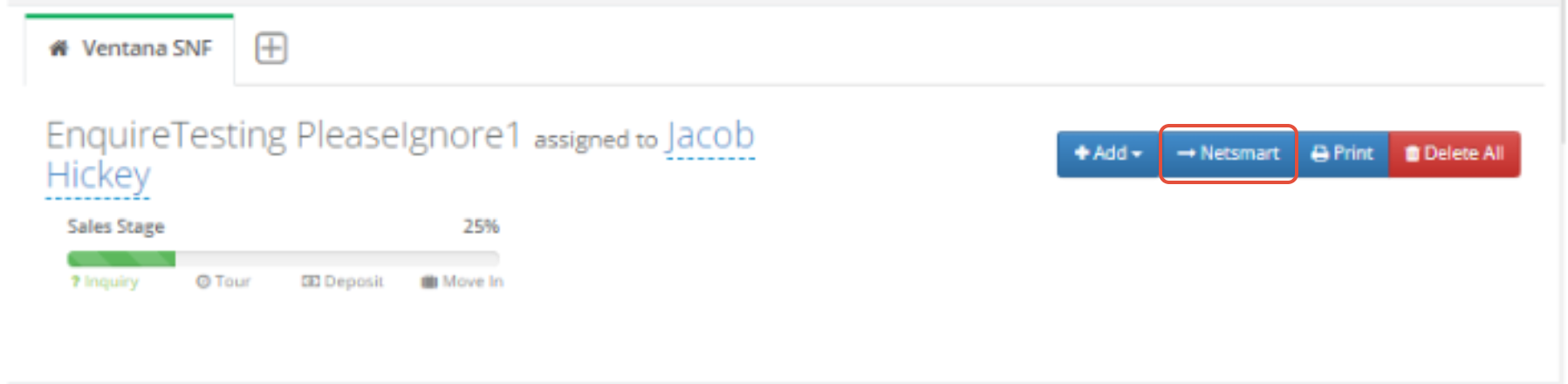
In the upper right section of the profile, click the blue button labeled NetSmart.
Banner Message
If the individual is successfully sent to NetSmart, you will see the following message and the NetSmart button will no longer be visible:

If an error occurred when attempting to send an individual, you will see the following message:
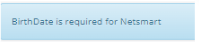
 If you attempt to send an individual to NetSmart, that is missing required fields, you will receive a message similar to the following:
Note: Upon a successful send to NetSmart, the "NetSmart" button will be removed from the profile to help prevent sending duplicates.
ADT Events from NetSmart to Enquire
Upon Enquire receiving Admit, Discharge, and Transfer events from NetSmart, the following updates will occur on an individual profile depending on the event:
Admit
When an Admit event is received, the following profile updates will occur in Enquire:- Prospect will be converted to a Resident
- Lead Score will be updated to Admit
- A note is added to the profile with the following text:
- “An Admit occurred for individual’s name”
- “An Admit occurred for individual’s name”
- The user assigned to the profile will receive a notification saying:
- “An Admit occurred for individual’s name”
- “An Admit occurred for individual’s name”
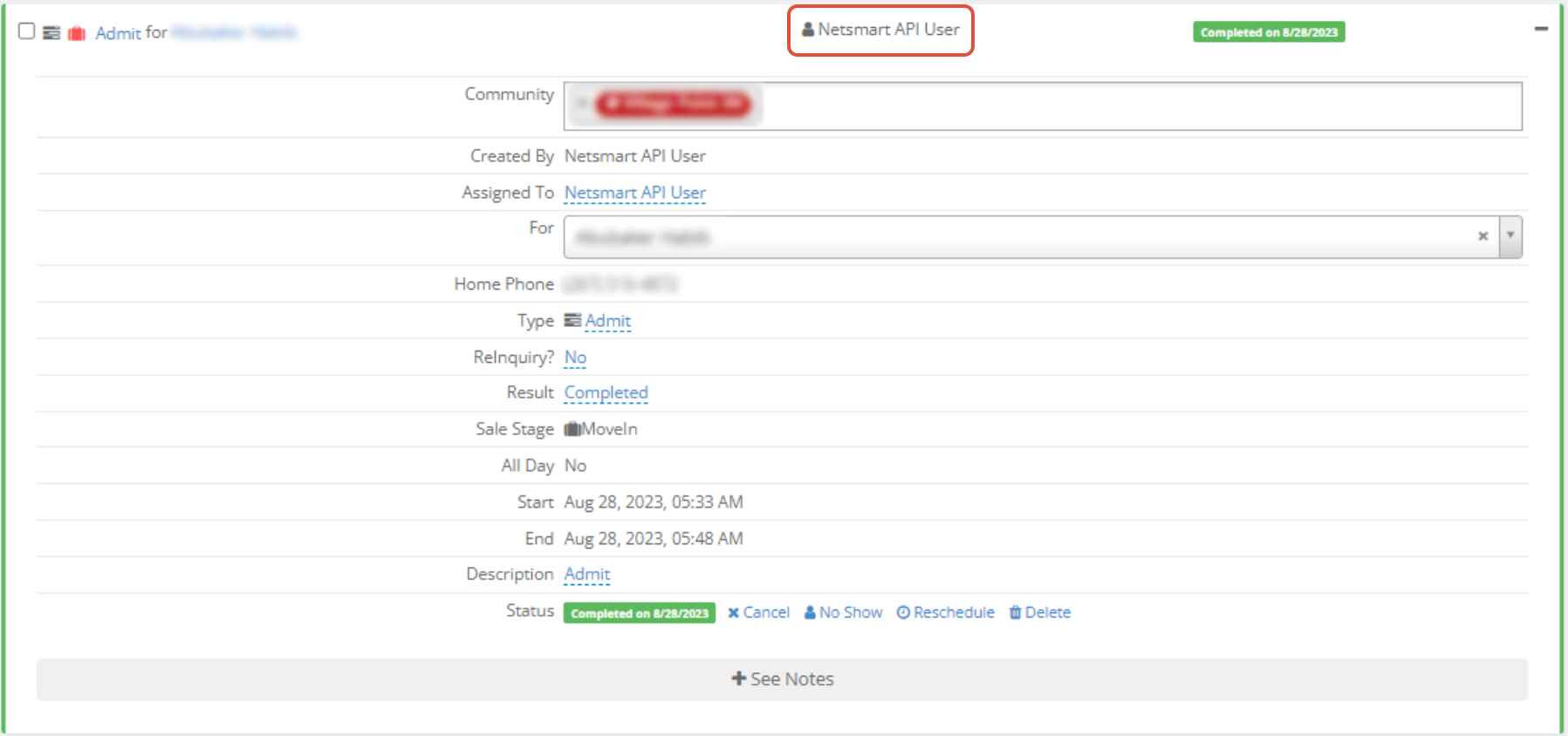
- A Completed activity will be created with:
- An Activity Type of Admit
- An Activity Resolution of Contact Made
- A Completed Date set to the date/time Enquire received the ADT message
Discharge
When a Discharge event is received, the following profile updates will occur in Enquire:
- Lead Score will be updated to Discharge
- A note is added to the profile with the following text:
- “A Discharge occurred for individual’s name”
- “A Discharge occurred for individual’s name”
- The user assigned to the profile will receive a notification saying:
- “A Discharge occurred for individual’s name”
- “A Discharge occurred for individual’s name”
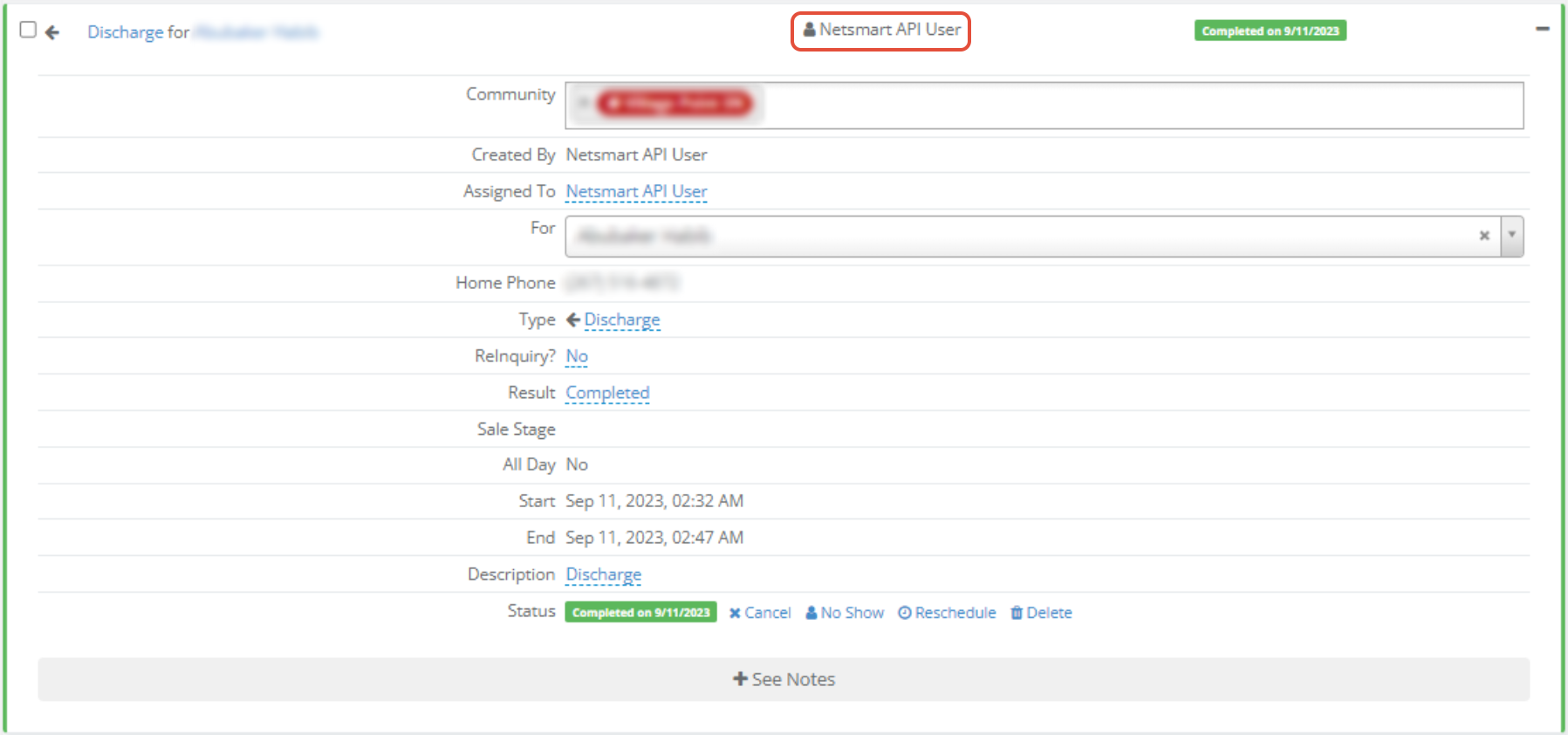
- A Completed activity will be created with:
- An Activity Type of Discharge
- An Activity Resolution of Contact Made
- A Completed Date set to the date/time Enquire received the ADT message
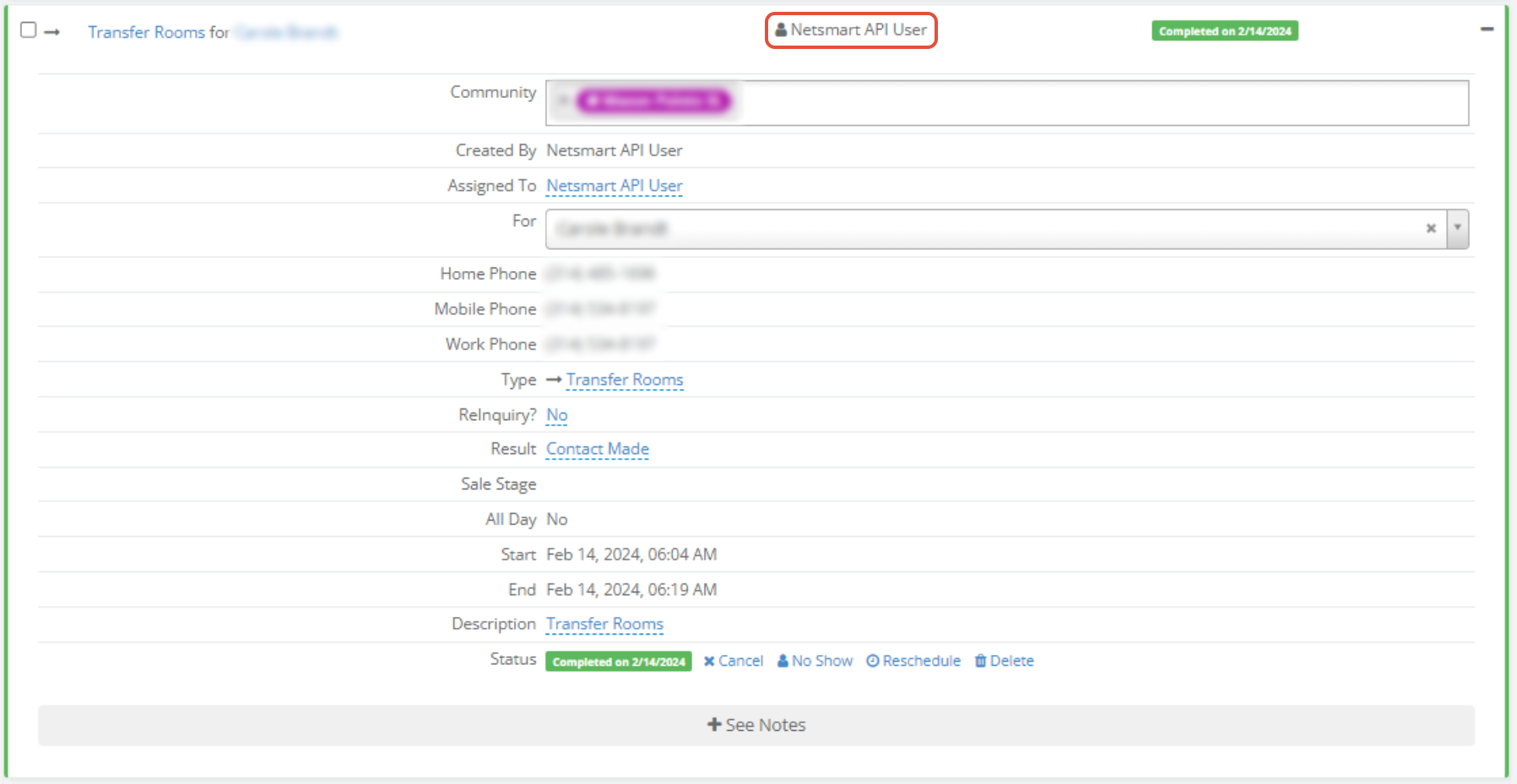
Transfer
- A note is added to the profile with the following text:
- “A Transfer occurred for individual’s name”
- “A Transfer occurred for individual’s name”
- The user assigned to the profile will receive a notification saying:
- “A Transfer occurred for individual’s name”
- “A Transfer occurred for individual’s name”
- A Completed activity will be created with:
- An Activity Type of Transfer
- An Activity Resolution of Contact Made
- A Completed Date set to the date/time Enquire received the ADT message
Death
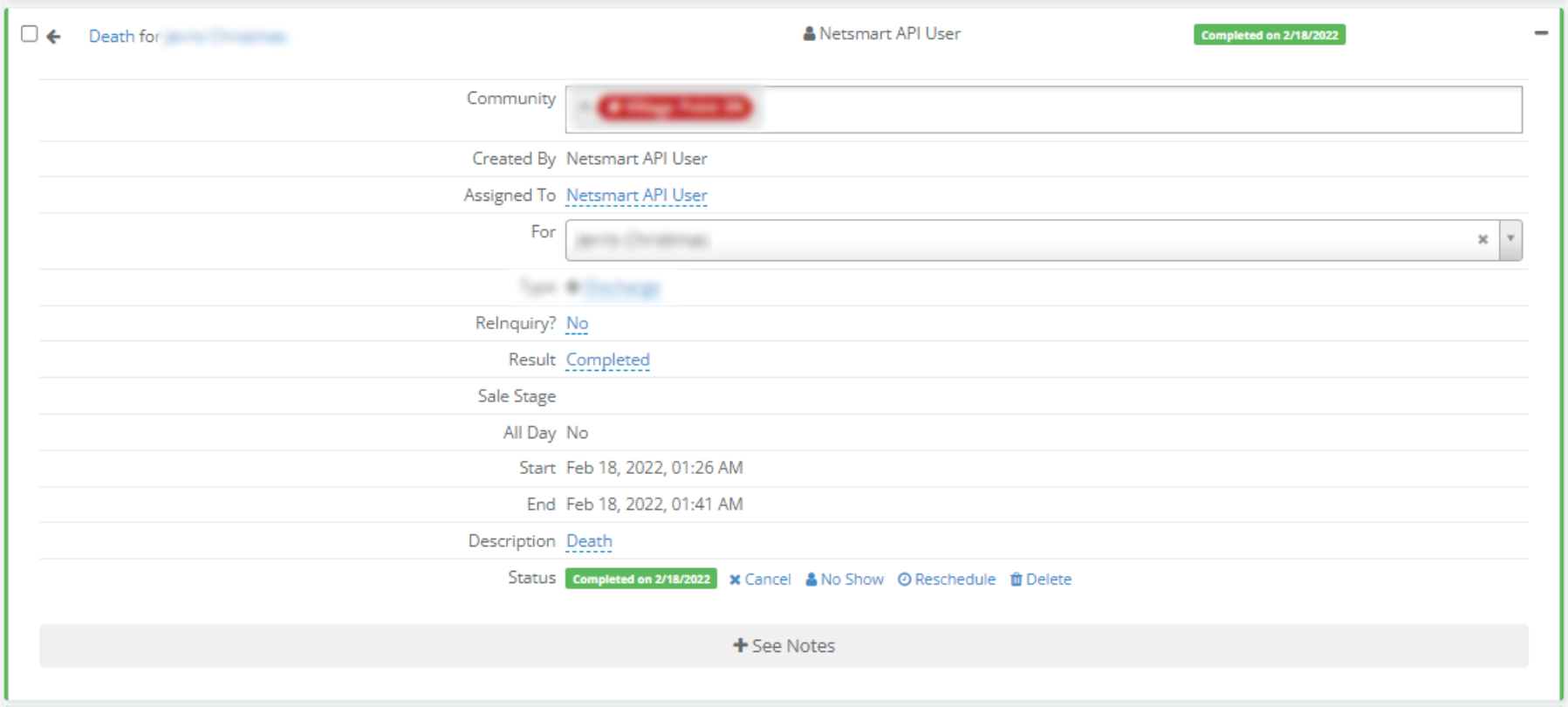
- Lead Score will be updated to Death
- A note is added to the profile with the following text:
- “A Death occurred for individual’s name”
- “A Death occurred for individual’s name”
- The user assigned to the profile will receive a notification saying:
- “A Death occurred for individual’s name”
- “A Death occurred for individual’s name”
- A Completed activity will be created with:
- An Activity Type of Discharge
- An Activity Resolution of Contact Made
- A Completed Date set to the date/time Enquire received the ADT message
Room Reserve
- A note is added to the profile with the following text:
- “A Room Reserve occurred for individual’s name”
- “A Room Reserve occurred for individual’s name”
- The user assigned to the profile will receive a notification saying:
- “A Room Reserve occurred for individual’s name”
- “A Room Reserve occurred for individual’s name”
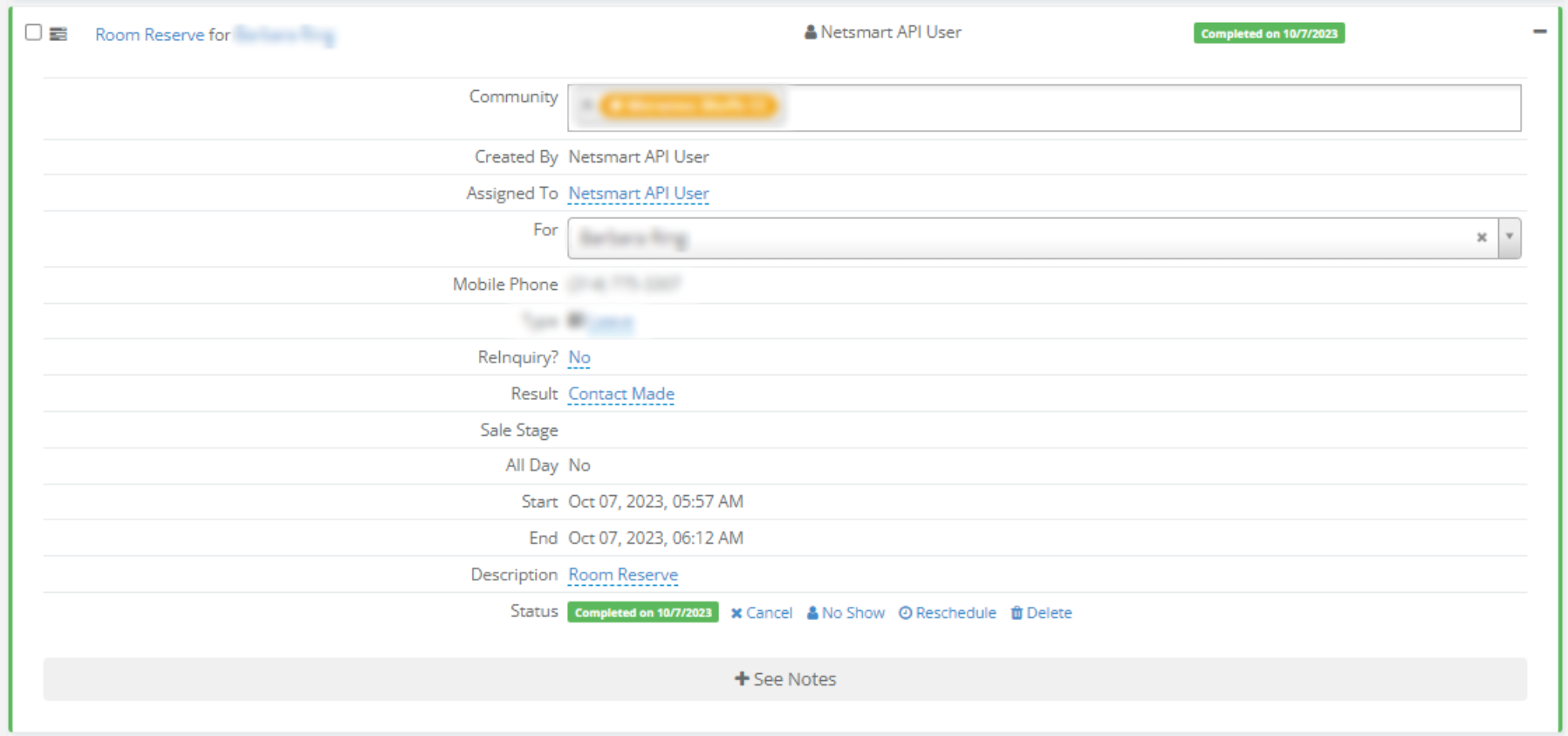
- A Completed activity will be created with:
- An Activity Type of Room Reserve
- An Activity Resolution of Contact Made
- A Completed Date set to the date/time Enquire received the ADT message
- A note is added to the profile with the following text:
- “A Leave occurred for individual’s name”
- “A Leave occurred for individual’s name”
- The user assigned to the profile will receive a notification saying:
- “A Leave occurred for individual’s name”
- “A Leave occurred for individual’s name”
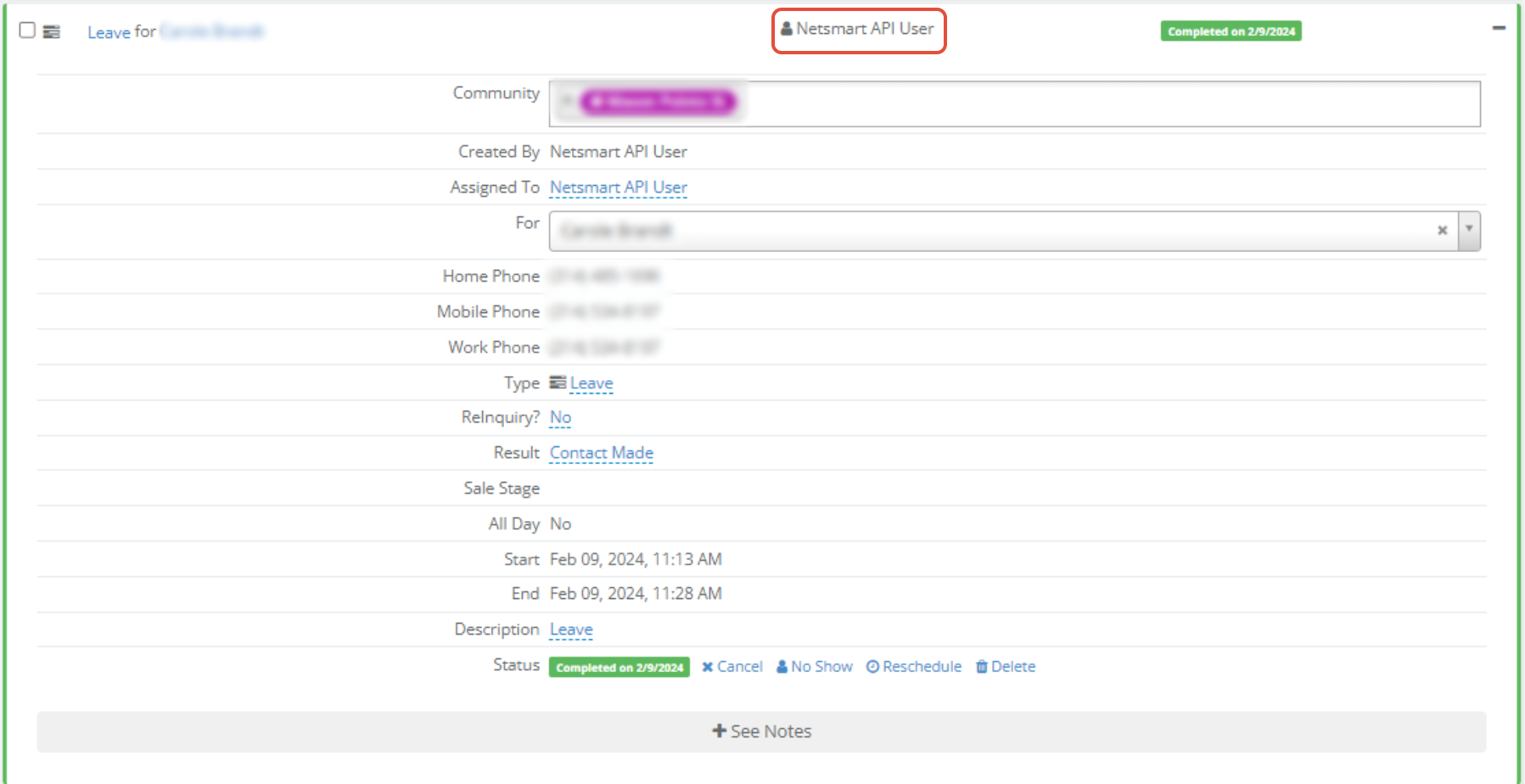
- A Completed activity will be created with:
- An Activity Type of Leave
- An Activity Resolution of Contact Made
- A Completed Date set to the date/time Enquire received the ADT message
Return from Leave
- A note is added to the profile with the following text:
- “A Return from Leave occurred for individual’s name”
- “A Return from Leave occurred for individual’s name”
- The user assigned to the profile will receive a notification saying:
- “A Return from Leave occurred for individual’s name”
- “A Return from Leave occurred for individual’s name”
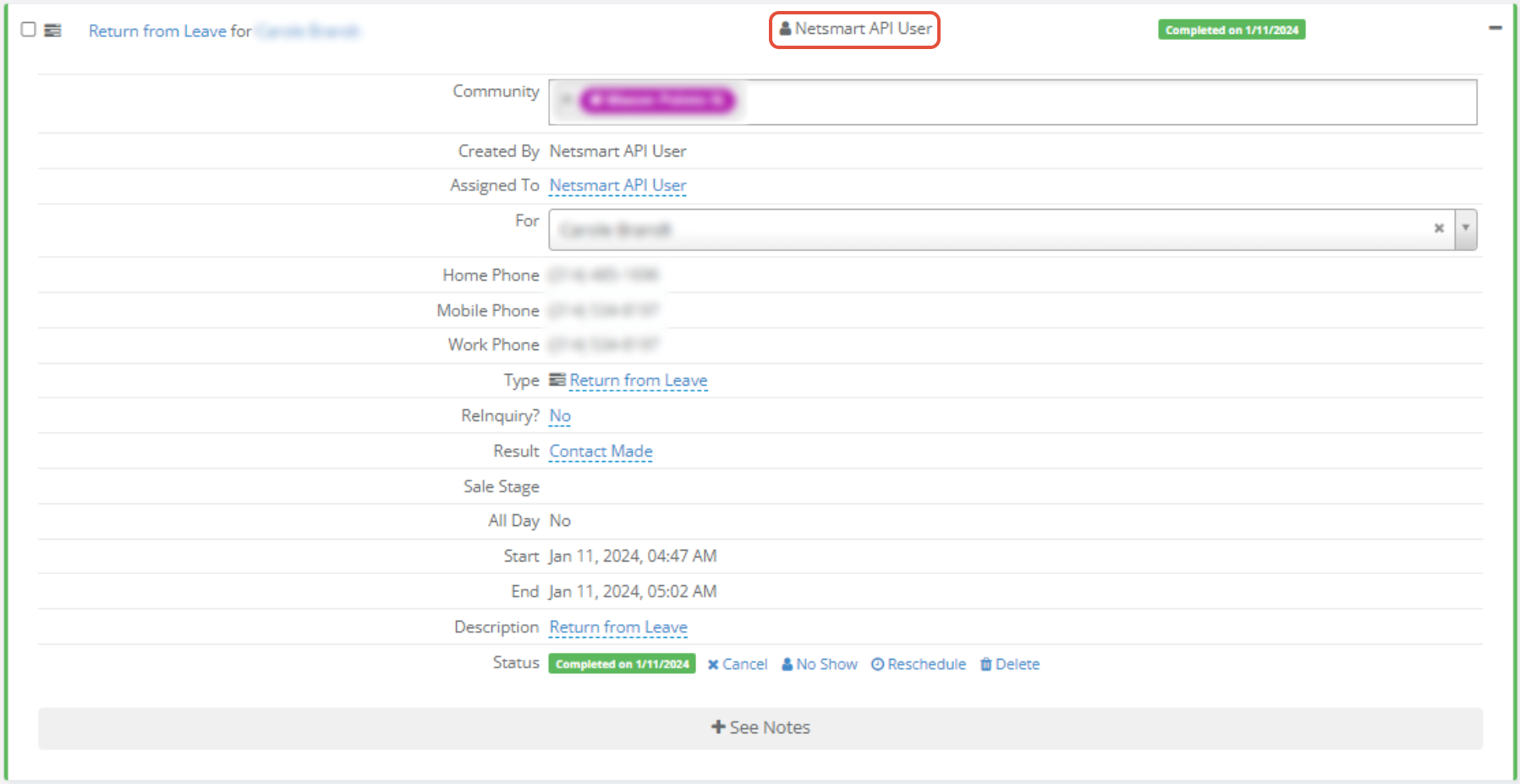
- A Completed activity will be created with:
- An Activity Type of Return from Leave
- An Activity Resolution of Contact Made
- A Completed Date set to the date/time Enquire received the ADT message
Was this article helpful?
That’s Great!
Thank you for your feedback
Sorry! We couldn't be helpful
Thank you for your feedback
Feedback sent
We appreciate your effort and will try to fix the article