Overview
In this article, we will review how to print a profile or convert to a PDF to send via email.
Printing a Profile
Step 1: Navigate to the profile you would like to print.
Step 2: Click the blue Print button in the top right of the profile.
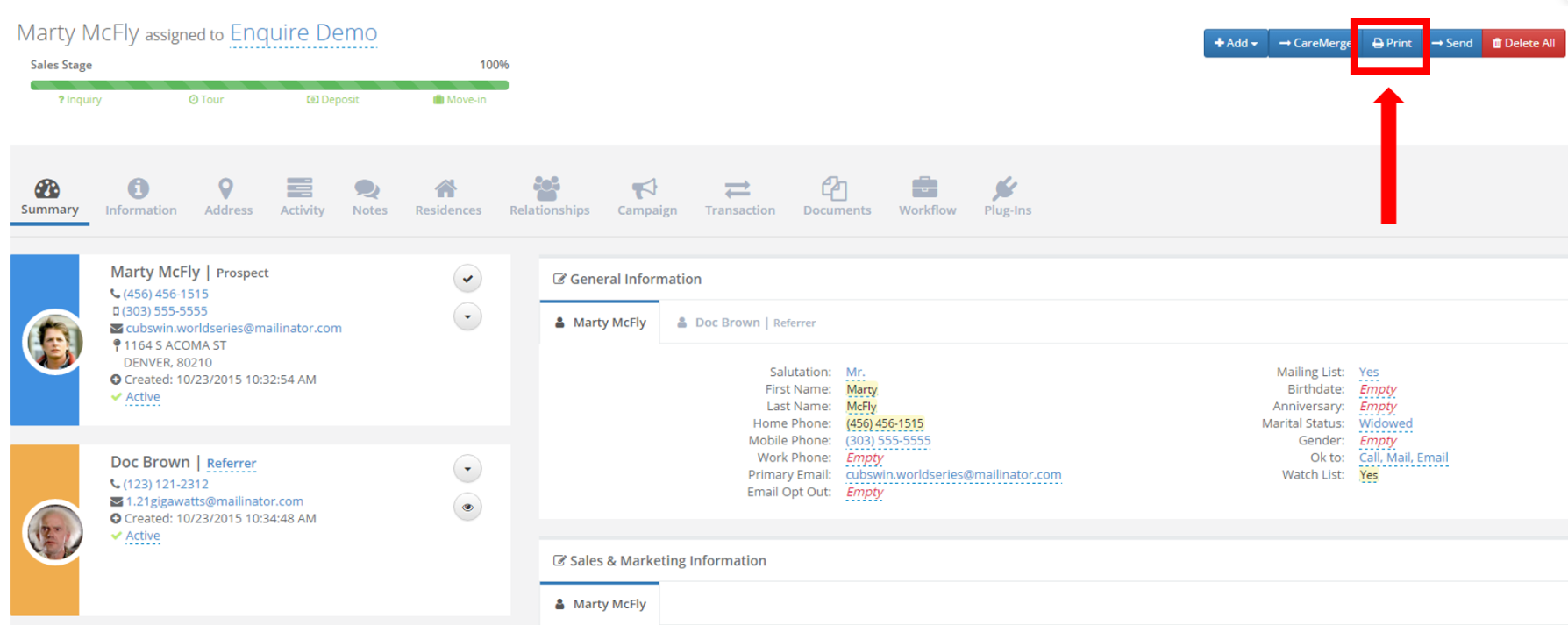
Note: This will display a print friendly web page. On your keyboard press Ctrl + P (or on a Mac press ⌘ + P) to print the profile.
Converting to a PDF
Step 1: Click on the Print button
Step 2: Select Save as PDF in the drop down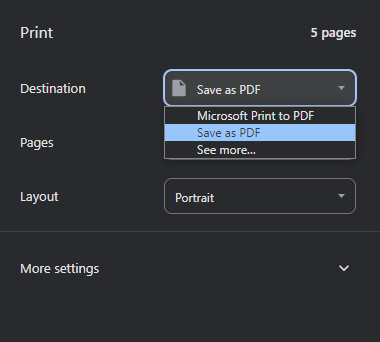
Step 3: Click save
Was this article helpful?
That’s Great!
Thank you for your feedback
Sorry! We couldn't be helpful
Thank you for your feedback
Feedback sent
We appreciate your effort and will try to fix the article