Overview
With the Sticky Note feature, you can pin a note to the top of a profile. The user assigned to the profile will be alerted that there's an important note they need to see.
Pinning a Note
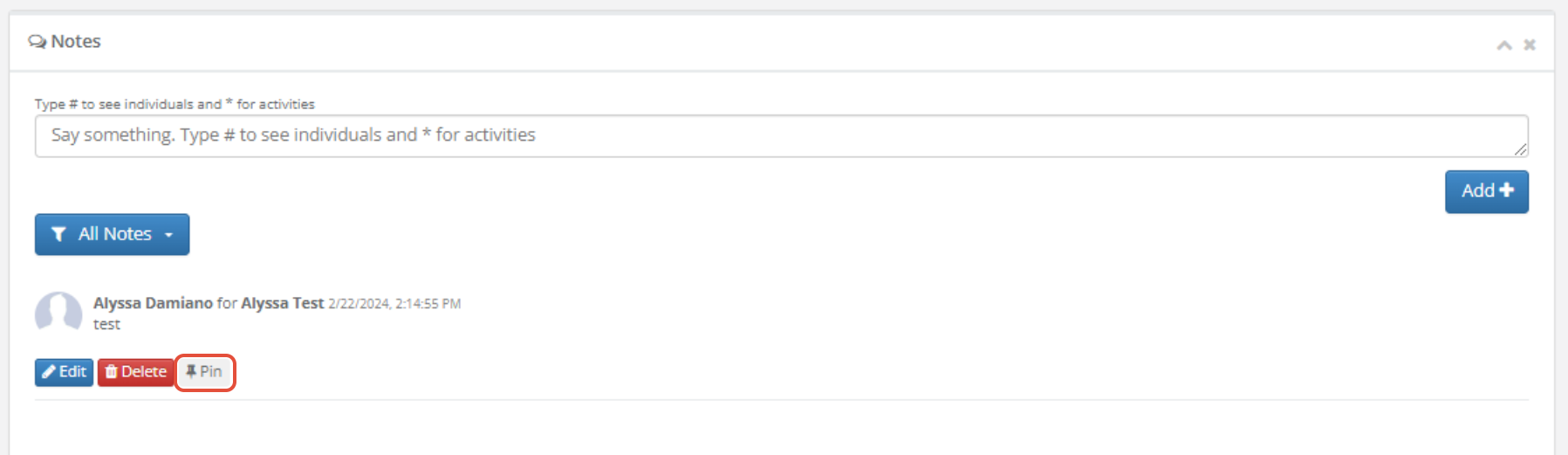
Step 1: On a profile, scroll down to the Notes section, or click the Notes button at the top.
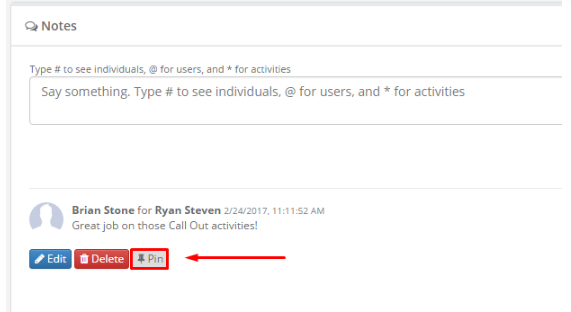
 Step 2: To the right of the note you would like to pin, click the grey Pin button.
 Step 3: This will pin a yellow notification to the top of the profile with the note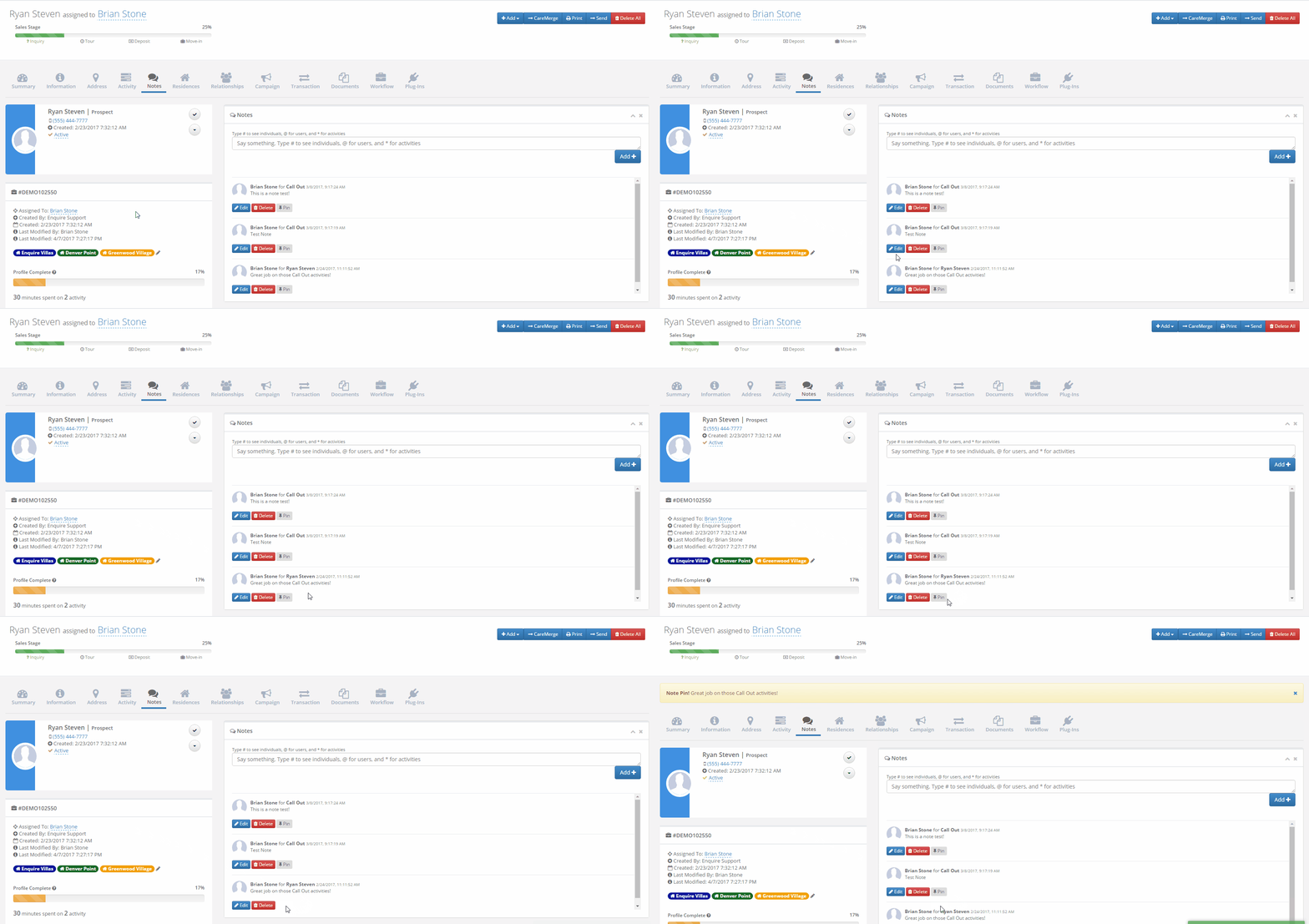
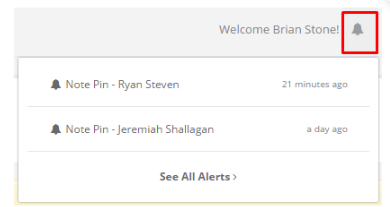
Step 4: When notes are pinned to a profile you are assigned, click the bell icon at the top of the page and it will show in your notifications as Note Pin followed by the name of the profile.
Unpinning a Note
Step 1: Go to the leads profile that the note was pinned on
Step 2: Click on the 'X' on the yellow banner
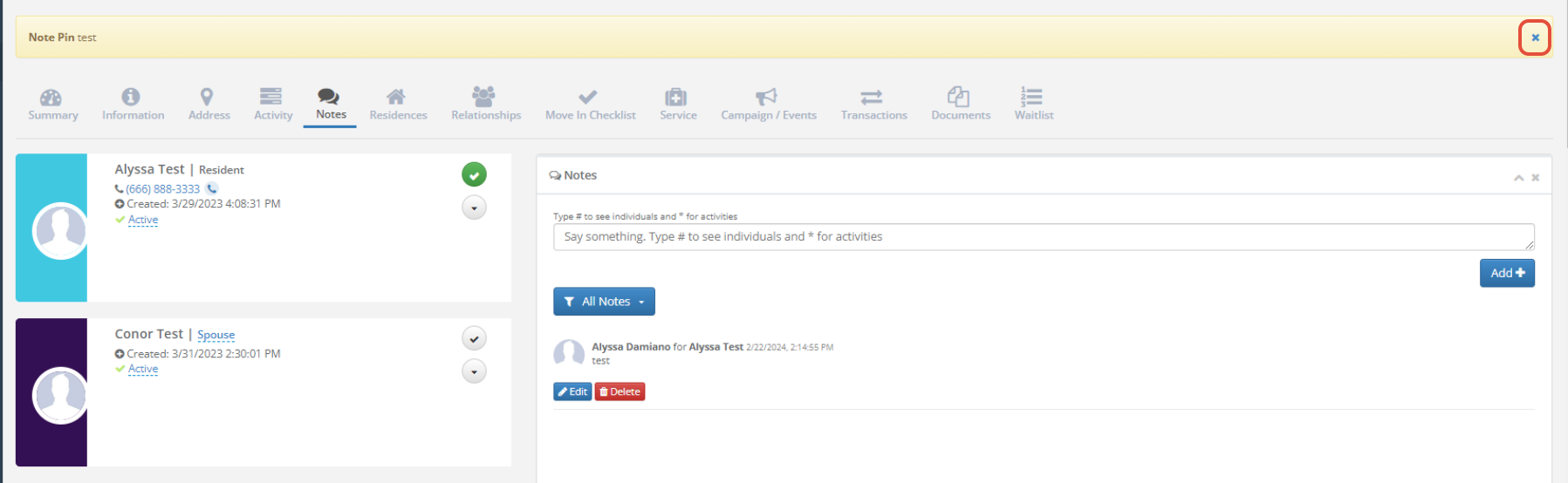
Note: You will see the note pin button next to the note if the note needs to be pinned again
Was this article helpful?
That’s Great!
Thank you for your feedback
Sorry! We couldn't be helpful
Thank you for your feedback
Feedback sent
We appreciate your effort and will try to fix the article