Overview
In this article, we will review how to add outreach activities to a referring contact.
Adding Outreach Activities to a Referring Contact
Step 1: Navigate to the Referral Source you would like to add an Outreach Activity to.
Click the Activity tab at the top.

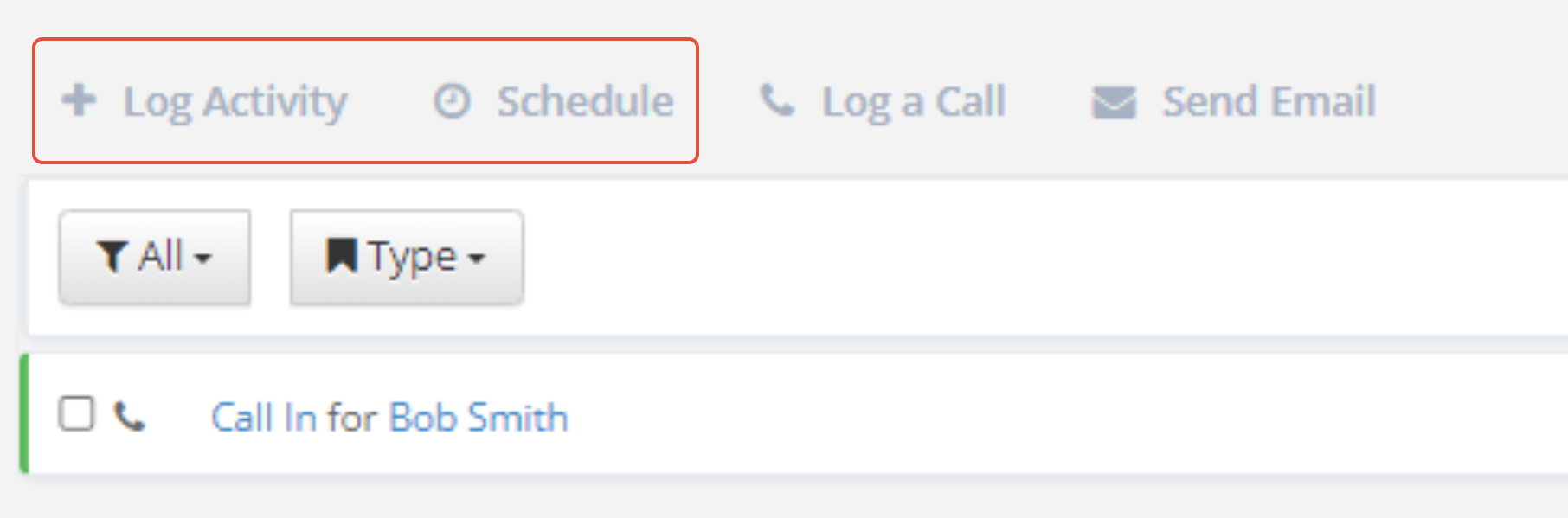
Step 2: Click the Log Activity or Schedule tab on the activity box. Use Log Activity to create an activity that has already happened and Schedule to create an activity for a future date.
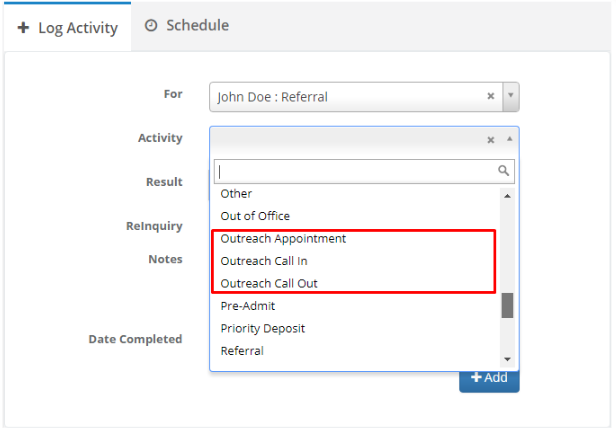
Step 3: Fill out the Activity Form and make sure to change the type field to an Outreach activity type.
 Step 4: Click Add
Note: If you do not see outreach activities in the dropdown, please reach out to your system admin.
Was this article helpful?
That’s Great!
Thank you for your feedback
Sorry! We couldn't be helpful
Thank you for your feedback
Feedback sent
We appreciate your effort and will try to fix the article