Overview
In this article, we will review how to backdate an activity.
Back Dating an Activity Via Leads Profile
Step 1: Navigate to the profile you would like to back date an activity for and click the activity button

Step 2: Click Log Activity
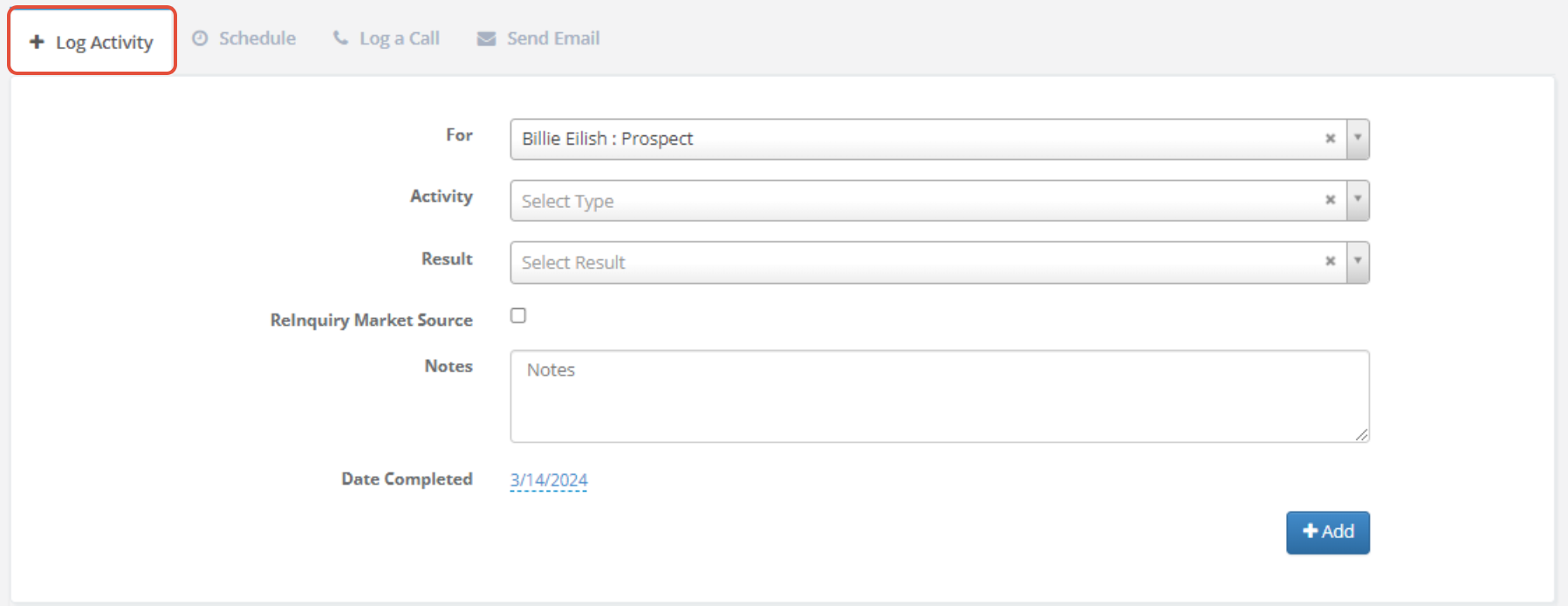
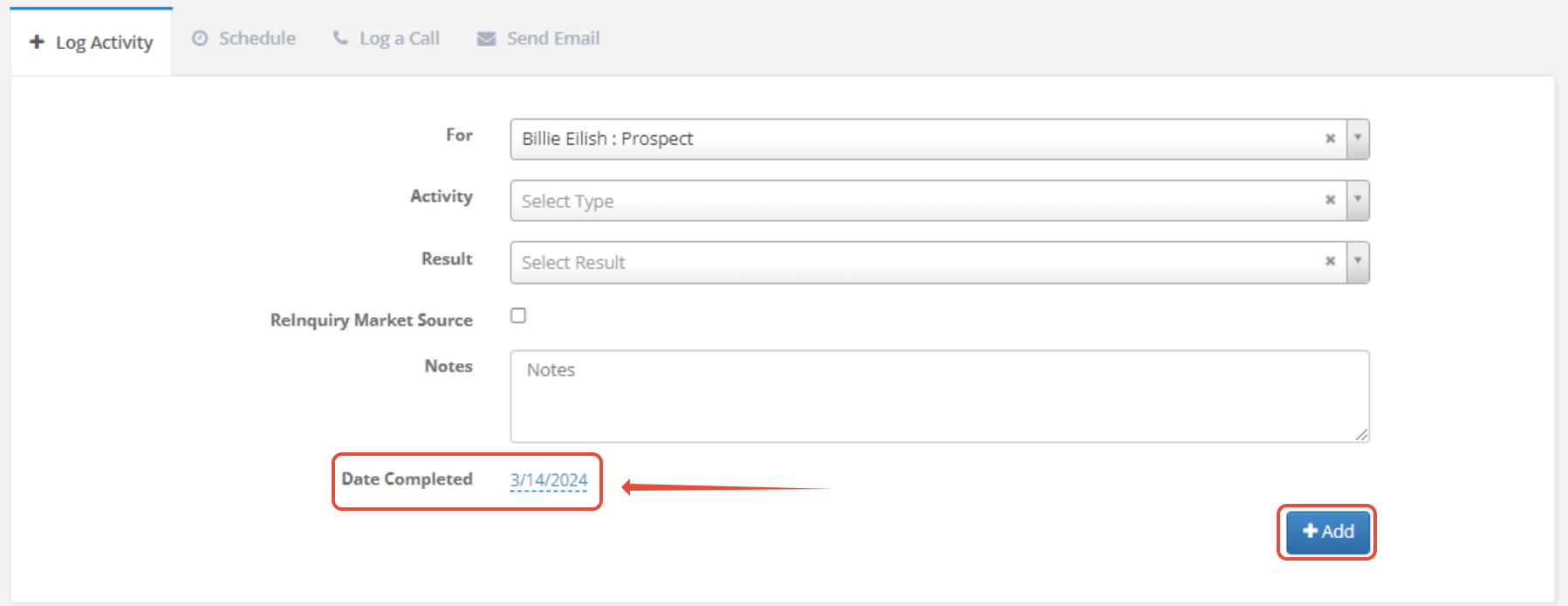
Step 3: When filling out the Log Activity form, make sure to change the Date Completed date to when the activity occurred. Click Add.
Back Dating an Activity Via Add New Section
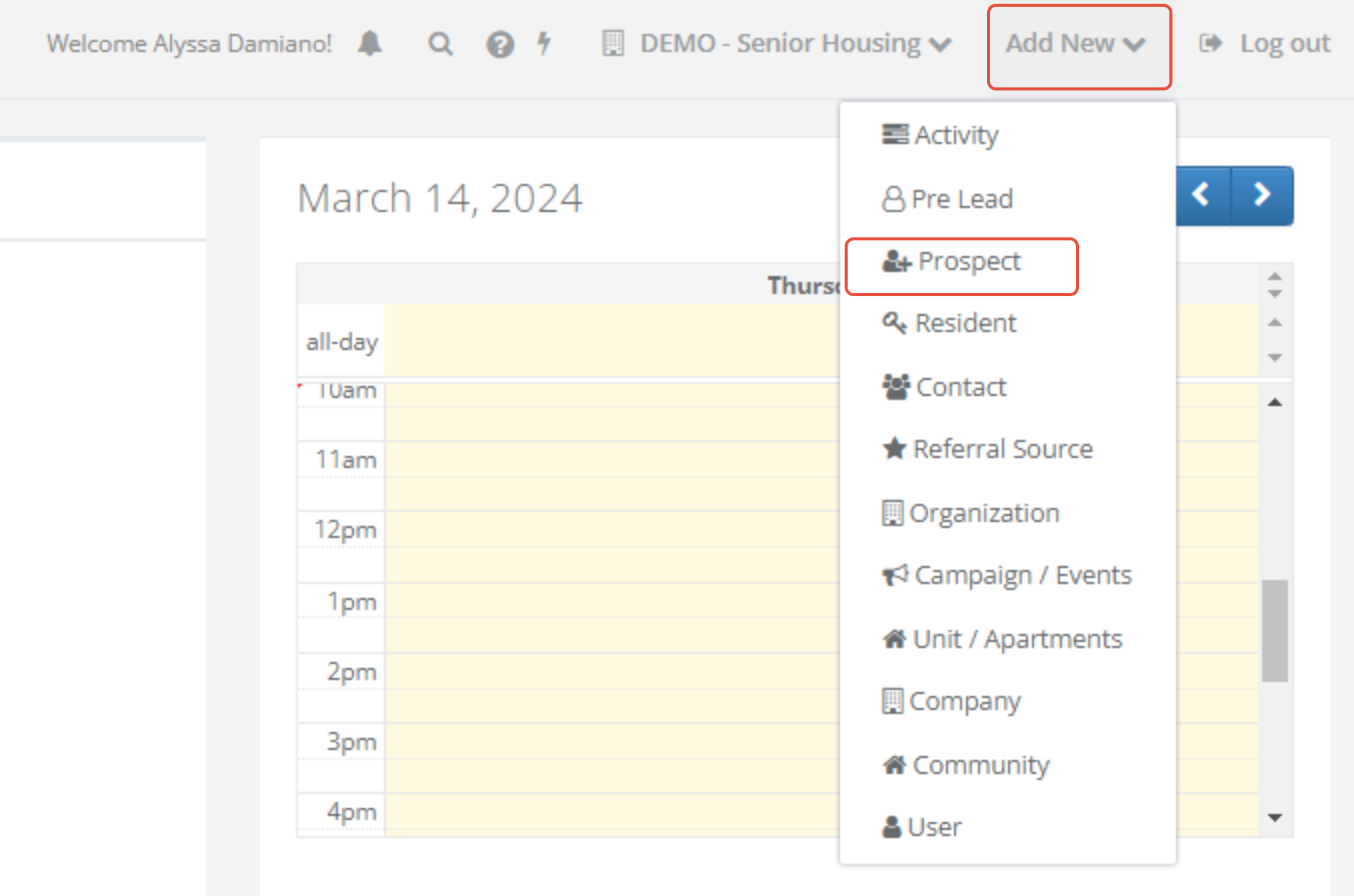
Step 1: Click Add New in the top right of the page and click prospect
Step 2: Fill out the New Prospect form and at the bottom of the form, click the Date field
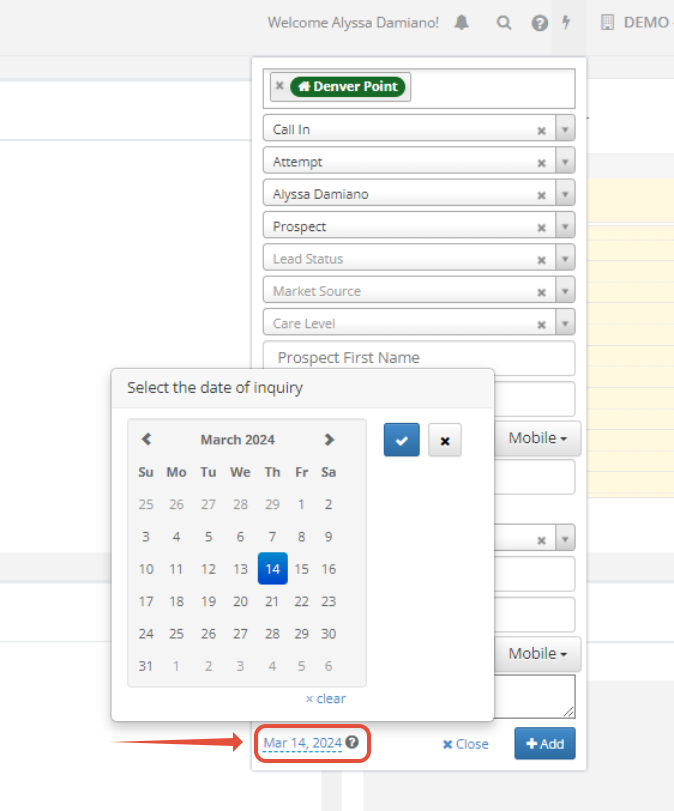
Step 3: Choose the Date when the Inquiry occurred and click the Blue Check mark button
Step 4: Click +Add
Was this article helpful?
That’s Great!
Thank you for your feedback
Sorry! We couldn't be helpful
Thank you for your feedback
Feedback sent
We appreciate your effort and will try to fix the article