Overview
In this article, we will review how to update a leads communities via tagging. This is ONLY for clients that have tagging turned on vs the tabbing option. Tagging is common on referring contacts as well.
Updating a Profile's Tagged Communities
Step 1: Click the small pencil icon next to the list of communities a profile is currently tagged to.
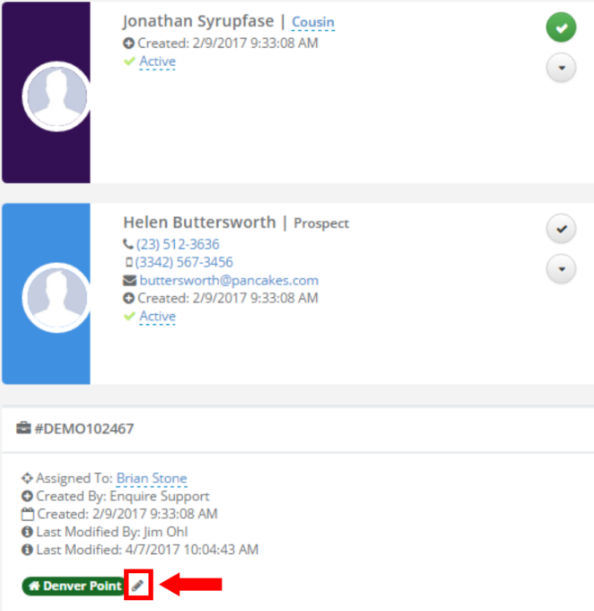 Step 2: Click into the white space of the community pop up to show a list of the communities you can tag this individual to.
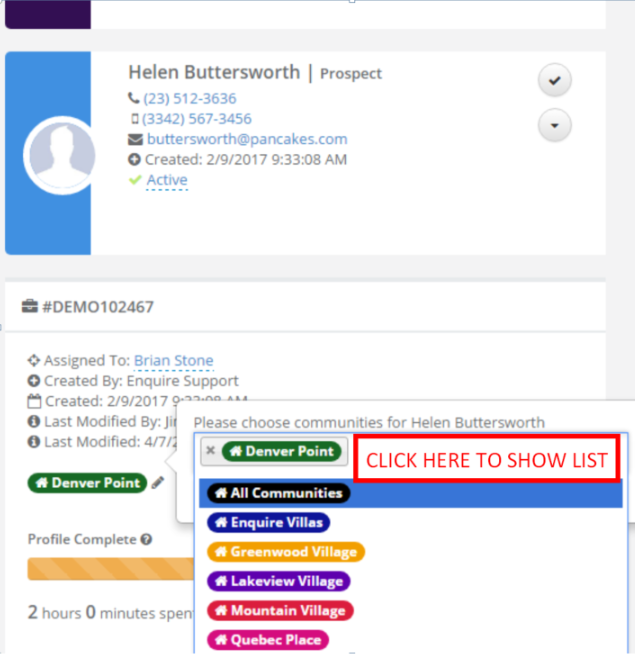 Step 3: Click the name of the community you would like to add to the individual, and then click the blue check mark button to save your selection.
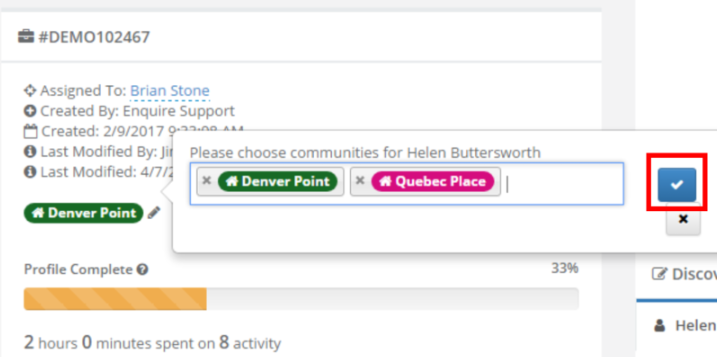 Step 4: This individual will now be tagged to the specified community or communities.
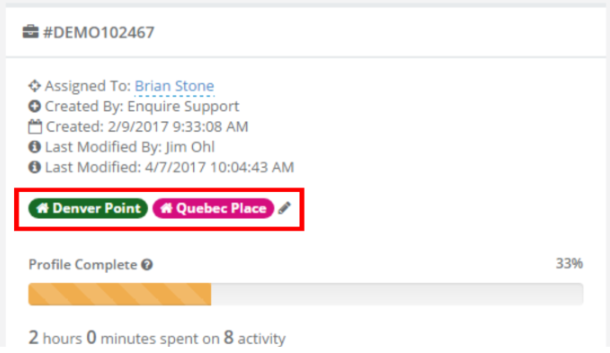 Step 5: To remove communities that an individual is tagged to, click the small pencil icon, click the small grey 'X' next to the community you would like to remove, and then click the blue check mark button to save your selection.

Was this article helpful?
That’s Great!
Thank you for your feedback
Sorry! We couldn't be helpful
Thank you for your feedback
Feedback sent
We appreciate your effort and will try to fix the article