Overview
Marketing Budgets can be used to track specific budgets for Market Source categories and can be used within custom reports. Marketing Budgets are community specific and can be entered in on the Budget page for a community in the Admin Section. Budgets can be applied for each Market Source Master Type. All Marketing Budgets are user defined and the values for each can be unique to your company. We recommend that the values entered be the total budget for all market sources in each category.
Upload Marketing Budgets Using the Template
Enter your budget in our Budget Template and upload them to Enquire for a quick and easy way to add Budgets to your communities!
Downloading and filling out the Template
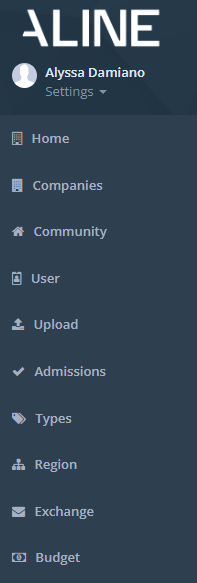
Step 1: Click Admin on the left menu and navigate to the Budget section on the left hand menu
 Step 2: In the Community column, click the name of the community you would like to set budgets for
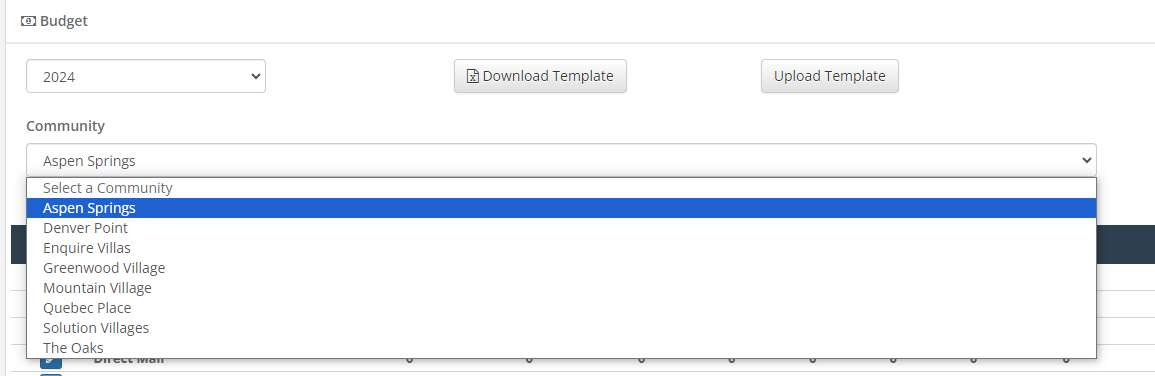
Step 3: Expand each row and fill out the appropriate information for the selected budget

Note: A template can be used to upload the budgets in bulk.

Note: It may take some time for budgets to populate to the budget table after refreshing. FAQ
I uploaded the template file but my budgets haven't populated.
- Make sure that the template was saved as a .xls or .xlsx file format. These are the required formats when uploading a template.
How do I upload Budgets for a specific year?
- You can specify the year for your budgets by updating the Year row (just above the month row) in the template. Updating each cell in this row is required for Budgets to be input for the correct year.
Was this article helpful?
That’s Great!
Thank you for your feedback
Sorry! We couldn't be helpful
Thank you for your feedback
Feedback sent
We appreciate your effort and will try to fix the article