Overview
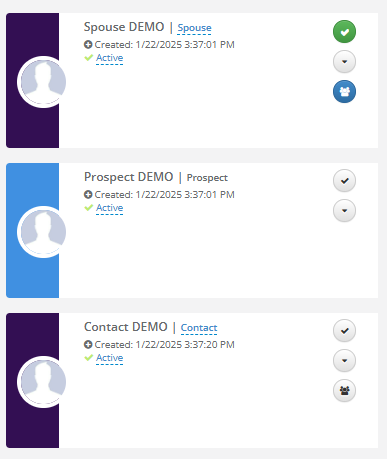
A Co-Resident Icon will display on all Contacts associated with a Prospect. This feature will allow users to visually indicate which Contact on the profile is the potential Co-Resident alongside the Primary Prospect.
Visually indicate which Contact on the profile is the potential Co-Resident alongside the Primary Prospect.
a. Click the icon on the appropriate Contact card
b. The icon will be highlighted indicating this is the potential Co-Resident
NOTE: There is no limit to how many Co-Residents are listed on a Prospect's profile. Also, once the Move-In is completed and both individuals are converted to Residents, this icon will disappear.
Was this article helpful?
That’s Great!
Thank you for your feedback
Sorry! We couldn't be helpful
Thank you for your feedback
Feedback sent
We appreciate your effort and will try to fix the article