TABLE OF CONTENTS
Overview
The MatrixCare integration allows users to pass referrals/patients, emergency contacts, and associated demographic information from Aline CRM to MatrixCare. The integration is bi-directional such that once a patient is admitted in MatrixCare, Admit, Discharge, Transfer (ADT) data will populate in the Aline CRM as updates are made in MatrixCare. Some features and functions of the integration may incur a monthly fee. Please contact your Aline Customer Success Manager or MatrixCare Account Manager for more information.
Usage
Preparing an individual for the pass to MatrixCare
Resident can be sent to MatrixCare with the following fields and their values:
| First Name* | Middle Name | Last Name* | Preferred Name (custom field) |
| Birthdate* | SSN* | Care Level*** | |
| Address Line 1 | Address Line 2 | City | State* |
| Postal Code | Phone (sent as Contact) | Email (sent as Contact) | |
| Marital Status | Religion | Ethnicity | Gender |
| Medicare Number | Medicare B Number (custom) | Medicaid Number (custom) | Project Move-in Date |
* - required to send an individual to MatrixCare.
*** - Required for location mapping only, not sent to MatrixCare
NOTE: Contact push requires enhanced integration with MatrixCare. Please contact your Aline CSM if you would like to add this to a prior existing integration.
Contacts Sent to MatrixCare
| First Name* | Middle Name | Last Name* | Relationship |
| Emergency Contact (Flag) | Email** | Phone** | Address Line1 |
| Address Line 2 | City | State | Postal Code |
* - required to send an individual to MatrixCare.
** - Phone OR Email required to send contact
NOTE: Contact Address is still required on MatrixCare side, we send a generic address if no address is present on contact.
NOTE: Document push requires enhanced integration with MatrixCare. Please contact your Aline CSM if you would like to add this to a prior existing integration.
Document push: This is a one-time push that will occur with Resident push to MatrixCare. No additional documents are sent after the push. A resident repush can cause duplicate documents in MatrixCare.
MatrixCare has a limit of 15MB per document, anything document over this limit will fail to be accepted in MatrixCare.
Note: The push to MatrixCare button will not be present until a care level is selected in the profile.
Note: When formatting the social security number make sure you are entering a nine digit number only without the dashes (i.e. Enter 123456789 and not 123-45-6789)
Note: The document send function is a separate feature from the larger integration. You will need to work with your MatrixCare Account Manager to enable this. Once enabled, contact integrations.support@alineops.com to have us enable the feature on the Aline side.
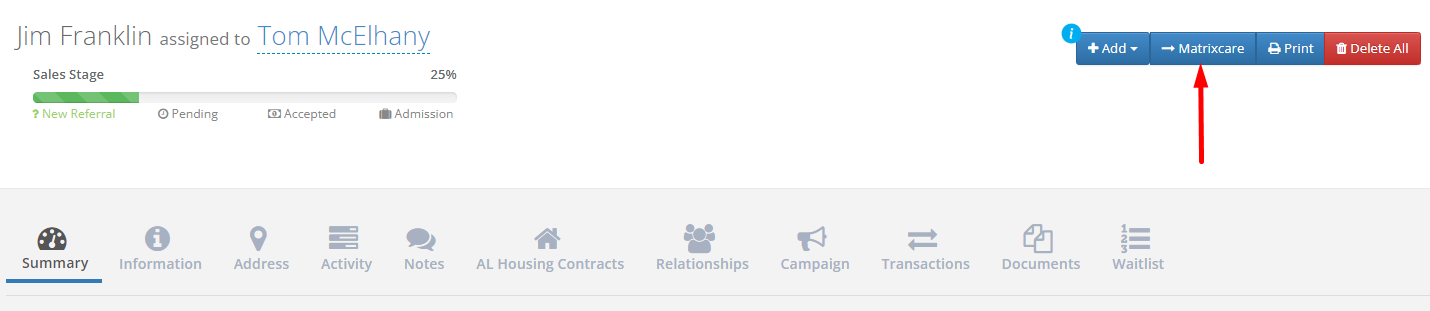
Step 3: In the upper right click the blue MatrixCare button.
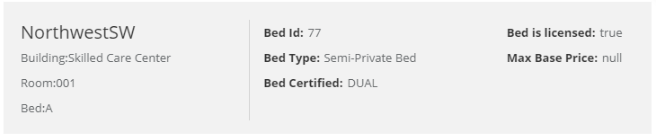
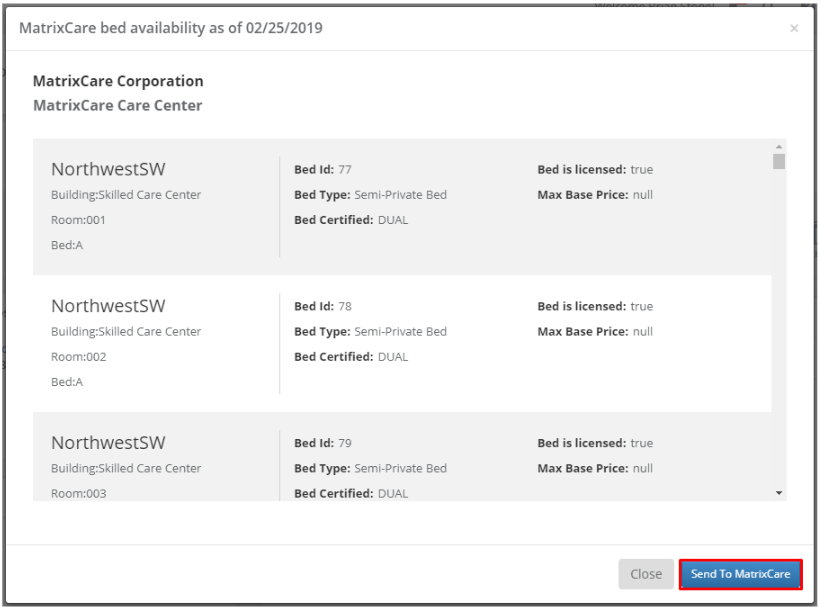
Step 4: A modal will appear displaying the current bed availability based on the care level of the individual and the facility they are admitting to. This bed availability is view only and each bed will have information like it's location and type.
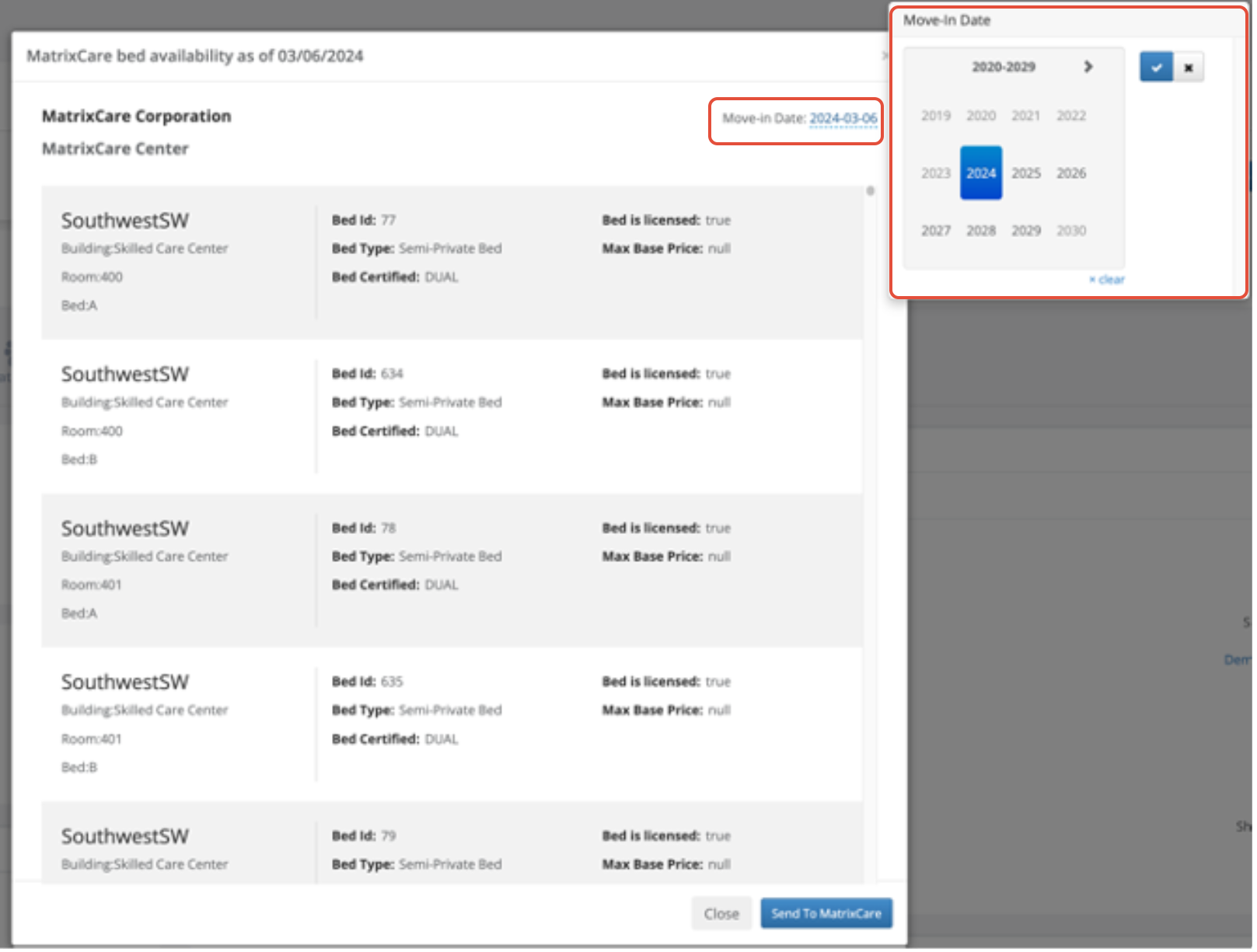
Step 5: Once you have confirmed the bed availability, Set the projected move-in date and click the blue Send to MatrixCare button.
Note: The projected move-in date will create a scheduled move-in Notification within MatrixCare.
Message Banner
If all required information is entered, you will receive a blue success notification letting you know the individual was successfully sent to MatrixCare:

Note: Upon a successful send to MatrixCare, the " MatrixCare" button will be removed from the profile to help prevent sending duplicates to MatrixCare.


You may see the following error if something with the integration wasn't properly set up or there is trouble with the connection between Enquire and MatrixCare:

If you receive this error, please reach out to our support team at integrations.support@alineops.com and we will take a look to make sure everything is properly set up and the connections are functioning.
Locate the Resident in MatrixCare
Once the resident has been sent from Enquire, they will now have a Face Sheet and will show up when performing a resident search.
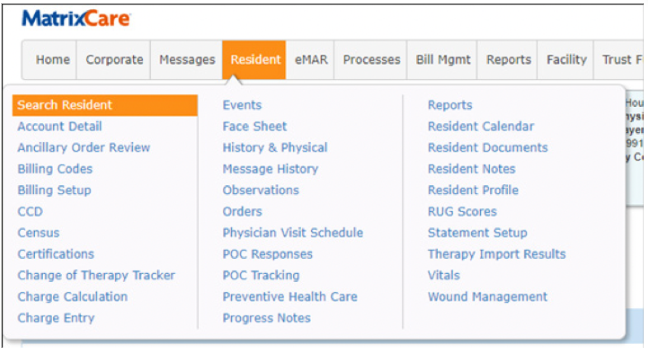
Step 1: Click Resident and select Search Resident.
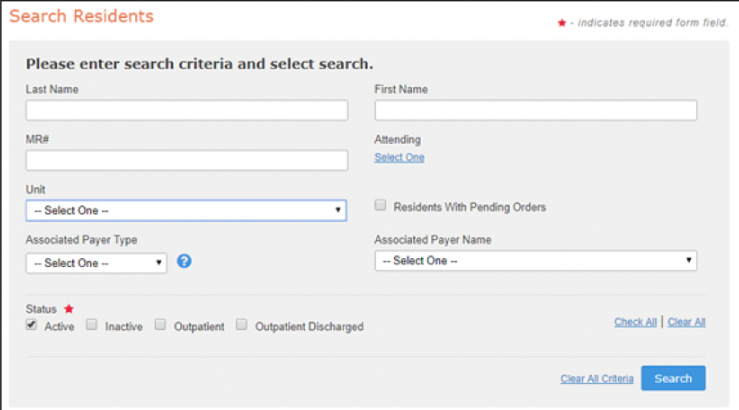
Step 2: Enter any of the search criteria to find the resident that was recently sent from Enquire.
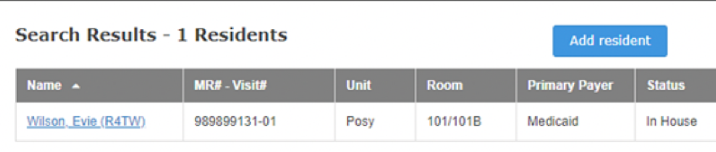
Step 3: Your resident will appear on the Search Results page.
Receiving Activities from MatrixCare
When events occur in MatrixCare, if there is an associated individual in Enquire (sent from Enquire to MatrixCare using the "MatrixCare" button) the following updates will be made to the individual in Enquire:
Note: If a profile is archived and a new profile (Re-referral) is created, Integration ID/ADT's should move to the newest profile.
Housing contracts can be syncing using ADT's. Profiles created from Admit and Transfer for missing individuals. This a new function and may need to be requested to add to existing integration connections.
- Housing Contracts will be updated on Move-in date, Transfer date and Discharge Date
- Units are matched on unit number alone
- Missing units will be auto-created with random care level and no floor plan assignment.
- Prospect matches (based on Integration-ID OR Name/SSN/DOB)
- For Admit and Transfer events, a new resident profile will be created - This requires the company option to be active. Please reach out to Aline to configure this option.
- All other events will be ignored with no matching resident
Admit:
When an Admit event is received, the following profile updates will occur in Enquire:
- Referral individual type will be converted to a Patient individual type
- Lead Score (AKA Referral Status) will be updated to Admit
- A note is added to the profile with the following text:
- “An Admit occurred for individual’s name”
- “An Admit occurred for individual’s name”
- The user assigned to the profile will receive a notification saying:
- “An Admit occurred for individual’s name”
- “An Admit occurred for individual’s name”
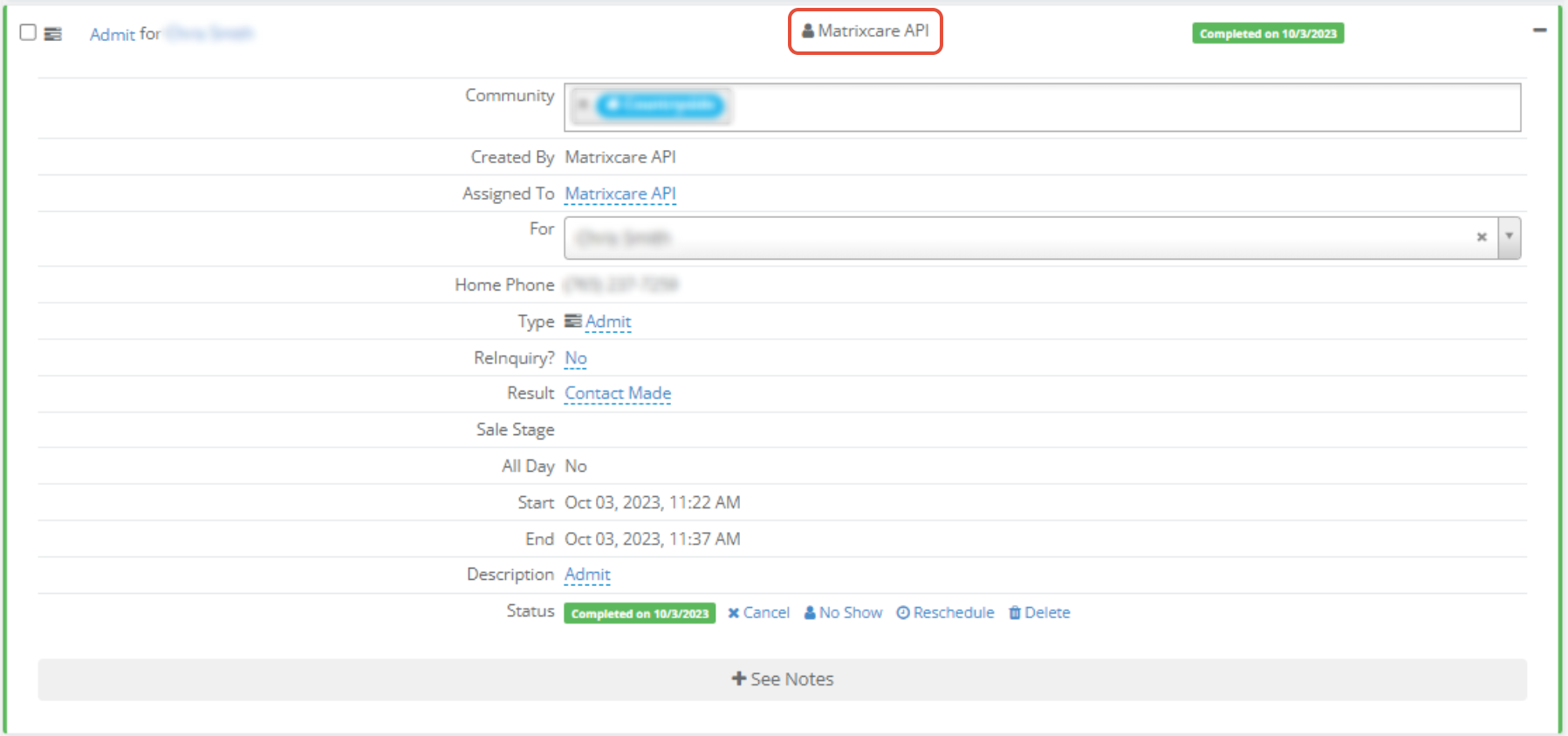
- A Completed activity will be created with:
- An Activity Type of Admit
- An Activity Resolution of Contact Made
- A Completed Date set to the date/time Enquire received the ADT message
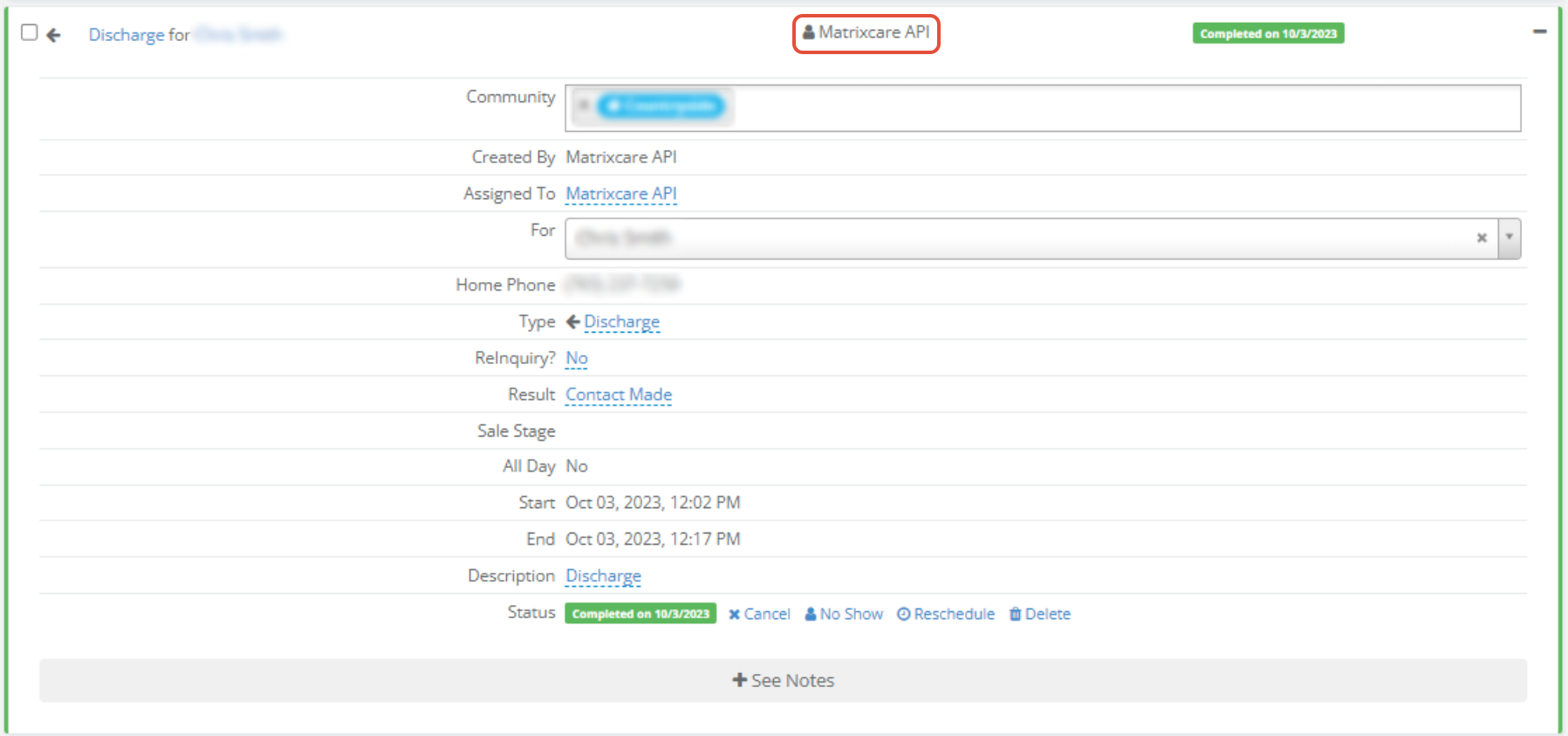
When a Discharge event is received, the following profile updates will occur in Enquire:
- Lead Score (AKA Referral Status) will be updated to Discharge
- A note is added to the profile with the following text:
- “A Discharge occurred for individual’s name”
- “A Discharge occurred for individual’s name”
- The user assigned to the profile will receive a notification saying:
- “A Discharge occurred for individual’s name”
- “A Discharge occurred for individual’s name”
- A Completed activity will be created with:
- An Activity Type of Discharge
- An Activity Resolution of Contact Made
- A Completed Date set to the date/time Enquire received the ADT message
Transfer:
When a Transfer event is received, the following profile updates will occur in Enquire:
- A note is added to the profile with the following text:
- “A Transfer occurred for individual’s name”
- “A Transfer occurred for individual’s name”
- The user assigned to the profile will receive a notification saying:
- “A Transfer occurred for individual’s name”
- “A Transfer occurred for individual’s name”
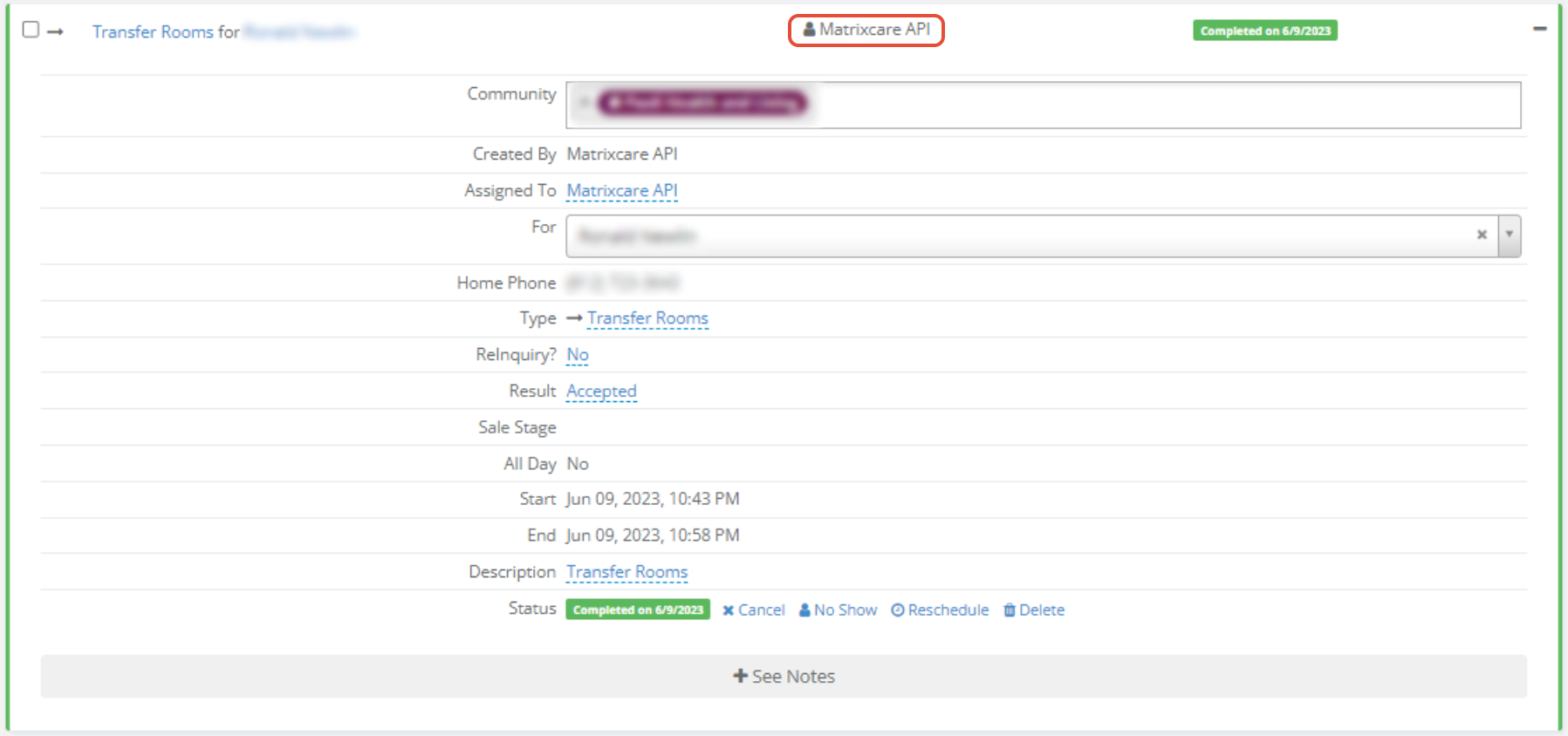
- A Completed activity will be created with:
- An Activity Type of Transfer
- An Activity Resolution of Contact Made
- A Completed Date set to the date/time Enquire received the ADT message
Leave:
- A note is added to the profile with the following text:
- “A Leave occurred for individual’s name”
- “A Leave occurred for individual’s name”
- The user assigned to the profile will receive a notification saying:
- “A Leave occurred for individual’s name”
- “A Leave occurred for individual’s name”
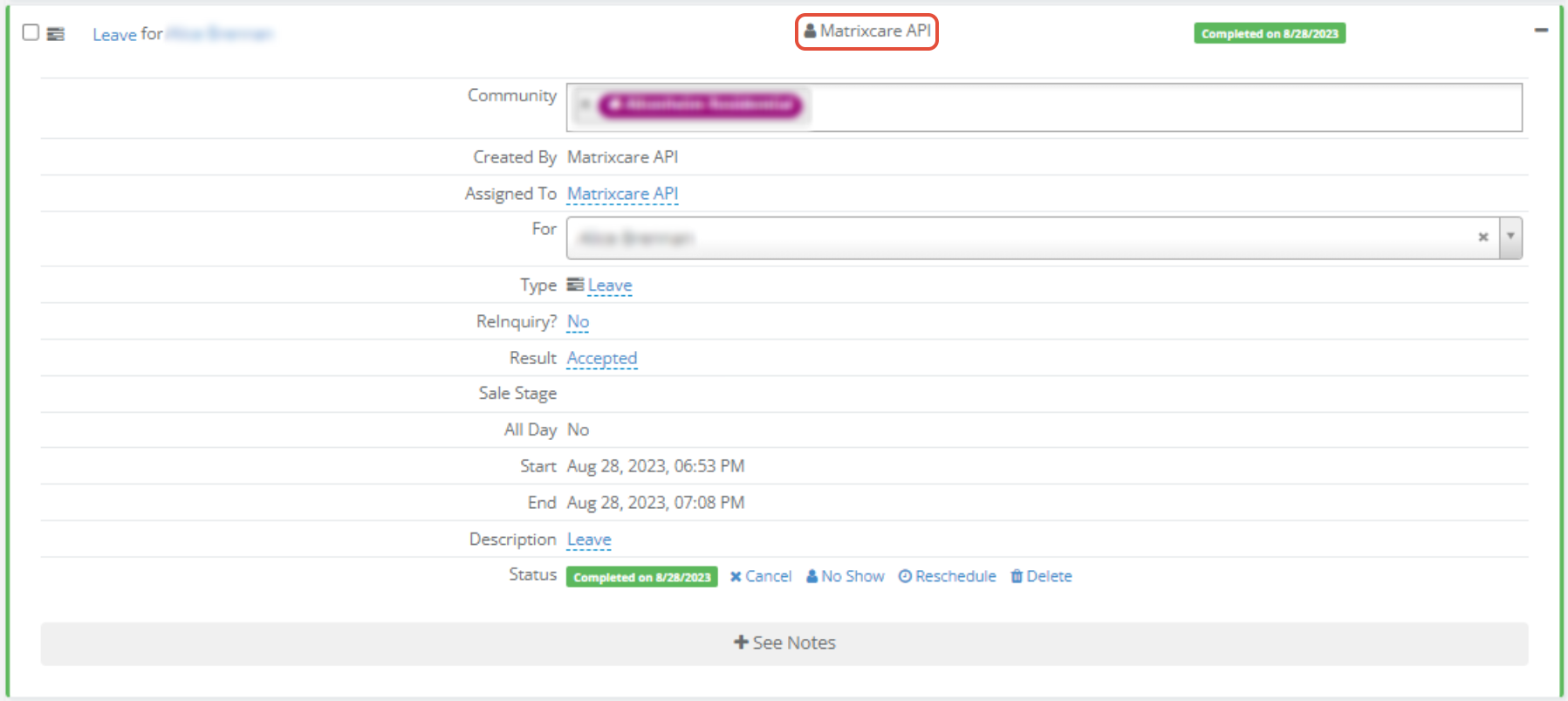
- A Completed activity will be created with:
- An Activity Type of Leave
- An Activity Resolution of Contact Made
- A Completed Date set to the date/time Enquire received the ADT message
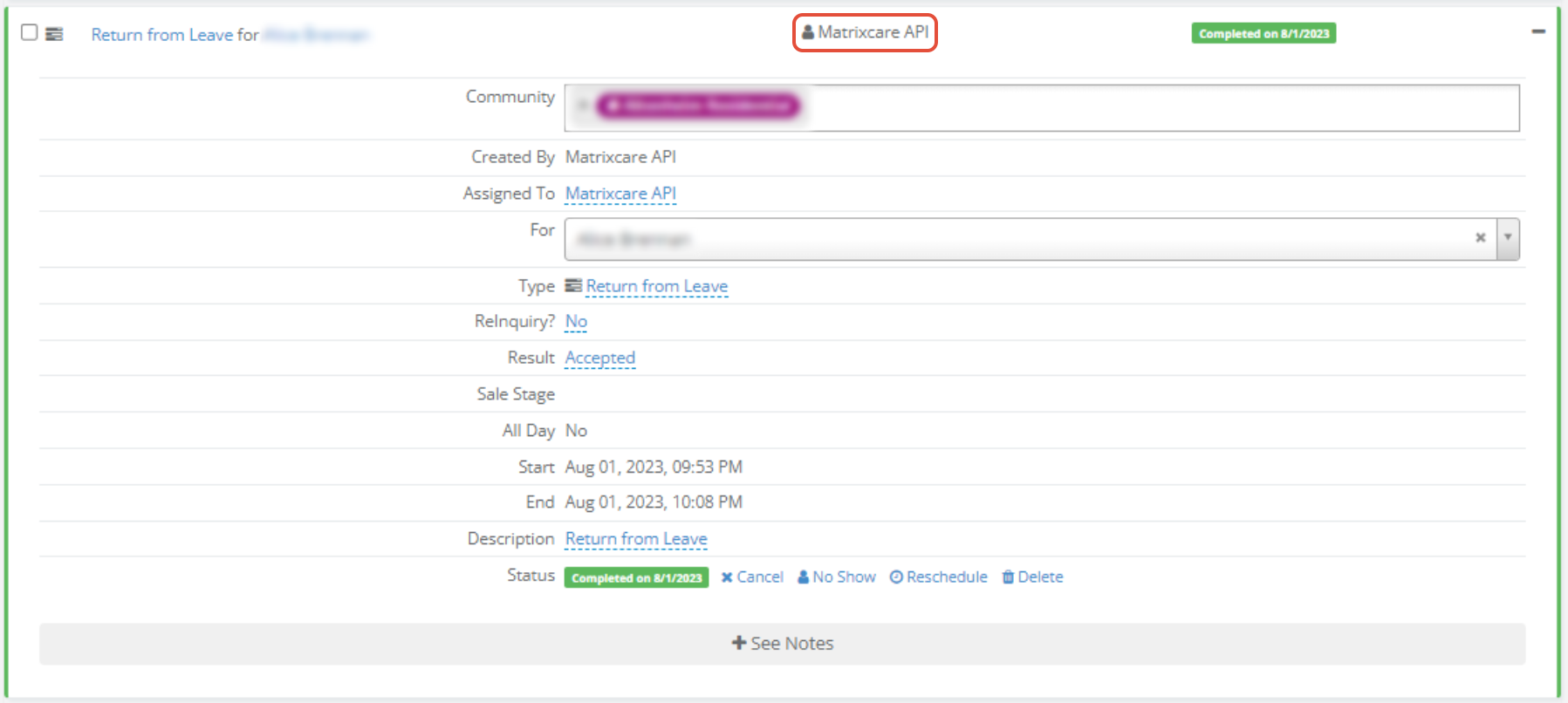
When a Return from Leave event is received, the following profile updates will occur in Enquire:
- A note is added to the profile with the following text:
- “A Return from Leave occurred for individual’s name”
- “A Return from Leave occurred for individual’s name”
- The user assigned to the profile will receive a notification saying:
- “A Return from Leave occurred for individual’s name”
- “A Return from Leave occurred for individual’s name”
- A Completed activity will be created with:
- An Activity Type of Return from Leave
- An Activity Resolution of Contact Made
- A Completed Date set to the date/time Enquire received the ADT message
When a Update event is received, the following profile updates will occur in Enquire:
- No Activity is added
- Any field value changes will update the CRM values
- New contacts not on profile will be added
- NOTE - If a discharge date is shown on the update, the update is ignored. Discharges are processed from Discharge events.
When a Cancel Admission event is received, a note will be added to the profile.
When a Cancel Transfer event is received, a note will be added to the profile.
When a Cancel Discharge event is received, a note will be added to the profile.
Was this article helpful?
That’s Great!
Thank you for your feedback
Sorry! We couldn't be helpful
Thank you for your feedback
Feedback sent
We appreciate your effort and will try to fix the article