Overview
In this article, we will review the common advanced search examples and how to get those outcomes.
Prospect Mailing List
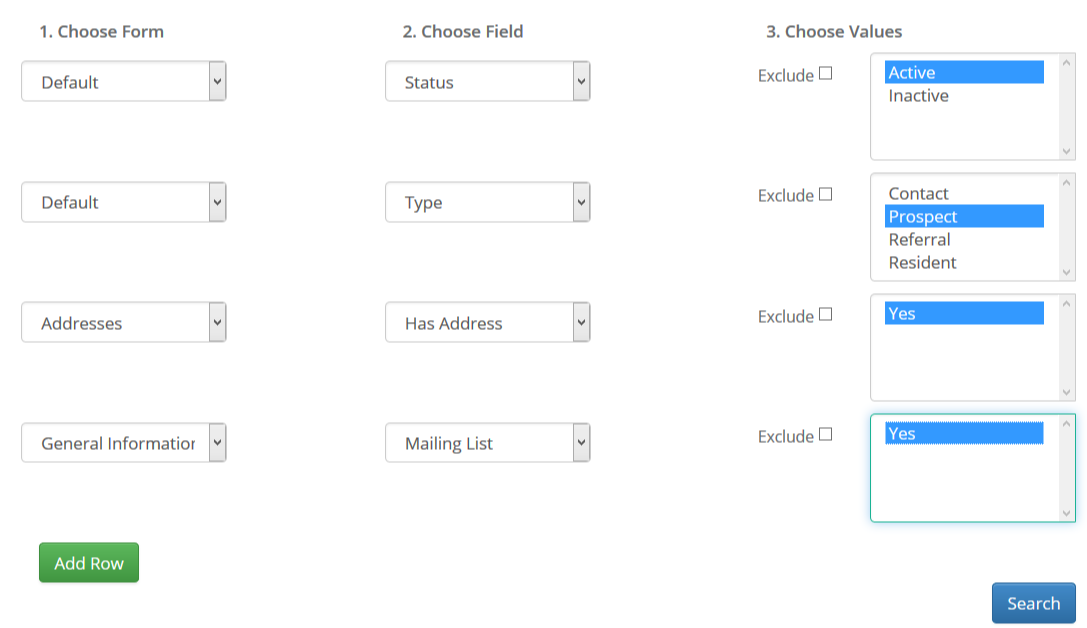
If you want to send a mailing list to all your active prospects with an address you may pull the following:
Prospect Primary Contact List
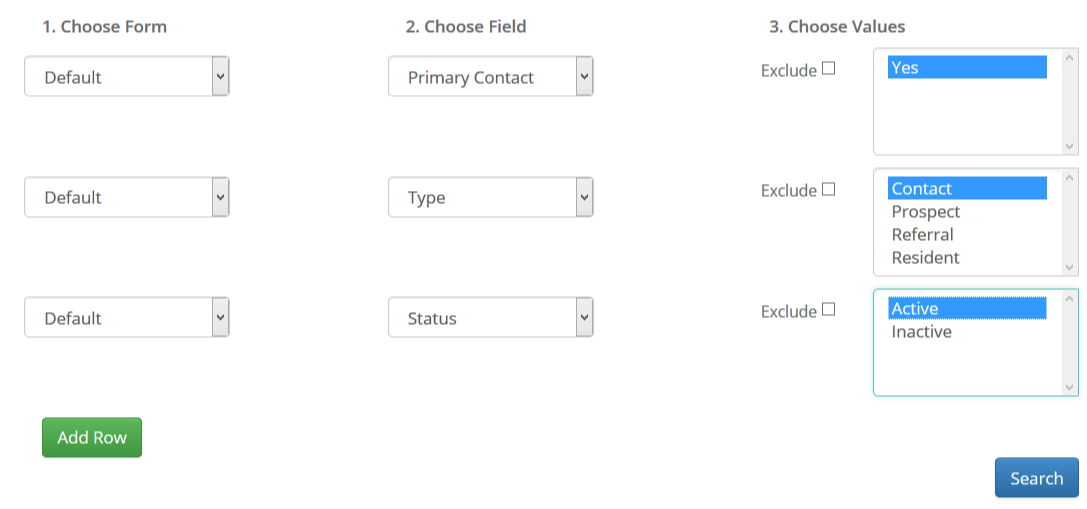
If you want to pull a list of all primary contacts of prospects you can do so:
Contacts of Residents List
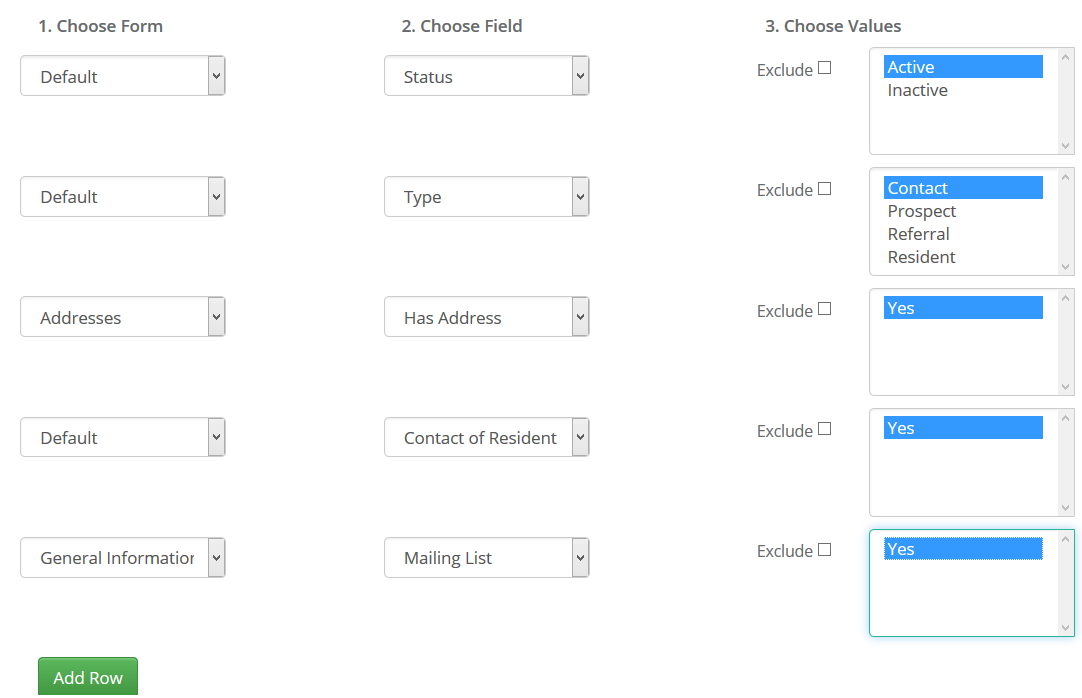
If you want to send a monthly newsletter or mailing to all contacts of your residents you can use these filters:
Active Prospects/Contacts who have Toured
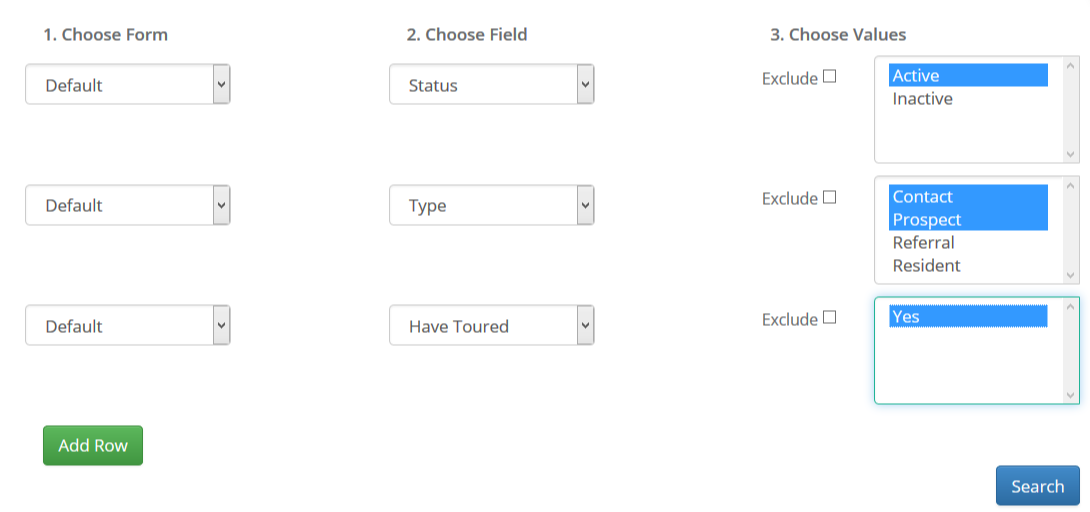
Suppose you want to invite all active prospects who have toured into the community. You would use this criteria:
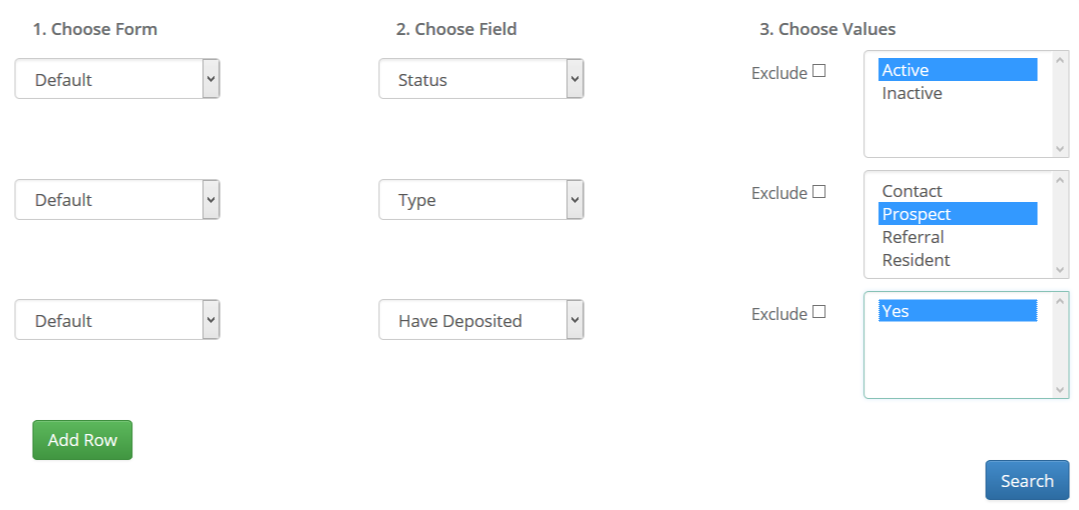
Active Prospects who have Deposited
If you want to pull a list of all prospects who have deposited, choose the following:
Searching for a Zip Code
If are looking for a list of active prospects with a zip code, you can choose the following:
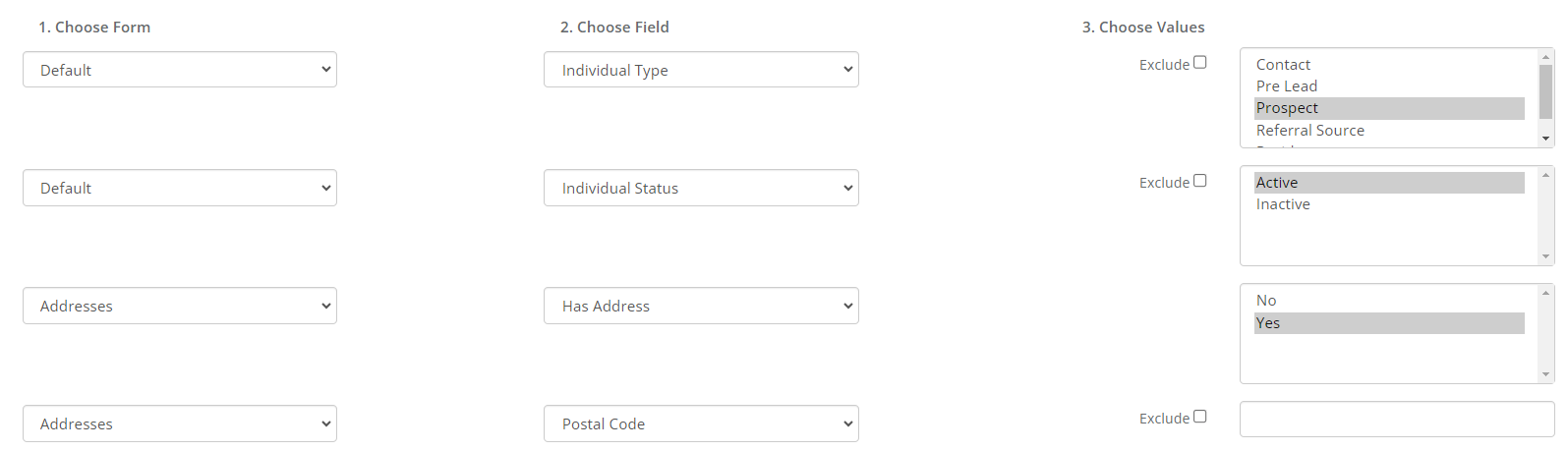
Note: you can remove the "postal code" and pull "has address" and export to search for the postal code in the Excel spreadsheet.
Additional Articles
Check out our additional articles that cover the advanced search section!
Was this article helpful?
That’s Great!
Thank you for your feedback
Sorry! We couldn't be helpful
Thank you for your feedback
Feedback sent
We appreciate your effort and will try to fix the article