Overview
In this article, we will review tabbing vs tagging for a leads profile.
Tabbing vs Tagging
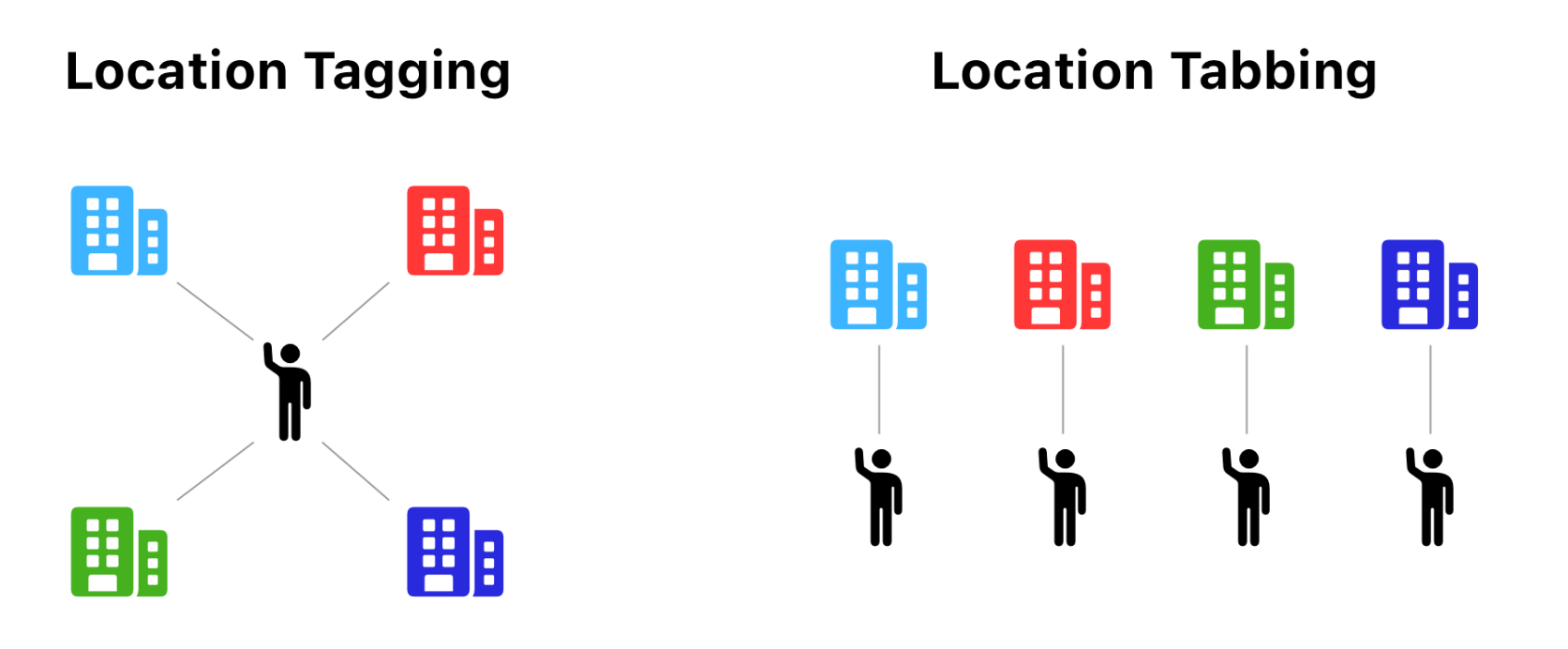
When your company is setup in Enquire, you have the option to use Location Tagging or Location Tabbing for individual location assignment. These location assignment types determine how individuals are shared or not shared among your team.
Location Tabbing
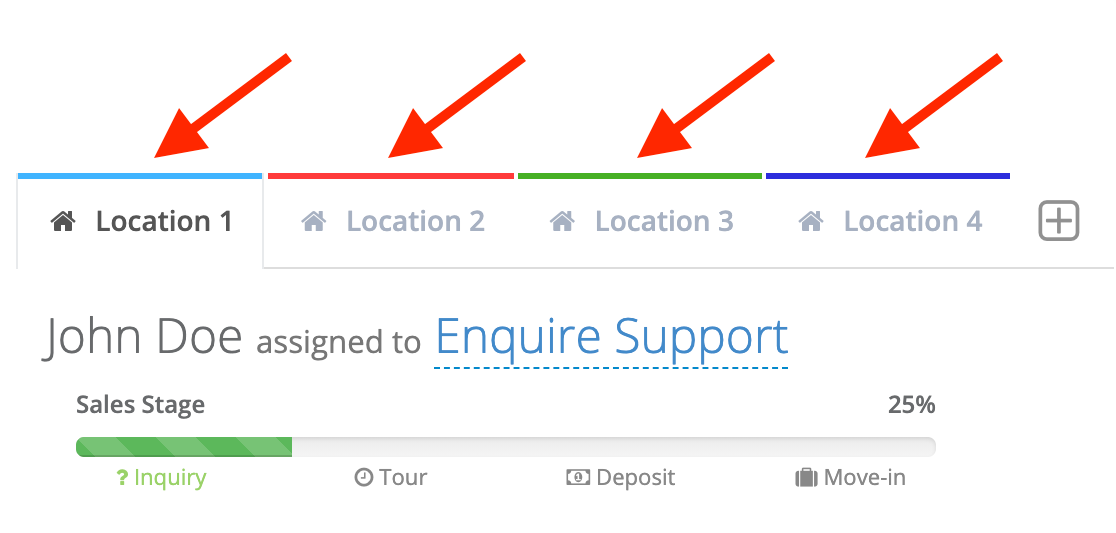
Location Tabbing is a one to one relationship between a location and an individual, meaning only one location can be assigned to an individual. Location Tabbing is displayed as "tabs" across the top of the individual's profile.
How does Location Tabbing affect your system setup?
| Object | Affect |
|---|---|
| Users | Users with access to the location displayed on the tab can view and update the individual for that location. For tabs where the user doesn't have access, the profile can only be viewed. |
| Integrations (A Place for Mom, Caring.com, Webforms) | A duplicate check for individuals will only be executed in the location(s) specified in the integration or web form request. |
| Field data | Field values and updates are specific to the location. Updating or adding a value for one individual does not update or add the same value for any other linked individual. |
Linked Individuals/Tabs
When viewing an individual's profile, each tab displayed across the top indicates that the individual is linked to another individual at each of those location(s). This allows users to easily view and access the individual for each location. Location tabs are automatically linked when an individual with matching criteria is found. Matching criteria is defined as a phone number (home, mobile, work), email address, or integration ID (sometimes called a lead ID).
Location Tagging
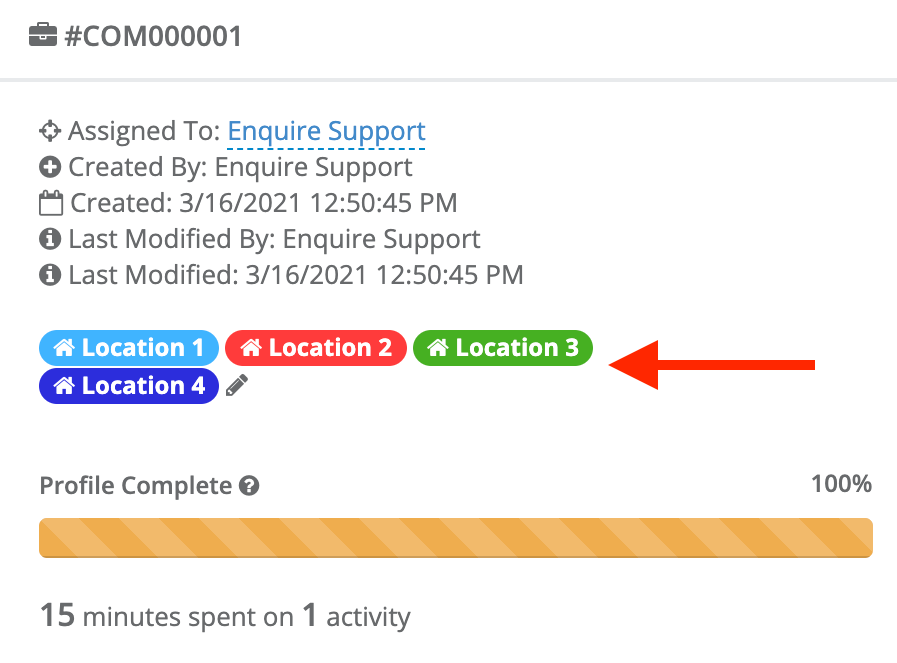
Location Tagging is the default location assignment type for individuals. This location assignment type is a many to one relationship between locations and individuals, meaning many locations can be assigned to one individual. Location Tagging is displayed on an individual profile on the information card below the profile card.
How does Location Tagging affect your system setup?
| Object | Affect |
|---|---|
| Users | Users with access to one or more of the individual's tagged locations can see and update the individual. |
| Integrations (A Place for Mom, Caring.com, Webforms) | A duplicate check for individuals will be executed across all locations for your company regardless of the location(s) specified in the integration or web form request. |
| Field data | Field values and updates are shared across all locations. |
Was this article helpful?
That’s Great!
Thank you for your feedback
Sorry! We couldn't be helpful
Thank you for your feedback
Feedback sent
We appreciate your effort and will try to fix the article