Overview
In this article, we will review the settings section in the system. This will allow users to change time zones, phone numbers, names, email signature, and passwords.
Settings Section
Step 1: Start off by navigating to the settings section on the left hand bar and click on Your Settings
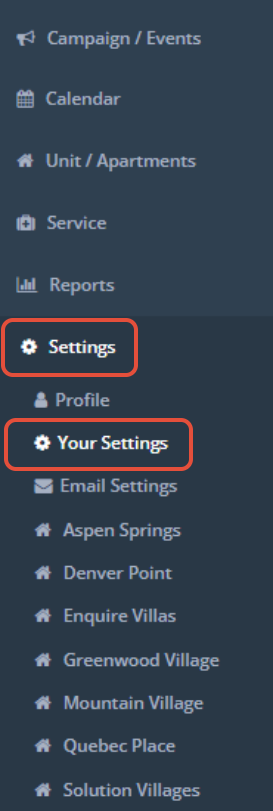
Step 2: The settings page will appear. Here you are able to edit basic information for your profile.
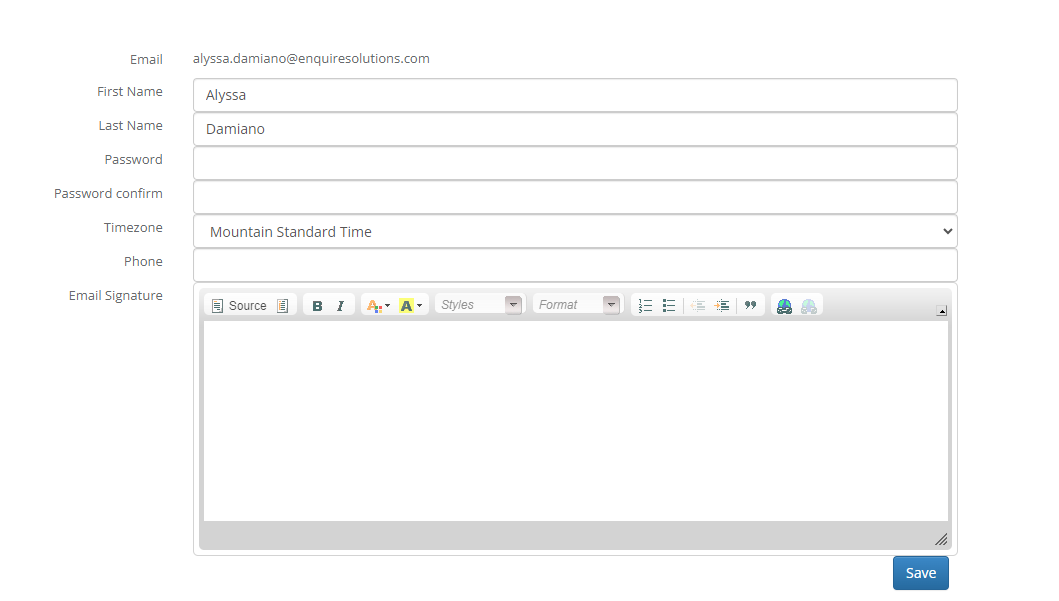
Step 3: Once you have updated this section, you can click the save button.
Was this article helpful?
That’s Great!
Thank you for your feedback
Sorry! We couldn't be helpful
Thank you for your feedback
Feedback sent
We appreciate your effort and will try to fix the article