Overview
In this article, we will review the watch list and how to add leads to this list.
Adding Leads to Watchlist
Step 1: Navigate to the profile you would like to add to your Watch List
Step 2: Under the General Information form (or the form your admin added the Watch List field to), click the Watch List field and change the value to Yes.
Step 3: Click the blue check button to save your changes
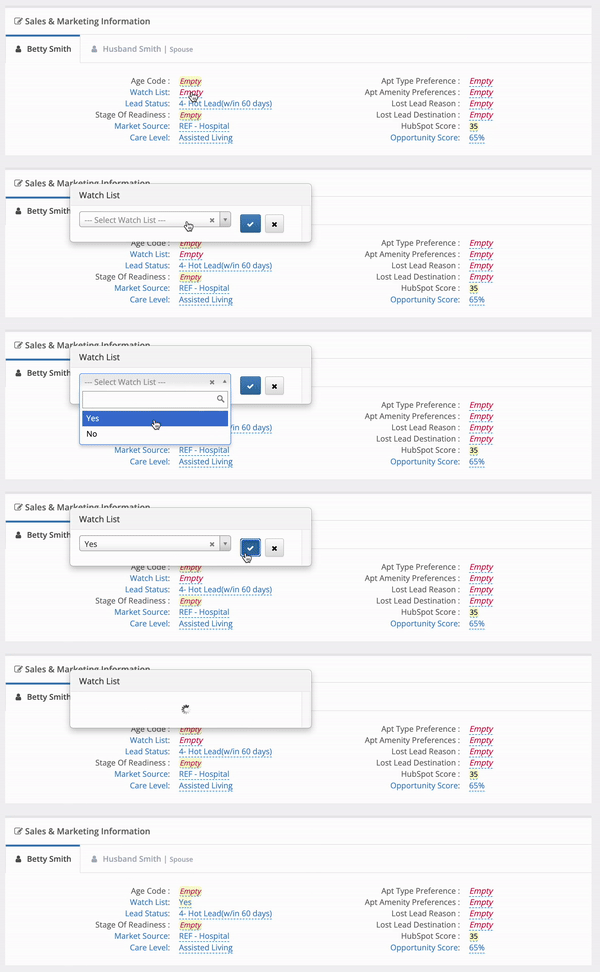
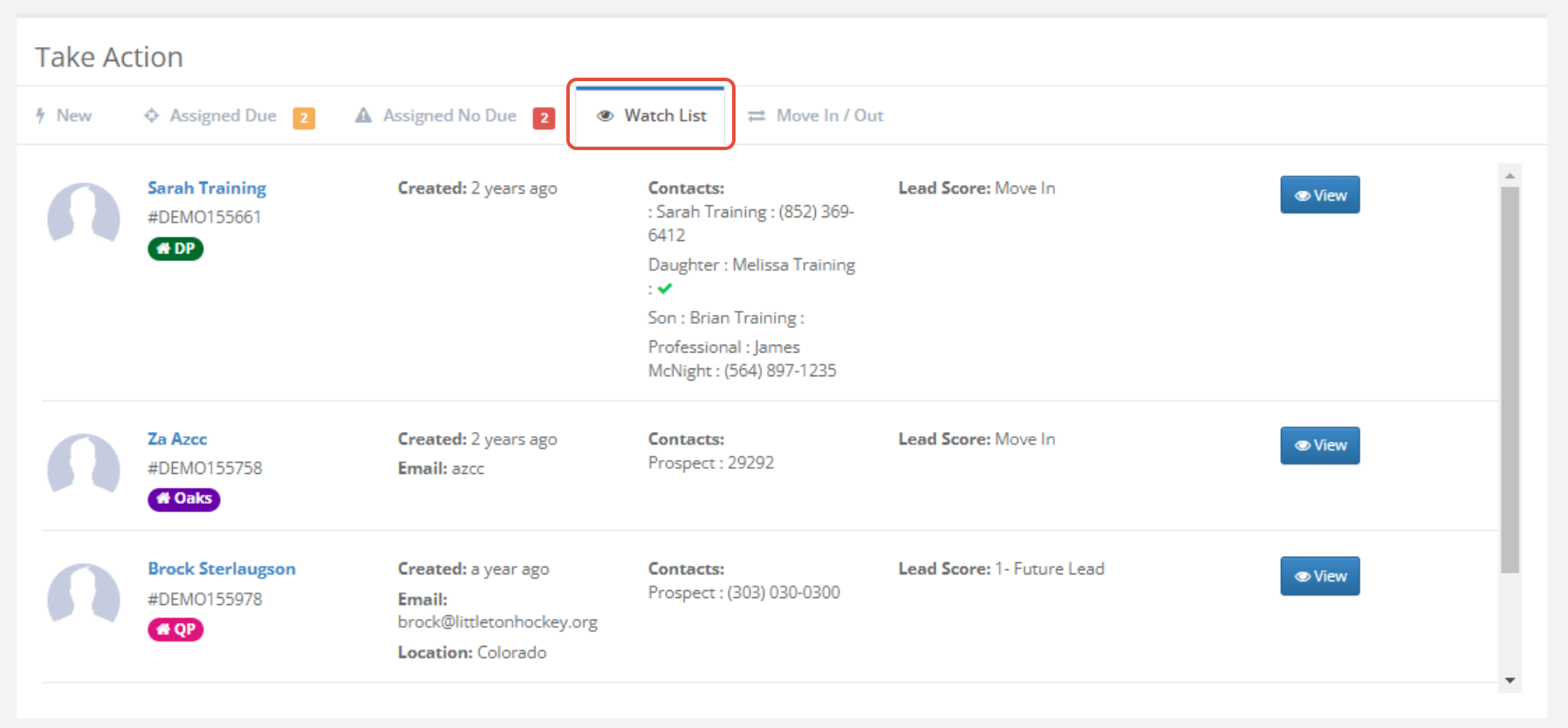
Note: You will now be able to view your Watch List on the dashboard.
Removing Leads from the Watchlist
Step 1: Navigate to the profile you would like to remove from your Watch List
Step 2: Under the General Information form (or the form your admin added the Watch List field to), click the Watch List field and change the value to No.
Step 3: Click the blue check button to save your changes
Note: You will now no longer see the profile you removed on your Watch List.
Was this article helpful?
That’s Great!
Thank you for your feedback
Sorry! We couldn't be helpful
Thank you for your feedback
Feedback sent
We appreciate your effort and will try to fix the article