Getting Started with User Drip Campaigns in Enquire MAP
A User Drip campaign is a simple, easy to use campaign type that enable to the User to quickly add contacts to a drip campaign and easily remove contacts from existing drip campaigns. User drip campaigns are a special type of drip campaign that is initiated by
- Manually adding a contact(s) from the contact edit screen
- Adding a contact(s) via the bulk contact edit (on the All Contacts screen)
- Using one of the Add To Campaign workflow actions
- Adding a contact(s) using the api
- Adding a contact(s) using the Chrome Extension
Contacts continue in a User Drip campaign until they exit the workflow or are removed from the campaign via:
- Manually removing a contact from the contact edit screen
- Removing a contact via the bulk contact edit (on the All Contacts screen)
- Using one of the Remove From Campaign workflow actions
- Removing a contact(s) using the api
- Removing a contact using the Chrome Extension
Creating a User Drip Campaign
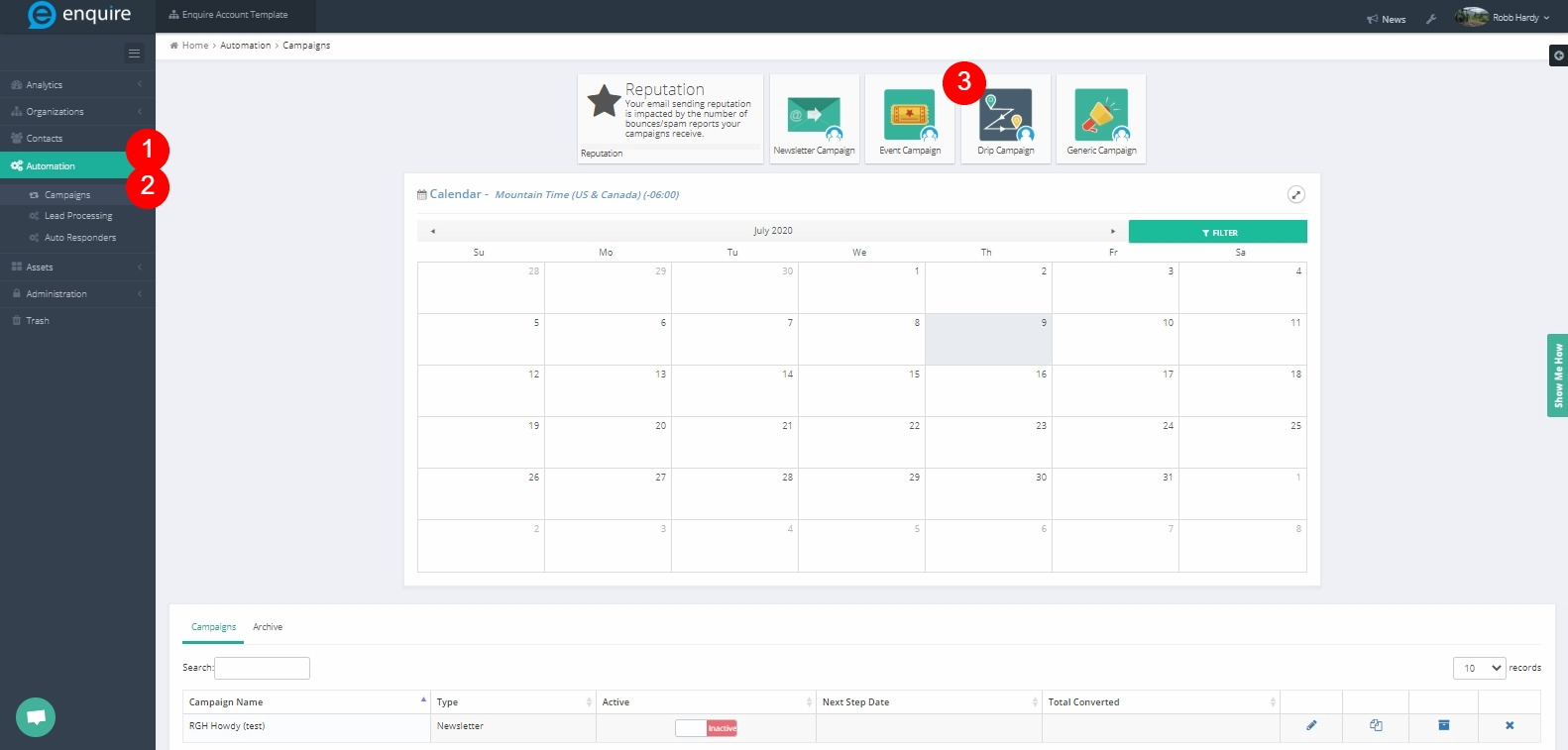
- Navigate to Automation > Campaigns > Drip Campaign create button
- Select an appropriate unique name for the campaign
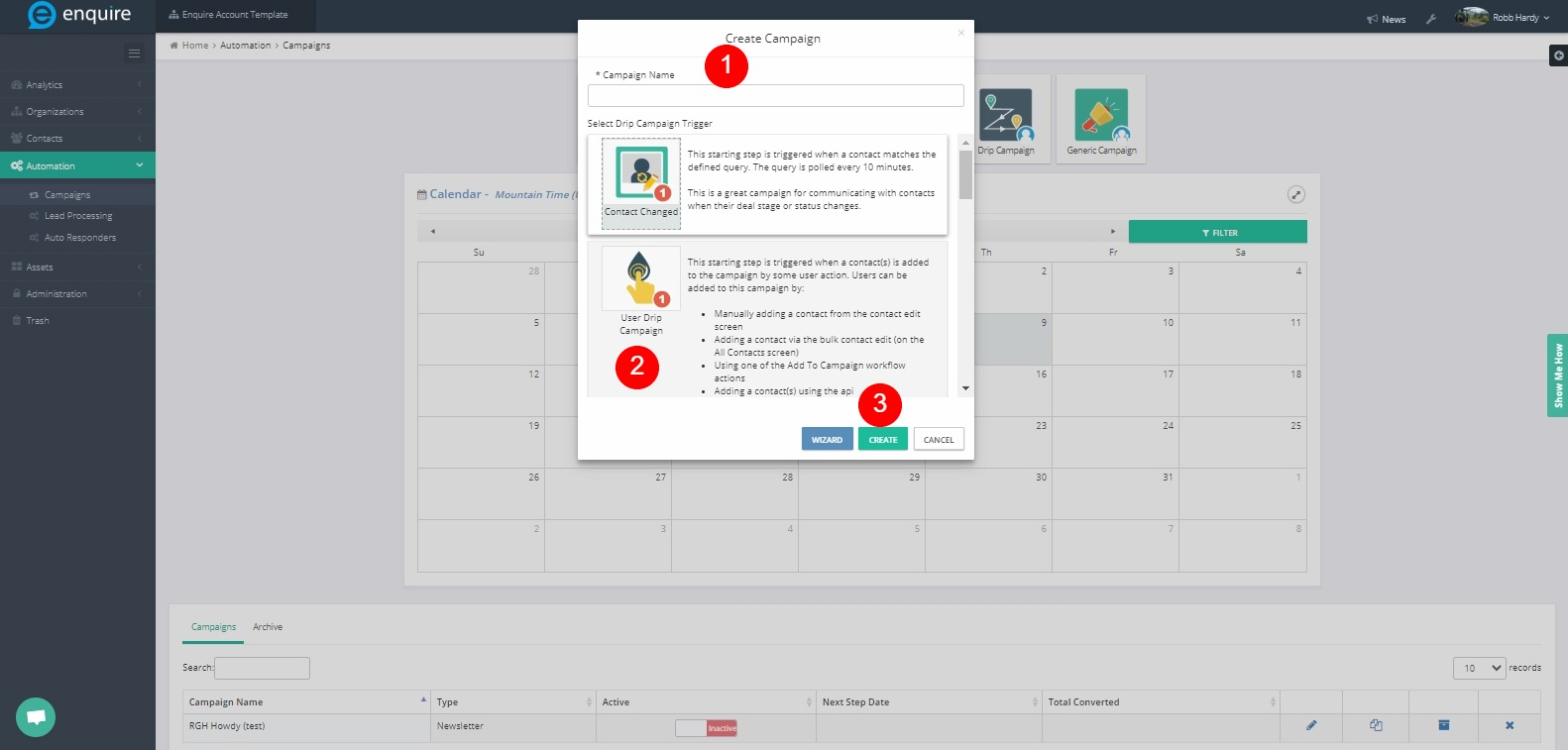
- Choose 'User Drip Campaign' as the starting step
- Create the sequence of actions/decisions that process this prospect
Adding a Contact to a User Drip Campaign via the Contact Edit Screen
- Navigate to Contacts > All Contacts. Browse to the contact to add to the campaign (via a report, list, or the all contacts screen).
- Click on Contact Details
- Find the User Drip Campaigns box. This will list all User Drip campaigns this contact is currently in.

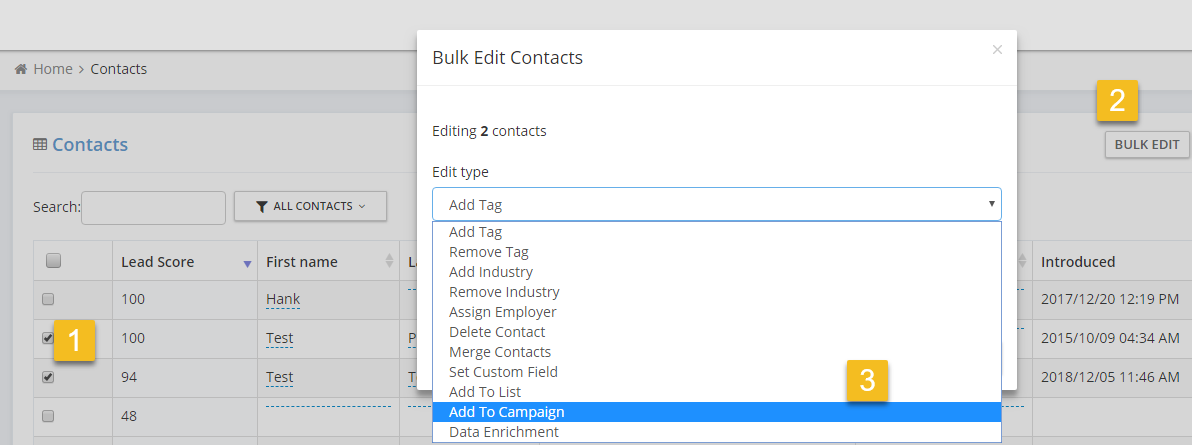
Adding a contact to a User Drip campaign using the bulk contact editor
- Navigate to Contacts > All Contacts. Browse to the All Contacts screen
- Find the contacts to add to a User Drip campaign using a list/segment to filter or by searching for the contacts.
- Select the contacts to add to a User Drip campaign.
- Click the Bulk Edit button that appears
- Select the 'Add To Campaign' drop down
Adding a Contact to a User Drip Campaign Using the Chrome Extension
Either in the prospect insights dialog inside the CRM or on the sidebar Contact Visitor Profile, the User can add/remove prospects to user drip campaigns using the Chrome extension. Please Note: This will only the add/removal people from active drip campaigns that have a starting step of 'User Drip Campaign'.
Please reach out to the dedicated Enquire Account Manager or Enquire MAP Support team for further assistance.
Was this article helpful?
That’s Great!
Thank you for your feedback
Sorry! We couldn't be helpful
Thank you for your feedback
Feedback sent
We appreciate your effort and will try to fix the article