Overview
In this article, we will review how to add and edit inventory. Please note that due to access, some users cannot edit units, if you do not see the options to edit or add inventory, please reach out to your system admin.
Adding Inventory
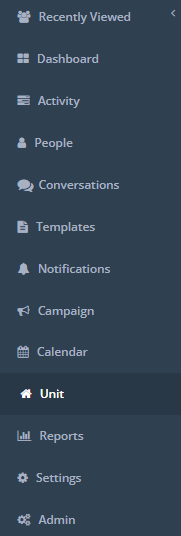
Step 1: Click Unit (verbiage will depend on your environment) on the left hand menu.
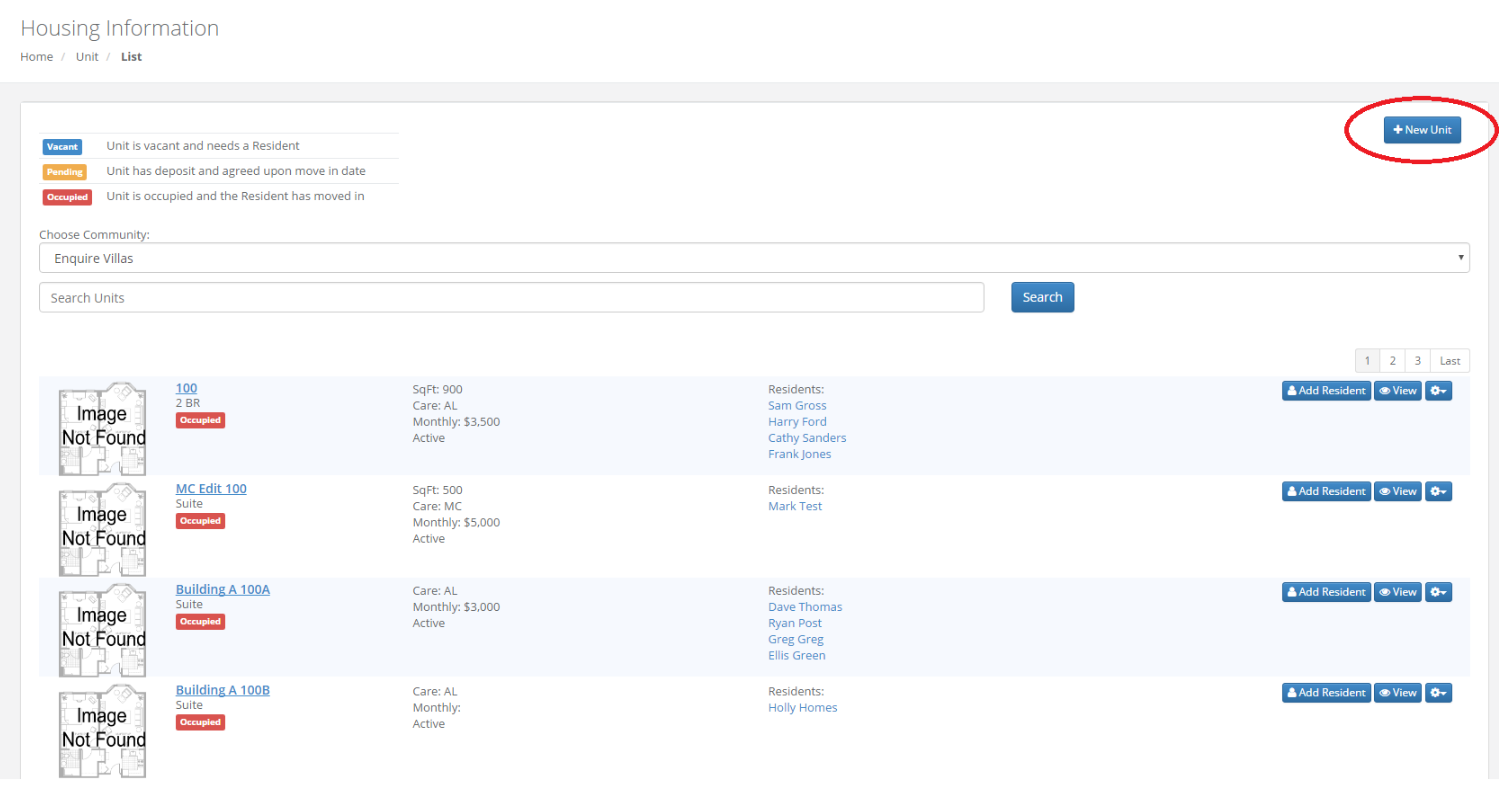
Step 2: Click New Unit in the upper right of the page.
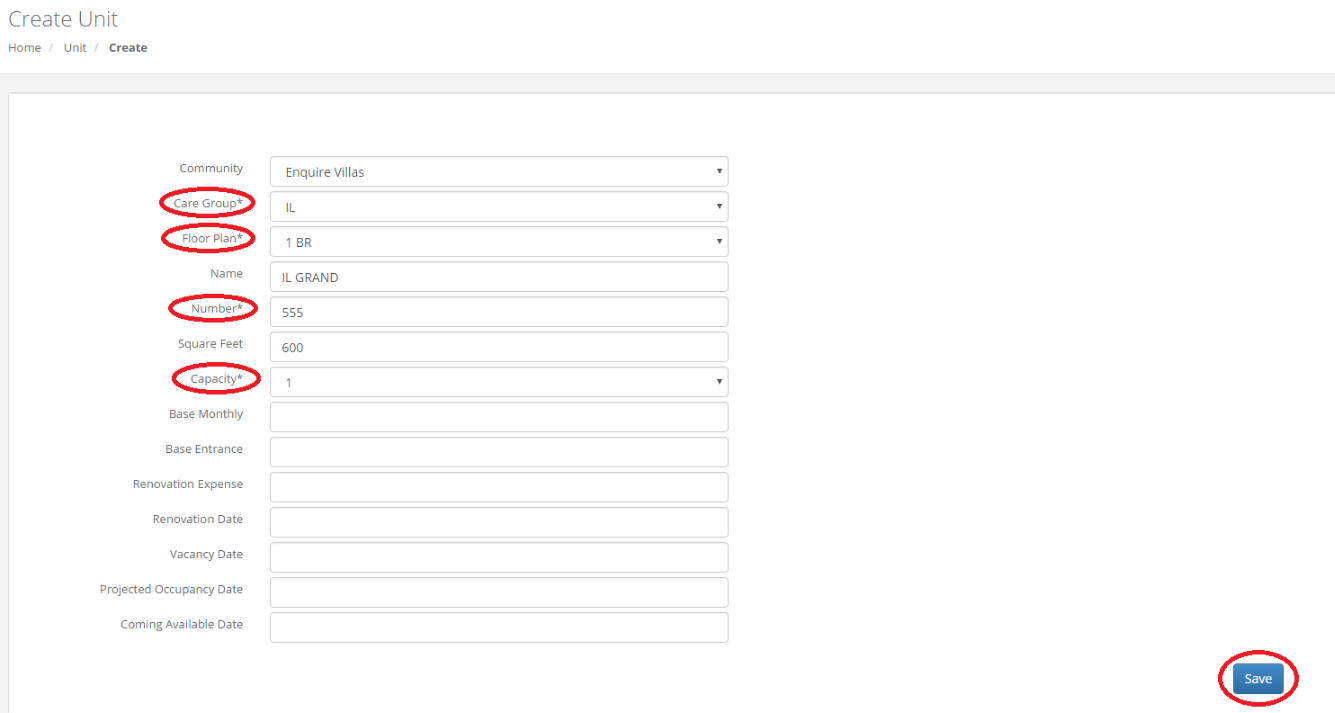
 Step 3: Select Care Group, Floor Plan, Unit Number and Capacity and click Save.
Edit Inventory
Step 1: Navigate to the Unit you would like to edit and click the small gear on the right of the page and click Edit.
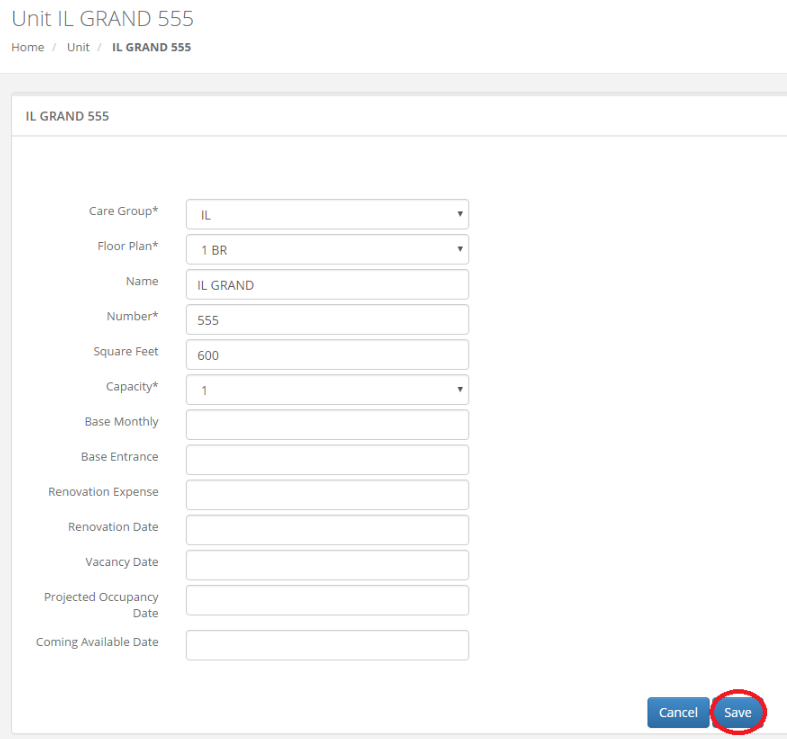
 Step 2: Make the changes you would like to the Unit and click Save.
Was this article helpful?
That’s Great!
Thank you for your feedback
Sorry! We couldn't be helpful
Thank you for your feedback
Feedback sent
We appreciate your effort and will try to fix the article