Overview
Instead of deleting a lead, Aline CRM allows users to close a lead so that the information on lost or unqualified leads stays intact for reporting purposes. In addition, when a user manually inactivates a lead, Aline CRM will automatically inactivate any contacts associated with the lead IF the contact is not an active contact on another profile.
Follow the business process defined by your management team in regards to closing out a lead. (This is often done by changing the Lead Score or Status Code field to Lost Lead or Unqualified. Please check with your management if you are unsure of how to do this.)
Manually Inactivate Lost or Unqualified Individuals
Step 1: Navigate to the Prospect profile that you would like to make Inactive.
Step 2: Select Active from the header information.
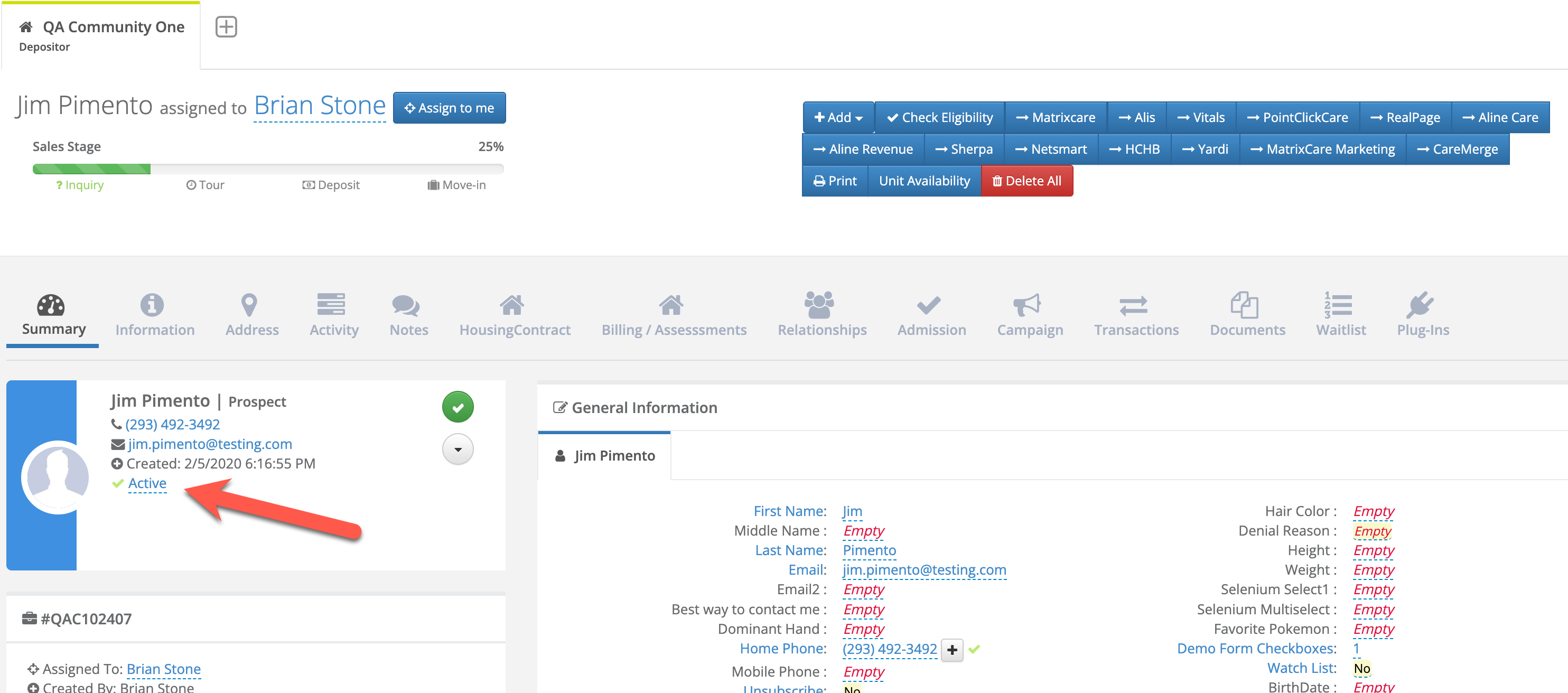
Step 3: Select the drop down field and change it to Inactive. Select the blue check mark button to save.
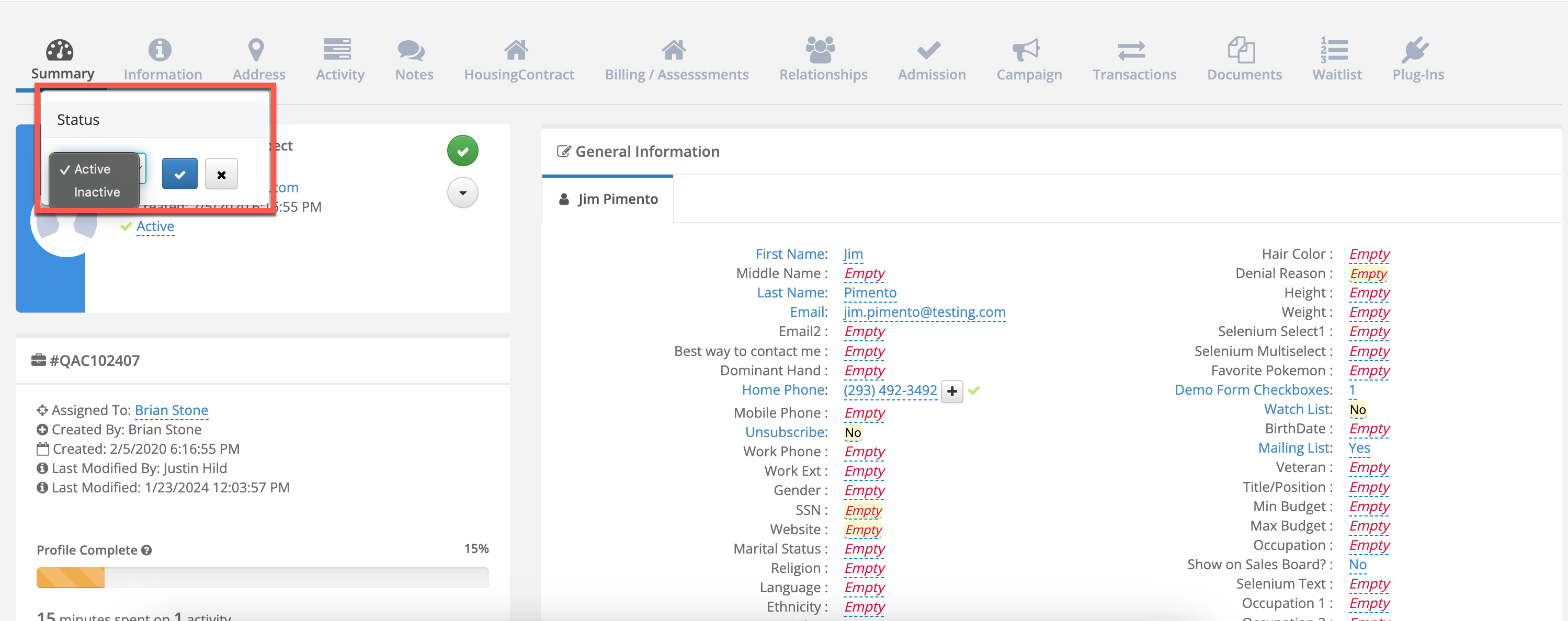
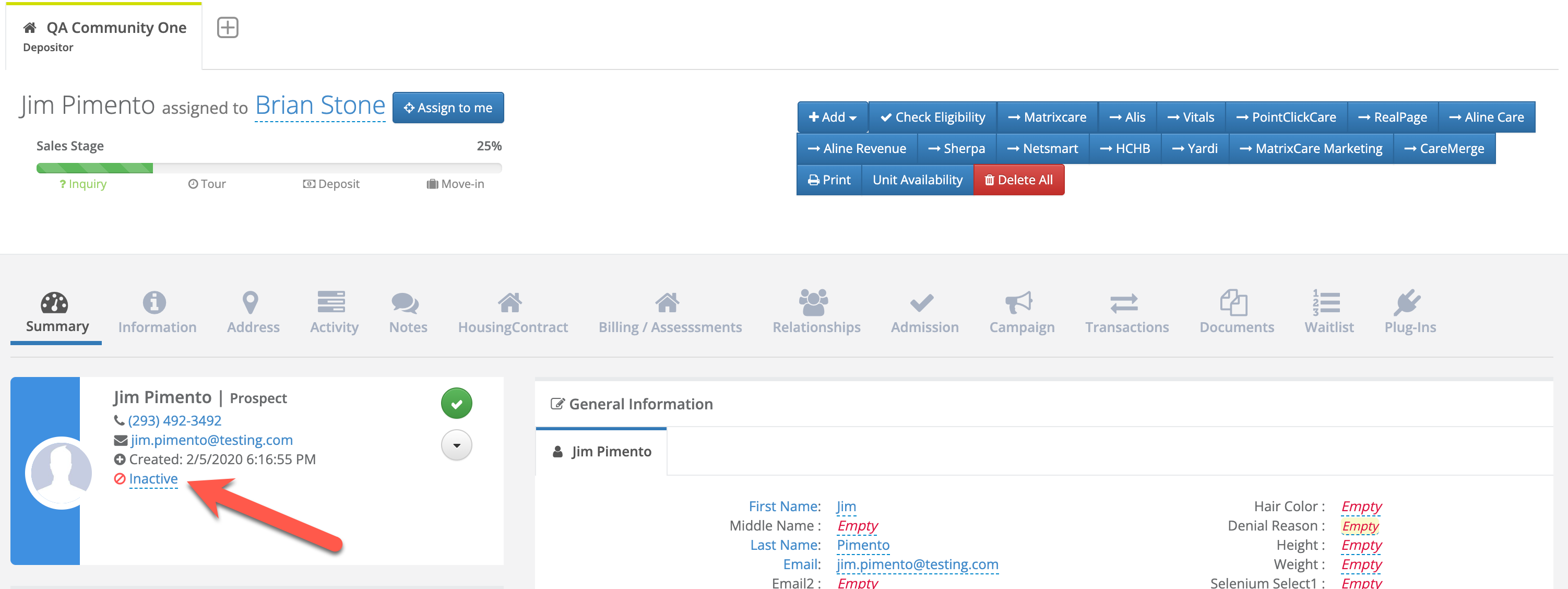
Step 4: The Prospect will now show as Inactive.
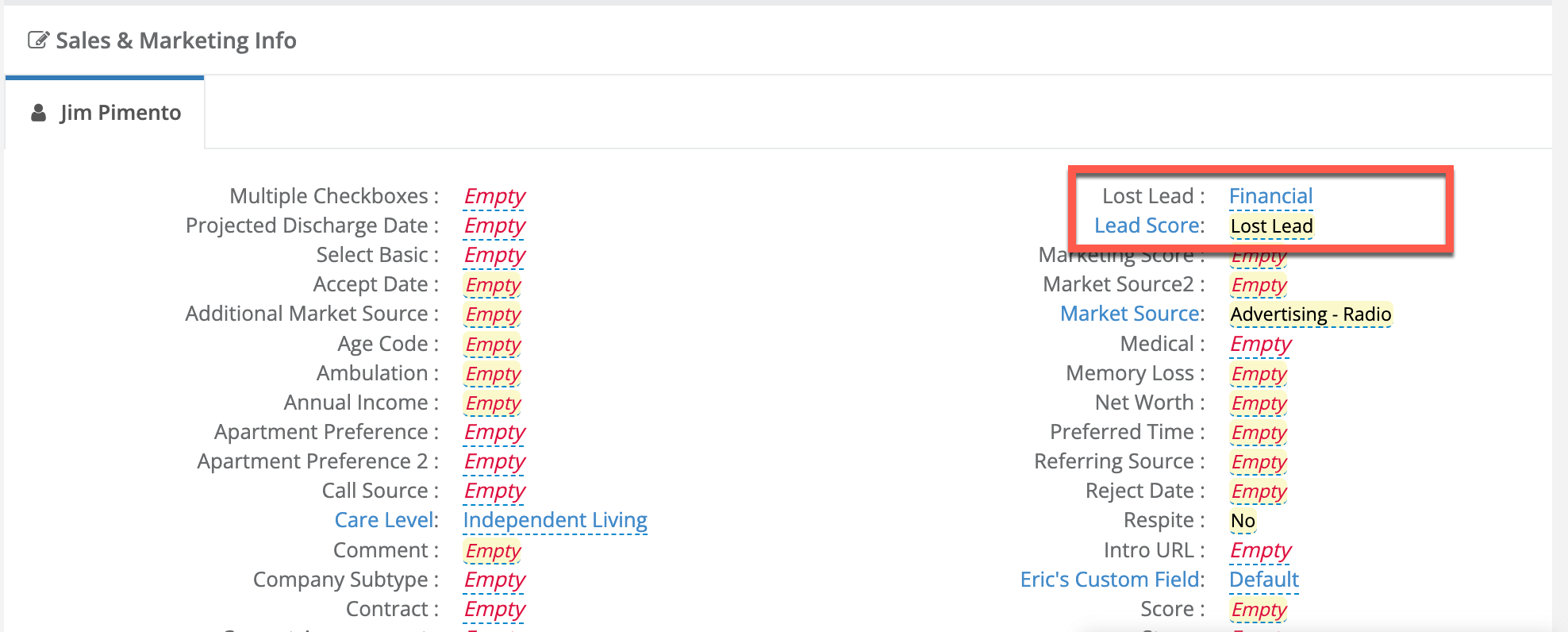
Step 5: For lost leads, users can edit the Lead Score and Lost Lead fields to record applicable data, such as the below example where Lead Score = Lost and Lost Lead = Financial.
Automatic Inactivation of Lost and Unqualified Individuals
The Aline CRM has automation in place to automatically inactivate the Primary Individual (Prospect/Referral or Resident/Patient) and their Primary Contact when their Lead Score/Status Code is set to a value that has a Lead Score Master Type of any of the following:
- Death
- Lost Lead
- Unqualified
Note: If you have any questions about updating Types and Master Types, refer to our Updating Dropdown Types article.
Step 1: Update the individual's Lead Score/Status Code value to a value with one of the above Master Types.
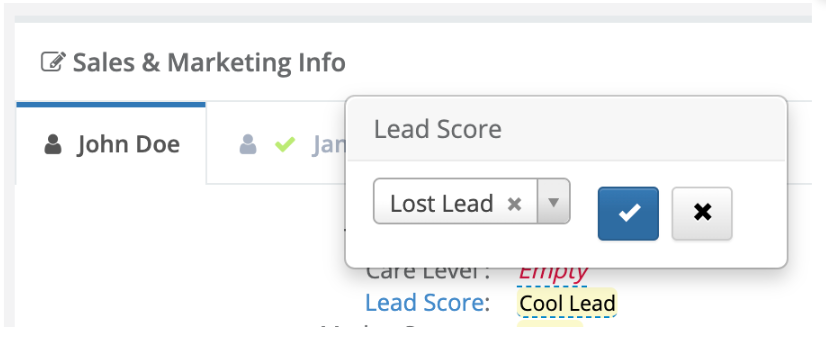
Step 2: The Primary Individual and Primary Contact will be made Inactive.
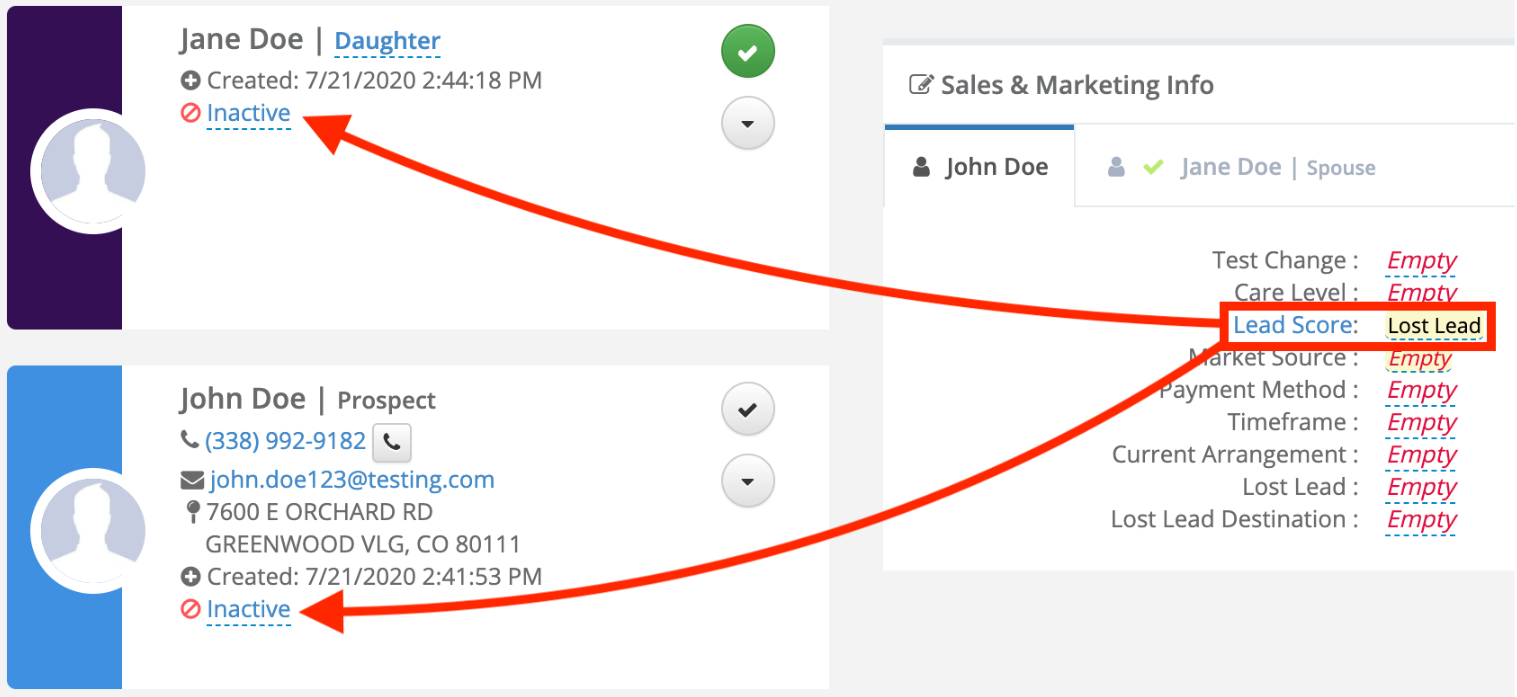
Note: If the Primary Contact's relationship type is Spouse, only the Primary Individual (Prospect/Referral or Resident/Patient) will be made inactive.
Was this article helpful?
That’s Great!
Thank you for your feedback
Sorry! We couldn't be helpful
Thank you for your feedback
Feedback sent
We appreciate your effort and will try to fix the article