Zoom Integration with Enquire MAP
Zoom is a cloud-based video communications app that allows for virtual video and audio conferencing, webinars, live chats, screen-sharing, and other collaborative capabilities.
For Small Business Marketer and Corporate Marketer packages, Enquire provides customized appointment scheduling apps that integrates with Zoom Meetings. It is easy to build an appointment scheduler for all sales staff and everyone else in the company with
• Link the schedule directly with the User's Google Calendar
• Automatically create Zoom links
• Automatically follow up with the attendees to ensure no one misses an appointment
• Create a custom appointment scheduler for every salesperson in the company
• White labeling is available for all schedules.
Prerequisites
- A paid Zoom Meetings Plan (Please do not use the free plan)(https://zoom.us/pricing)
- Have an Enquire Small Business Marketer or Corporate Marketer subscription.
- Have Admin access in both Enquire and Zoom
Install the Zoom integration
To set up Zoom for the User's Enquire MAP account follow these steps:
- Zoom is tied to the Appointment Scheduler.
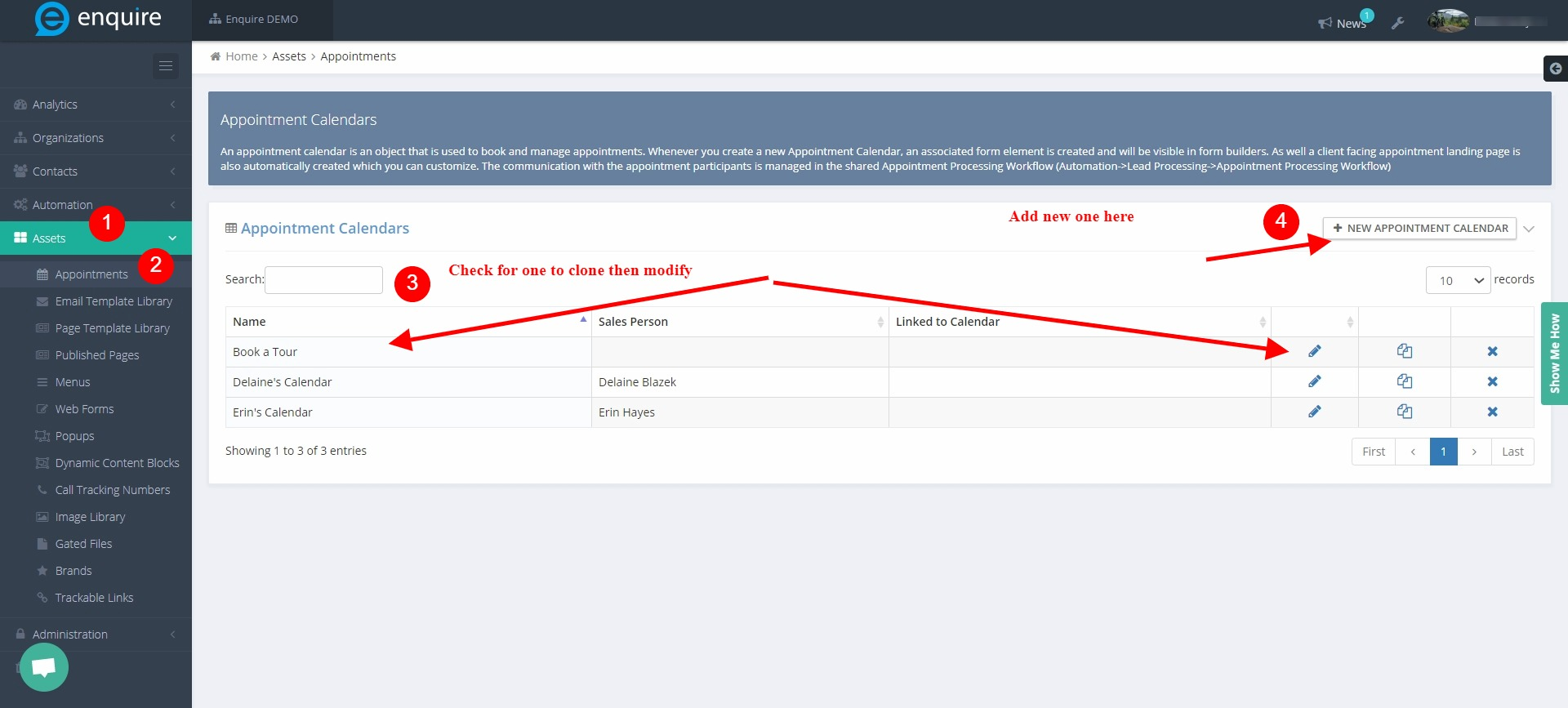
- Create an appointment scheduler for an employee
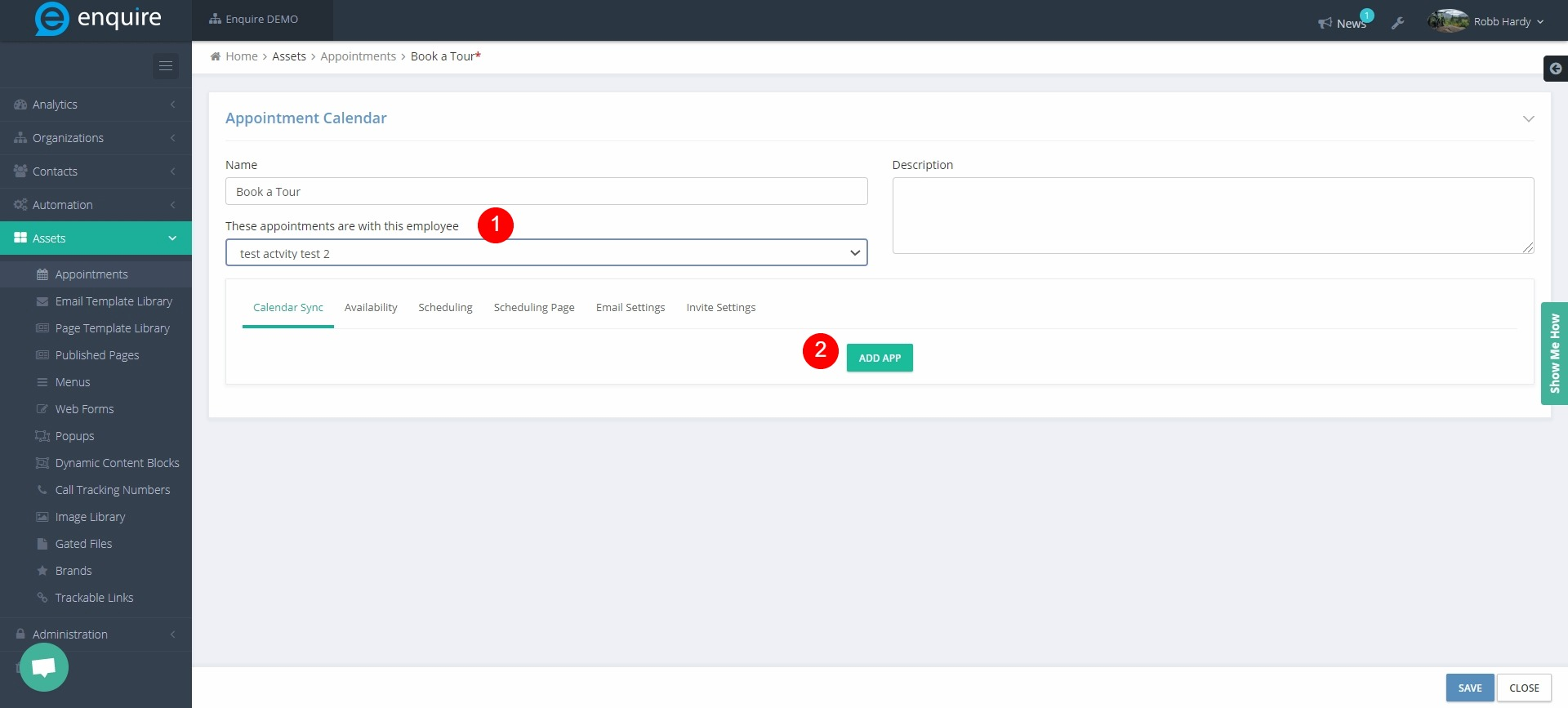
- In the Appointment Scheduler, assign the employee to the appointments then click ADD APP
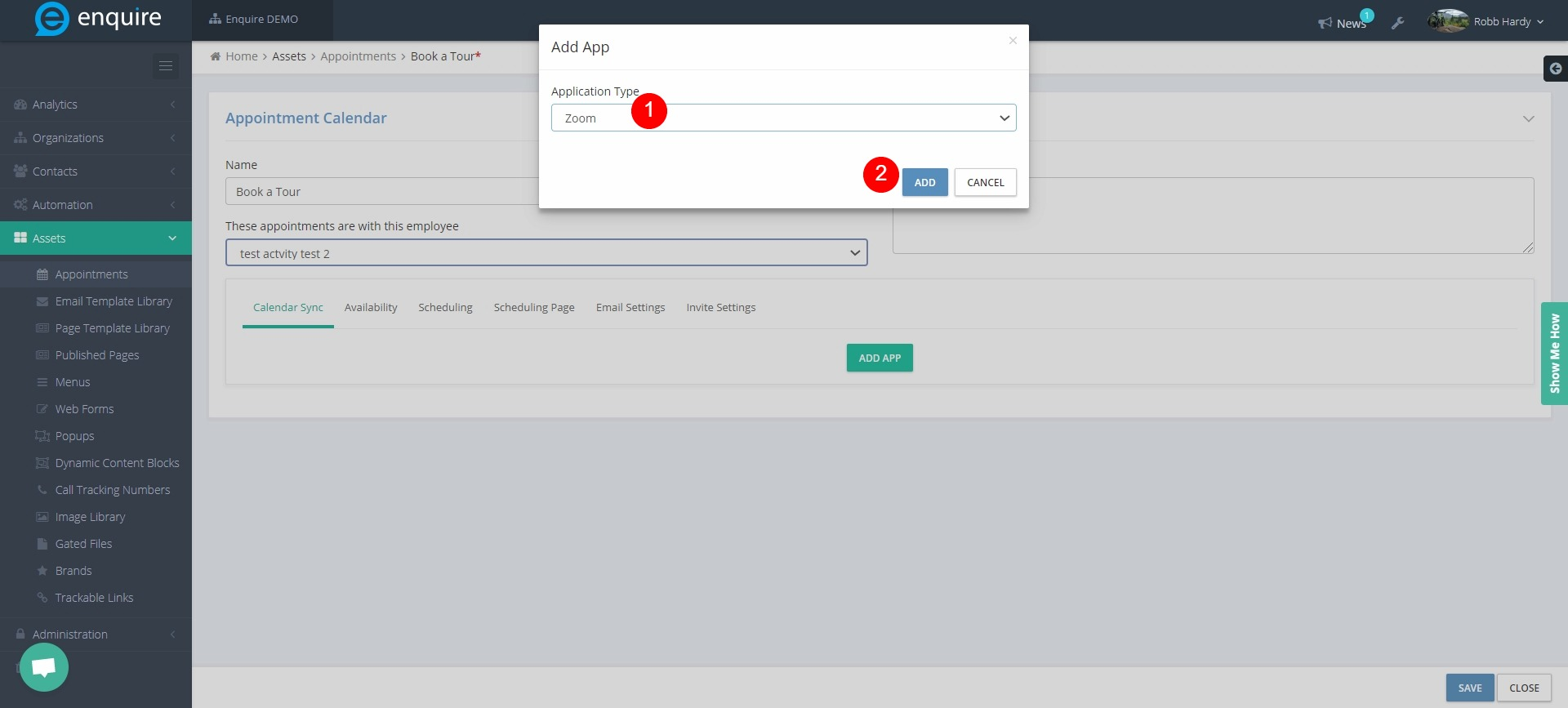
- Choose Zoom in the next window
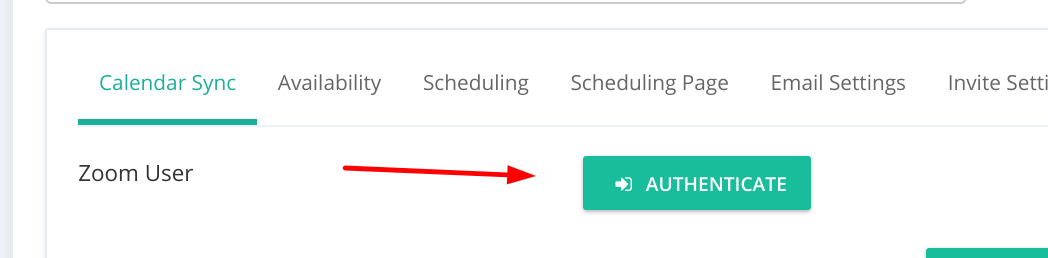
- Next click Authenticate
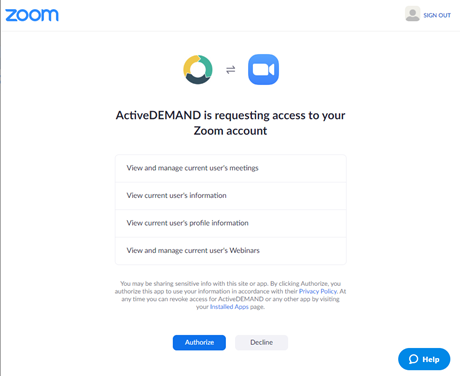
- Next click Authorize
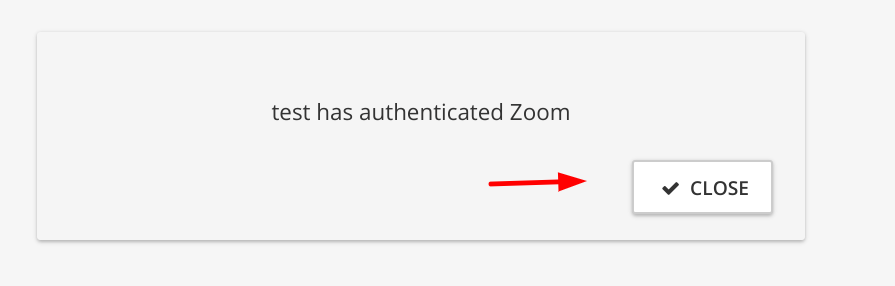
- Lastly, click CLOSE
That is it! Meetings will be added to the appointments. If the User uses the defaults for the invite settings, the Zoom meeting URL will be included in the calendar link provided to the customers.
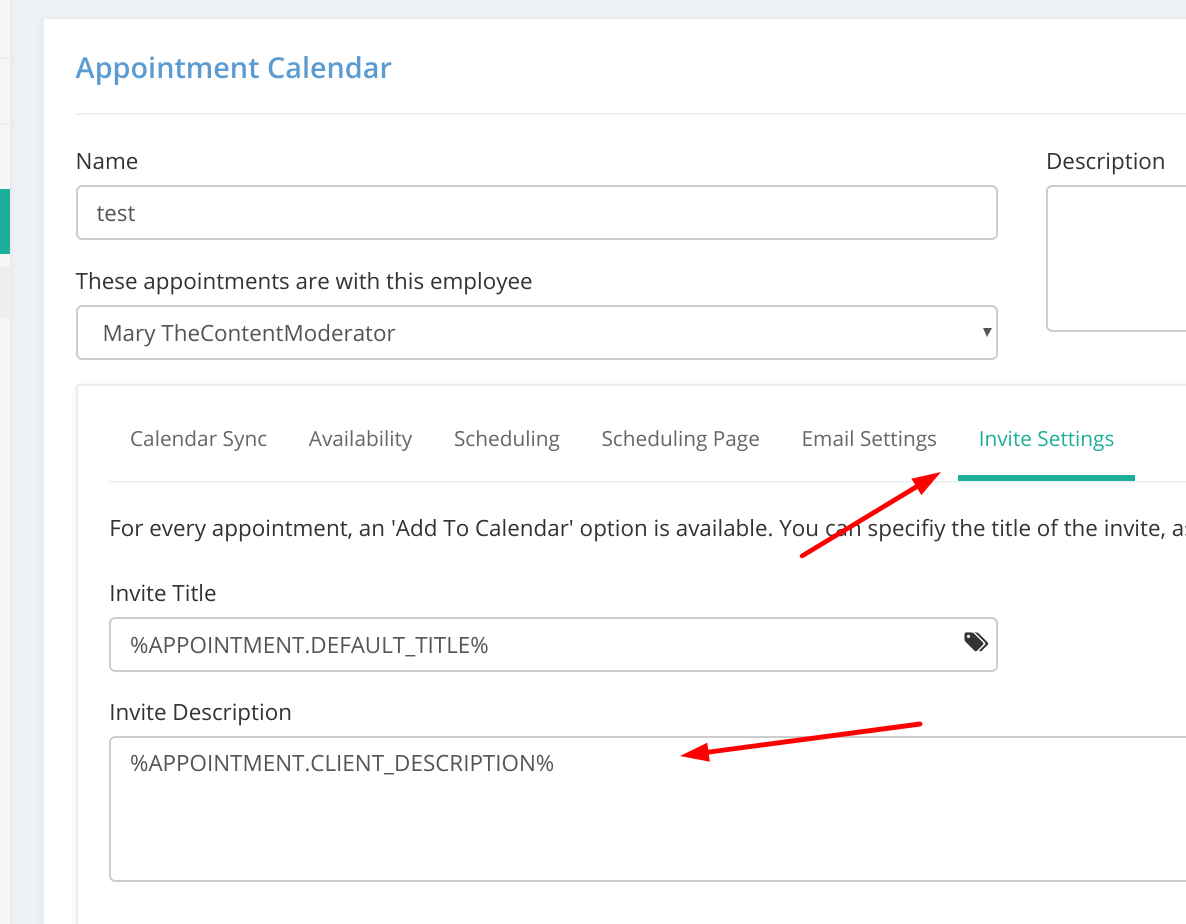
The default appointment processing workflow will work as-is and the User's client meetings will have the embedded Zoom meeting URLs. The User can use these dynamic fields
%APPOINTMENT.MEETING_DETAILS%
%APPOINTMENT.MEETING_JOIN_URL%
Removing the integration
Browse to the associated appointment scheduler and click the 'x' to delete the app.

Please reach out to the dedicated Enquire Account Manager or Enquire MAP Support team for further assistance.
Was this article helpful?
That’s Great!
Thank you for your feedback
Sorry! We couldn't be helpful
Thank you for your feedback
Feedback sent
We appreciate your effort and will try to fix the article