Overview
In this article, we will review how to refund a transaction.
Steps to Refund a Transaction
Step 1: Navigate over to the transactions on the leads profile
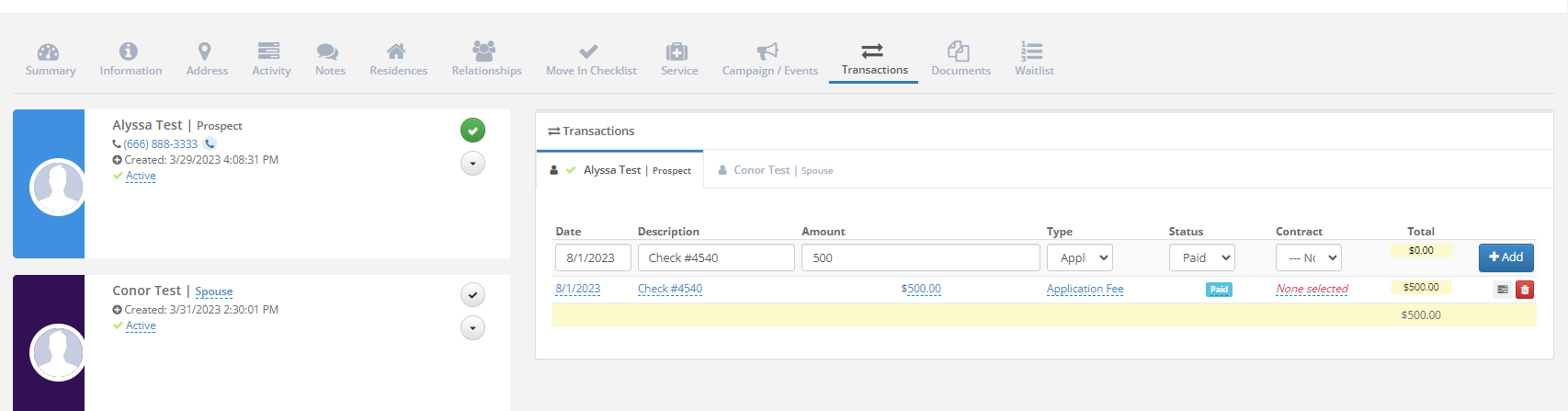
Step 2: Fill out the Date, amount, and set the status to refund
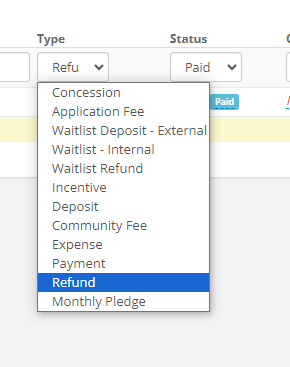
Step 3 (optional): The status of the previous transaction can be set to cancelled for tracking purposes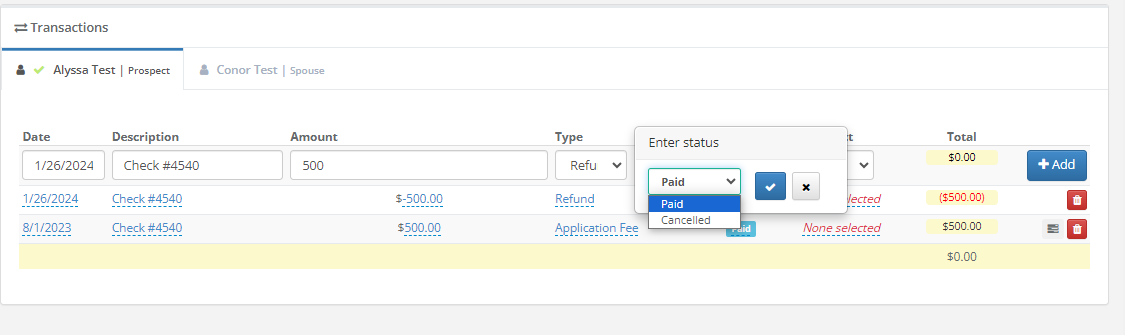
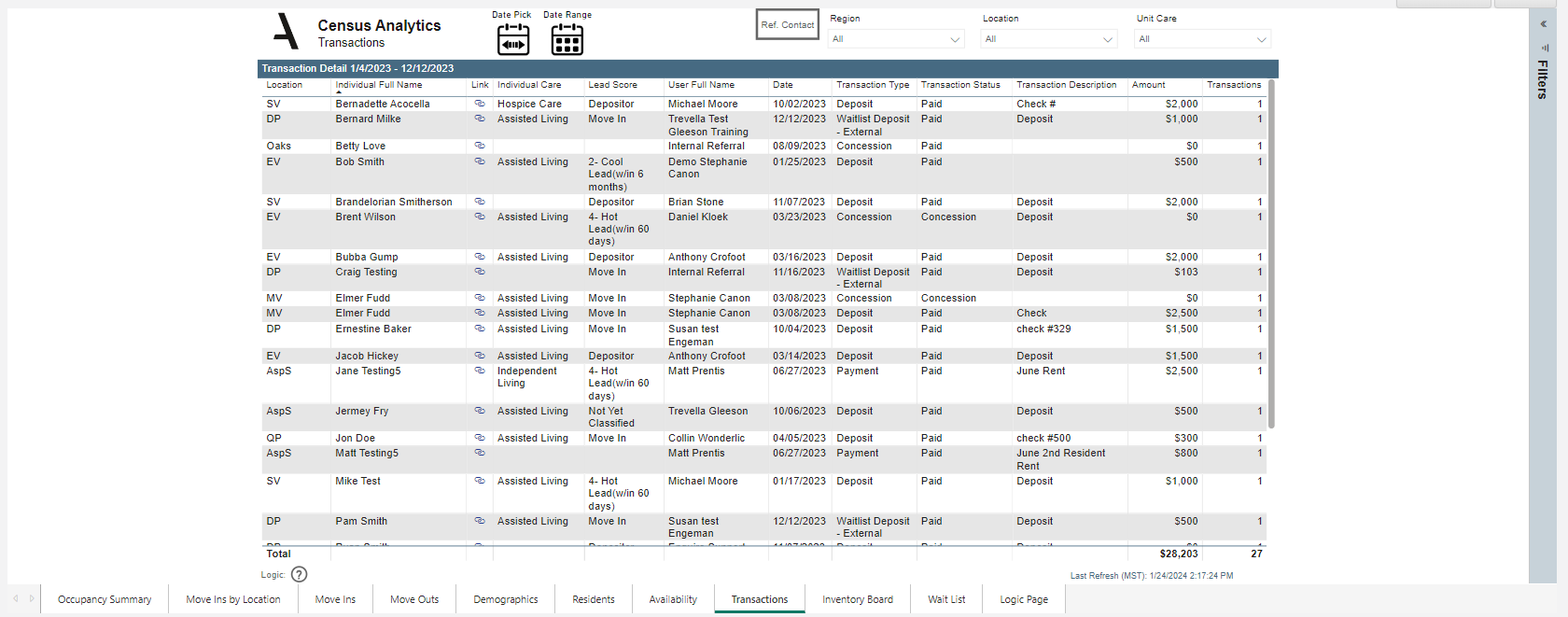
The information can be found on Census Analytics report under Transactions tab
Note: You can enter in a negative amount or a positive amount for the refund transaction. The amount will automatically be deducted from the total.
Was this article helpful?
That’s Great!
Thank you for your feedback
Sorry! We couldn't be helpful
Thank you for your feedback
Feedback sent
We appreciate your effort and will try to fix the article