Overview
The Pipeline report gives you a snapshot of your current active prospects by lead score as well as some additional information about your community such as campaigns, new leads, and outreach activity.
Report location
The Pipeline report will display as a new item under the Dashboard option on the left menu.
Step 1: Click Dashboard on the left menu.
Step 2: Click Pipeline.
Step 3: Click Reports on the left menu.
Step 4: In the Standard Reports section, click the report titled Sales Pipeline
Filters
| Start Date & End Date | Community | Display (Me or All) |

Pipeline Summary
The Pipeline Summary section gives you quick at a glance information about the specified community's current active prospects.
Lead score list and graph
These two visuals will display a total number of active Prospects by a Lead Score category. Each category is defined by a Lead Score master type:
| Category | Lead Score master type(s) |
|---|---|
| Depositors | Depositor |
| Hot | 4 - Hot Lead |
| Warm | 3 - Warm Lead |
| Cold | 2 - Cool Lead |
| Future | 1 - Future Lead |

Individual status buttons
Clicking these buttons will take you to a page of individuals based on the criteria of the button you clicked.
| Button | Label | Logic |
|---|---|---|
 | Total prospects with overdue activity | Prospects that have an activity with a due date prior to today |
 | Total active prospects with no next step | Active prospects that do not have a scheduled activity |
 | Total future activities | The total number of scheduled activities past today |
 | Total active prospects with face-to-face and no next step | The total number of prospects with a completed activity with a master type of tour and no next step |
 | Total active hot prospects with no next step | Active prospects with a lead score that has a Master Type of 5 - Ready Immediately, 4 - Hot Lead and do not have a scheduled activity |
 | Total depositors with no next step | Active prospects with a lead score that has a Master Type of Depositor and do not have a scheduled activity |
 | Total unclassified active prospects | Active prospects without a Lead Score/Status Code |
 | Total active alerts | Total number of alerts/notifications |
 | Total active note pins | Active notes pinned to individuals you are assigned |

Pipeline Report
The Pipeline report gives an overview of different leads, campaigns, and activity at your community.
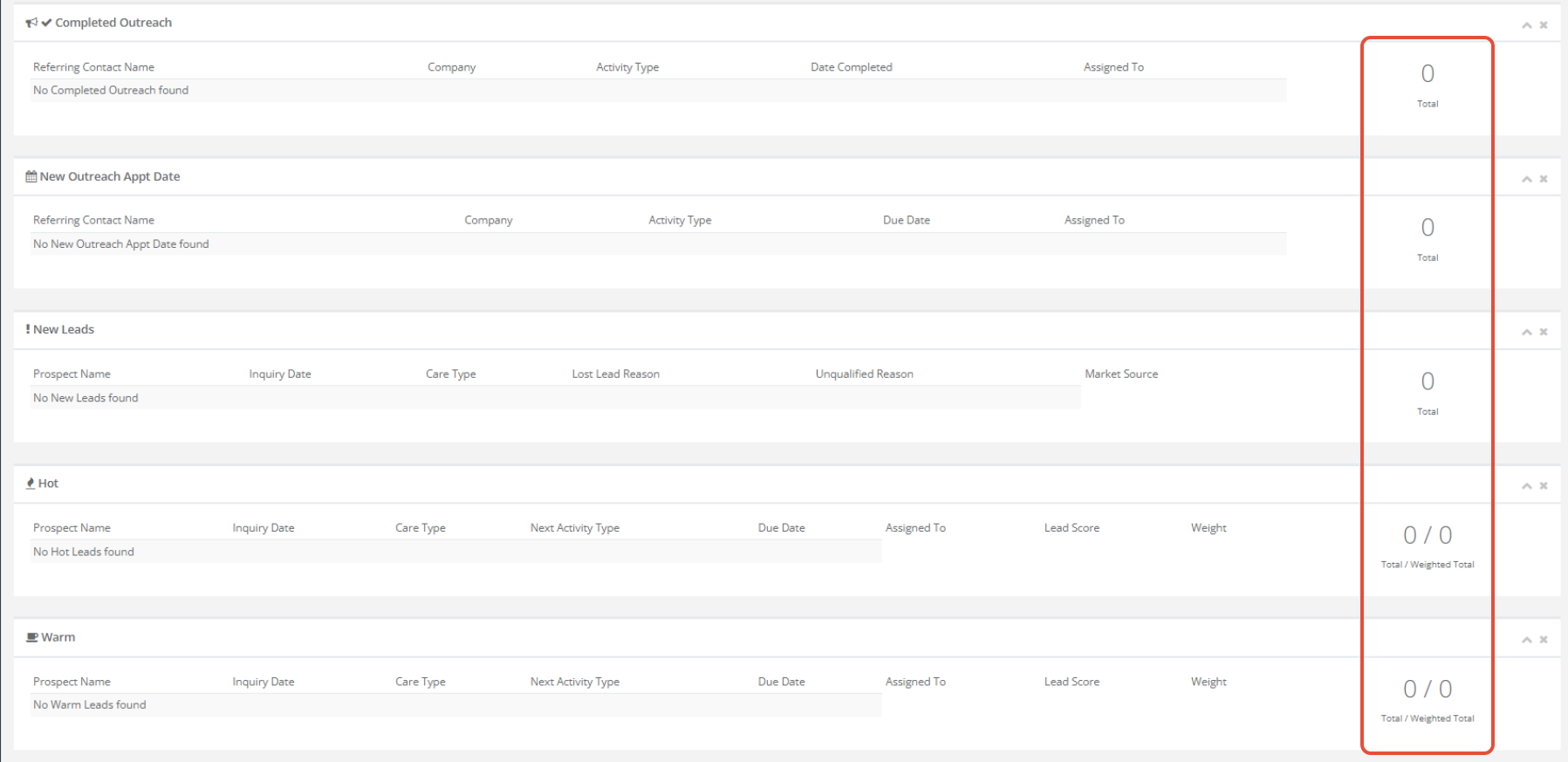
Weighted Totals
Some sections of the Pipeline report will display a total and a weighted total. Weighted totals can be thought of like a probability to close, allowing you to create and manage an effective pipeline to better drive business decisions and focus your efforts.
Campaigns
All active campaigns for your community.

Completed Outreach
Completed activity for Referral Source individuals within the specified Start Date and End Date filters.
Note: In order for referral activity to show in this section, the activity must be Completed, for a Referral Source individual, and have an activity master type of Outreach Appointment, Outreach Call In, or Outreach Call Out.
 New Outreach Appt Date
All Scheduled activity for Referral Source individuals. This section is not affected by the Start and End date filters.
Note: In order for referral activity to show in this section, the activity must be Assigned (Scheduled), for a Referral Source individual, and have an activity master type of Outreach Appointment, Outreach Call In, or Outreach Call Out.
 New Leads
All Prospects with an Inquiry Date within the specified Start Date and End Date filters.
Hot
All prospects with a Lead Score with a Master Type of 4 - Hot Lead. This section is not affected by the Start and End date filters.
Warm
All prospects with a Lead Score with a Master Type of 3 - Warm Lead. This section is not affected by the Start and End date filters.
Cold
All prospects with a Lead Score with a Master Type of 2 - Cool Lead. This section is not affected by the Start and End date filters.
Move In Pending
All prospects with a Lead Score with a Master Type of 5 - Ready Immediately. This section is not affected by the Start and End date filters.
Closed/Move In
All prospects with a Move In activity date within the specified Start and End dates. 
Move Outs
All prospects with a Move Out activity date within the specified Start and End dates. 
Depositors
All prospects with a Lead Score with a Master Type of Depositor. This section is not affected by the Start and End date filters.
Future
All prospects with a Lead Score with a Master Type of 1 - Future Lead. This section is not affected by the Start and End date filters.
FAQs
Can I request changes?
- The Sales Pipeline report does not allow for any customization.
Was this article helpful?
That’s Great!
Thank you for your feedback
Sorry! We couldn't be helpful
Thank you for your feedback
Feedback sent
We appreciate your effort and will try to fix the article