Overview
In this article, we will review the goals section under admin.
Downloading and filling out the Template
Step 1: Navigate to the Admin section and click on Communities on the left hand menu.
Step 2: In the Name column, click the name of the community you would like to set goals for
Step 3: In the upper right of the community detail page, click the blue Setup Goals button Step 4: Click the grey Download Template button just above the goals table
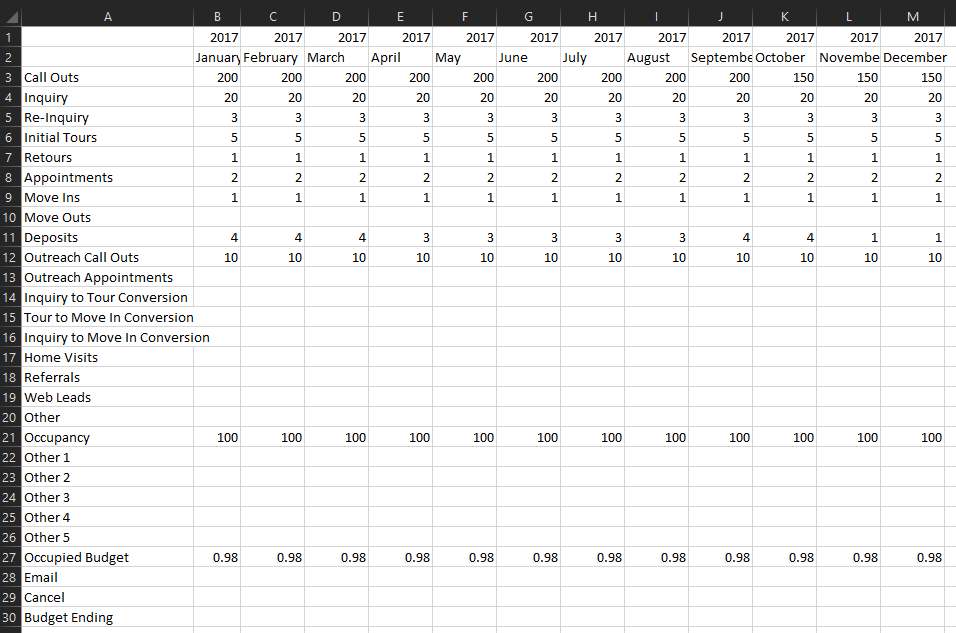
 Step 5: This will download a Microsoft Excel file titled EnquireGoalsTemplate.xlsx, open this file in Excel
Step 6: The template will look very similar to the Goals table in Enquire. Fill out the Goals you would like to set for your community and Save the template.
 Step 7: Head back over to the Goals page in Enquire and upload your template. Click into the download manager box and locate the file on your computer or drag and drop the file from your computer onto the download manager box.
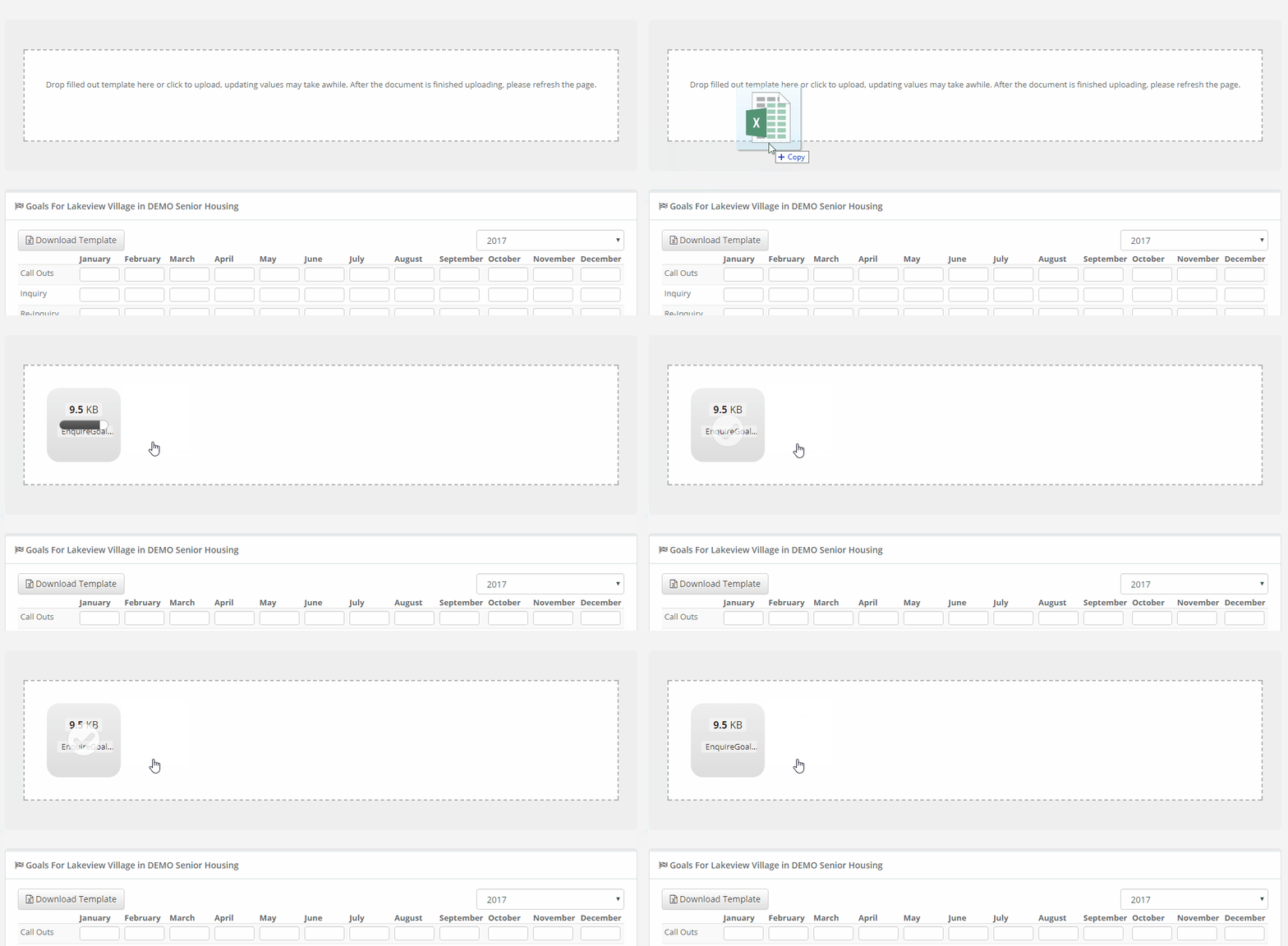
Step 8: Once you have uploaded the template, refresh the page. Your goals will then populate in the corresponding fields.
Note: It may take some time for goals to populate to the table after refreshing.
FAQ
I uploaded the template file but my goals haven't populated.
- Make sure that the template was saved as a .xls or .xlsx file format. These are the required formats when uploading a template.
How do I upload Goals for a specific Year?
- You can specify the year for your goals by updating the Year row (just above the month row) in the template. Updating each cell in this row is required for Goals to be input for the correct year.

What are suggested monthly goals based on industry benchmarks?
- Activity goals are the average by community/facility care level(s).
| Monthly Activity Goals | Life Plan Residential | Independent | Independent and Assisted | Assisted Living | Memory Care | Assisted and Memory Care | Skilled Nursing |
| Total Inquiries* | 57 | 50 | 43 | 43 | 37 | 41 | 53 |
| Other Inquiries | 21 | 31 | 21 | 28 | 21 | 23 | |
| Referrals | 13 | 7 | 11 | 6 | 5 | 7 | 47 |
| Web Form | 23 | 12 | 11 | 9 | 11 | 11 | 15 |
| Initial Tour | 16 | 15 | 15 | 14 | 13 | 13 | |
| Retour (Other Tours) | 14 | 4 | 9 | 2 | 3 | 6 | |
| Appointment | 18 | 6 | 6 | 5 | 4 | 6 | |
| Home Visit | 4 | 9 | 7 | 6 | 8 | 7 | |
| Call Out | 447 | 233 | 148 | 175 | 194 | 193 | 55 |
| Move In (Rounded) | 5 | 5 | 6 | 4 | 5 | 4 | |
| Move In | 5.2 | 4.6 | 6 | 4.3 | 4.5 | 4.3 | |
| Outreach Appointment | 22 | 40 | 35 | 24 | 31 | 27 | 61 |
| Admissions | 12 |
*Sum of referrals, web forms and other inquiries (i.e. call in inquiries, etc.
Performance goals are the average by community/facility care level(s).
| Monthly Performance Goals | Life Plan Residential | Independent | Independent and Assisted | Assisted Living | Memory Care | Assisted and Memory Care | Skilled Nursing |
| Inquiry to Tour | 27% | 29% | 35% | 34% | 41% | 35% | |
| Tour to Move In | 19% | 24% | 27% | 32% | 35% | 27% | |
| Inquiry to Move In | 6% | 6% | 11% | 11% | 15% | 11% | |
| Call Contact Rate | 54% | 53% | 47% | 42% | 52% | 48% | |
| Referral to Admit (Admit %) | 22% |
Was this article helpful?
That’s Great!
Thank you for your feedback
Sorry! We couldn't be helpful
Thank you for your feedback
Feedback sent
We appreciate your effort and will try to fix the article