Overview
In this article, we will review Campaign Inquiry, First Campaign, Campaign Market Source, and Automatic RSVP to campaigns.
Campaign Inquiry
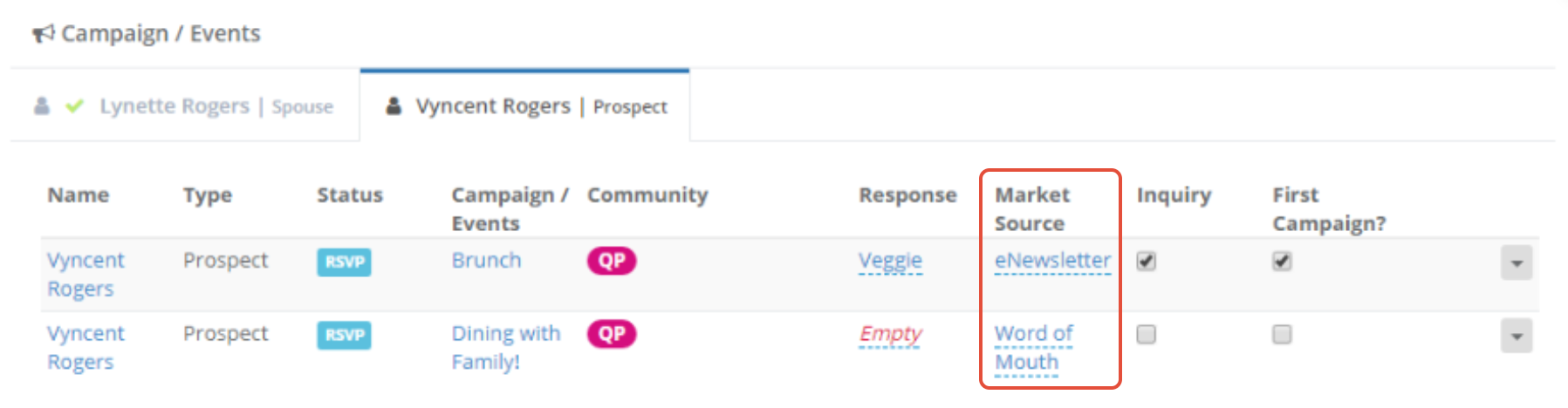
The Campaign Inquiry checkbox will allow you to denote if an individual has inquired based on this campaign. Only ONE campaign can be marked as the Inquiry.
First Campaign
There's no limit to how many campaigns an individual can be added to, so we've added a First Campaign option to help you determine what the individual's first campaign is. Only ONE campaign can be marked as the First Campaign.
Campaign Market Source
Our Campaign Market Source field will let you choose a specific Market Source for each campaign an individual has been added to. This will help your team determine what marketing efforts are working best for your campaigns.
Automatic RSVP to Campaign on Reinquiry
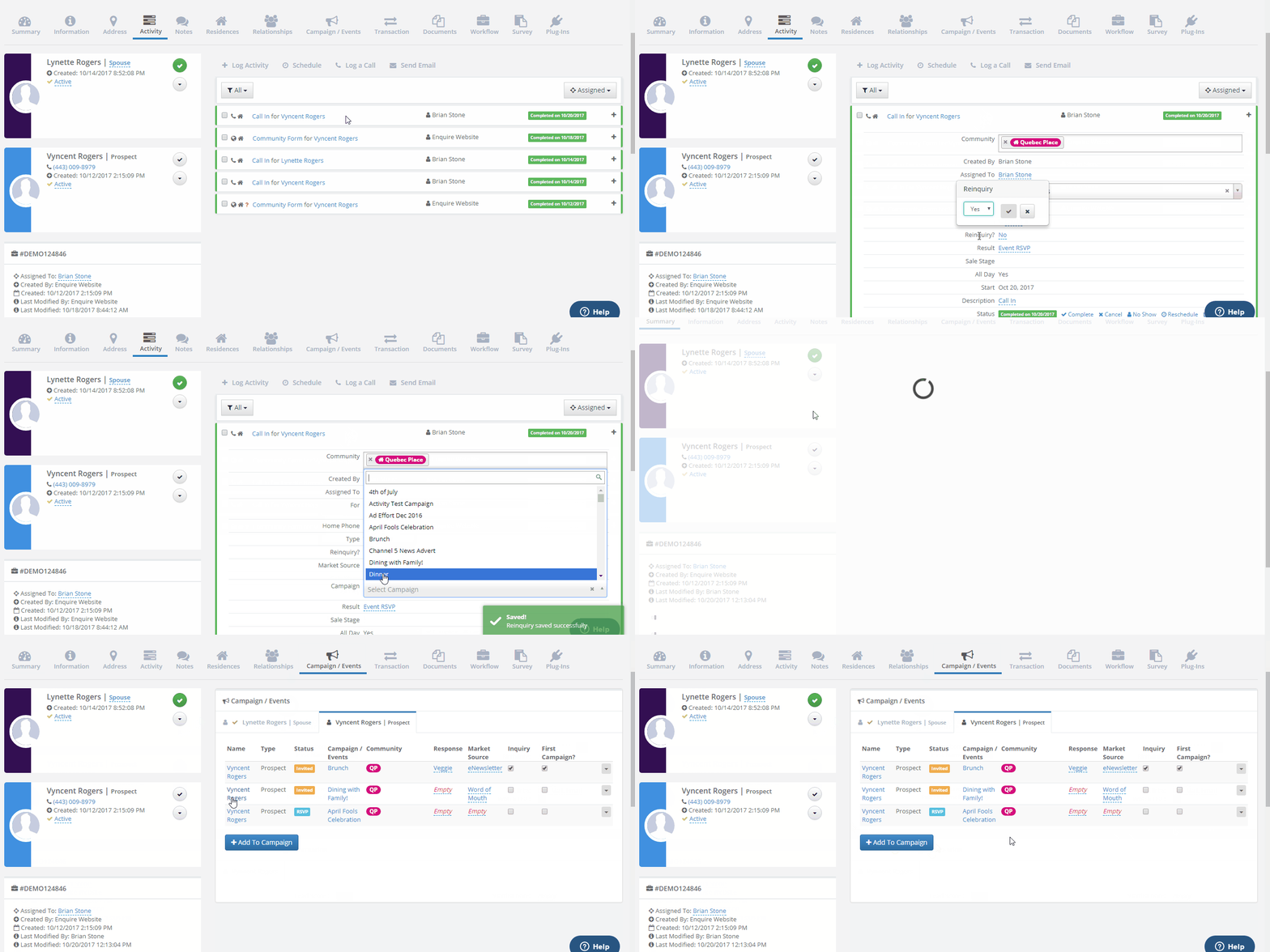
Automatically RSVPing someone if they re-inquire from a campaign. Expanding an activity, changing the Reinquiry? box to Yes, and adding a campaign to the activity will now automatically RSVP the individual to the selected campaign.
Was this article helpful?
That’s Great!
Thank you for your feedback
Sorry! We couldn't be helpful
Thank you for your feedback
Feedback sent
We appreciate your effort and will try to fix the article