Overview
In this article, we will review how to change the initial method of inquiry on an activity. This is a great way to correct an activity if it comes into the CRM incorrectly.
Changing Initial Method of Inquiry
Step 1: Navigate to the Prospect Profile with the wrong initial method of inquiry and click activity

Step 2: Click on the Initial Inquiry Activity, this will be denoted by a small red question mark.

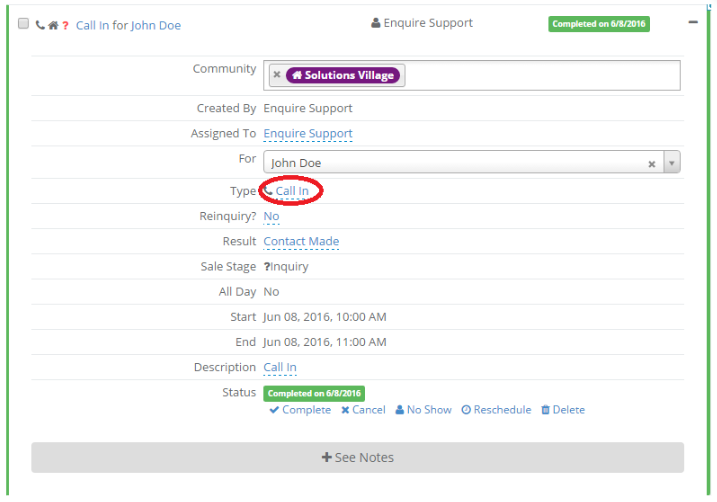
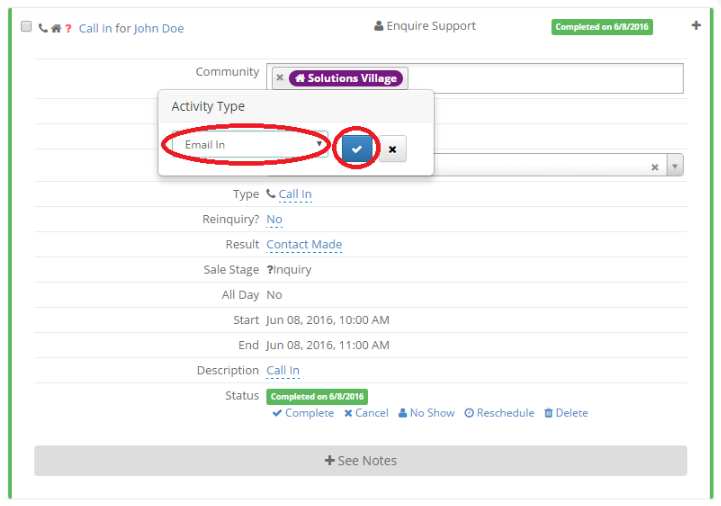
 Step 3: Click the Type value. Change it to the correct type and click the blue check mark button to save your changes.
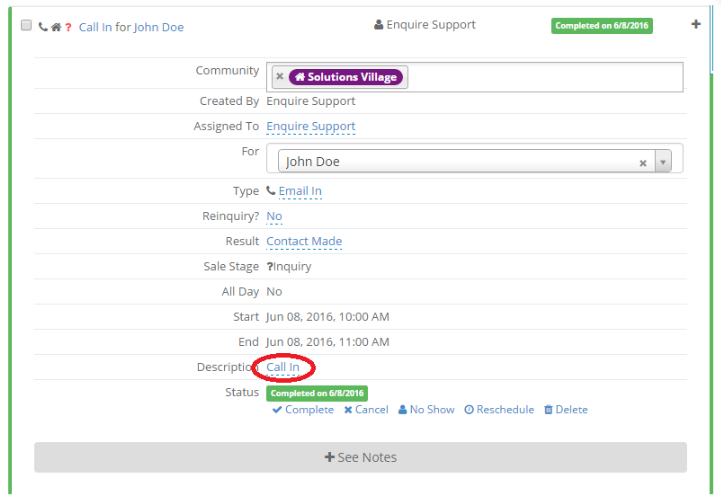
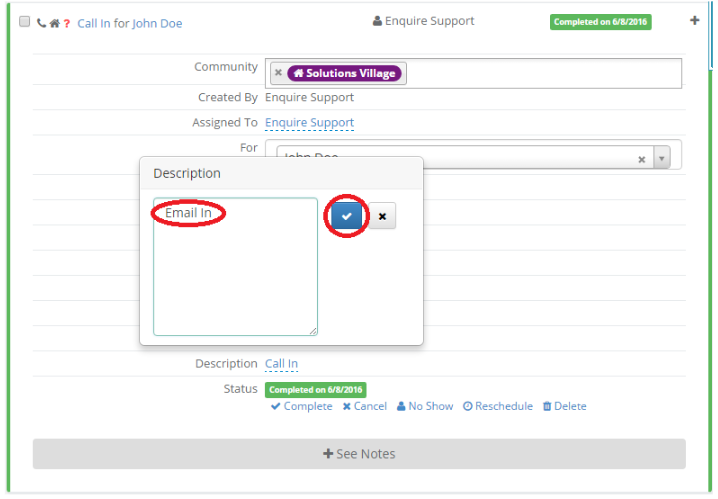
 Step 4: Click the Description value. Change the description to correspond with the new Initial Inquiry type and click the blue check mark button to save your changes.


Was this article helpful?
That’s Great!
Thank you for your feedback
Sorry! We couldn't be helpful
Thank you for your feedback
Feedback sent
We appreciate your effort and will try to fix the article