How to Enable or Disable Partial Form Submits Capture in Enquire MAP
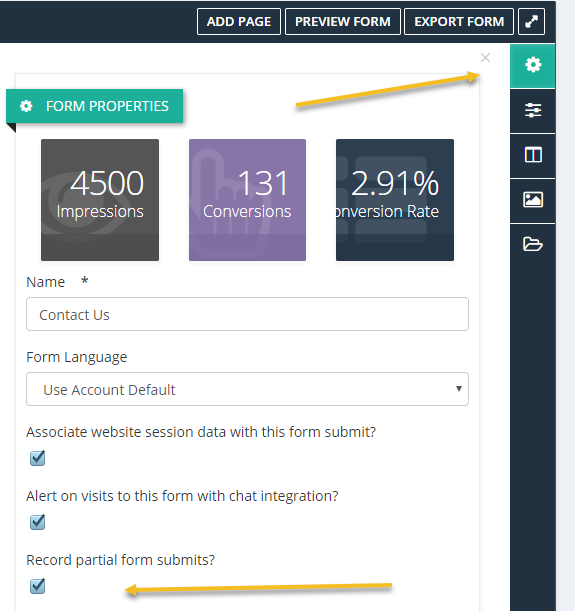
Enquire MAP can collect partial form submits. If someone starts to fill out a form and does not complete the task, the platform can be configured to capture the data. A Partial Form Submit is a contact history item that is created when this is captured. To enable or disable partial form submit capture, in any Enquire MAP form editor, click the Properties icon on the right sidebar then enable or disable partial form capture:
Please reach out to the dedicated Enquire Account Manager or Enquire MAP Support team for further assistance.
Was this article helpful?
That’s Great!
Thank you for your feedback
Sorry! We couldn't be helpful
Thank you for your feedback
Feedback sent
We appreciate your effort and will try to fix the article