How to Block Form Submits from Public ISP Emails in Enquire MAP
To prevent form submits from public emails like Yahoo, Gmail or AOL, Enquire MAP provides the ability to do so.
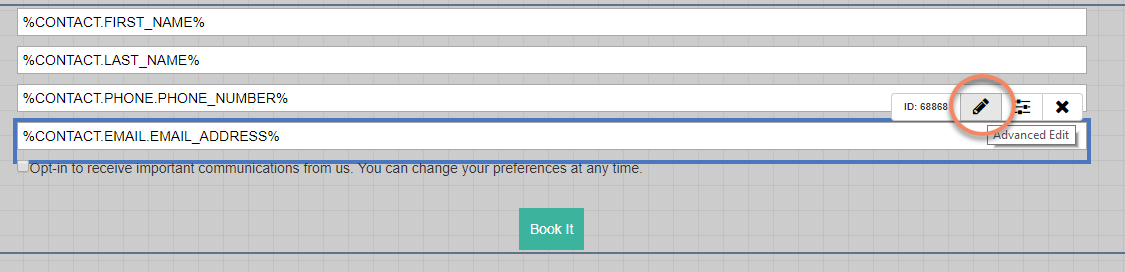
- Open the form and edit the email address field by clicking the Edit or pencil icon (see below):
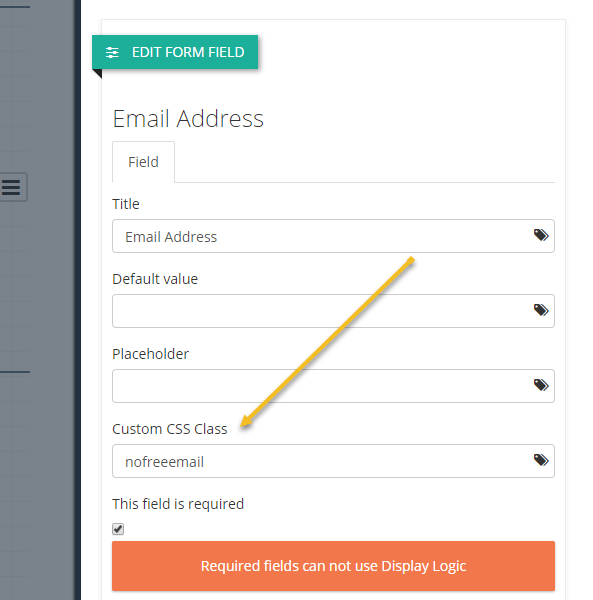
- In the EDIT FORM FIELD menu, select the Custom CSS Class and type nofreeemail :
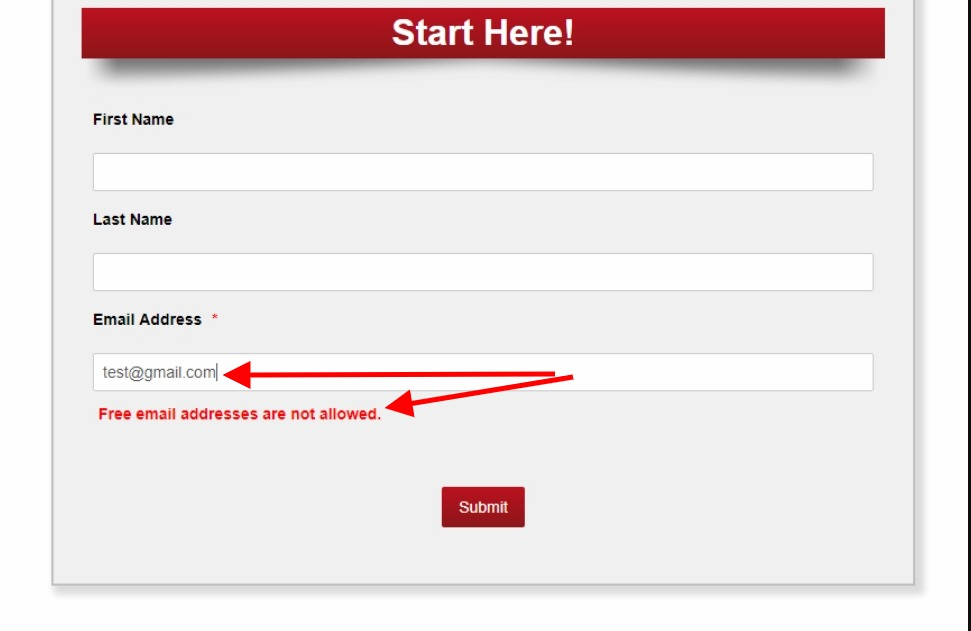
The next time someone uses a public email on a web form, a message "Please use a Company email address. Public email addresses (Gmail, Yahoo, and AOL) are not allowed". (See image below):
Please reach out to the dedicated Enquire Account Manager or Enquire MAP Support team for further assistance.
Was this article helpful?
That’s Great!
Thank you for your feedback
Sorry! We couldn't be helpful
Thank you for your feedback
Feedback sent
We appreciate your effort and will try to fix the article