Setting Up a Verified URL for Form Submits in Enquire MAP
Enquire MAP provides the feature where the main account URL is the only verified URL for all form submits by default. Additionally, Enquire MAP provides a security feature to discard all data from any domain other than those set as authorized domains.
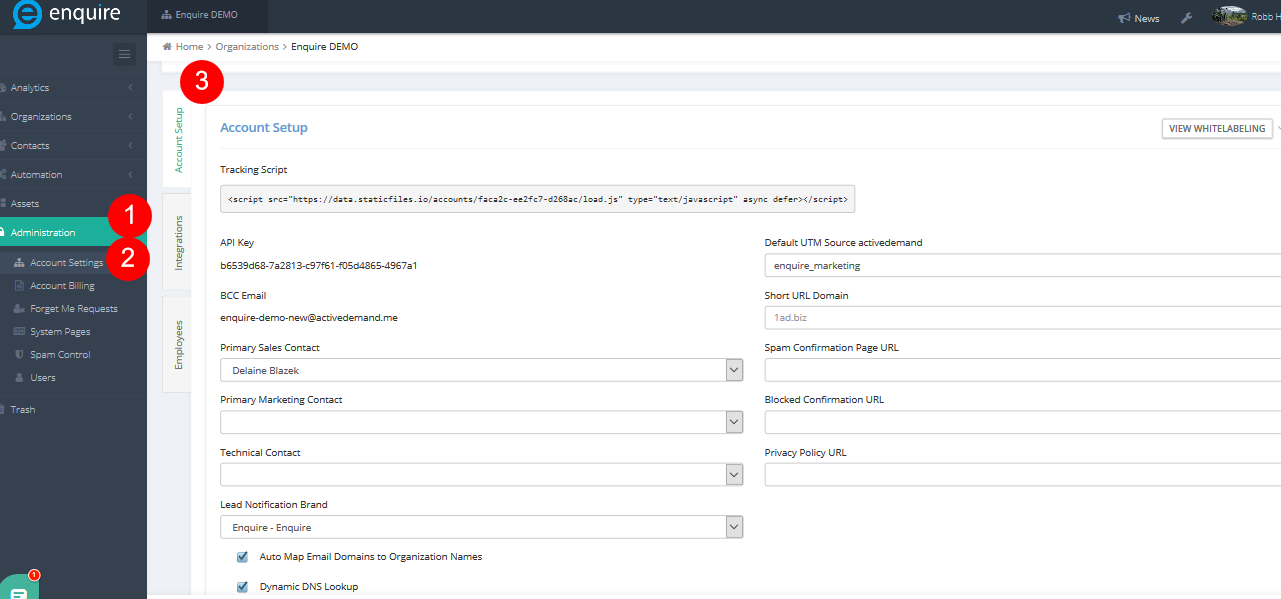
Another key feature is when another URL is needed, it can be added as a verified URL to the list of authorized domains with proper permissions in the client account. Navigate to Administration > Account Settings > Account Setup.
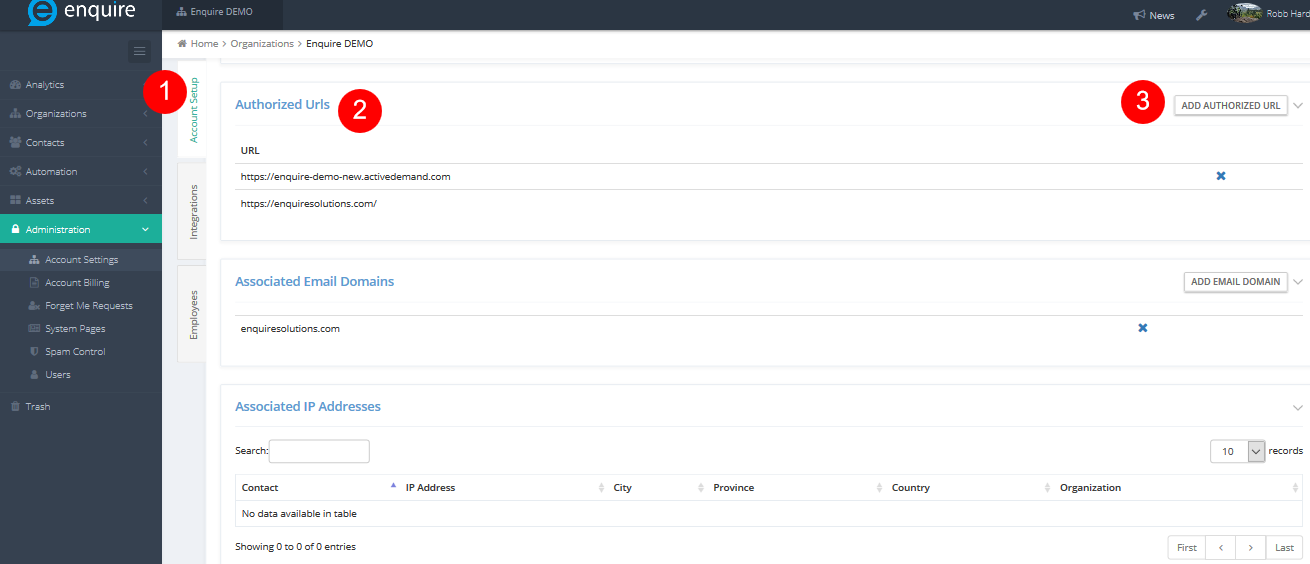
On the same page, scroll down to Authorized URLs to view if the appropriate URL already exists or one needs to be added. Click on the Add Authorized URL button on the far right of page. Please connect with the assigned Account Manager or Enquire MAP Support to get the right permissions.
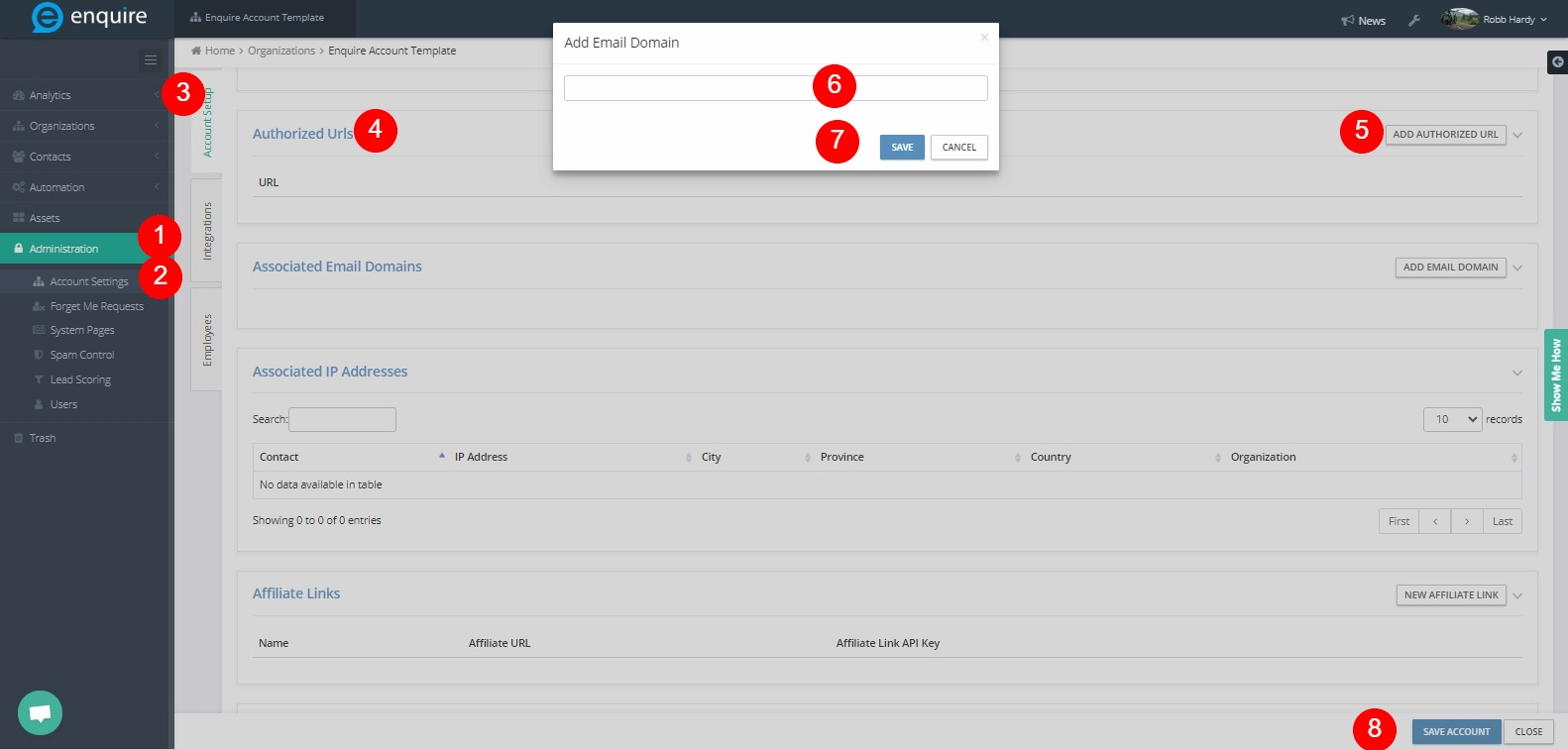
Please reach out to the dedicated Enquire Account Manager or Enquire MAP Support team for further assistance.
Was this article helpful?
That’s Great!
Thank you for your feedback
Sorry! We couldn't be helpful
Thank you for your feedback
Feedback sent
We appreciate your effort and will try to fix the article