Setting up and Accessing Web Forms in Enquire MAP
Creating Web Forms can be an easy, if not a fun activity. Navigate to Assets > Webforms to create or edit.
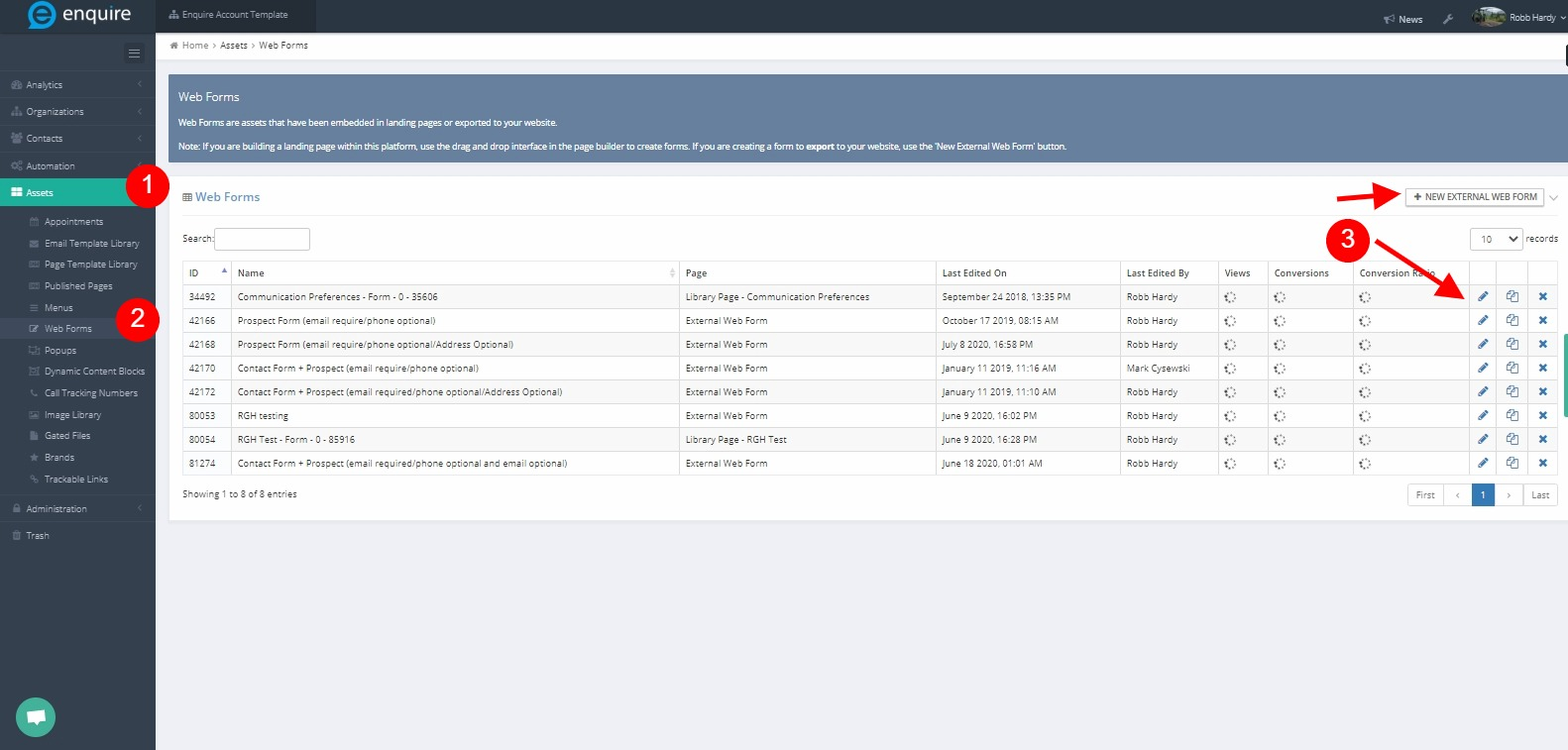
Creating a New Web Form
Using Template Web Forms
Included in Enquire MAP are a series of 4 web forms that are already provisioned. When getting started, it is recommended to use these template forms before creating new forms from scratch.
| Form Name | Form Description | Required Fields |
|---|---|---|
| Prospect Form (email require/phone optional) | Creates the submitter as a prospect in the CRM. |
|
| Prospect Form (email require/phone optional/Address Optional) | Creates the submitter as a prospect in the CRM. |
|
| Contact Form + Prospect (email require/phone optional) | Creates the submitter as either a prospect or contact in the CRM. This form includes a question that allows the submitter to specify if they are looking for themselves or someone else. | |
| Contact Form + Prospect (email required/phone optional/Address Optional) | Creates the submitter as either a prospect or contact in the CRM. This form includes a question that allows the submitter to specify if they are looking for themselves or someone else. |
Creating a New Web Form from Scratch
To create a new web from click the +New External Web Form button. Select Continue after titling the new web form.

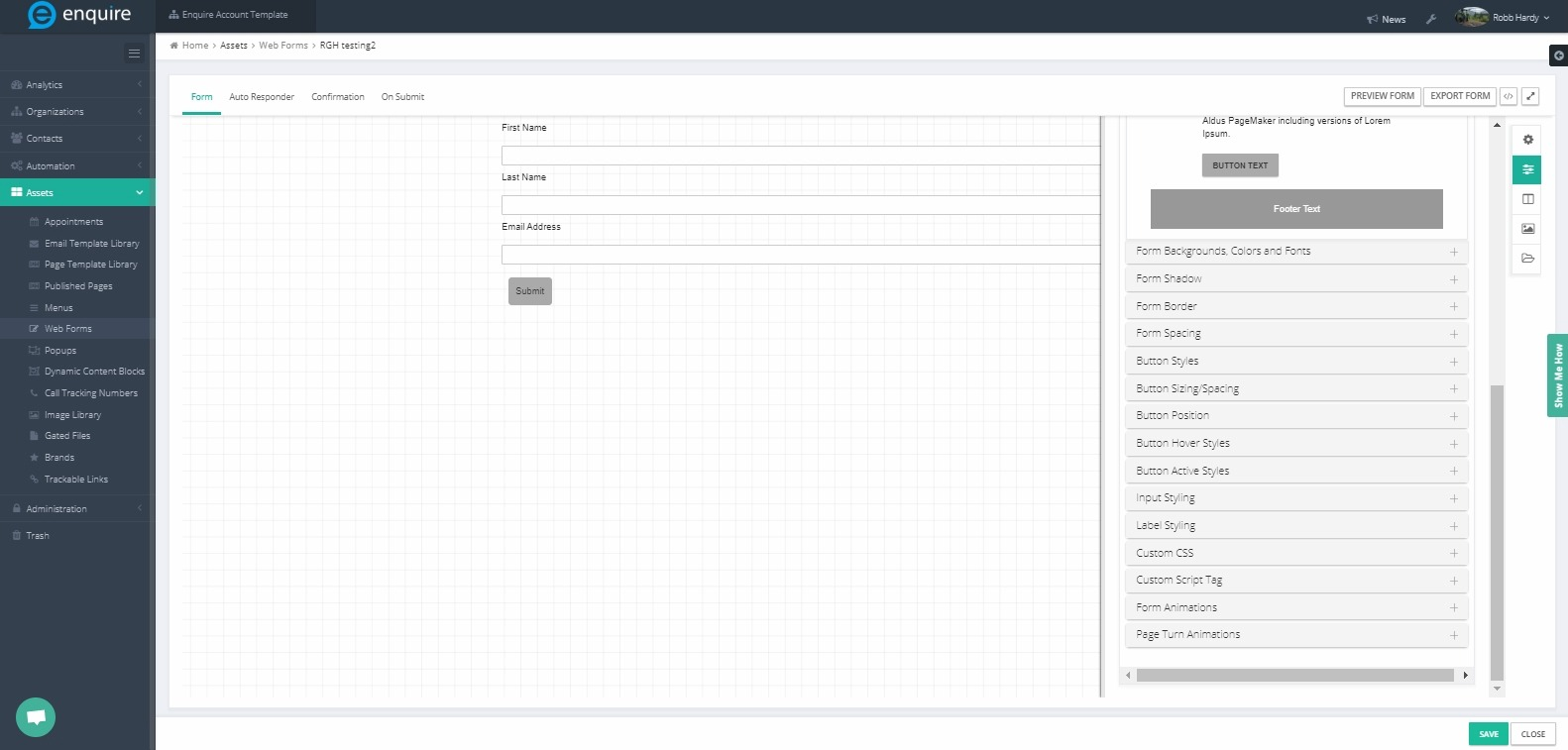
Please reach out to the dedicated Enquire Account Manager or Enquire MAP Support team for further assistance.
Was this article helpful?
That’s Great!
Thank you for your feedback
Sorry! We couldn't be helpful
Thank you for your feedback
Feedback sent
We appreciate your effort and will try to fix the article