Installing Enquire MAP for Slack

Slack is a proprietary business communication platform developed by American software company Slack Technologies. Slack offers many IRC-style features, including persistent chat rooms organized by topic, private groups, and direct messaging.
Enquire MAP Slack integration is a fantastic way to keep your teams well informed about marketing engagement by enabling the following:
- Schedule internal Slack communications in calendar campaigns (let folks know a campaign is going out)
- Schedule reminders that tasks need to be done for upcoming campaigns
- Use workflows to automate internal communications about lead stage changes
Installing the Enquire MAP Slack app
As an Administrator of Slack and Enquire MAP, log into the platform.
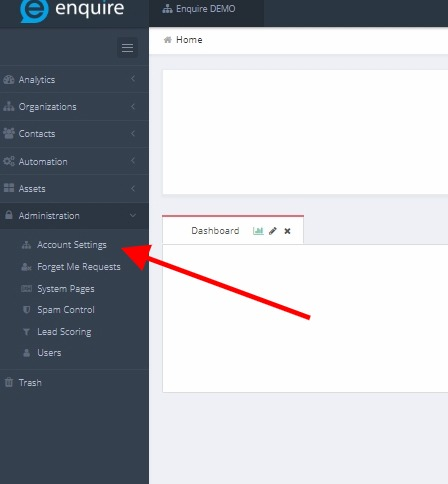
- Navigate to Administration > Account Settings
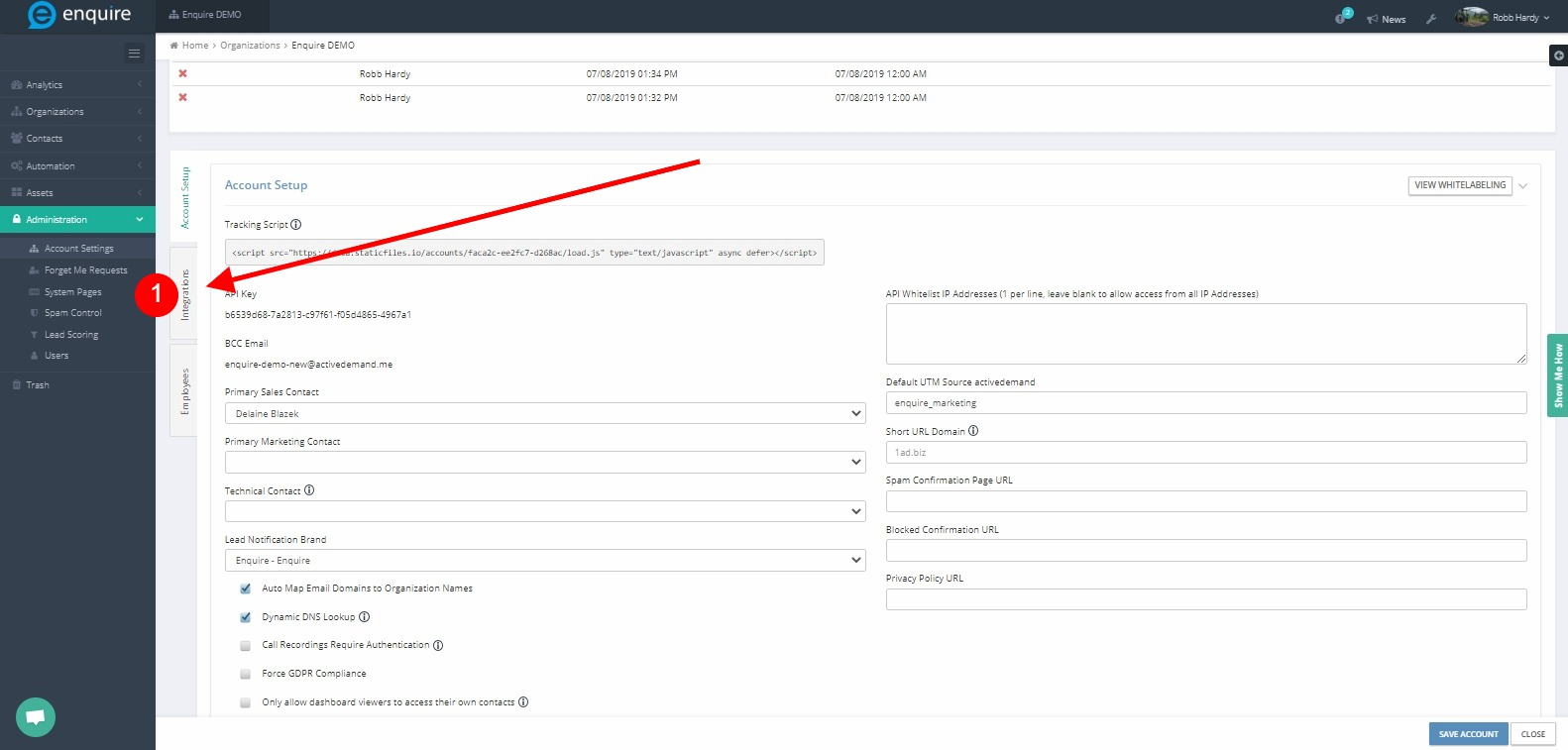
- Select the integrations tab, click Add Application
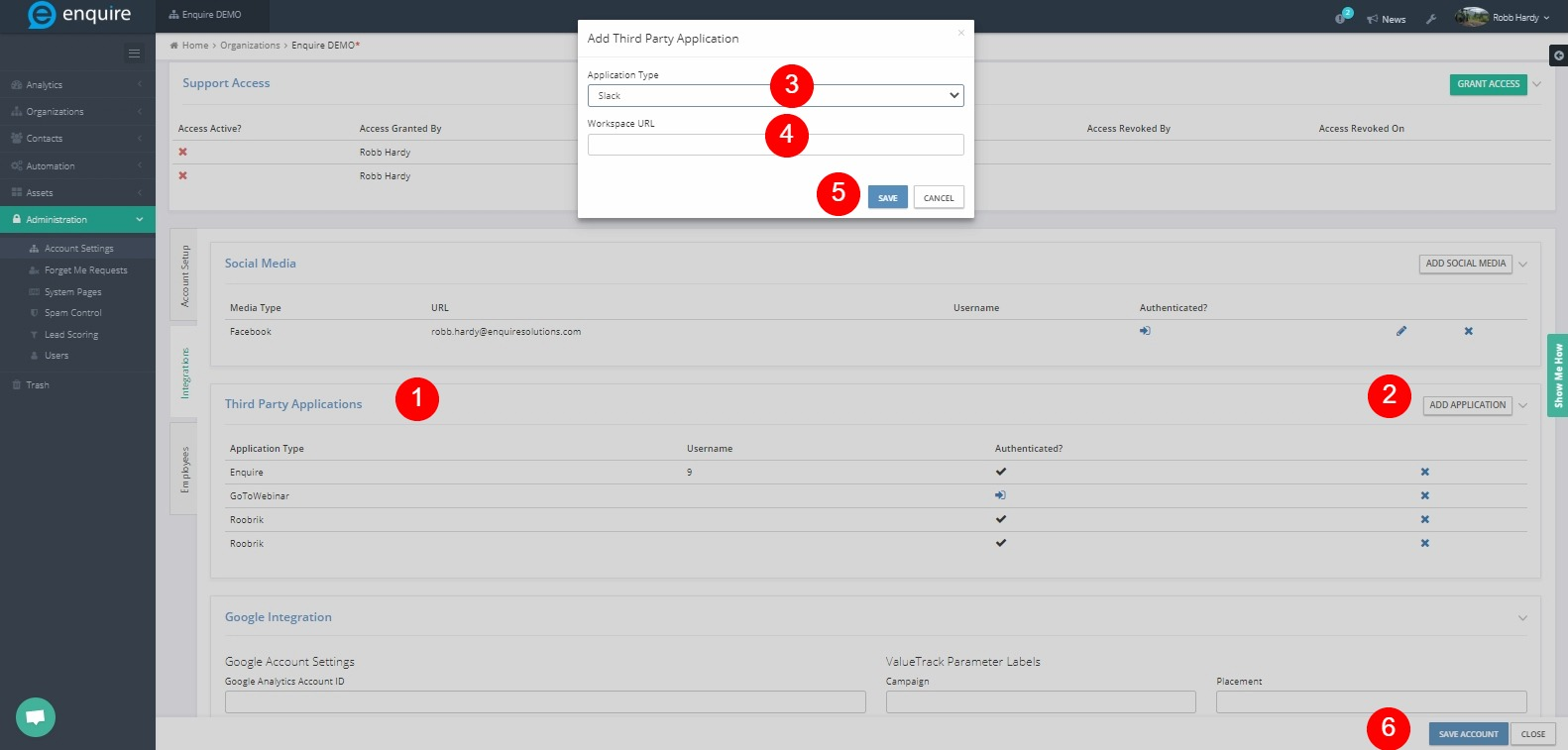
- Choose Slack, enter your slack workspace URL
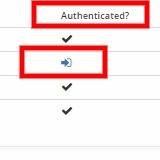
- Click authenticate
Using the Slack App
- Navigate to Automation > Campaigns
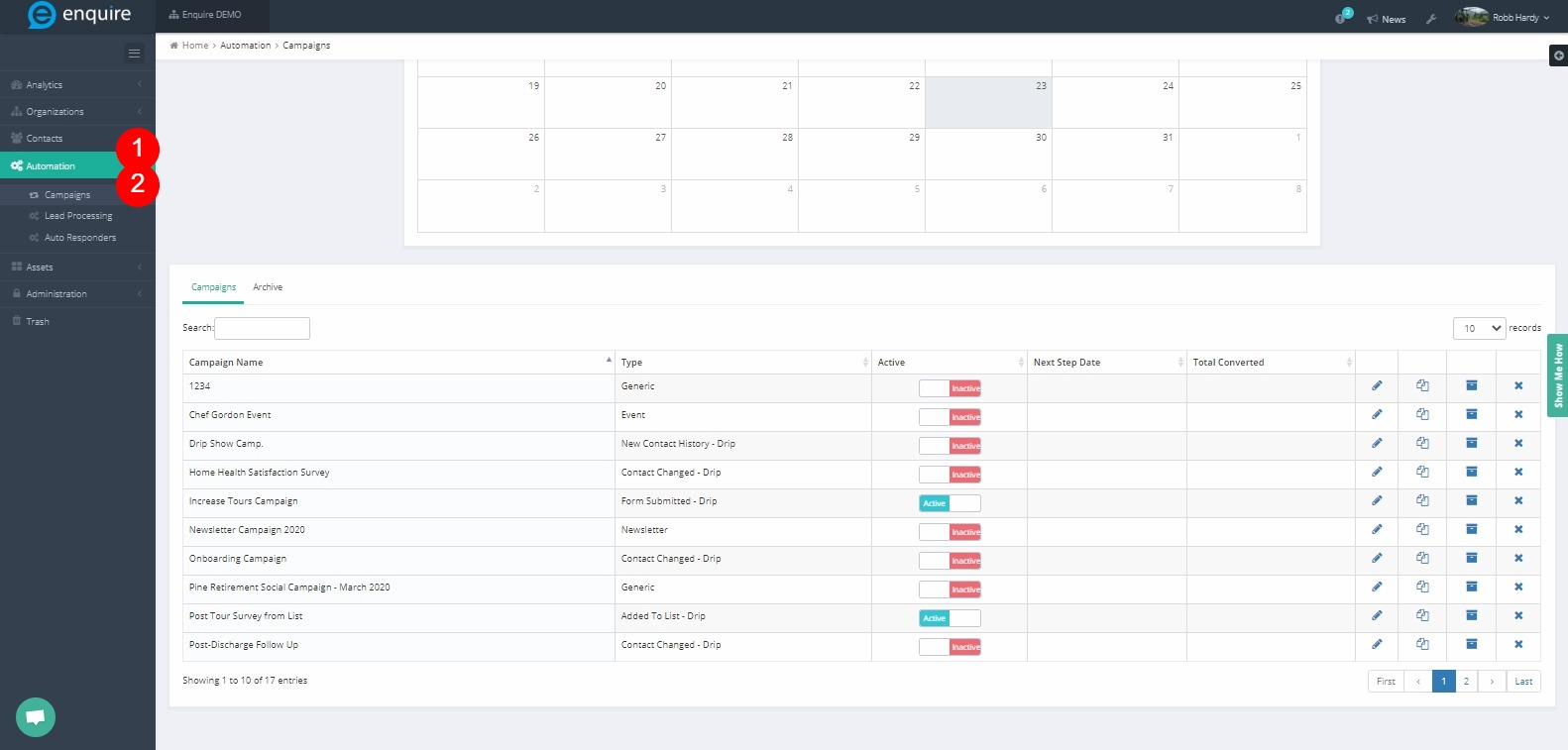
- Create a new calendar campaign:

- In the calendar-based campaigns, simply drag and drop in the fashion below:
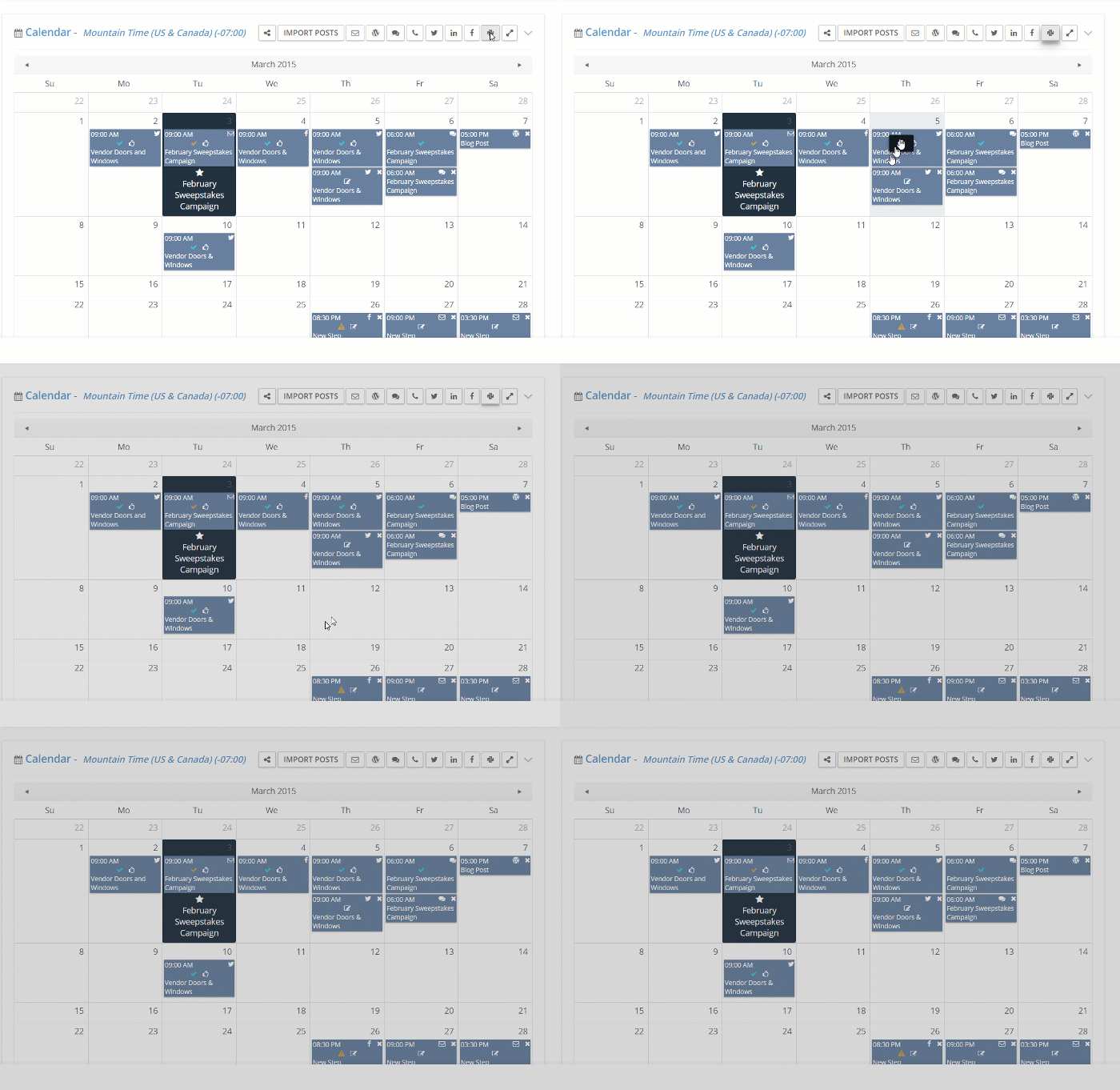
- Activate the campaign and the message will post to the specified Slack channel at the scheduled time.
Using Workflows
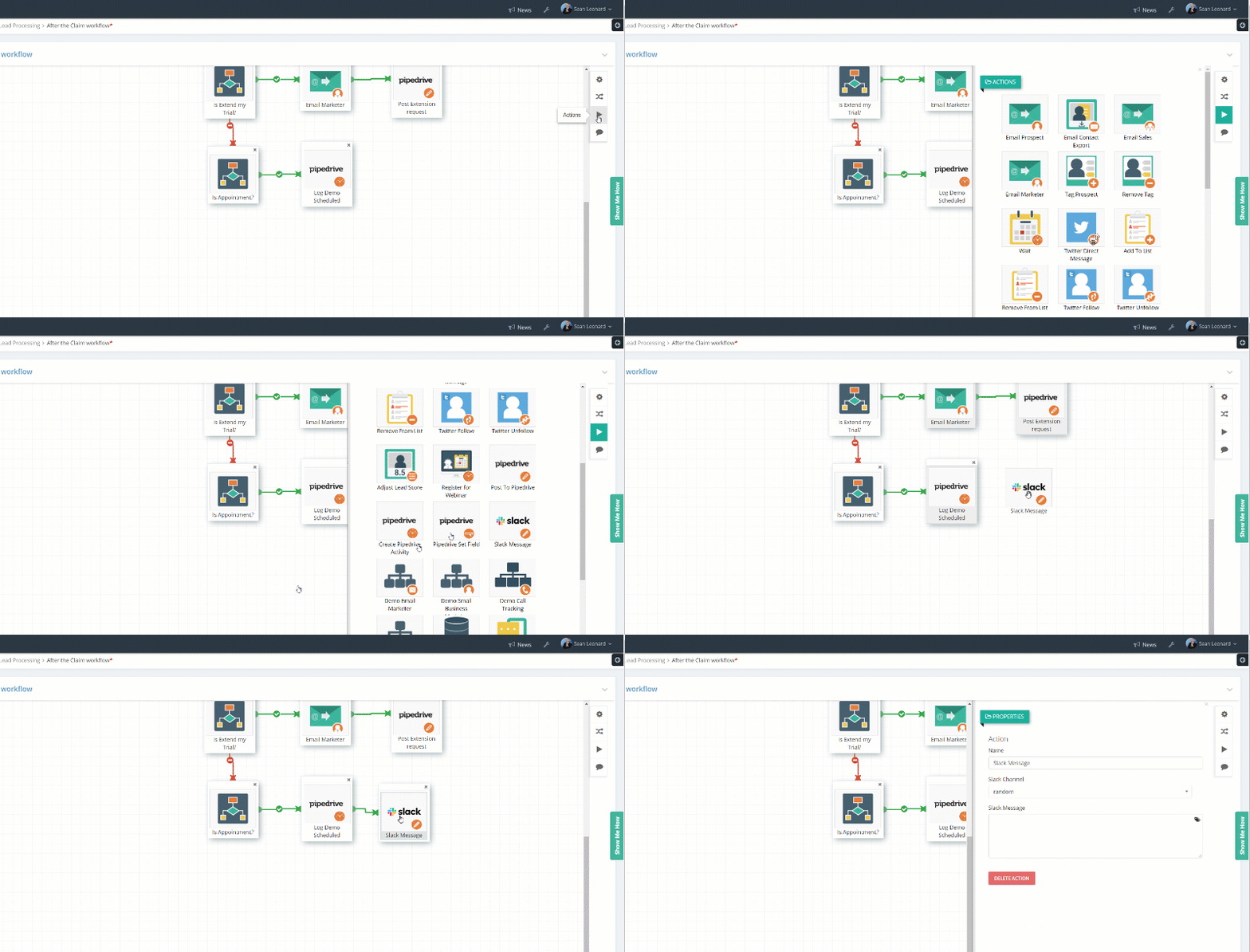
To use the workflows action to test the action, select and use any workflow (i.e. an auto responder)
Also, there is a workflow action in all workflows that enables posting details about the in-process prospect to the Slack channels
Please reach out to the dedicated Enquire Account Manager or Enquire MAP Support team for further assistance.
Was this article helpful?
That’s Great!
Thank you for your feedback
Sorry! We couldn't be helpful
Thank you for your feedback
Feedback sent
We appreciate your effort and will try to fix the article