Google Services Integration
For those packages (Call Tracking, Small Business Marketer, Corporate Marketer, Agency Marketer) that support website integration, connecting Enquire MAP to Google Services will unlock several dashboard widgets.
Google Analytics Integration
Enquire MAP integrates easily and seamlessly with Google Analytics to deliver rich insight into online campaigns and conversions. Google Analytics is a service offered by Google that generates detailed statistics about a website's traffic and traffic sources and measures conversions and sales.
- Connect the Google Analytics account with Enquire MAP:
- Log into Google Analytics here: http://www.google.ca/analytics/. If without a Google Analytics account, they are easy to create.
- Once logged in, click Admin at the top of any Analytics page.
- Use the menu at the top of the columns to select the needed account.
- 3 columns of attributes should appear: Account, Property, View
- Under Property, click on Tracking Info-Tracking Code
- Copy the Tracking ID (UA-XXXXXX...)
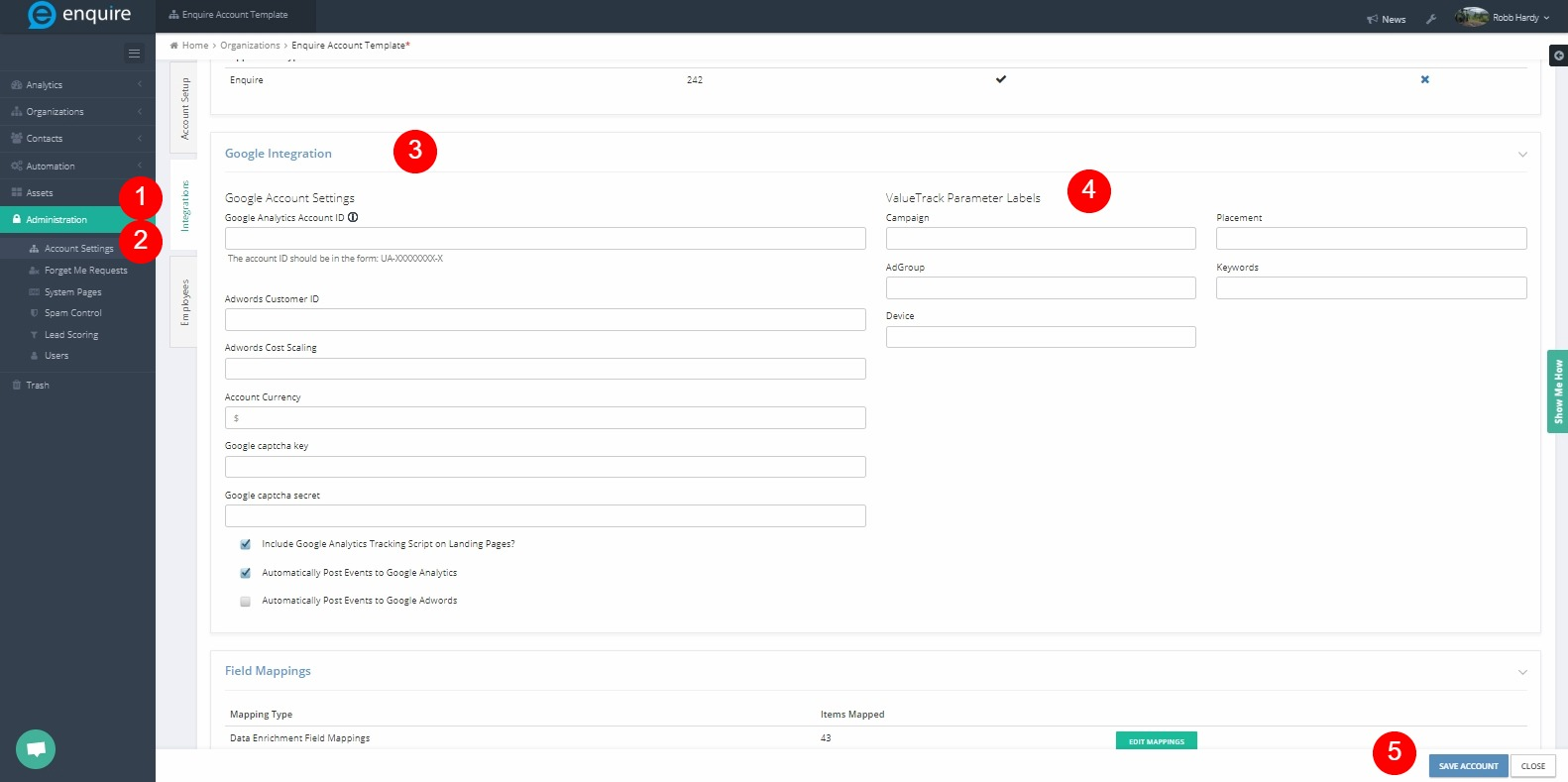
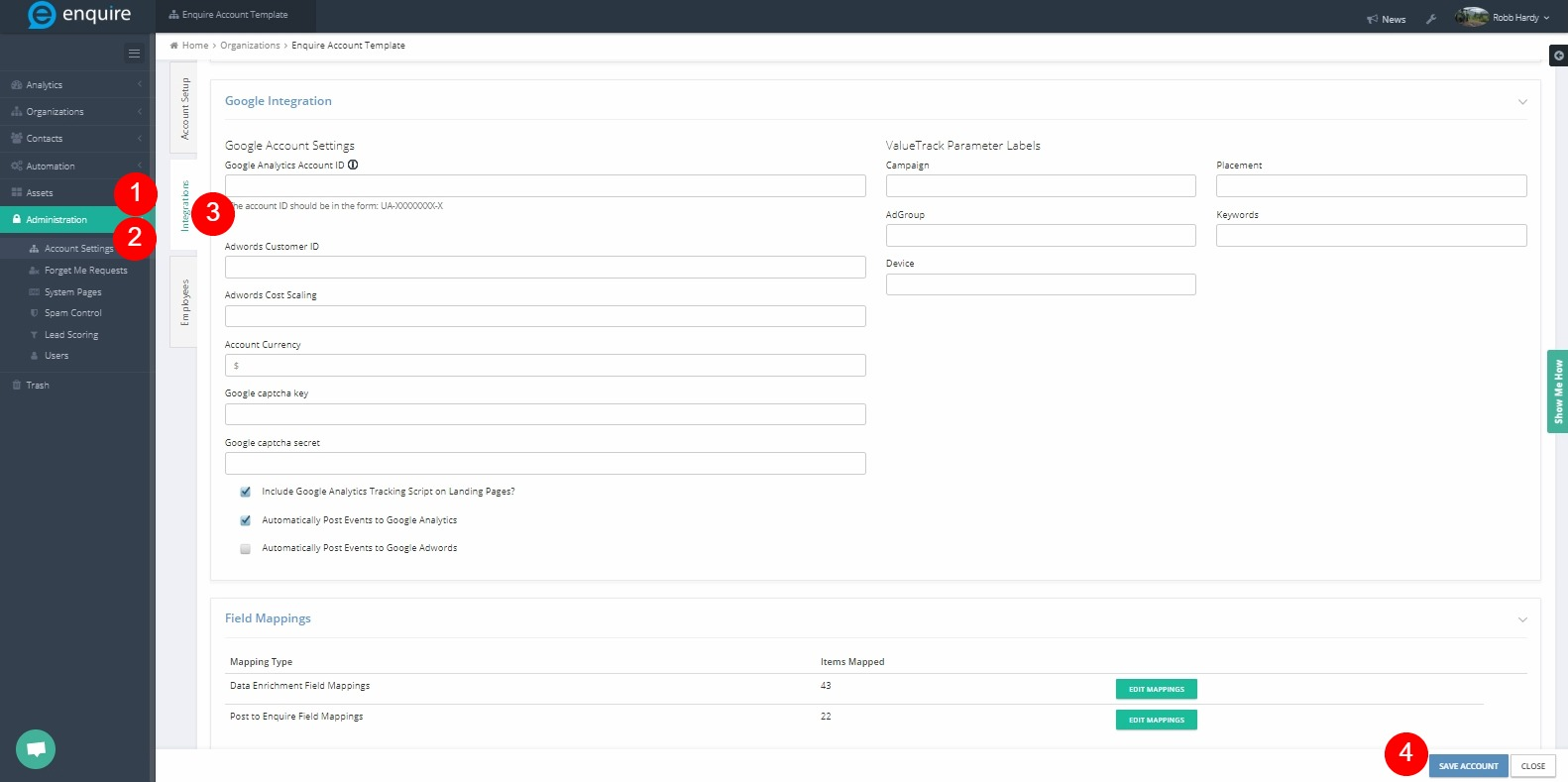
- In Enquire MAP, navigate to Administration > Account Settings > Integrations
- In the Edit Box, GA Account ID, paste the Google Analytics Tracking ID
- Click Save Account
 Authorize Google Analytics:
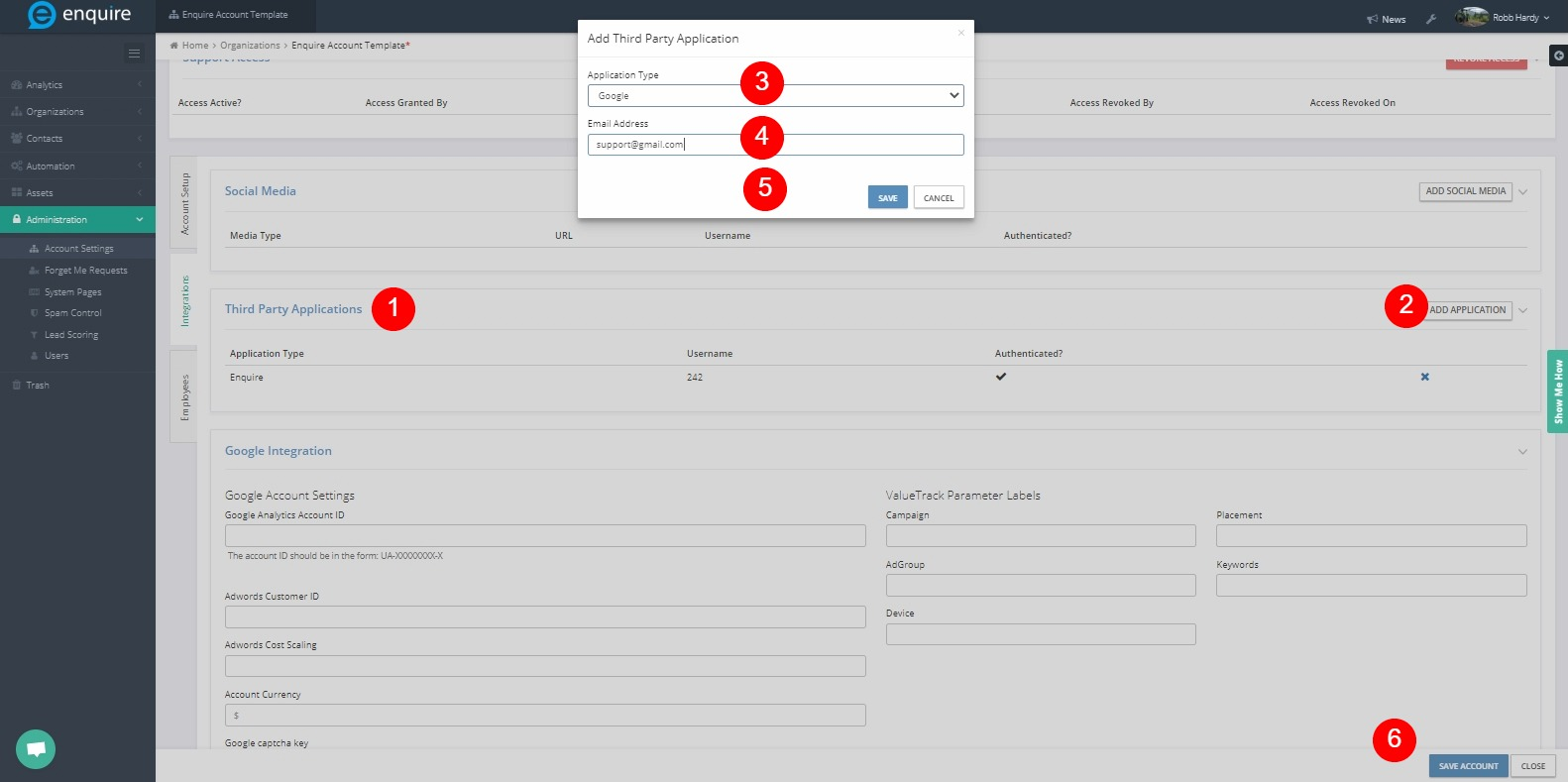
- In the Enquire MAP Account Settings, scroll to Third Party Applications
- Click the Add Application Button
- Select "Google" from the drop down list
- Enter the Google email address in the email address field. The email address must have full access to the Google Analytics account to be authenticated.
- Click the icon under the "Authenticated" heading
- Select the Google account that corresponds to the Google Email address typed in step 4
Google Ads (AdWords) Integration
Google Ads reporting is a service offered by Google that generates detailed statistics about the ongoing Google paid advertising.
- Authenticate the Company Google account as per the previous section of this article
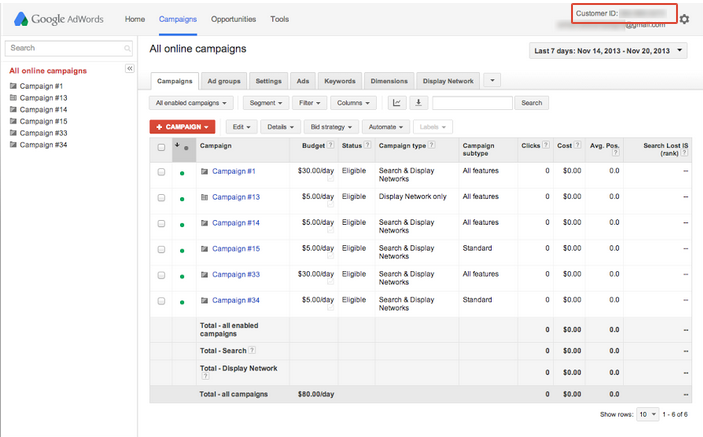
- Log into the Google Ads account
- The Customer ID will be at the top corner of any Ads page,near the email address. Do not use the MCC ID as this must be the Customer Ads Account ID.
ValueTrack Parameters
As Google has now restricted what data is given publicly on ad clicks, please use ValueTrack parameters to communicate the ad data to Enquire MAP.
Here is an article on setting up value track parameters in Google Ads - How to Use ValueTrack Parameters in Enquire MAP
As there is no restriction on the labels used when setting up the parameters, notify Enquire MAP which labels to be used for selected parameters in Ads. Navigate to Administration > Account Settings to specify the ValueTrack parameter labels have used in the Ads Account. Please Note: We recommend setting up Google Analytics Goals and linking them to Google Adwords.