Changing Email/Resetting Password in Enquire MAP
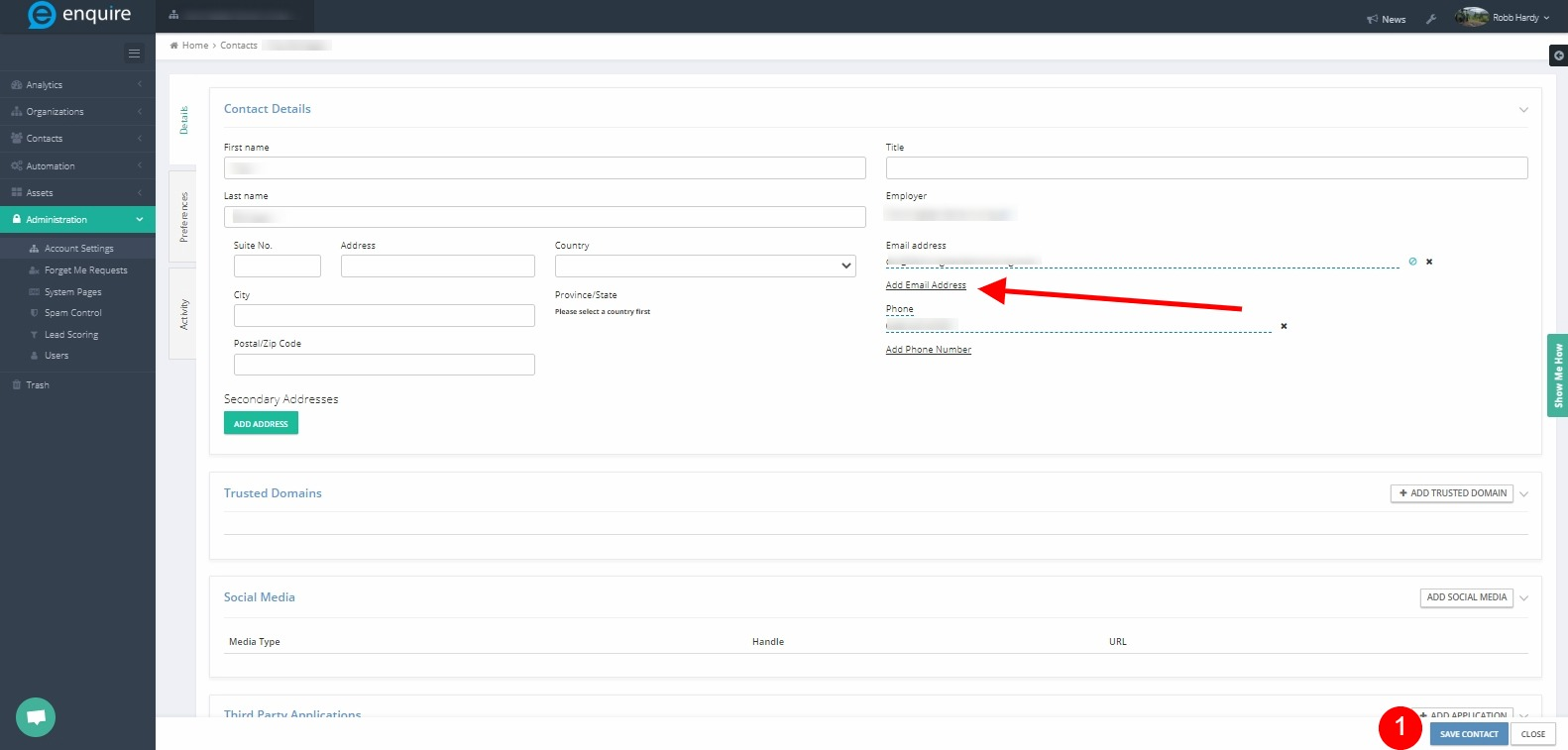
- Connect with Enquire MAP Support at support@enquiresolutions.com to get email changed.
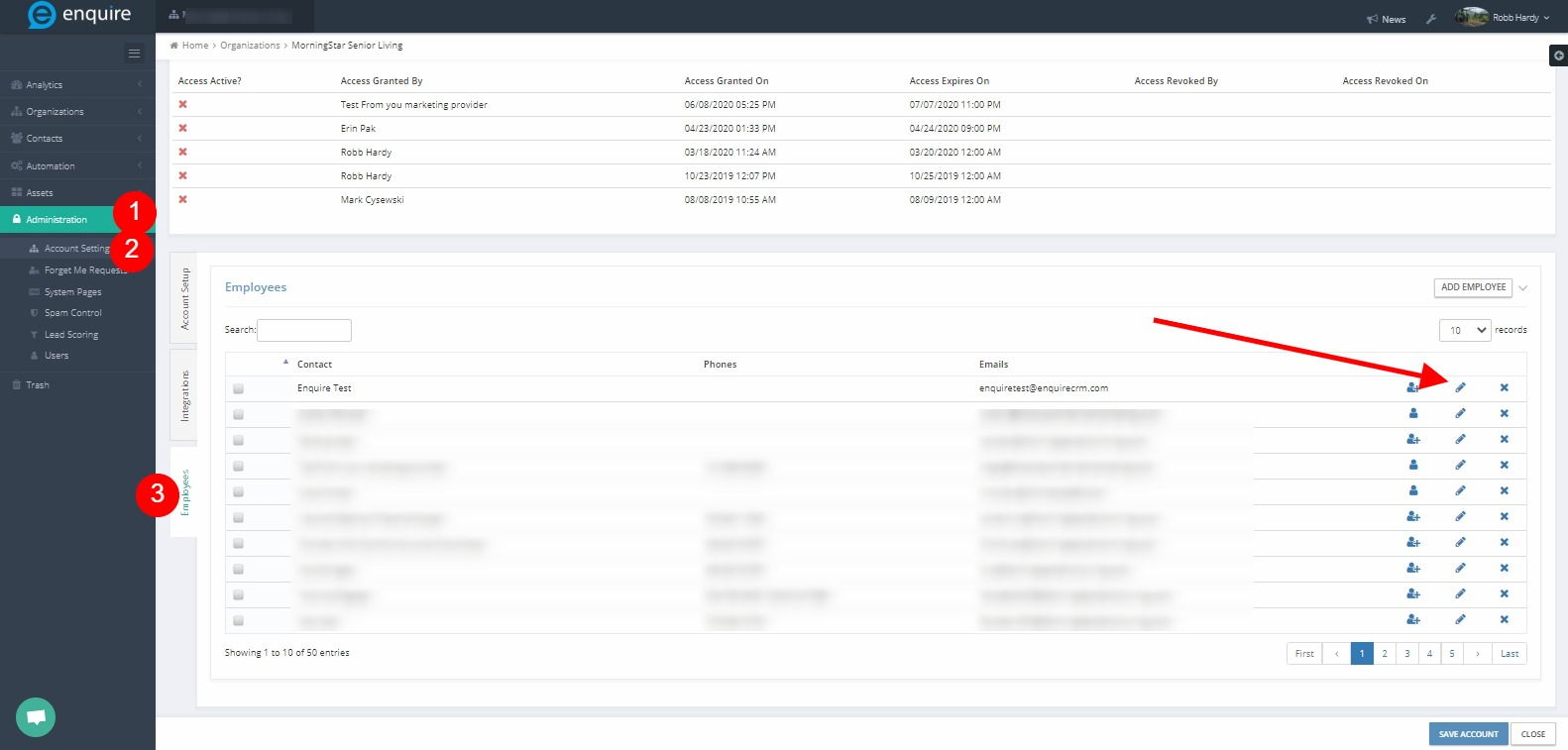
- Navigate to Administration > Account Settings > Employees tab
- Select user to edit by clicking pencil icon to open their profile
Resetting Password in Enquire MAP
- Connect with Enquire MAP Support at Enquire.support@alineops.com to get email changed.
- Navigate to main MAP Login Page at the appropriate URL
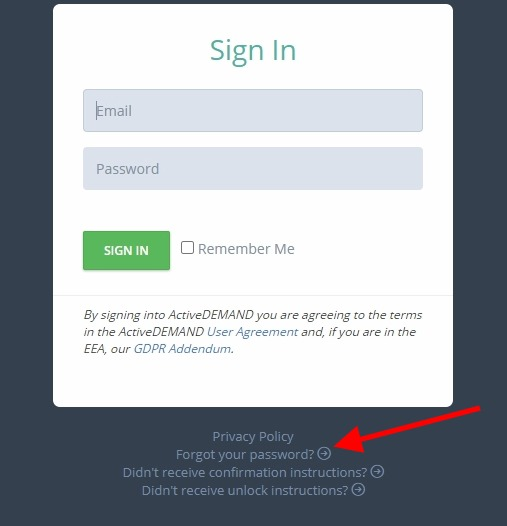
Please reach out to the dedicated Enquire Account Manager or Enquire MAP Support team for further assistance.
Was this article helpful?
That’s Great!
Thank you for your feedback
Sorry! We couldn't be helpful
Thank you for your feedback
Feedback sent
We appreciate your effort and will try to fix the article