Moving Assets from One Account to Another in Enquire MAP
If the User has an Agency Marketer account or is managing multiple domains that need several accounts, moving the assets across accounts is fairly simple. in fact, any asset or item that has a clone icon in the asset listing can be moved across accounts.
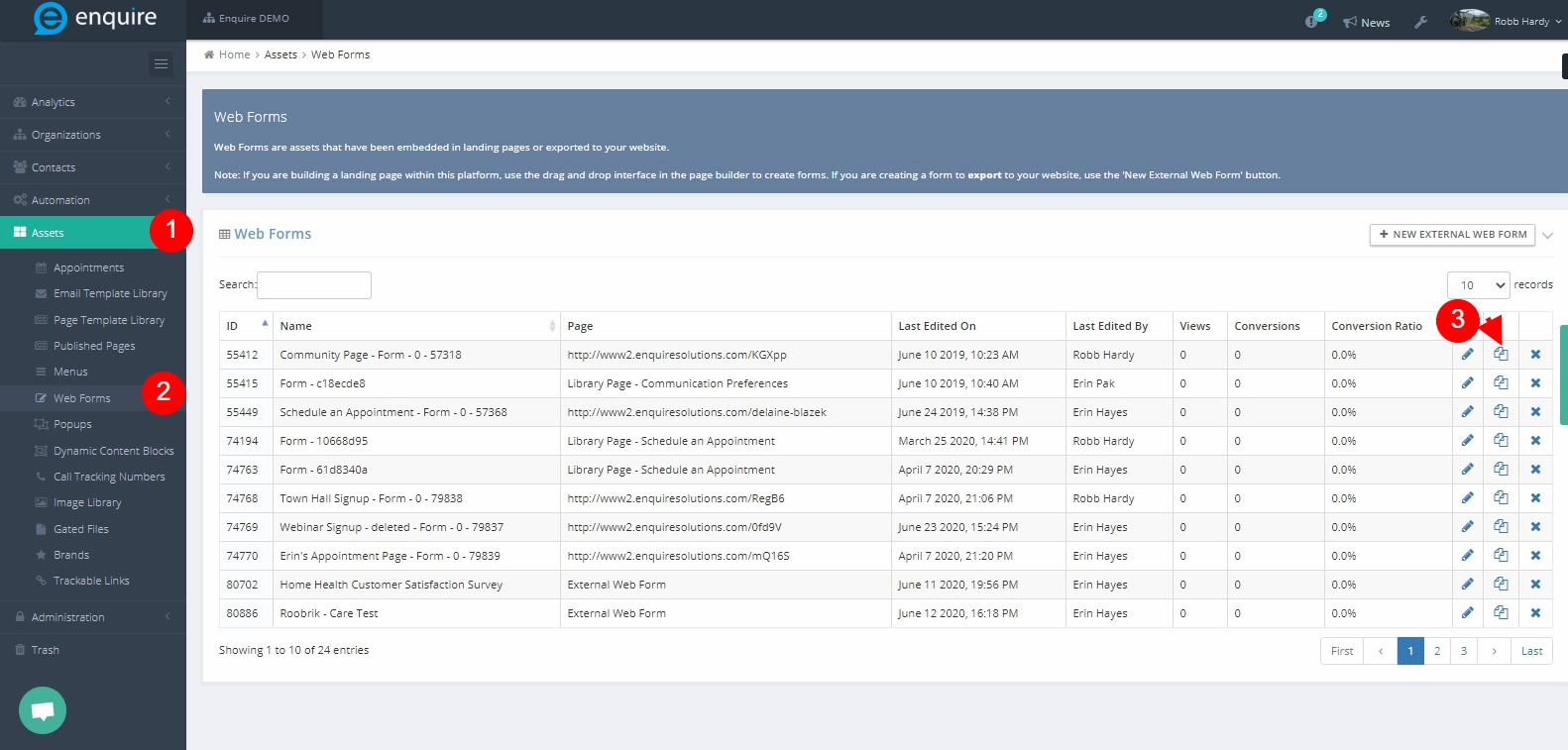
- Navigate to Assets for asset listing that needs to be moved across accounts (i.e. Email Library, Campaign, Workflow, Email Report, etc.) Example above shows web forms.
- Click the clone icon on the selected asset to move.
- A dialog box appears requesting Asset name to which account the new asset will be cloned to.
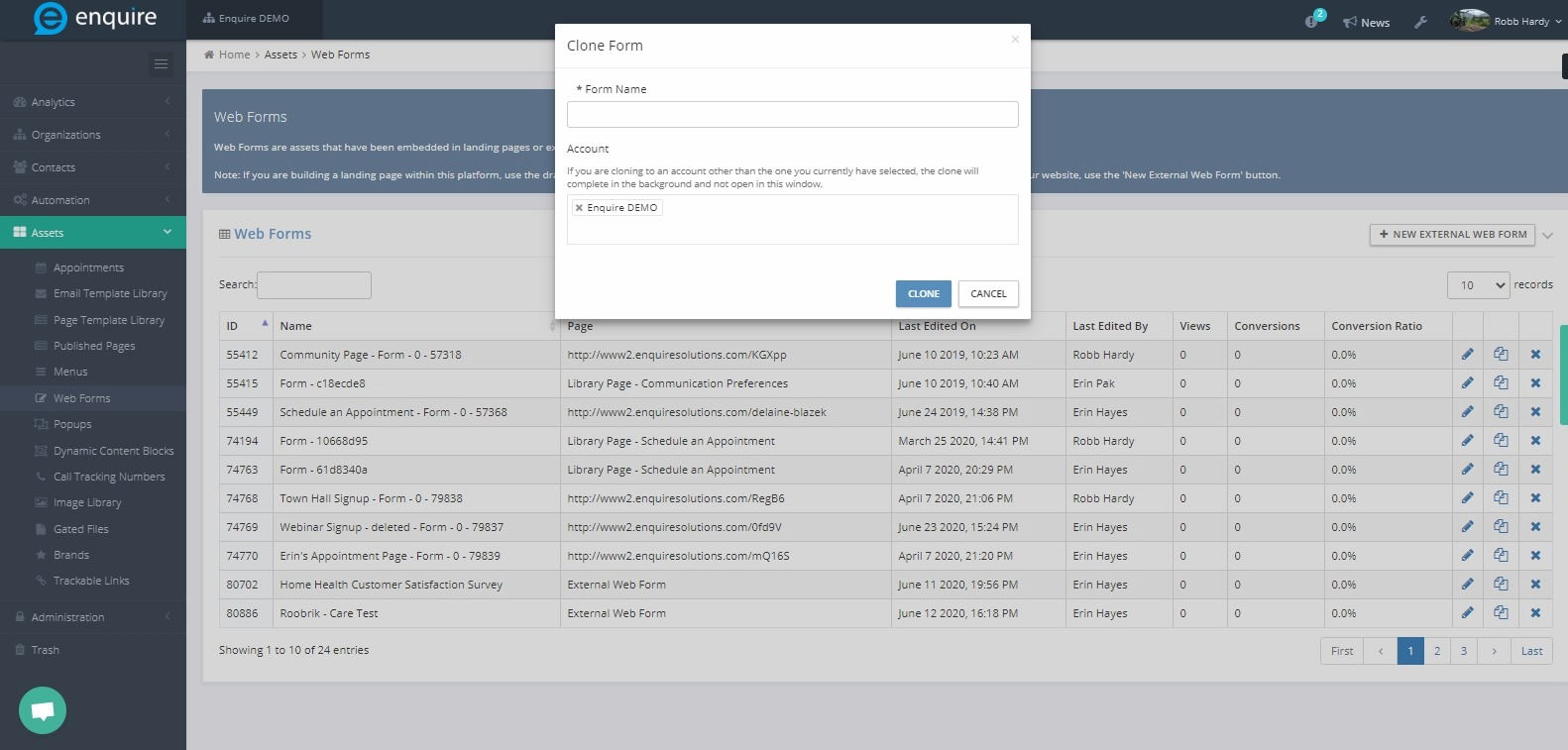 A copy of the asset will now be in the target account
New: On any asset, when the User clones an asset, an account drop-down menu appears to provider easier and more efficient cloning of assets
Please reach out to the dedicated Enquire Account Manager or Enquire MAP Support team for further assistance.
Was this article helpful?
That’s Great!
Thank you for your feedback
Sorry! We couldn't be helpful
Thank you for your feedback
Feedback sent
We appreciate your effort and will try to fix the article