Overview
In this article, we will review EnquireIQ integration and how it works. Reach out to your Client Success Manager or our Support team to get started.
How it Works
If a match on address is found, publicly accessible financial data will be appended.
If a match on Phone and/or email is found, publicly accessible social data will be appended.
There is an 86% match rate for at least one of the fields. This data is available to search in the advanced search and also available in the custom field table for custom reporting.
Enquire IQ appended data is triggered through manual entry on individual profiles. Migrated data will not auto-trigger the append search. Existing profiles can be triggered for the IQ data append through making updates to one of the phone, email or address fields.
NOTE: Individual length of use or getting new Phone, Email or Address will greatly impact the data match found.
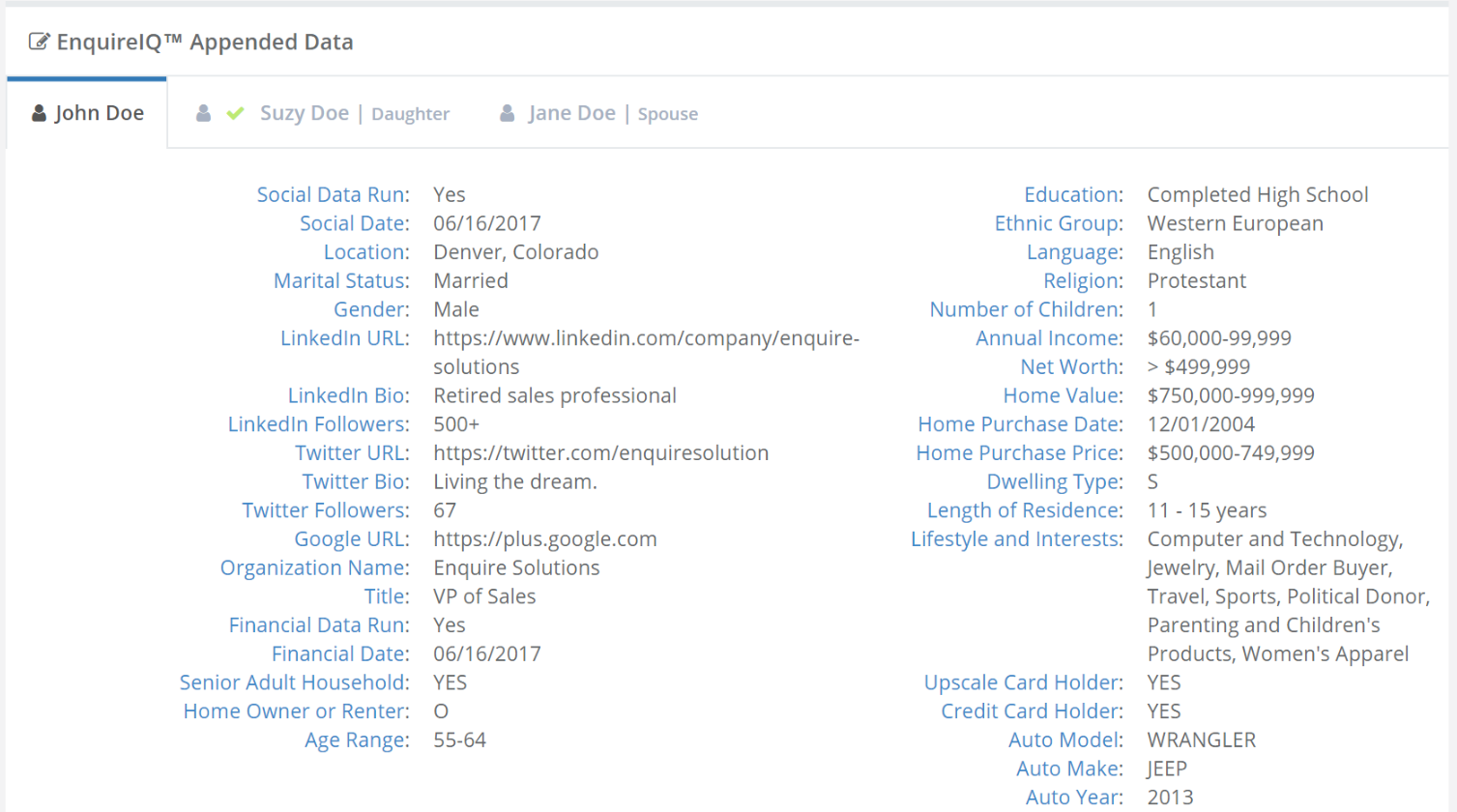
Example form
Social Module
Instantly populates the following social information fields on the EnquireIQ Appended Data form when an email address or phone number is entered and matched:
| Social Data Run | Social Date |
| Location | Marital Status |
| Age | Gender |
| LinkedIn URL | LinkedIn Bio |
| LinkedIn Followers | Twitter URL |
| Google URL | Organization Name |
| Title |
Financial Module
Instantly populates the following financial and demographic information fields on the EnquireIQ Appended Data form when a physical address is entered and matched:
| Financial Data Run | Financial Date |
| Senior Adult Household | Home Owner or Renter |
| Age Range | Education |
| Ethnic Group | Language |
| Religion | Number of Children |
| Annual Income | Net Worth |
| Home Value | Home Purchase Date |
| Home Purchase Price | Dwelling Type |
| Length of Residence | Lifestyle and Interests |
| Occupation - Industry | Occupation - Detail |
| Upscale Card Holder | Credit Card Holder |
| Auto Model | Auto Make |
| Auto Year |
Was this article helpful?
That’s Great!
Thank you for your feedback
Sorry! We couldn't be helpful
Thank you for your feedback
Feedback sent
We appreciate your effort and will try to fix the article