Overview
In this article, we will review the Ability integration and how it works with the CRM.
Ability
Step 1: Click the Check Eligibility button on the leads profile

Step 2: A pop-up will populate. The eligible service codes need one or more selections.
Note: Use Control Key to select more then one value.
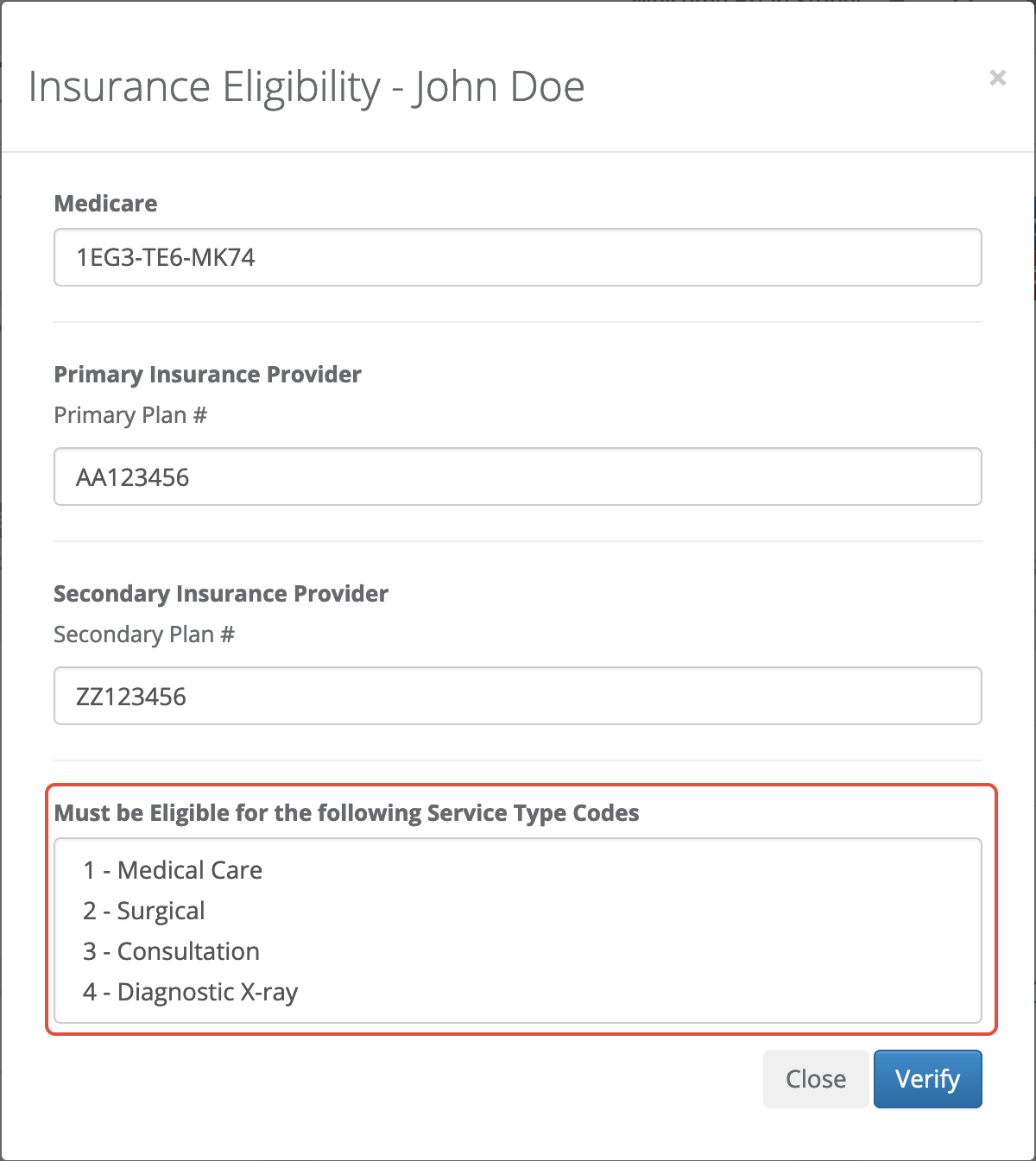
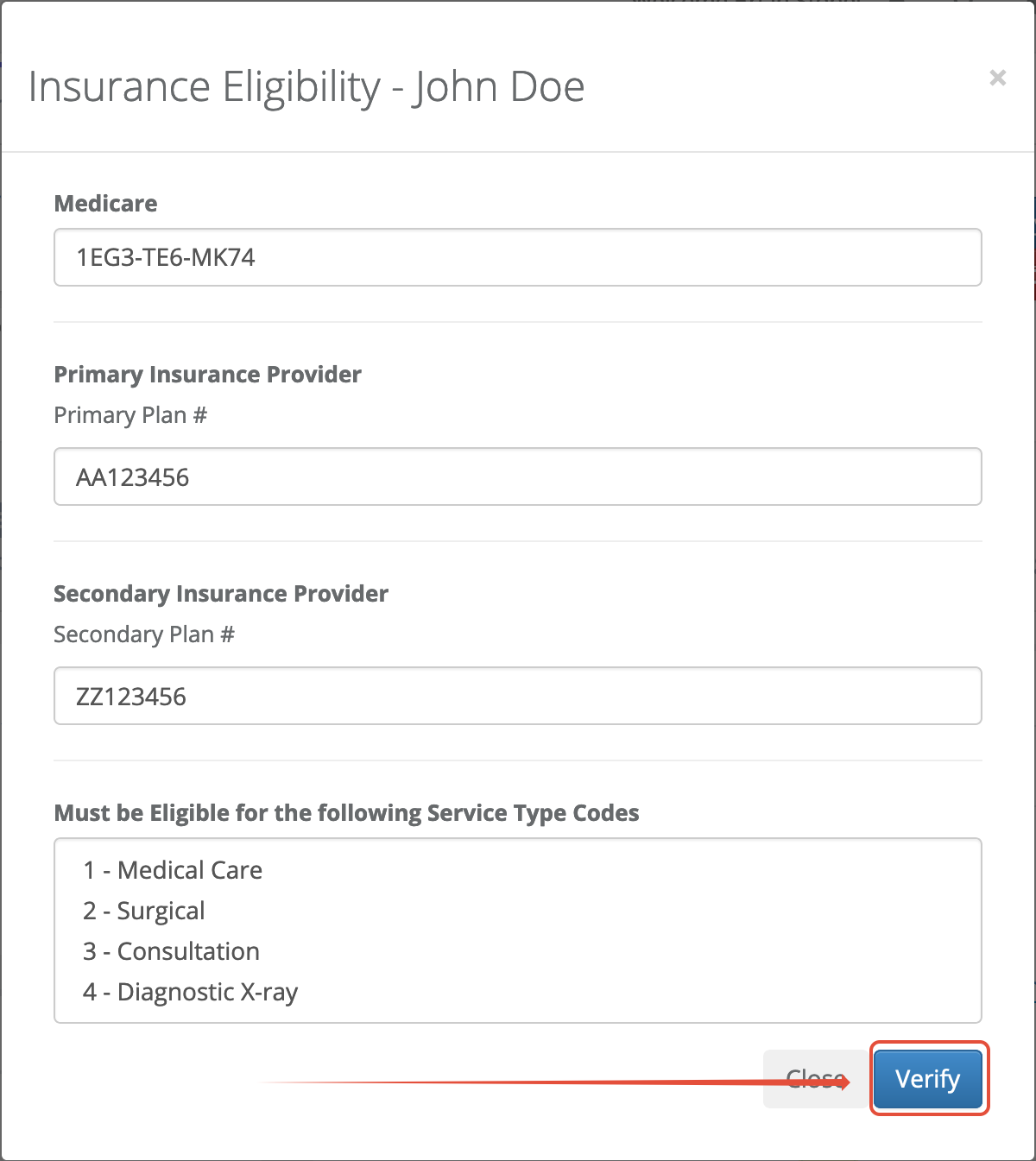
Step 3: Click the Verify button
Step 4: A completed modal will populate with the outcome
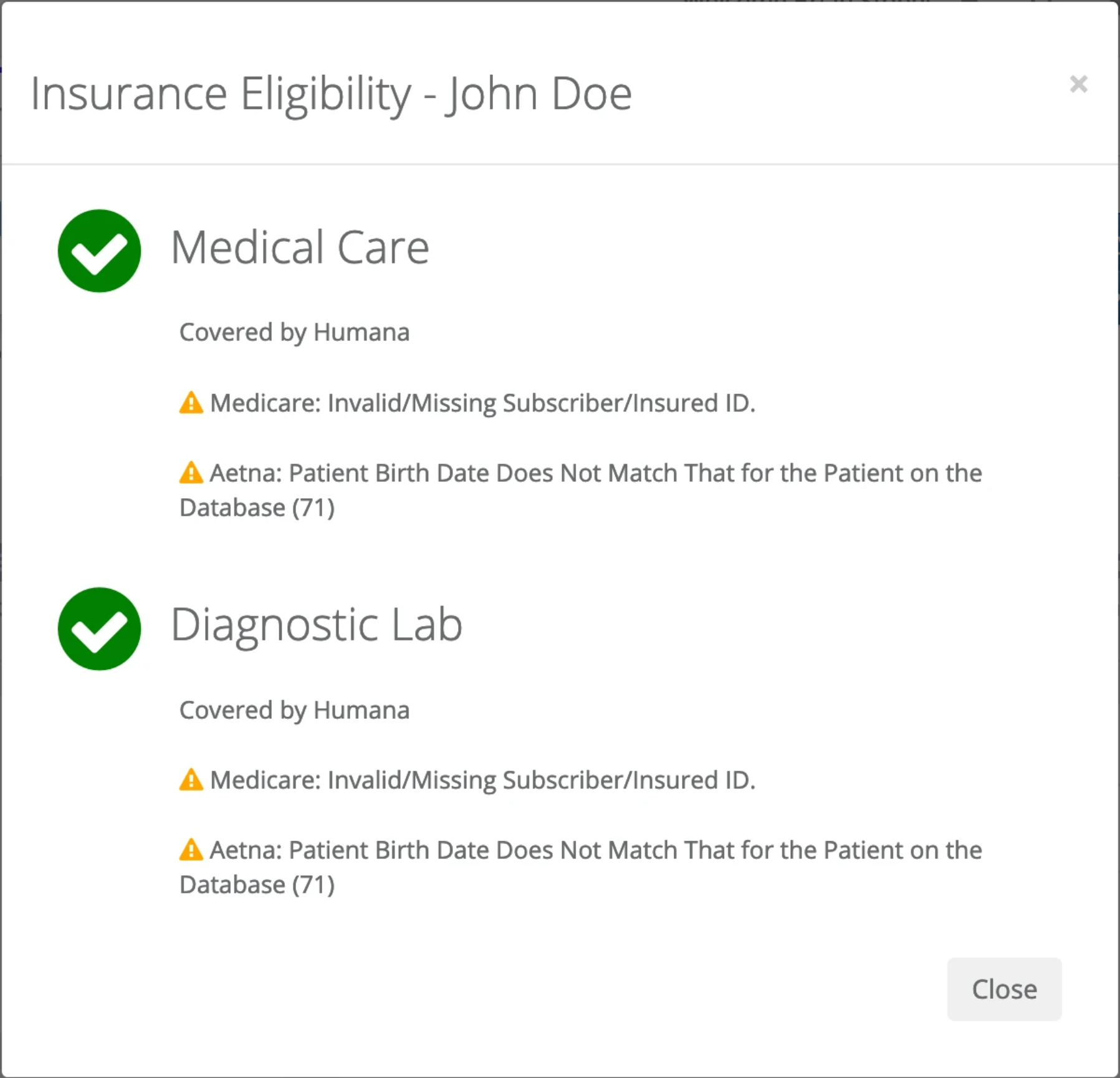
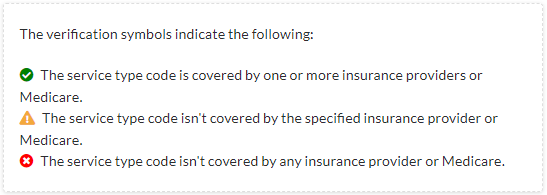
Note: Below is a key of the symbols based on the outcome of the eligibility
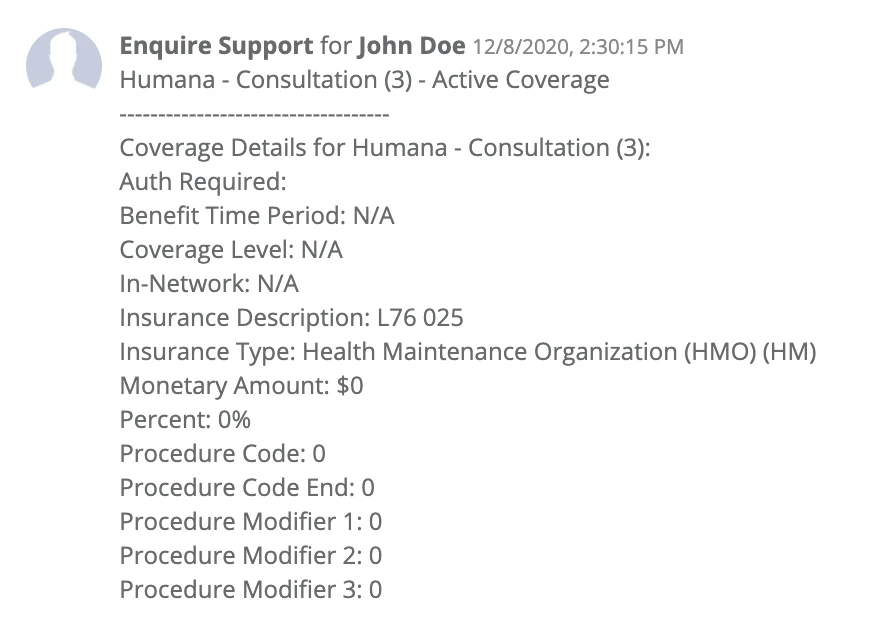
Step 5: Once the verification is completed, a note will populate in the CRM under the leads profile and an attachment will be created for coverage.
Was this article helpful?
That’s Great!
Thank you for your feedback
Sorry! We couldn't be helpful
Thank you for your feedback
Feedback sent
We appreciate your effort and will try to fix the article