If you want to have a form where the check-boxes are pre-checked, you can set it up in the Form editor.
Step 1: Click the pencil icon to edit the Checkbox field: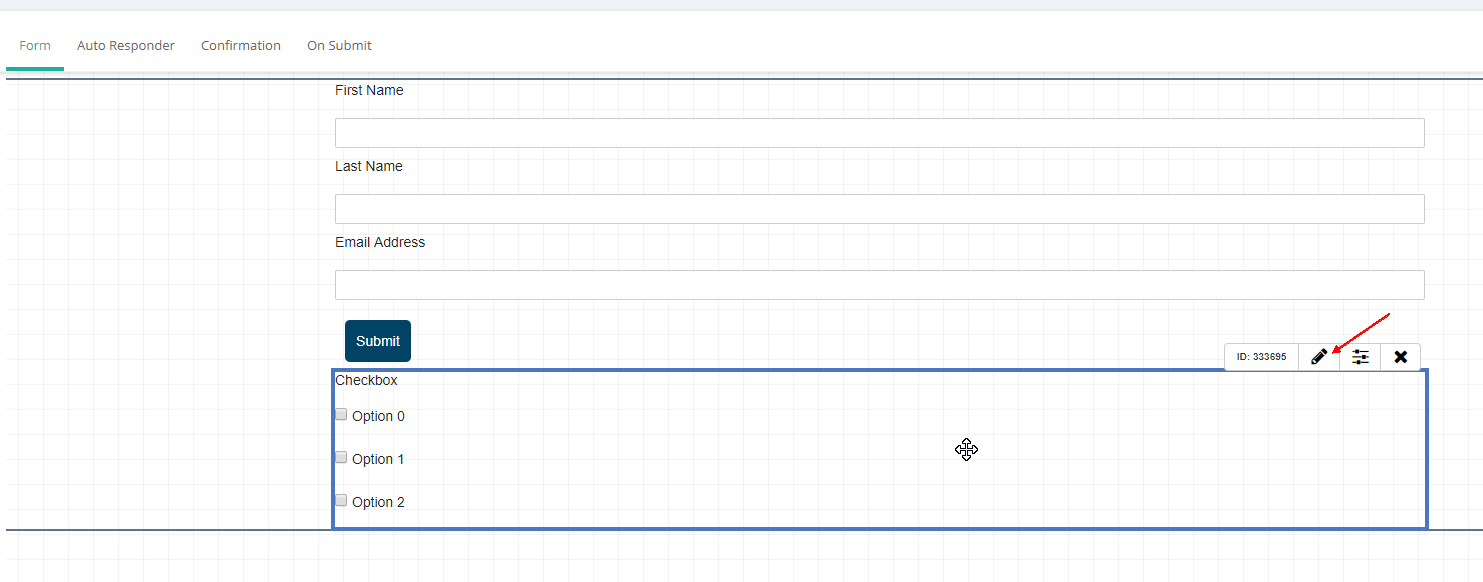
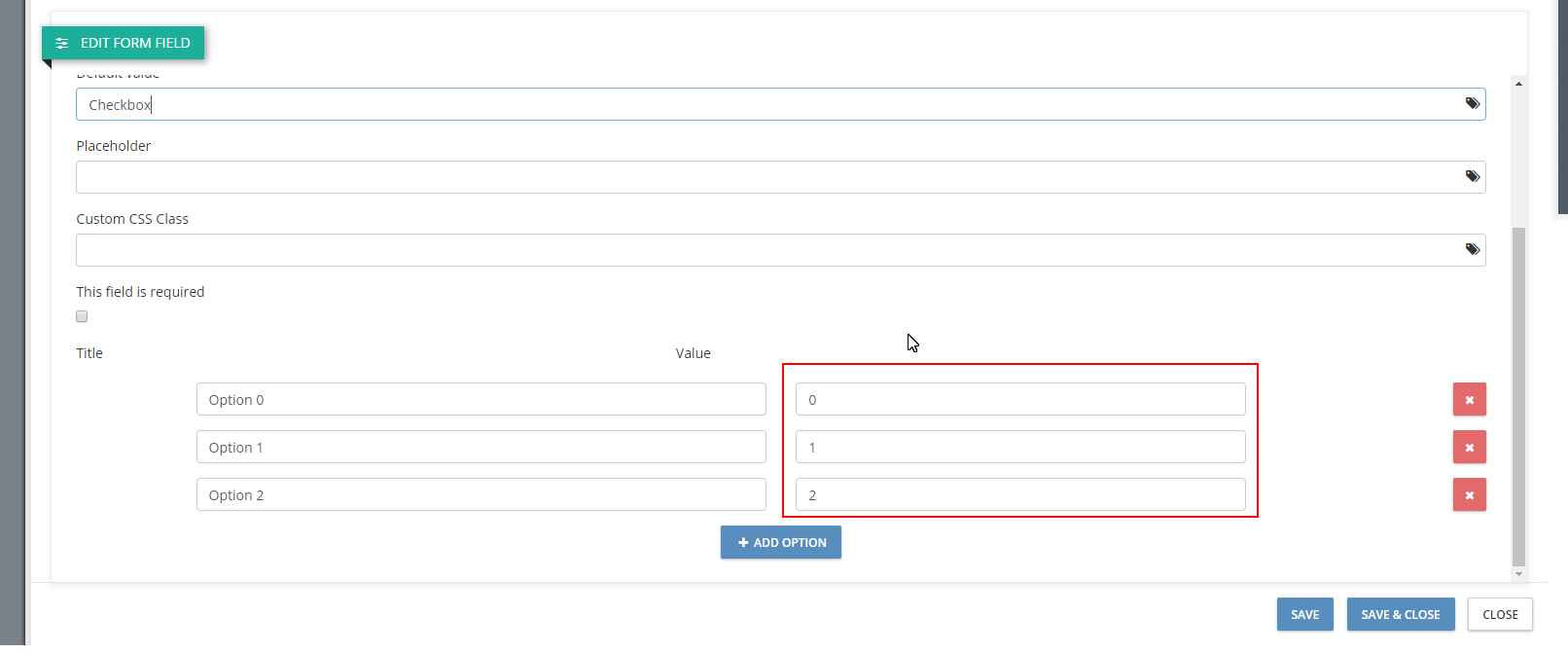
Step 2: Insert values for each option. Note that the values for the options should be different:
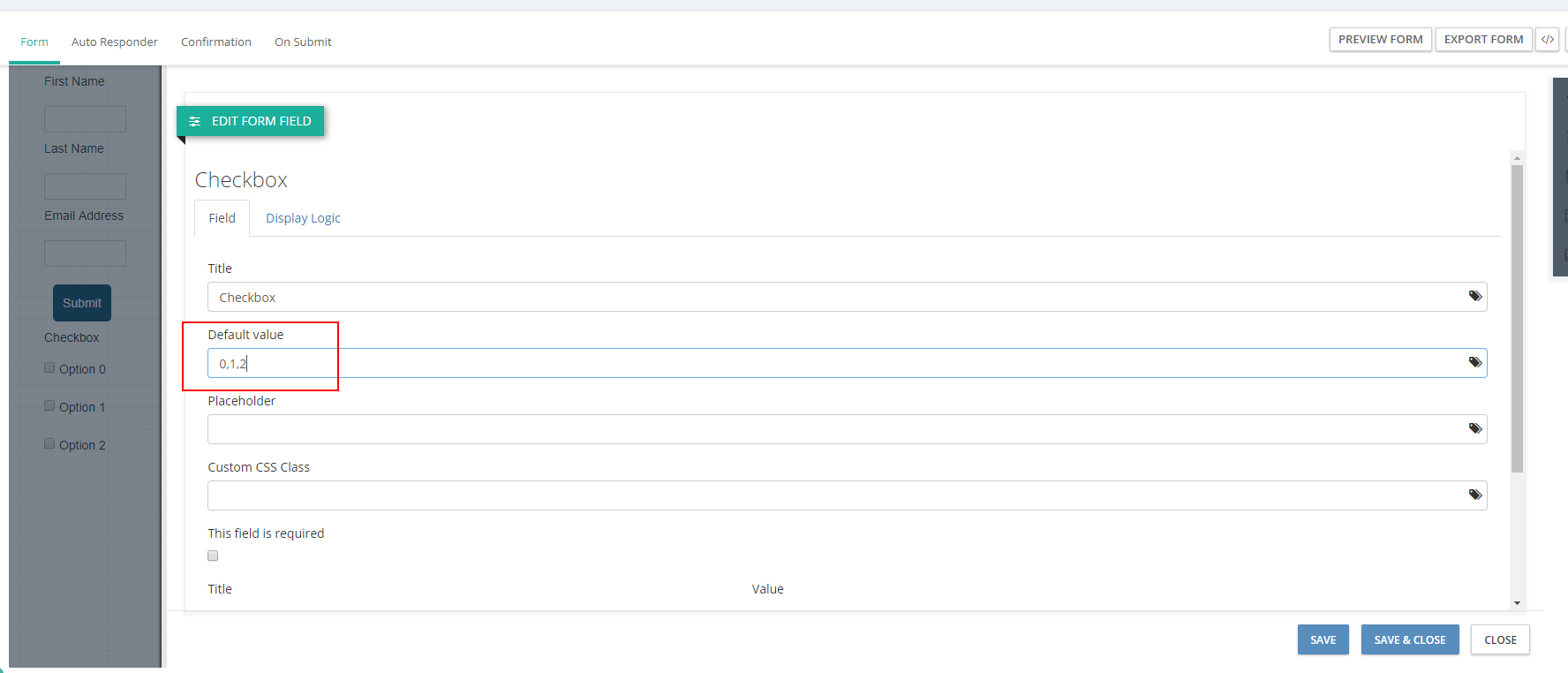
Step 3: List these values in the Default value field (comma separated):
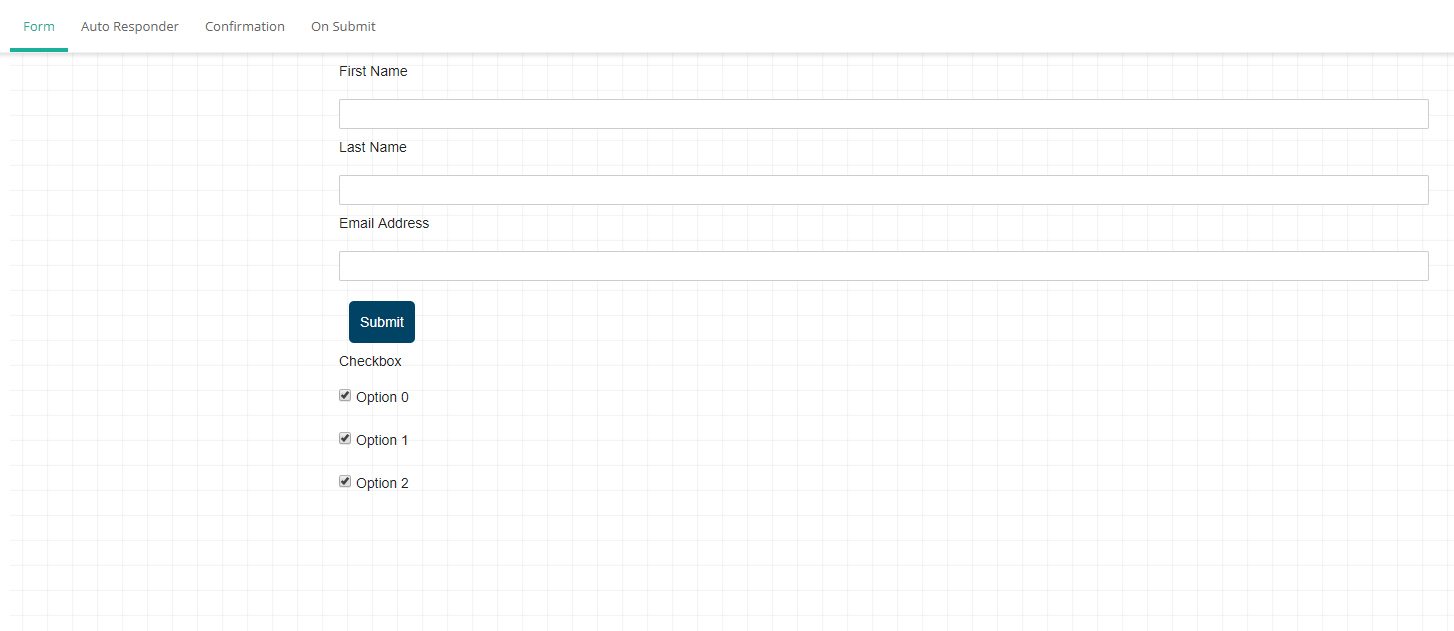
Result: The options on the form will appear as pre-selected:
Was this article helpful?
That’s Great!
Thank you for your feedback
Sorry! We couldn't be helpful
Thank you for your feedback
Feedback sent
We appreciate your effort and will try to fix the article